TCT premium toner cartridges let you print high quality documents and images with great savings. We have a large selection of compatible replacement ink and toner cartridges for various printer models. TCT cartridges are easy to use and work flawlessly with your printer.
TCT carries premium cartridge replacements perfect for your home and business printing needs. You get the same excellent print results without spending more.
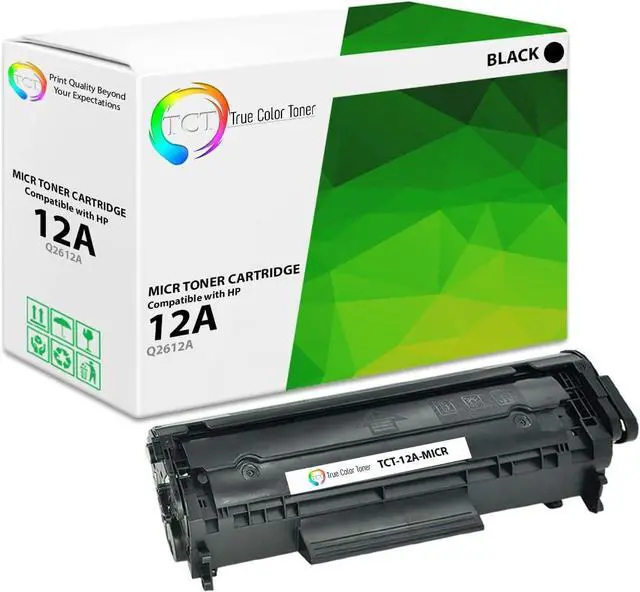
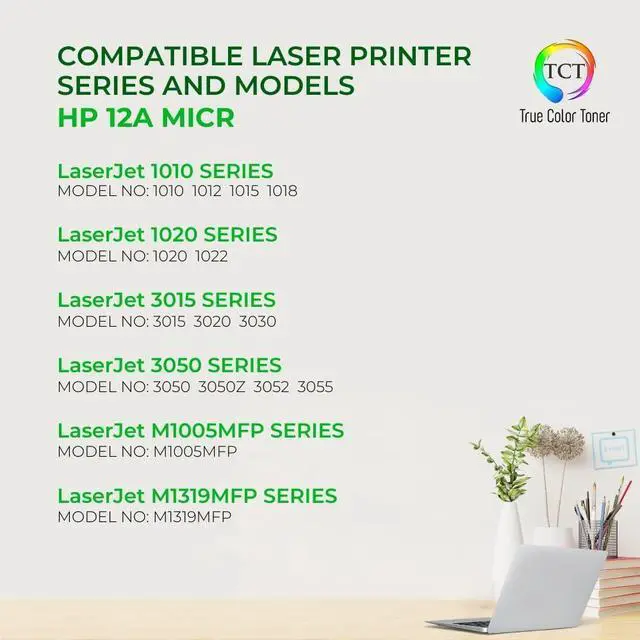
The TCT Q2612A MICR is compatible with the following printer models: HP LaserJet 1010 1012 1015 1018 1020 1022 1022n 1022nw 3015 3020 3030 3050 3052 3055 M1319f M1005 MFP Printers.
Our premium grade toner produces high quality prints every time. Whether in high or low printer density, expect to get vibrant, crisp, and sharp texts and graphics.
- Turn on the printer and open the front cover.
- Unlock the lever and remove the old toner cartridge.
- Unpack TCT toner cartridge.
- Remove all protective covers and tabs.
- See instructional guide for specific courses of action.
- Hold TCT toner cartridge steadily
- Shake from side to side to distribute toner evenly and loosen lumps.
- Install the new TCT toner cartridge. Make sure to secure lock.
- Close front cover.
- Wait for machine to be in Ready Mode. Start printing.
Step 1
Step 2
Step 3
Step 4
Print bold and long-lasting signs and labels.
Create stand out brochures and pamphlets.
Re-live captured moments with stunning printed photos.
Enjoy playtime with printable arts and crafts.
TCT Print Quality Beyond Your Expectations! The TCT Advantage Printer Compatibility Higher Density Level Tips on How to Properly Install Your Toner Cartridge Tips on How to Properly Install Your Toner Cartridge Tips on How to Properly Install Your Toner Cartridge Tips on How to Properly Install Your Toner Cartridge Use TCT's Premium Brand of cartridges to print all of your projects! Sharp Signs and Labels Eye-Catching Brochures Professional-Looking Photos Finest Printable Arts & Crafts