• $70.99
  • Free 30-day Returns
  • Shipped by LionTech Direct

    Price alert
    Shop it at NeweggBusiness.

    Meet Your Seller

    SuperInk Toner Cartridge Compatible Replacement for HP 49X 53X Q5949X

    • Q7553X Q5949A Q7553A Works with Laserjet 1320 1320n P2015 P2015dn 1320nw 3390 M2727nf P2014 P2010 Printer (Black, 2 Pack)
    • Item Name: SuperInk Black Compatible Toner Cartridge Replacement for HP 49X 53X Q5949X Q7553X.
    • Compatible Printers: Laser Jet 1320 1320n 1320tn 1320nw 3390 3392 P2010 P2014 P2014n P2015 P2015d P2015n P2015dn P2015x M2727nf M2727 MFP Printer.
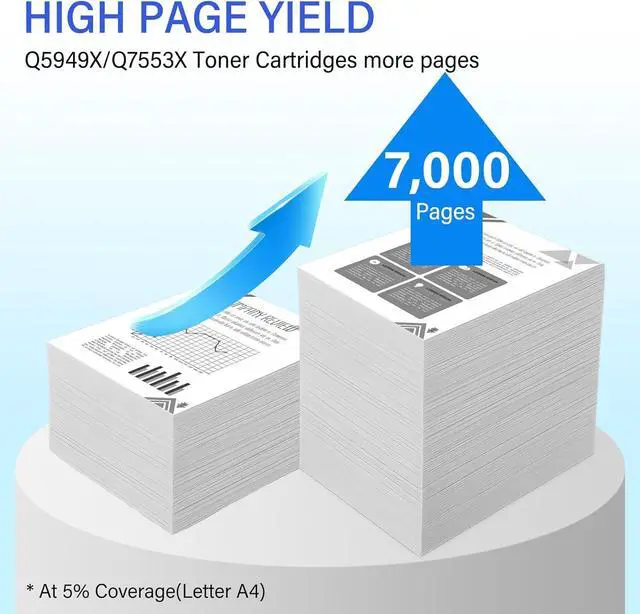
    • Page Yield: 7,000 pages per toner cartridge(Letter/A4, at 5% Coverage).
    • Package Contents: 2 × Q5949X Black Toner Cartridges, 2 × User's guides.
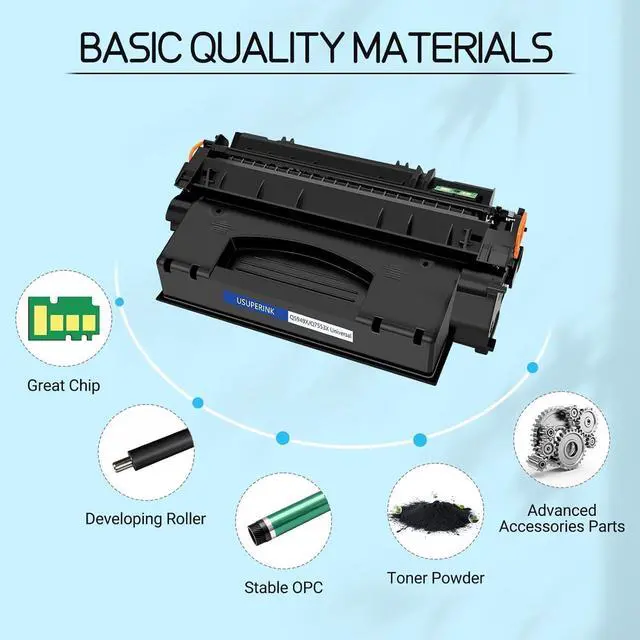
    • Excellent Quality Standard: Good partner with your printer. Provide you with clear printouts. Better developer roller provides crisp printing effect, consistent printing on every page. Meet all of your home, school and office printing needs.
    +
    +
    Overview
    Specs
    Reviews
    avatar

    Any questions? Our AI mode will help you find out quickly.


    SuperInk compatible Q5949X Q7553X black toner cartridge replacements are optimally designed to compatible for HP printer.
    Compatible for the following Printers:
    # Tips: Please confirm your printer model is in the model list below
    Compatible for HP Printer:
    Laser Jet 1320 1320n 1320tn 1320nw 3390 3392 printers
    Laser Jet P2010 P2014 P2014n printers
    Laser Jet P2015 P2015d P2015n P2015dn P2015x printers
    Laser Jet M2727nf M2727 MFP printers
    Product Information:
    One Q5949X/Q7553X black cartridge can print up to 7,000 pages. (Under condition of 5% coverage in A4 paper).
    Our products have stable print quality. They print very clearly and sharp.
    Our products are easy to install.
    Well individual double-layer sealed package contains 2 Pack Q5949X Q7553X Black Toner Cartridges.

    Steps on how to install a toner cartridge:
    1.Take out used cartridge from the printer.
    2.Remove the toner cartridge from the packaging.
    3.Grasp both sides of the toner cartridge, and gently shake the toner cartridge horizontally from side to side to distribute the toner in the toner cartridge evenly.
    4.Place the cartridge on a flat surface. Locate the sealing plastic tab of the toner cartridge, and remove it. Then locate the sealing tape on the side of the cartridge and pull the tape straight out (do not pull at an angle).
    5.Insert the cartridge in the printer, and push until firmly seated. Close the front cover. Power on the printer.

    Warranty & Returns

    Warranty, Returns, And Additional Information

    Warranty

    • Please contact the Seller directly for warranty information. Warranty information may also be found on the Manufacturer's website.
    • CONTACT

    Return Policies

    Manufacturer Contact Info

    LOADING...