• $39.64
  • Free 30-day Returns
  • Ships from Hong Kong.
    Price alert
    Sold by pigpig tech
    Hot Seller
    4.2 (18 seller ratings)

    Shipped by pigpig tech

    Shop it at NeweggBusiness.

    Meet Your Seller

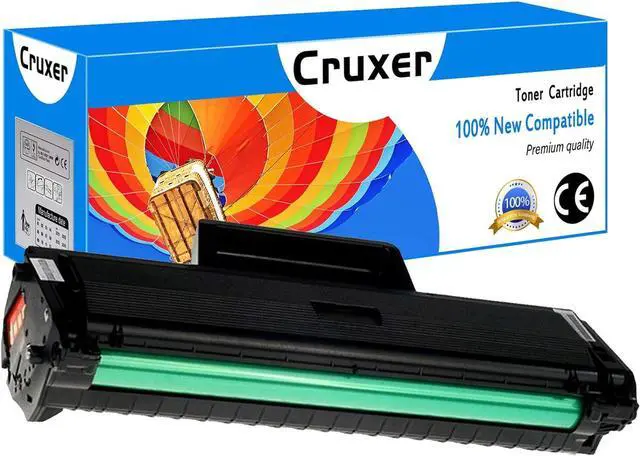
    Cruxer Compatible Toner Cartridge Replacement for Samsung 104S MLT-D104S MLT-D104L use for ML-1660 ML-1675 ML-1860 ML-1865W SCX-3200 SCX-3205W SCX-3210 SCX-3217 SCX-3218 Printer (Black, 1-Pack)

    • Cruxer 1 Pack MLT-D104L Compatible Toner Cartridge replacement for Samsung MLT-D104S MLT-D104L toner cartridge
    • Included: 1 Pack MLT-D104L Black + 1 User Guide
    • Estimated Page Yield: Each black approx 1,500 Pages,based on 5% coverage (Letter/A4)
    • Compatible for Samsung Printers: ML-1660 ML-1661 ML-1666 ML-1665 ML-1670 ML-1675 ML-1860 ML-1861 ML-1865W SCX-3200 SCX-3200W SCX-3201 SCX-3205 SCX-3205W SCX-3206 SCX-3210 SCX-3217 SCX-3218
    • Our compatible toner cartridges offer the same print quality results as OEM. Work with ALL compatible printers. Easy to be installed and recognized. Professional multi-layer packaging to ensure product safety.
    +
    +
    Overview
    Specs
    Reviews
    avatar

    Any questions? Our AI beta will help you find out quickly.

    Welcome to Cruxer!

    Faster & Professional Printing Solution!

    Product Name: Cruxer Compatible toner cartridge replacement for Samsung 104S 104L MLT-D104S MLT-D104L is the replacement of the OEM model with the higher standards of quality, reliability and compatibility.

    Exceptional Performance: Printing out bright color and clear texts, graphics and photos provides you higher quality and satisfactory Toner cartridge for home / school / office / bank / hospital printer. Work anywhere you need to print.

    Model: MLT-D104S MLT-D104L

    Printed Color: Black

    Included: 1 Pack MLT-D104S Black + 1 User Guide

    Page Yield: 1,500 pages (Letter/A4) per cartridge.

    Compatible for Samsung Laser Printer:

    ML-1660 ML-1661 ML-1666 ML-1665

    ML-1670 ML-1675 ML-1860 ML-1861 ML-1865W

    SCX-3200 SCX-3200W SCX-3201 SCX-3205 SCX-3205W

    SCX-3206 SCX-3210 SCX-3217 SCX-3218

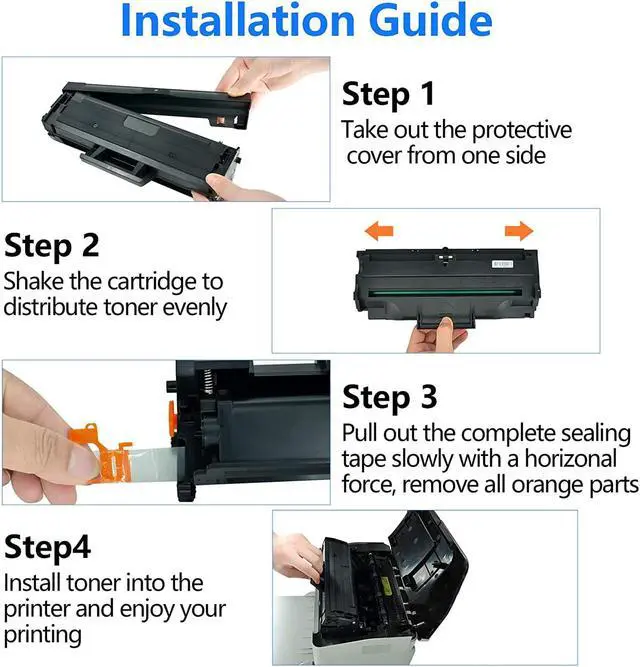
    Installation steps:

    Step 1. Shake the toner cartridge from side to side 4-5 times to distribute the toner evenly.

    Step 2. Pull out the complete sealing tape slowly with a horizonal force, remove black protective cover from toner cartridge.

    Step 3. Install toner into printer and enjoy your printing.

    Warranty & Returns

    Warranty, Returns, And Additional Information

    Warranty

    • Please contact the Seller directly for warranty information. Warranty information may also be found on the Manufacturer's website.
    • CONTACT

    Return Policies

    • Return for refund within: 30 days
    • Return for replacement within: non-replaceable
    • This item is covered by pigpig tech Return Policy

    Manufacturer Contact Info

    LOADING...