Your Browsing History
- Free 30-day Returns
$58.49
Ships from Hong Kong.
Meet Your Seller
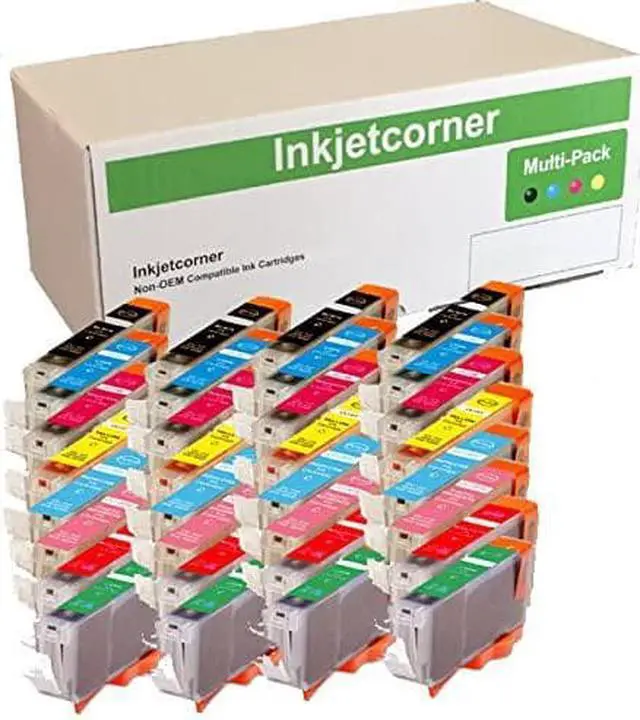
Inkjetcorner Compatible Ink Cartridges Replacement for CLI-8 for use with Pro9000 Mark II (32-Pack)
- Compatible Cartridges for CLI-8
- Includes: 4 of each (Black, Cyan, Magenta, Yellow, Photo Cyan, Photo Magenta, Red, Green)
- Compatible with Pro9000 or Pro9000 Mark II
- Will Display Correct Ink Level
+
+
Overview
Reviews
Any questions? Our AI beta will help you find out quickly.
Try me now
Inkjetcorner inkjet cartridges for your printers are built to meet the same original specifications and performance standards as the OEM cartridges.
Compatible with the following printers: Pro9000, Pro9000 Mark II
How to install / Replace new ink cartridge:
Step 1: Pull off tape (if any) the yellow/clear sealing tape on top of the cartridge. If there are no tape on the top, proceed to Step 2
Step 2: Turn cartridge upside down and remove the orange cap/bracket off the cartridge
Step 3: Insert the cartridge into the corresponding slot and push down on the cartridge until you hear a click sound
Step 4: This Step is optional. Run a Printhead clean on the cartridge. this will flush out residue leftover from previous use
NOTE: The cartridges may not light up due to latest driver update. However, you will be able to continue to print and the ink levels will display

Compatible with the following printers: Pro9000, Pro9000 Mark II
How to install / Replace new ink cartridge:
Step 1: Pull off tape (if any) the yellow/clear sealing tape on top of the cartridge. If there are no tape on the top, proceed to Step 2
Step 2: Turn cartridge upside down and remove the orange cap/bracket off the cartridge
Step 3: Insert the cartridge into the corresponding slot and push down on the cartridge until you hear a click sound
Step 4: This Step is optional. Run a Printhead clean on the cartridge. this will flush out residue leftover from previous use
NOTE: The cartridges may not light up due to latest driver update. However, you will be able to continue to print and the ink levels will display
Warranty & Returns
Warranty, Returns, And Additional Information
Warranty
- Please contact the Seller directly for warranty information. Warranty information may also be found on the Manufacturer's website.
- CONTACT
Return Policies
- Return for refund within: 30 days
- Return for replacement within: 30 days
- This item is covered by haoyuzeshang Return Policy
Manufacturer Contact Info
- For a directory of all our manufacturers, please click below.
- Manufacturers Directory
LOADING...