• $58.69
  • Free 30-day Returns
  • Ships from Hong Kong.
    Price alert
    Shop it at NeweggBusiness.

    Meet Your Seller

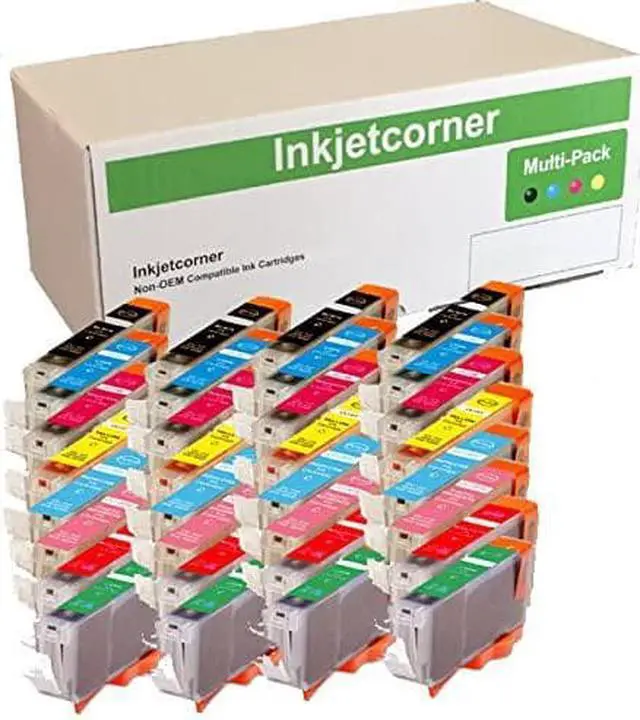
    Inkjetcorner Compatible Ink Cartridges Replacement for CLI-8 for use with Pro9000 Mark II (32-Pack)

    • Compatible Cartridges for CLI-8
    • Includes: 4 of each (Black, Cyan, Magenta, Yellow, Photo Cyan, Photo Magenta, Red, Green)
    • Compatible with Pro9000 or Pro9000 Mark II
    • Will Display Correct Ink Level
    +
    +
    Overview
    Reviews
    avatar

    Any questions? Our AI beta will help you find out quickly.

    Inkjetcorner inkjet cartridges for your printers are built to meet the same original specifications and performance standards as the OEM cartridges.

    Compatible with the following printers: Pro9000, Pro9000 Mark II

    How to install / Replace new ink cartridge:
    Step 1: Pull off tape (if any) the yellow/clear sealing tape on top of the cartridge. If there are no tape on the top, proceed to Step 2
    Step 2: Turn cartridge upside down and remove the orange cap/bracket off the cartridge
    Step 3: Insert the cartridge into the corresponding slot and push down on the cartridge until you hear a click sound
    Step 4: This Step is optional. Run a Printhead clean on the cartridge. this will flush out residue leftover from previous use

    NOTE: The cartridges may not light up due to latest driver update. However, you will be able to continue to print and the ink levels will display

    Warranty & Returns

    Warranty, Returns, And Additional Information

    Warranty

    • Please contact the Seller directly for warranty information. Warranty information may also be found on the Manufacturer's website.
    • CONTACT

    Return Policies

    Manufacturer Contact Info

    LOADING...