Your Browsing History
- Free 30-day Returns
$252.99
Meet Your Seller
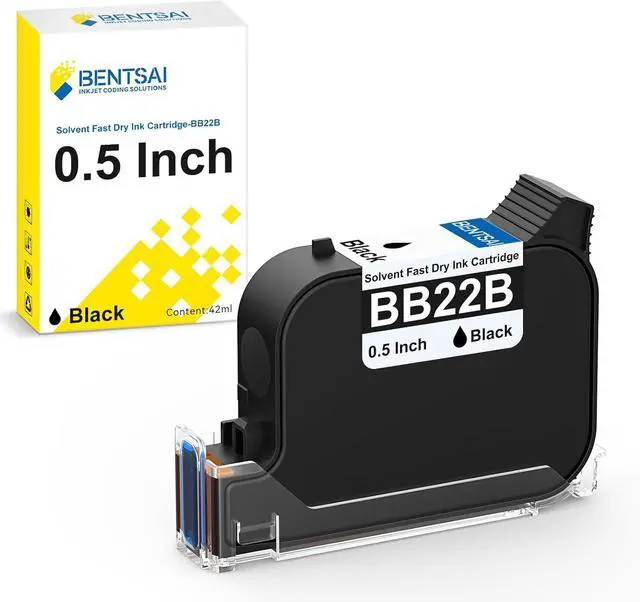
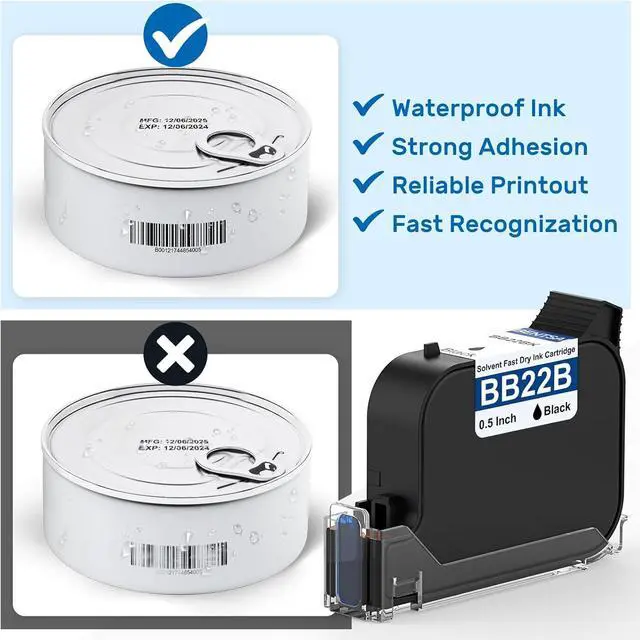
BENTSAI BB22B Original Solvent Ink Quick Dry Ink Cartridge Replacement for BT-HH6205B 6205BL Handheld Inkjet Printer (Black, Advanced Version)
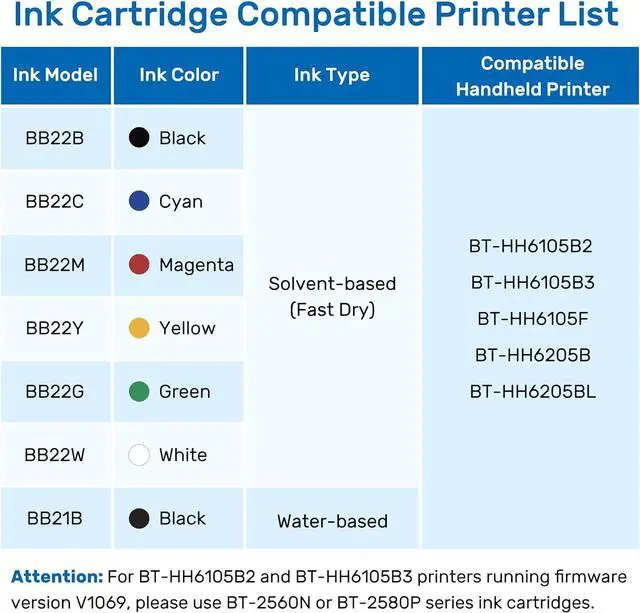
- The BENTSAI BB22B ink cartridge is compatible with BT-HH6105B2 and BT-HH6105B3 handheld printers (except for machines running V1069), BT-HH6105F, BT-HH6205B, and 6205BL.
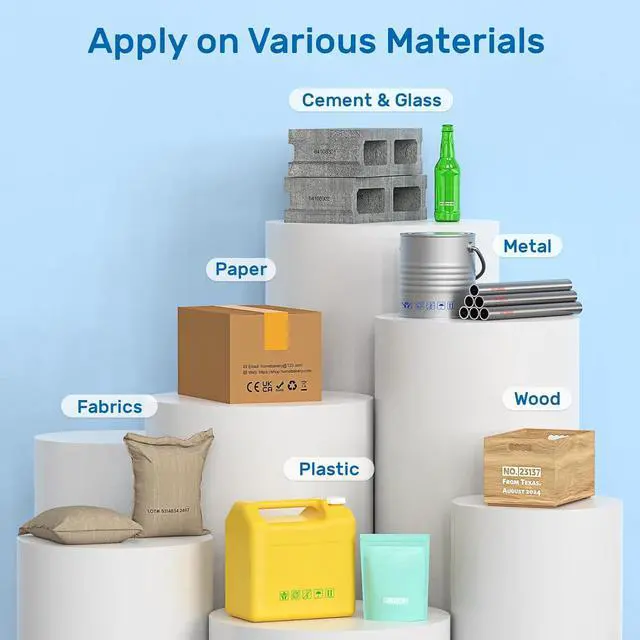
- Wide Application: The Bentsai quick-drying ink is designed for versatile use, capable of printing on both porous and non-porous materials, such as carton, wood, fabric, plastic, polyethylene, acrylic, metal, aluminum foil, metal, fiberboard, glass, ceramic, leather, concrete, eggs, etc, delivering high-quality results with fast drying times.
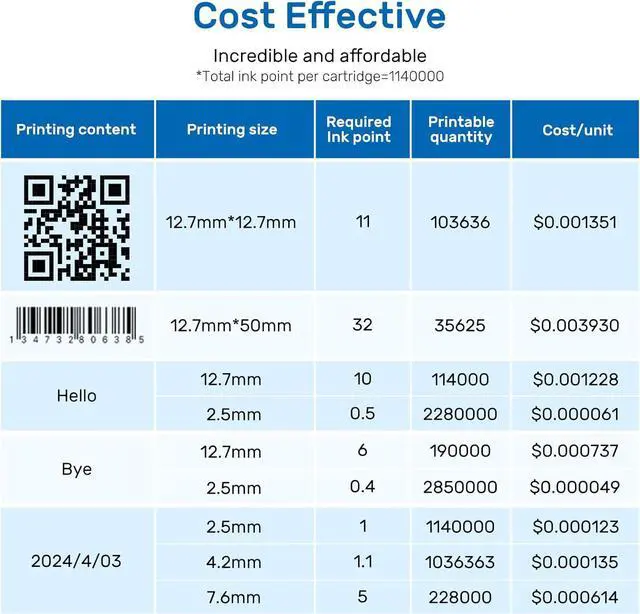
- Cost-Effective Printing: Each BB22B ink cartridge holds 42ml and can print up to 2,000,000 characters at a 2.5mm print height with the grey level set to the second setting, offering exceptional value and reducing the need for constant replacements.
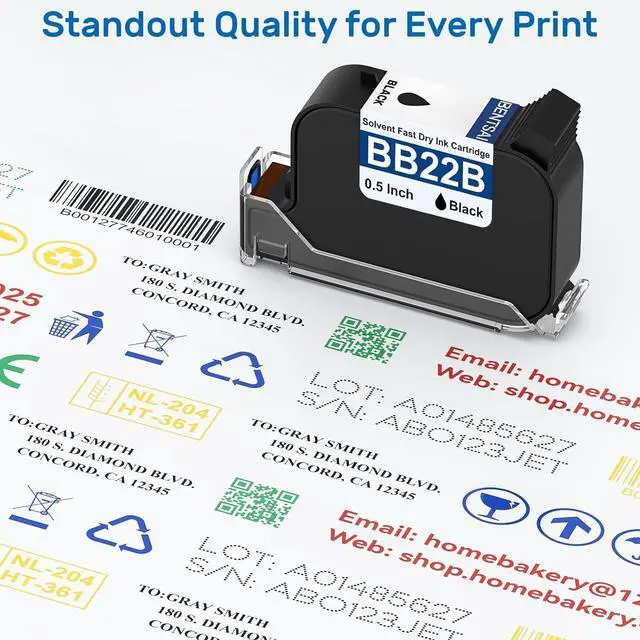
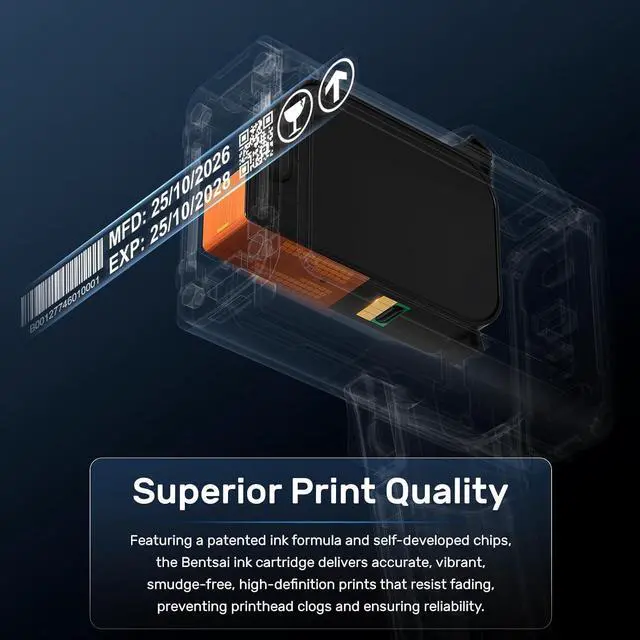
- Superior Print Quality: Featuring a patented ink formula and self-developed chips, the Bentsai ink cartridge delivers accurate, vibrant, smudge-free, high-definition prints that resist fading, preventing printhead clogs and ensuring
+
+
Overview
Specs
Reviews
Any questions? Our AI mode will help you find out quickly.
Try me now
1Clear QR code printing2Diverse date printing3Accurate barcode printing1Advanced technology2Durable printing
Step 1: Open the printer's cartridge slot and make sure the ink model is correct.
Step 2: Remove the ink cartridge's protective cap and then insert the ink cartridge at 45° degree.
Step 3: Press the cartridge and done if the ink nozzle fits snugly with the printer surface.
Easy Installation aplus content video How to Extend the Service Life of Ink Cartridges? aplus content video How to Do if Print Is Not Clear or Complete? aplus content video
Step 1: Open the printer's cartridge slot and make sure the ink model is correct.
Step 2: Remove the ink cartridge's protective cap and then insert the ink cartridge at 45° degree.
Step 3: Press the cartridge and done if the ink nozzle fits snugly with the printer surface.
Easy Installation aplus content video How to Extend the Service Life of Ink Cartridges? aplus content video How to Do if Print Is Not Clear or Complete? aplus content video
Warranty & Returns
Warranty, Returns, And Additional Information
Warranty
- Please contact the Seller directly for warranty information. Warranty information may also be found on the Manufacturer's website.
- CONTACT
Return Policies
- Return for refund within: 30 days
- Return for replacement within: 30 days
- This item is covered by Zhanfu Technology Co., Limited Return Policy
Manufacturer Contact Info
- For a directory of all our manufacturers, please click below.
- Manufacturers Directory
LOADING...