

Your Browsing History
- Free 30-day Returns
$72.99

Meet Your Seller

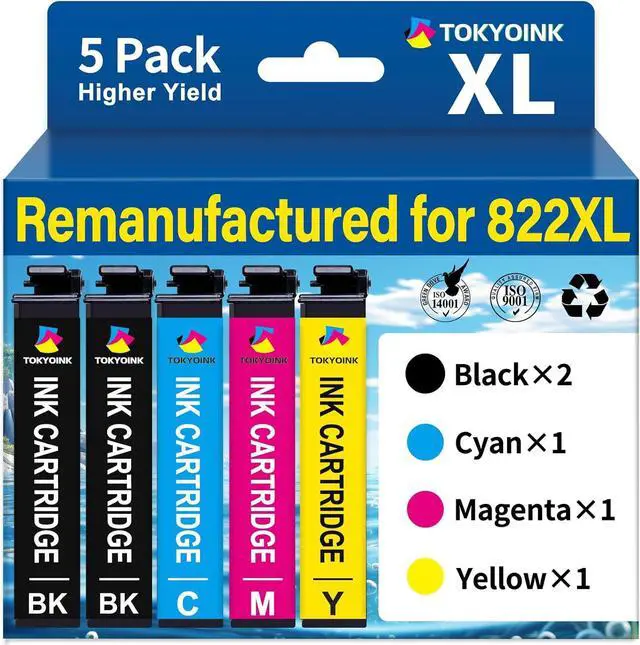



822XL Remanufactured Replacement for Epson 822XL Ink Cartridges Combo Pack Compatible for 822 822 XL T822XL Ink for Workforce Pro WF-3820 WF-4830 WF-4820 WF-4830 WF-4833 WF-4834 Printer (5 Pack)
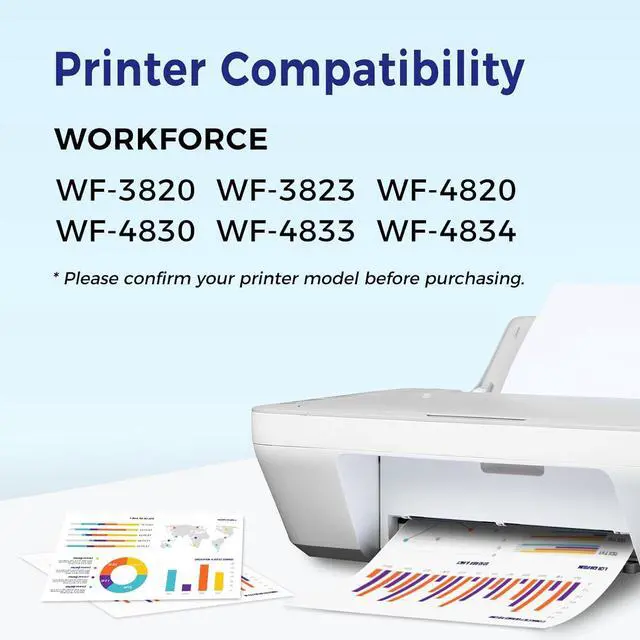
- Printer Compatibility: The 822XL ink cartridge is fully compatible with WorkForce Pro WF-3820, WF-4820, WF-4830, WF-4833, WF-4834 printers.
- Remanufactured for 822xl Ink Cartridges Combo Pack: Includes 2 x Black 822XL Cartridges, 1 x Cyan 822XL Cartridge, 1 x Magenta 822XL Cartridge, 1 x Yellow 822XL Cartridge (Total 5 Packs of 822xl Ink Cartridges)
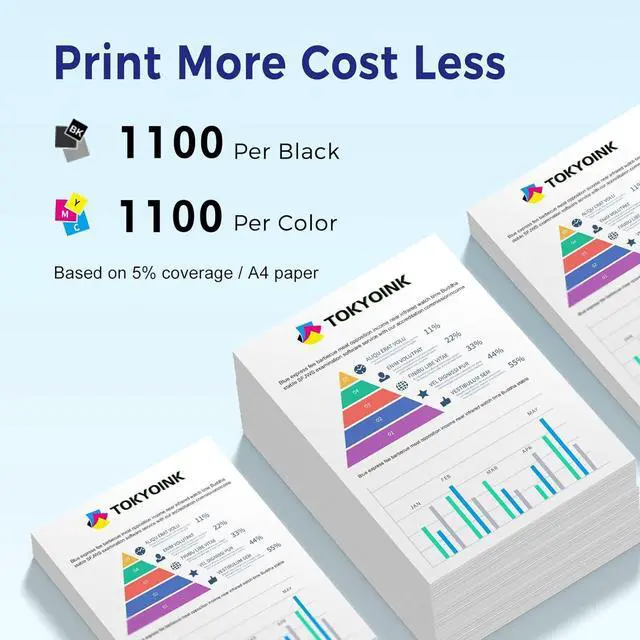
- High Page Yield: Up to 1100 pages per black 822XL cartridges and 1100 pages per colour 822XL cartridge (Letter/A4 at 5% coverage)
- With the Latest Chip: Replacement ink cartridges for 822xl printer ink, with upgraded chip and high quality ink, ensure the colours do not fade and are fully compatible with your printer. Provide high quality and reliable printin
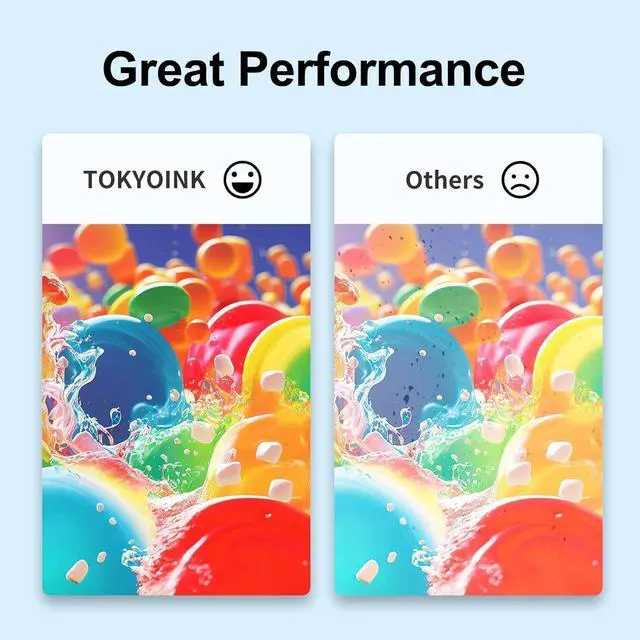
- Superior Print Quality: Remanufactured for 822XL cartridges replace compatible for 822 822XL cartridges printer ink cartridges delivers crisp and vibrant prints, bringing you vivid images
- Tips: 1.Don't remove or touch the CHIP. 2.If you encounter incompatible print cartridges, you c
+
+
Overview
Specs
Reviews

Any questions? Our AI mode will help you find out quickly.
Try me now
Printer Compatibility: The 822XL ink cartridge is fully compatible with WorkForce Pro WF-3820, WF-4820, WF-4830, WF-4833, WF-4834 printers.
Remanufactured for 822xl Ink Cartridges Combo Pack: Includes 2 x Black 822XL Cartridges, 1 x Cyan 822XL Cartridge, 1 x Magenta 822XL Cartridge, 1 x Yellow 822XL Cartridge (Total 5 Packs of 822xl Ink Cartridges)
High Page Yield: Up to 1100 pages per black 822XL cartridges and 1100 pages per colour 822XL cartridge (Letter/A4 at 5% coverage)
With the Latest Chip: Replacement ink cartridges for 822xl printer ink, with upgraded chip and high quality ink, ensure the colours do not fade and are fully compatible with your printer. Provide high quality and reliable printin
Superior Print Quality: Remanufactured for 822XL cartridges replace compatible for 822 822XL cartridges printer ink cartridges delivers crisp and vibrant prints, bringing you vivid images
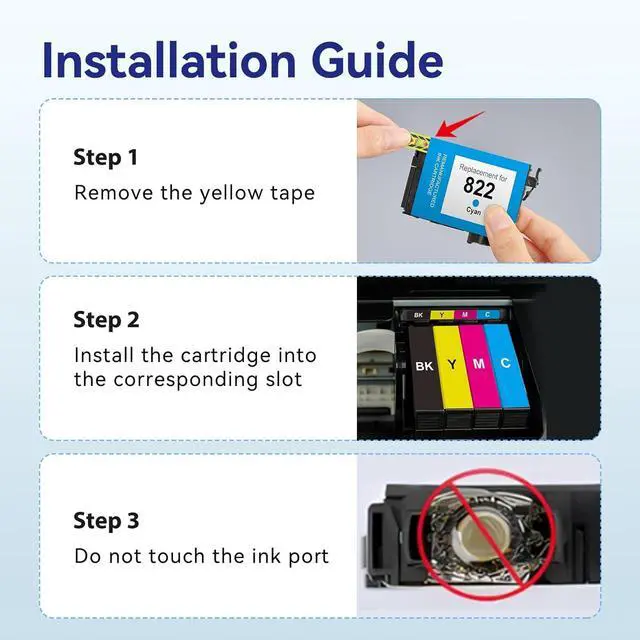
Tips: 1.Don't remove or touch the CHIP. 2.If you encounter incompatible print cartridges, you can click "OK", "Continue" or "".
Note: When the printer appears "low ink", "empty", "replace ink cartridge" and other prompts, please remove the ink cartridge and reinstall it several times
Troubleshooting Steps: 1.Gently clean the contact points between the cartridge and printer slot with a soft cloth or cotton swab to remove dust or dirt. 2.Remove and reinsert the cartridge, ensuring it's properly and fully inserted into the slot. 3.Turn off the printer, unplug it, wait 30 seconds, plug it back in, turn it on, and check if the error is resolved.
Remanufactured for 822xl Ink Cartridges Combo Pack: Includes 2 x Black 822XL Cartridges, 1 x Cyan 822XL Cartridge, 1 x Magenta 822XL Cartridge, 1 x Yellow 822XL Cartridge (Total 5 Packs of 822xl Ink Cartridges)
High Page Yield: Up to 1100 pages per black 822XL cartridges and 1100 pages per colour 822XL cartridge (Letter/A4 at 5% coverage)
With the Latest Chip: Replacement ink cartridges for 822xl printer ink, with upgraded chip and high quality ink, ensure the colours do not fade and are fully compatible with your printer. Provide high quality and reliable printin
Superior Print Quality: Remanufactured for 822XL cartridges replace compatible for 822 822XL cartridges printer ink cartridges delivers crisp and vibrant prints, bringing you vivid images
Tips: 1.Don't remove or touch the CHIP. 2.If you encounter incompatible print cartridges, you can click "OK", "Continue" or "".
Note: When the printer appears "low ink", "empty", "replace ink cartridge" and other prompts, please remove the ink cartridge and reinstall it several times
Troubleshooting Steps: 1.Gently clean the contact points between the cartridge and printer slot with a soft cloth or cotton swab to remove dust or dirt. 2.Remove and reinsert the cartridge, ensuring it's properly and fully inserted into the slot. 3.Turn off the printer, unplug it, wait 30 seconds, plug it back in, turn it on, and check if the error is resolved.
Warranty & Returns
Warranty, Returns, And Additional Information
Warranty
- Please contact the Seller directly for warranty information. Warranty information may also be found on the Manufacturer's website.
- CONTACT
Return Policies
- Return for refund within: 30 days
- Return for replacement within: 45 days
- This item is covered by Ali Wangwang E-commerce Limited Return Policy
Manufacturer Contact Info
- For a directory of all our manufacturers, please click below.
- Manufacturers Directory
LOADING...