

Your Browsing History
- Free 30-day Returns
$162.99

Meet Your Seller

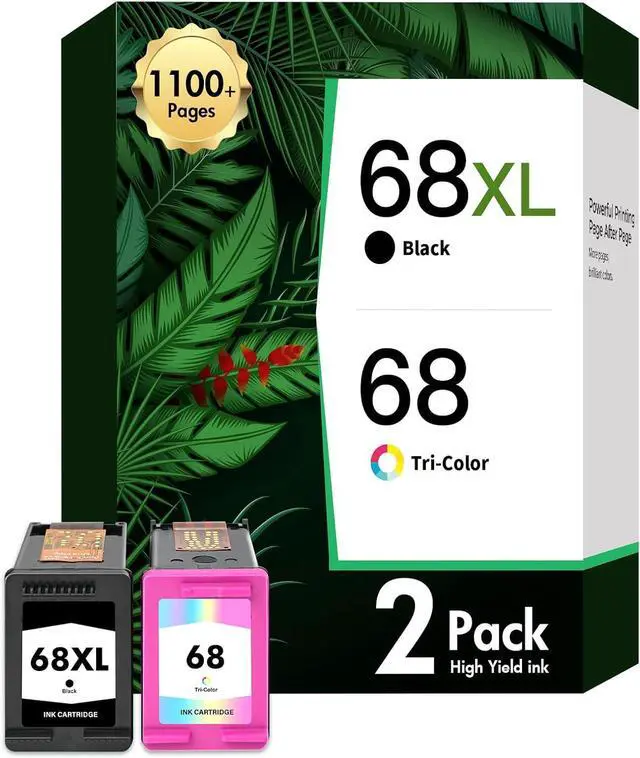
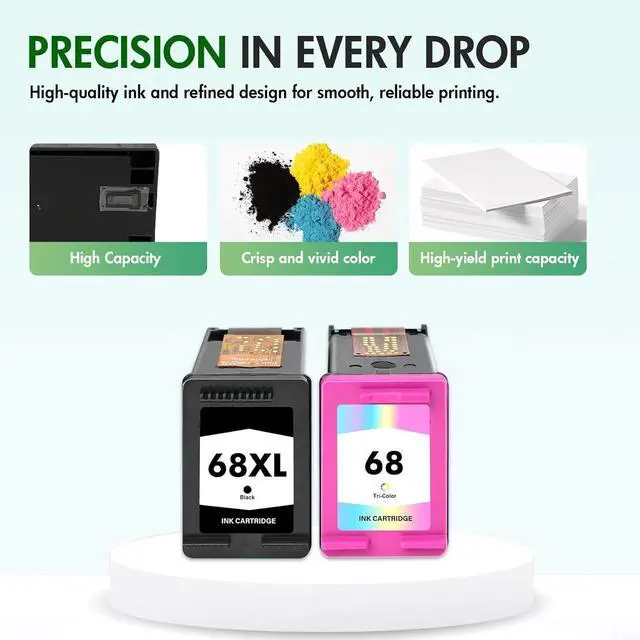



68 68XL Ink Cartridges Black Color Combo Pack for HP Envy 6555e 6155e for HP Ink 68e Compatible with Envy 6100e 6500e Series Printers 6152e 6165e 6552e 6558e (2 Pack 1 Black, 1 Tri-Color)
- Package Content: 68 68XL Ink Cartridges Black and Color Combo Pack (1 × 68e Black, 1 × 68 Tri-color, 1 × User Guide
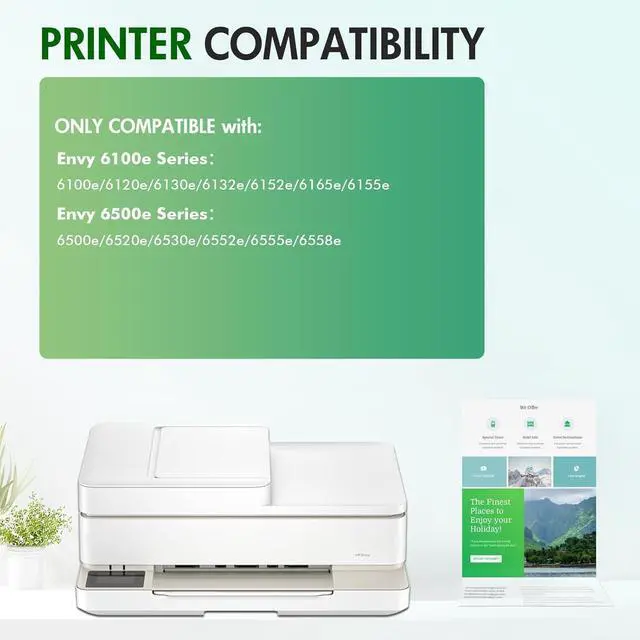
- Compatible for HP Printers Envy 6100e Series6152e/6120e/6130e/6132e/6165e/6155e
- Compatible for HP Printers Envy 6500e Series6552e/6558e/6520e/6530e/6555e
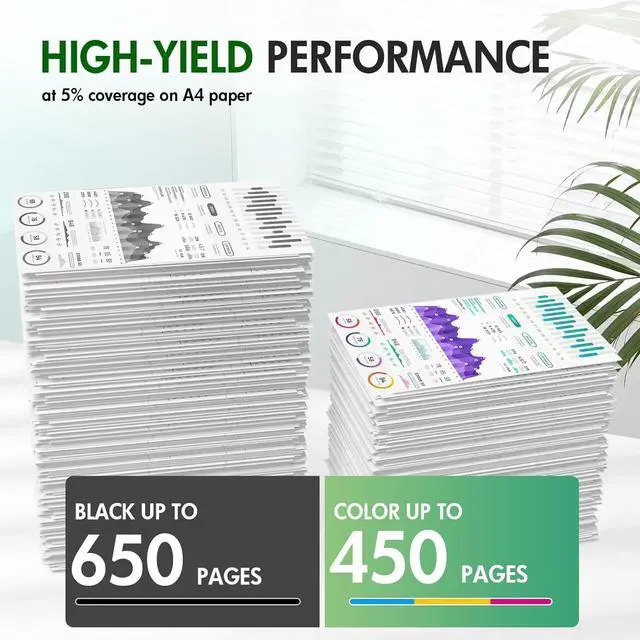
- High Page Yield: It Yields Up to 650 Pages for Each 68XL 68e Black Ink and 450 Pages for Each 68 Tricolor High Yield Ink Cartridges at 5% Coverage (A4e Letter)
- Please Note: This is an NON-OEM Product for HP 68 68XL 68e Ink Cartridge Combo Pack
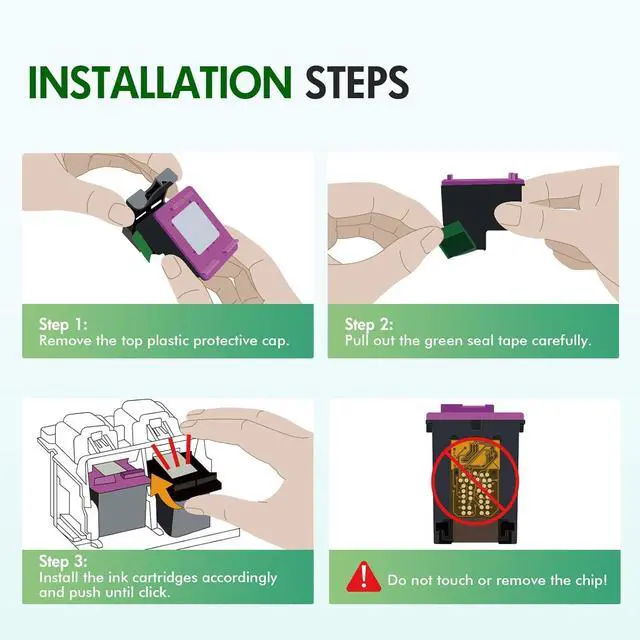
- Troubleshooting steps: If the ink cartridge is not recognized or functioning properly, try these solutions:1. Clean the cartridge and printer contacts with the accompanying eraser to remove dust or debris. 2. Check and adjust printer settings to ensure proper recognition. 3. Avoid touching the chip or ink nozzles. A clogged printhead will disrupt the printing function
+
+
Overview
Specs
Reviews

Any questions? Our AI mode will help you find out quickly.
Try me now
Package Content: 68 68XL Ink Cartridges Black and Color Combo Pack (1 × 68e Black, 1 × 68 Tri-color, 1 × User Guide
Compatible for HP Printers Envy 6100e Series6152e/6120e/6130e/6132e/6165e/6155e
Compatible for HP Printers Envy 6500e Series6552e/6558e/6520e/6530e/6555e
High Page Yield: It Yields Up to 650 Pages for Each 68XL 68e Black Ink and 450 Pages for Each 68 Tricolor High Yield Ink Cartridges at 5% Coverage (A4e Letter)
Please Note: This is an NON-OEM Product for HP 68 68XL 68e Ink Cartridge Combo Pack
Troubleshooting steps: If the ink cartridge is not recognized or functioning properly, try these solutions:1. Clean the cartridge and printer contacts with the accompanying eraser to remove dust or debris. 2. Check and adjust printer settings to ensure proper recognition. 3. Avoid touching the chip or ink nozzles. A clogged printhead will disrupt the printing function
Compatible for HP Printers Envy 6100e Series6152e/6120e/6130e/6132e/6165e/6155e
Compatible for HP Printers Envy 6500e Series6552e/6558e/6520e/6530e/6555e
High Page Yield: It Yields Up to 650 Pages for Each 68XL 68e Black Ink and 450 Pages for Each 68 Tricolor High Yield Ink Cartridges at 5% Coverage (A4e Letter)
Please Note: This is an NON-OEM Product for HP 68 68XL 68e Ink Cartridge Combo Pack
Troubleshooting steps: If the ink cartridge is not recognized or functioning properly, try these solutions:1. Clean the cartridge and printer contacts with the accompanying eraser to remove dust or debris. 2. Check and adjust printer settings to ensure proper recognition. 3. Avoid touching the chip or ink nozzles. A clogged printhead will disrupt the printing function
Warranty & Returns
Warranty, Returns, And Additional Information
Warranty
- Please contact the Seller directly for warranty information. Warranty information may also be found on the Manufacturer's website.
- CONTACT
Return Policies
- Return for refund within: 30 days
- Return for replacement within: 45 days
- This item is covered by Ali Wangwang E-commerce Limited Return Policy
Manufacturer Contact Info
- For a directory of all our manufacturers, please click below.
- Manufacturers Directory
LOADING...