• $101.99
  • Free 30-day Returns
  • Price alert
    Shop it at NeweggBusiness.

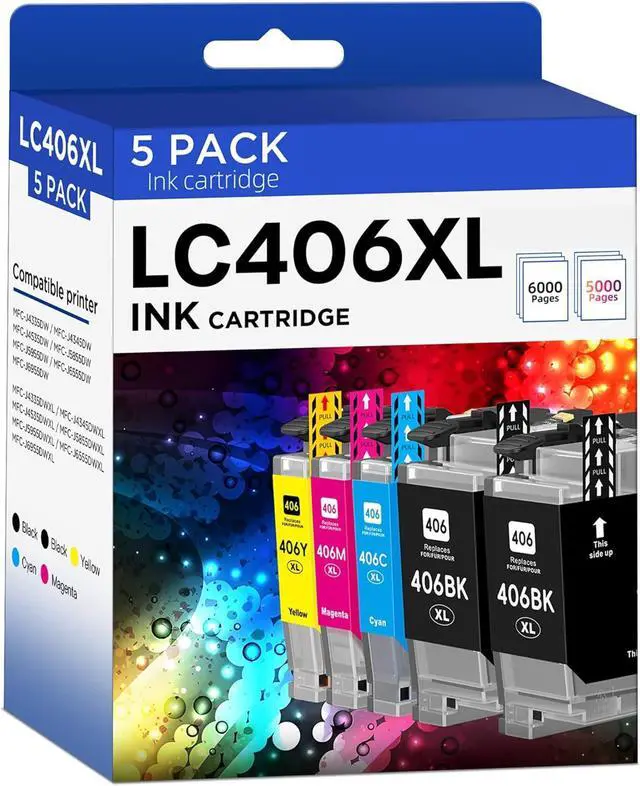
    LC406XL LC406 Ink Cartridges Compatible for Brother LC 406XL LC 406 XL for MFC-J4335DW MFC-J5855DW MFC-J6555DW MFC-J4535DW MFC-J6955DW MFC-J4345DW MFC-J5955DW Printer (5 Pack, 2 BK/C/M/Y)

    • Package Content: 2 x LC406XL Black, 1 x Cyan LC406XL, 1 x Magenta LC406XL, 1 x Yellow LC406XL, 1 x User Guide (Total 5 Pack)
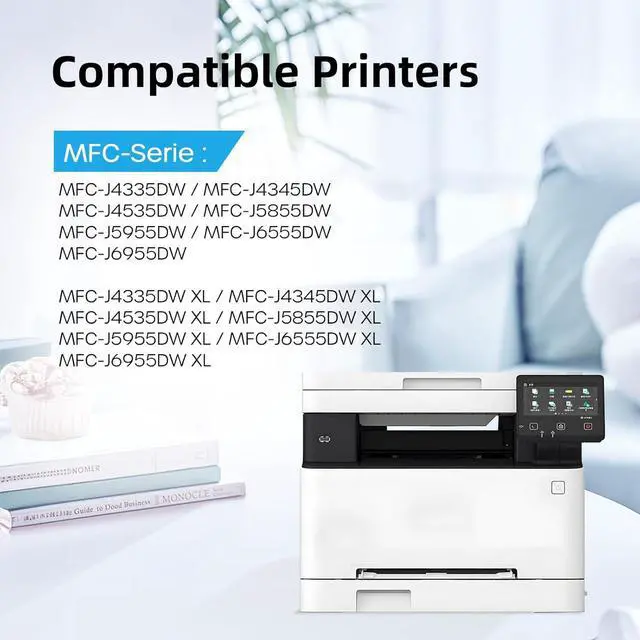
    • Compatible Printers: Compatible with MFC-J4335DW, MFC-J5855DW, MFC-J6555DW, MFC-J4535DW, MFC-J6955DW, MFC-J4345DW, MFC-J5955DW, HL-JF1, MFC-J4335DW XL, MFC-J4345DW XL, MFC-J4535DW XL Printers
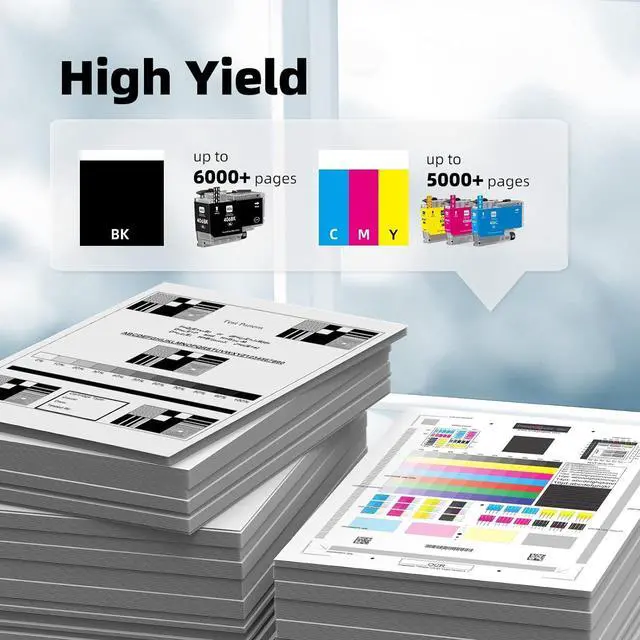
    • High Page Yield: Up to 6000 pages per LC406 XL Black Ink Cartridge, up to 5000 pages per LC406 XL color Ink Cartridge (5% coverage at A4 paper)
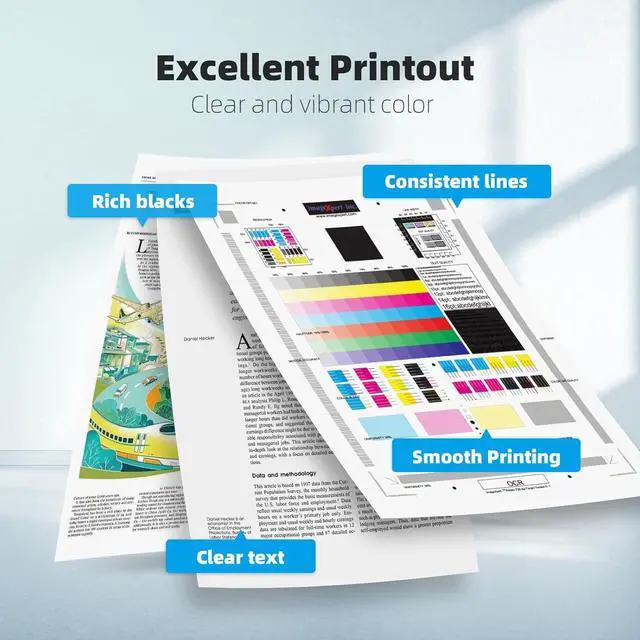
    • Reliable Performance: LC406XL ink cartridges are strictly tested industry quality control processes to delivers crisp text and graphics
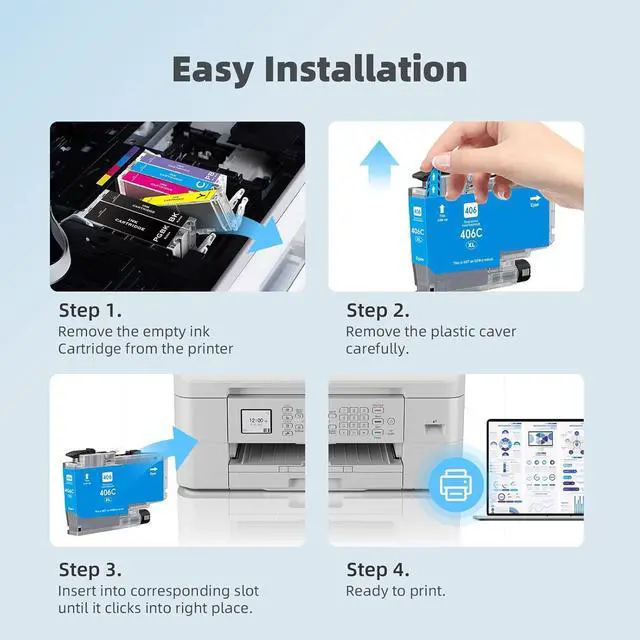
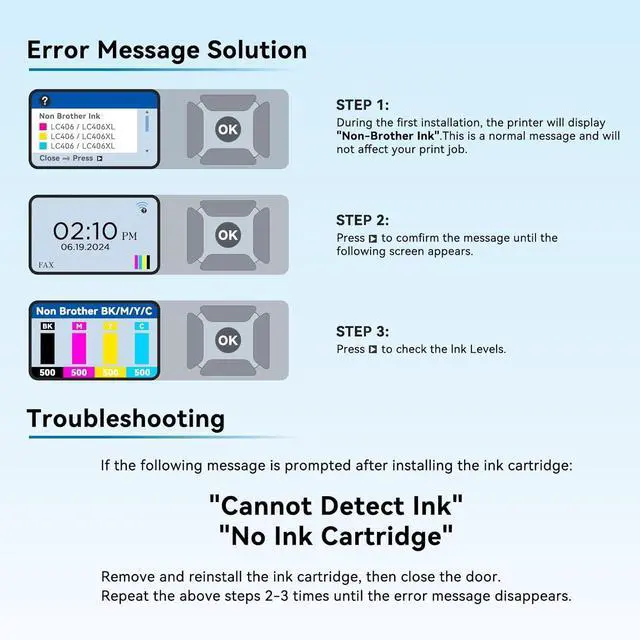
    • Installation Tips: If prompted for this Printer error "cartridge not recognized", "The printer does not have enough ink" Please reinstall the cartridge to turn it off and on once until it is recognized. When the printer prompts "non-original", please click OK or Next to continue. Don't remove or touch the CHIP

    +
    +
    Overview
    Specs
    Reviews
    avatar

    Any questions? Our AI beta will help you find out quickly.

    Package Content: 2 x LC406XL Black, 1 x Cyan LC406XL, 1 x Magenta LC406XL, 1 x Yellow LC406XL, 1 x User Guide (Total 5 Pack)
    Compatible Printers: Compatible with MFC-J4335DW, MFC-J5855DW, MFC-J6555DW, MFC-J4535DW, MFC-J6955DW, MFC-J4345DW, MFC-J5955DW, HL-JF1, MFC-J4335DW XL, MFC-J4345DW XL, MFC-J4535DW XL Printers
    High Page Yield: Up to 6000 pages per LC406 XL Black Ink Cartridge, up to 5000 pages per LC406 XL color Ink Cartridge (5% coverage at A4 paper)
    Reliable Performance: LC406XL ink cartridges are strictly tested industry quality control processes to delivers crisp text and graphics
    Installation Tips: If prompted for this Printer error "cartridge not recognized", "The printer does not have enough ink" Please reinstall the cartridge to turn it off and on once until it is recognized. When the printer prompts "non-original", please click OK or Next to continue. Don't remove or touch the CHIP

    Warranty & Returns

    Warranty, Returns, And Additional Information

    Warranty

    • Please contact the Seller directly for warranty information. Warranty information may also be found on the Manufacturer's website.
    • CONTACT

    Return Policies

    Manufacturer Contact Info

    LOADING...