

Your Browsing History
- Free 30-day Returns
$99.99

Meet Your Seller

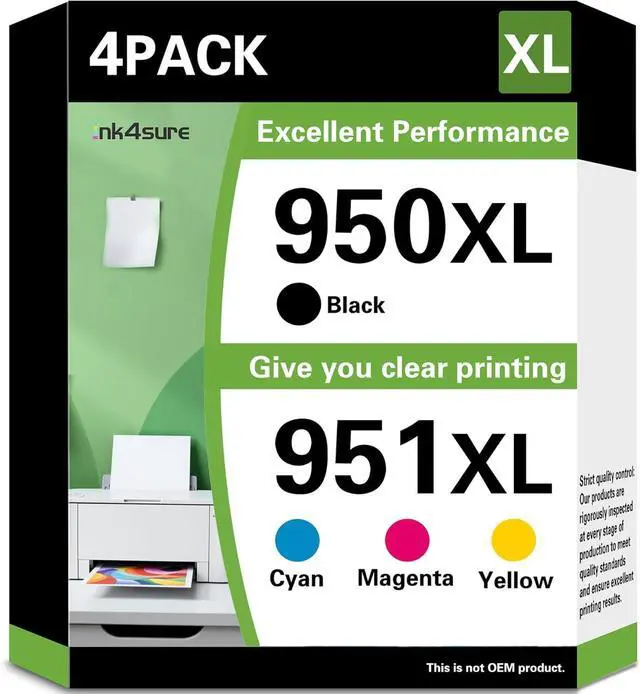




950XL 951XL High Yield Ink Cartridges (1Black/1Cyan/1Magenta/1Yellow) Replacement for HP OfficeJet Pro 8600 8610 8620 8100 8630 8660 8640 8615 76DW 251DW Printers
- Package Contents: High yield 950 951 ink cartridges combo pack replacements for HP ink 950 / 951XL. The package includes ink cartridges (1* 950XL Black,1* 951XL Cyan, 1* 951XL Yellow, 1* 951XL Magenta )
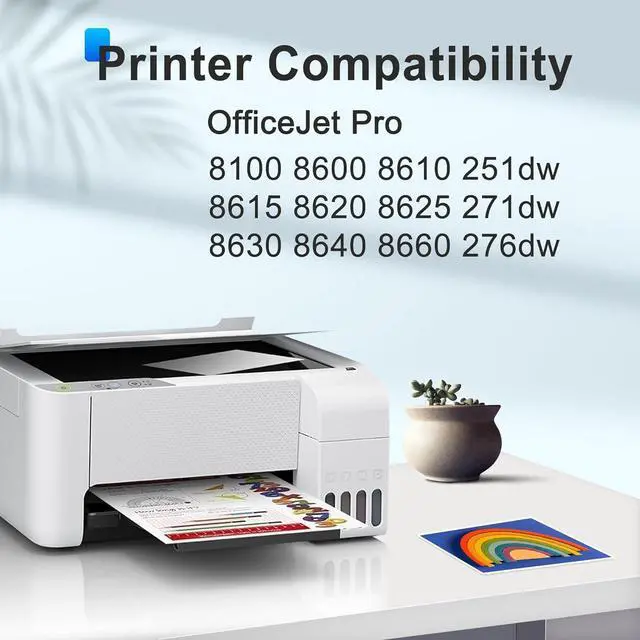
- High Compatibility for HP Printers - for Compatible with HP OfficeJet Pro 8100 8600 8610 8615 8620 8625 8630 8640 8660 251dw 271dw 276dw printers
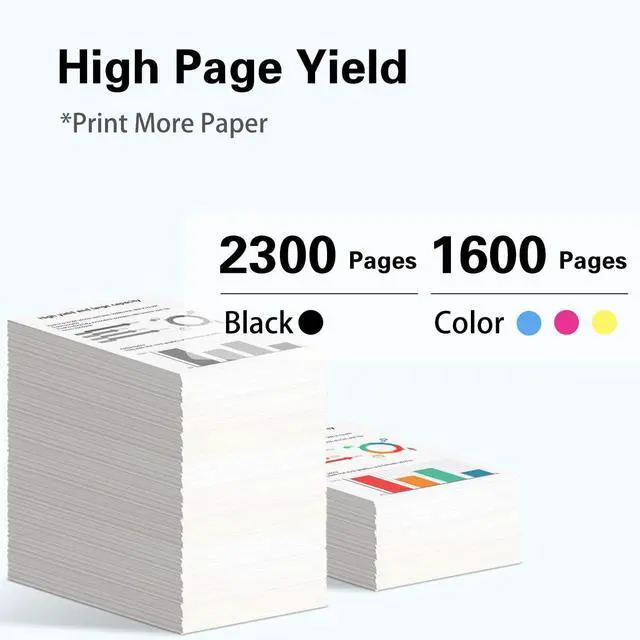
- Estimated page yield: Print up to 2300 pages with each 950xl Black ink cartridge, Print up to 1600 pages with each 951 XL color ink cartridge,these page yield estimates are based on a coverage of 5% on A4 paper.
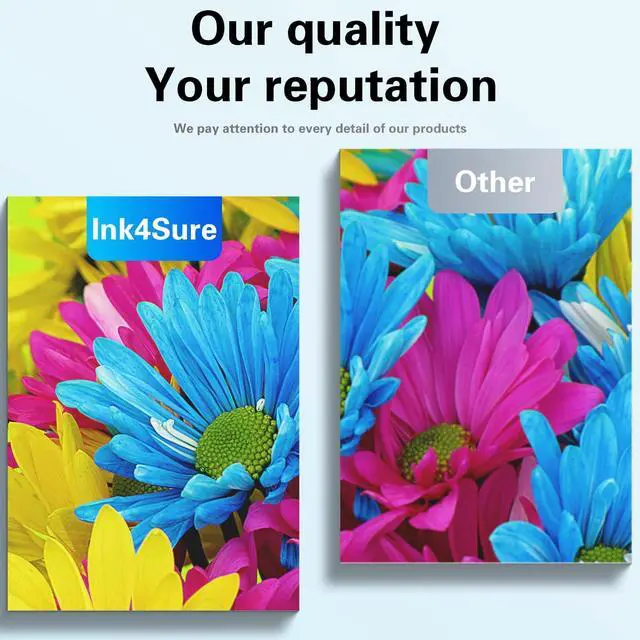
- Our 950 951XL Ink Cartridges Compatible for HP Printers deliver good quality printing, give you vivid and natural prints.
- If your printer does not recognize the ink cartridges, please try the following troubleshooting steps: 1. Do not remove the protective seal covering the ink port 2. Do not touch the chip 3. Take off the yellow tape 4. Reinstall the ink cartridge in the correct position of printer
+
+
Overview
Specs
Reviews

Any questions? Our AI mode will help you find out quickly.
Try me now
Package Contents: High yield 950 951 ink cartridges combo pack replacements for HP ink 950 / 951XL. The package includes ink cartridges (1* 950XL Black,1* 951XL Cyan, 1* 951XL Yellow, 1* 951XL Magenta )
High Compatibility for HP Printers - for Compatible with HP OfficeJet Pro 8100 8600 8610 8615 8620 8625 8630 8640 8660 251dw 271dw 276dw printers
Estimated page yield: Print up to 2300 pages with each 950xl Black ink cartridge, Print up to 1600 pages with each 951 XL color ink cartridge,these page yield estimates are based on a coverage of 5% on A4 paper.
Our 950 951XL Ink Cartridges Compatible for HP Printers deliver good quality printing, give you vivid and natural prints.
If your printer does not recognize the ink cartridges, please try the following troubleshooting steps: 1. Do not remove the protective seal covering the ink port 2. Do not touch the chip 3. Take off the yellow tape 4. Reinstall the ink cartridge in the correct position of printer
High Compatibility for HP Printers - for Compatible with HP OfficeJet Pro 8100 8600 8610 8615 8620 8625 8630 8640 8660 251dw 271dw 276dw printers
Estimated page yield: Print up to 2300 pages with each 950xl Black ink cartridge, Print up to 1600 pages with each 951 XL color ink cartridge,these page yield estimates are based on a coverage of 5% on A4 paper.
Our 950 951XL Ink Cartridges Compatible for HP Printers deliver good quality printing, give you vivid and natural prints.
If your printer does not recognize the ink cartridges, please try the following troubleshooting steps: 1. Do not remove the protective seal covering the ink port 2. Do not touch the chip 3. Take off the yellow tape 4. Reinstall the ink cartridge in the correct position of printer
Warranty & Returns
Warranty, Returns, And Additional Information
Warranty
- Please contact the Seller directly for warranty information. Warranty information may also be found on the Manufacturer's website.
- CONTACT
Return Policies
- Return for refund within: 30 days
- Return for replacement within: 45 days
- This item is covered by Ali Wangwang E-commerce Limited Return Policy
Manufacturer Contact Info
- For a directory of all our manufacturers, please click below.
- Manufacturers Directory
LOADING...