




 here!
here!
I’m your shopping assistant for PC builds, upgrades, and everything tech.
Got questions? Ask away!
Start a conversation
here!
I’m your shopping assistant for PC builds, upgrades, and everything tech.
Got questions? Ask away!
Start a conversation




Any questions? Ask CelesteSM will help you find out quickly.
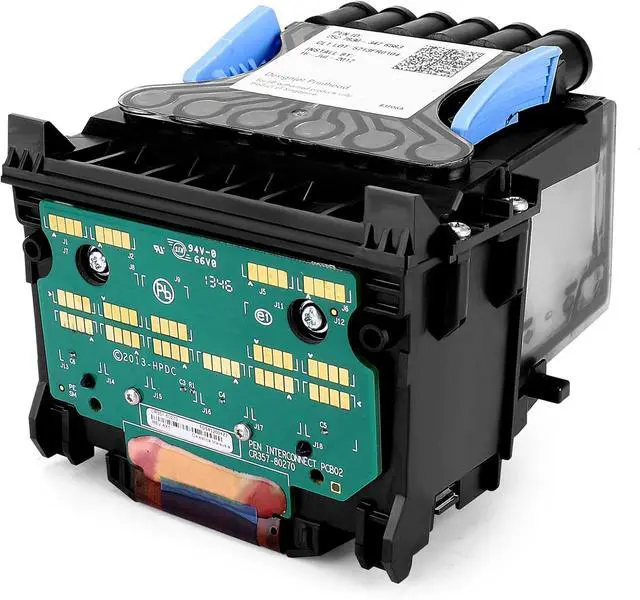
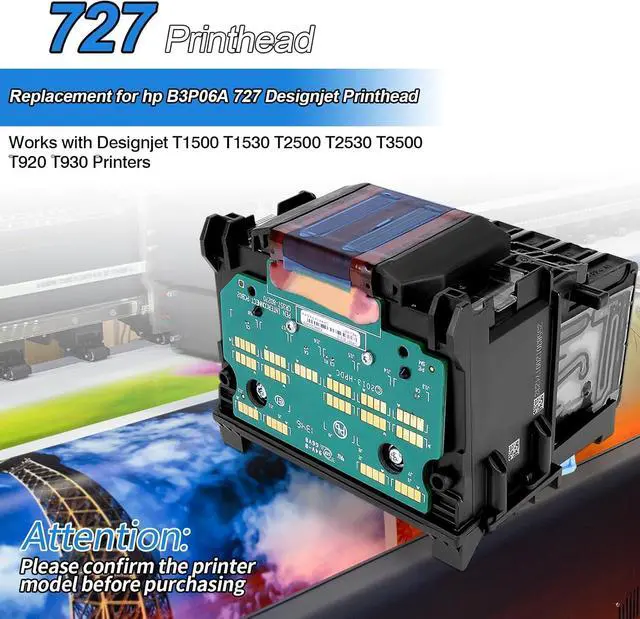
This aftermarket B3P06A 727 DesignJet printhead is a replacement for users of compatible HP DesignJet wide-format printers, including the T920, T930, T1500, T1530, T2500, T2530, and T3500, who need reliable color printing with support for six ink colors.
| Attribute | Value |
|---|---|
| Best For | Replacing or servicing HP DesignJet wide-format printers that use the HP 727 printhead (models listed below) |
| Compatibility | Compatible replacement for HP 727 printhead in HP DesignJet T920, T930, T1500, T1530, T2500, T2530 and T3500 wide-format printers |
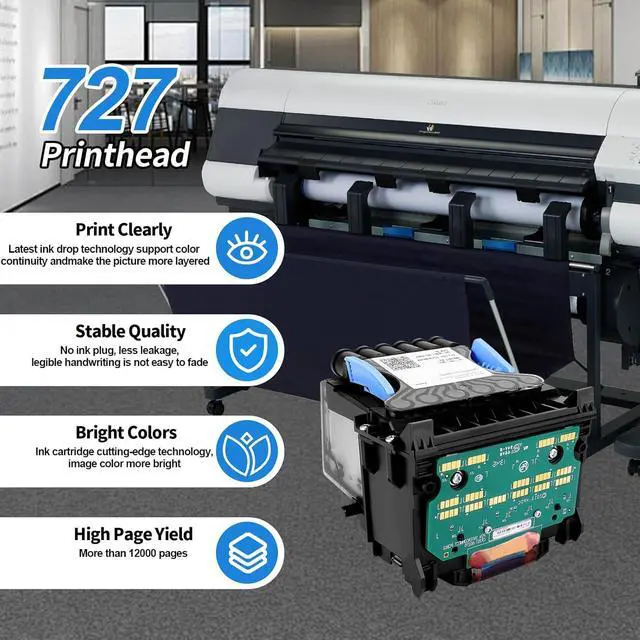
| Chip And Authentication | Includes an upgrade chip that quickly and accurately identifies ink cartridges to enable correct cartridge recognition without causing damage or interruption |
| Color Support | Supports six ink channels: matte black (basic), photo black, cyan, magenta, yellow and gray |
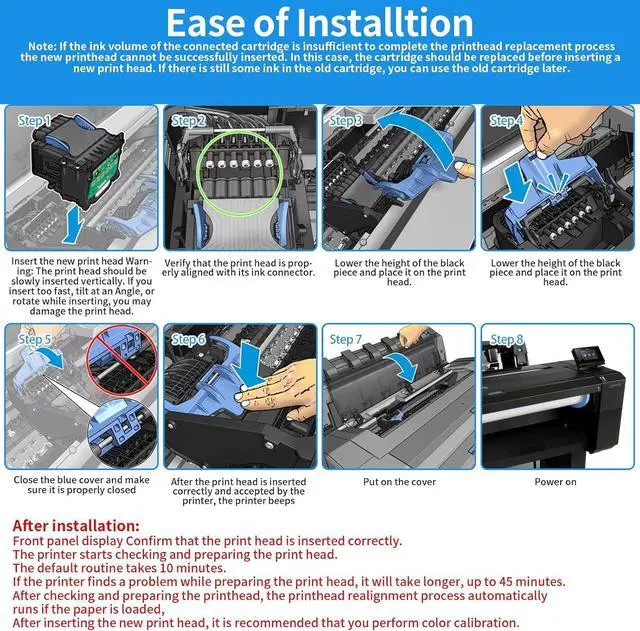
| Installation And Use | Direct replacement printhead with efficient, fast installation — no additional tools required |
| Print Quality And Reliability | Designed to maintain high resolution and high-density printing with consistent performance to help minimize downtime |
| Storage And Environmental | Storage temperature range −25 to 55°C |
| Model Identifiers | Part B3P06A (compatible/replacement for HP 727 printhead); applicable to DesignJet T920/T930/T1500/T1530/T2500/T2530/T3500 |
Q: Should I buy this aftermarket HP 727 printhead or a genuine HP B3P06A printhead?
A: Choose this aftermarket printhead if your main goal is restoring an older compatible DesignJet at lower upfront cost and you are comfortable with third-party consumables. Choose a genuine HP B3P06A if you want the safest match to HP's documented compatibility, HP installation guidance, and the lowest uncertainty around firmware recognition and long-term support. For production use where downtime matters more than purchase price, OEM is usually the more conservative choice.
Q: Is this replacement printhead a better fit than replacing the entire printer?
A: This printhead is the better fit when your current DesignJet is already one of the supported 727-platform models and the printer is otherwise working normally. Replacing the printhead is the more targeted repair if you want to keep an installed wide-format workflow running. Replacing the printer makes more sense if your unit also has age-related issues outside the print system, or if you need features from newer platforms rather than just a print-quality fix.
Q: HP 727 printhead vs HP 729 printhead: which one do I need?
A: Choose the 727-format printhead only if your printer is in the HP 727 or 732 consumables family and specifically supports B3P06A. Choose the HP 729 replacement kit for printers that are designed for the 729 platform instead. This is mainly a compatibility decision, not a performance upgrade path. If your printer model calls for 729, this 727 replacement is not the substitute to buy.
Q: Is this printhead enough if my printer has clogged nozzles, or should I try cleaning first?
A: Try cleaning first if the printer still recognizes the printhead and the issue is limited to missing lines, weak colors, or intermittent output. Buy a replacement printhead when cleaning no longer restores consistent output or when the printer reports a printhead fault that points to hardware replacement. This product is the stronger choice when you need a hardware swap rather than another maintenance cycle.
Q: Will this B3P06A 727 printhead work with my HP DesignJet printer?
A: It is mainly suitable for HP DesignJet T920, T930, T1500, T1530, T2500, T2530, and T3500 models based on the product listing and HP’s official compatibility information for B3P06A. Buyers should verify the exact printer model before ordering, because printhead compatibility is model-specific and not interchangeable across all DesignJet series.
Q: Is this a good choice if I just need to restore a non-printing or poor-printing DesignJet?
A: Yes, a replacement printhead is the relevant part if the printer has printhead-related failures, missing colors, or declining print quality. This product is positioned as a replacement printhead, so it makes sense for repair or maintenance use. The trade-off is that it is not a general upgrade: if the issue is caused by ink delivery, firmware, or another hardware fault, replacing only the printhead may not solve the problem.
Q: Is this better for business and technical printing than using a generic low-cost alternative?
A: It can be a reasonable budget option for older DesignJet fleets, especially if the main goal is getting a compatible printer back in service at lower cost. The trade-off is predictability: HP’s official B3P06A is described as part of an optimized printer-and-supplies system, while an aftermarket unit depends on third-party chip quality, manufacturing consistency, and recognition reliability. For high-stakes output or minimum downtime, many buyers prefer the original HP part; for cost-sensitive maintenance, an aftermarket part may be acceptable.
Q: Is installation likely to be difficult for a normal office or print-room user?
A: Usually no. Replacement printheads in this class are designed to be user-replaceable, and both the product listing and HP’s official product page frame installation as straightforward. It is still best suited to users who already manage printer consumables, because correct handling, seating, and post-install checks matter more than with a standard ink cartridge.
Q: Who is this printhead most suitable for?
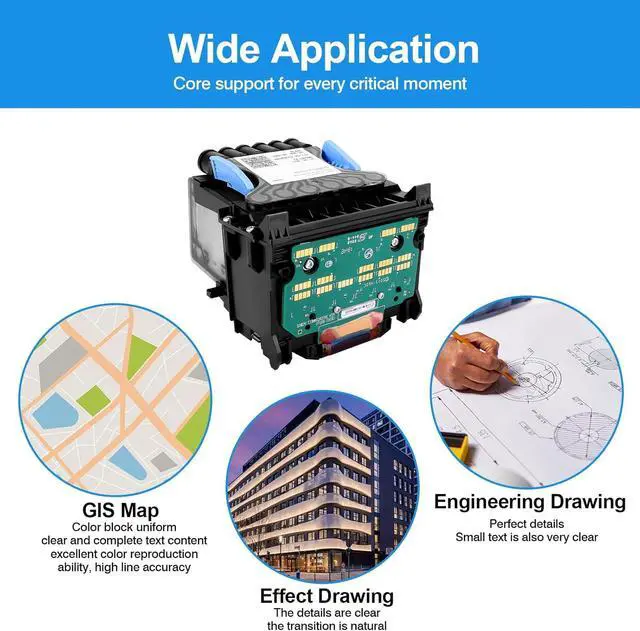
A: It is most suitable for owners of compatible HP DesignJet wide-format printers who need a replacement part to keep an existing machine running. It fits business, CAD, architecture, engineering, and print-room environments more than casual home users, because the supported printers are large-format professional models and the product’s value depends on maintaining an installed DesignJet workflow.
Q: Is this a practical replacement if my HP DesignJet 727 printhead has failed?
A: It is mainly a fit-based replacement choice. The product is positioned for HP DesignJet models that use the 727/B3P06A printhead family, and Reddit discussions around T920-class machines show printhead failure is a real maintenance event on older units. It makes the most sense if your printer is otherwise working and you want a lower-cost replacement path. The main trade-off is that this is an aftermarket part, so buyers should prioritize exact model compatibility and be prepared for more uncertainty than with an OEM printhead.
Q: Who is this printhead suitable for?
A: It is suitable for owners of supported HP DesignJet wide-format printers such as the T920, T930, T1500, T1530, T2500, T2530, and T3500 who need to restore printing without replacing the whole printer. It is a better fit for users already comfortable maintaining plotters, because community discussions and install videos suggest printhead replacement is a normal service task rather than a casual accessory swap.
Q: What are the main trade-offs of buying this aftermarket 727 printhead instead of OEM?
A: The likely benefit is lower replacement cost and keeping an older wide-format printer in service. The trade-offs are higher uncertainty around long-term reliability, chip recognition, and consistency versus an OEM part. This product specifically claims an upgrade chip and broad compatibility, but buyers should treat those as compatibility claims to verify rather than assuming OEM-equivalent performance.
Q: Is this a good option for work or CAD plotter use?
A: It can be a reasonable option if your workflow depends on a supported DesignJet and you need to get the printer back into service quickly. The product is intended for wide-format HP models used in technical printing, and community discussion around T2530/T930-class printers shows these machines are still used in production environments. The trade-off is that for work-critical use, an aftermarket printhead may be less predictable than OEM, so risk tolerance matters more than headline compatibility.
Q: Is this worth buying if the printer has multiple problems, not just a printhead error?
A: Usually only if the printer is otherwise healthy. Community discussions about HP printers often treat printhead replacement as worthwhile when it solves a clear, isolated failure, but less worthwhile when the machine already has broader age, maintenance, or cost issues. This product is best viewed as a targeted repair part, not a general fix for deeper printer problems.


