

Your Browsing History
- Free 30-day Returns
$117.99

Meet Your Seller


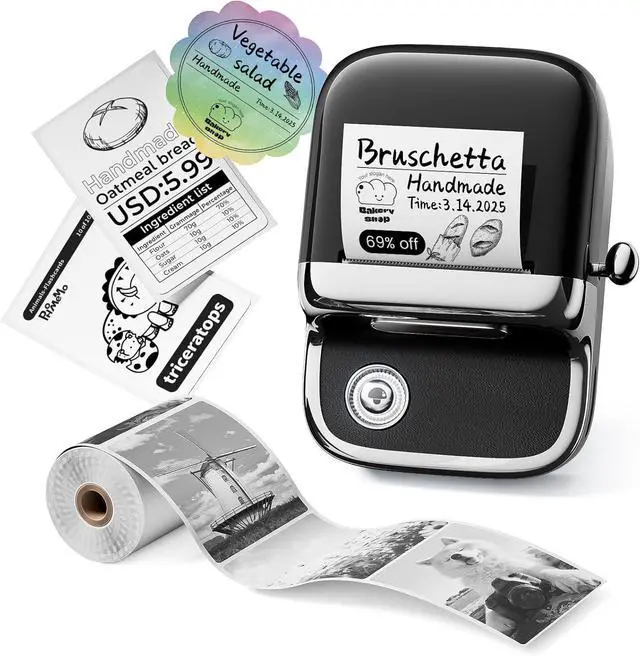
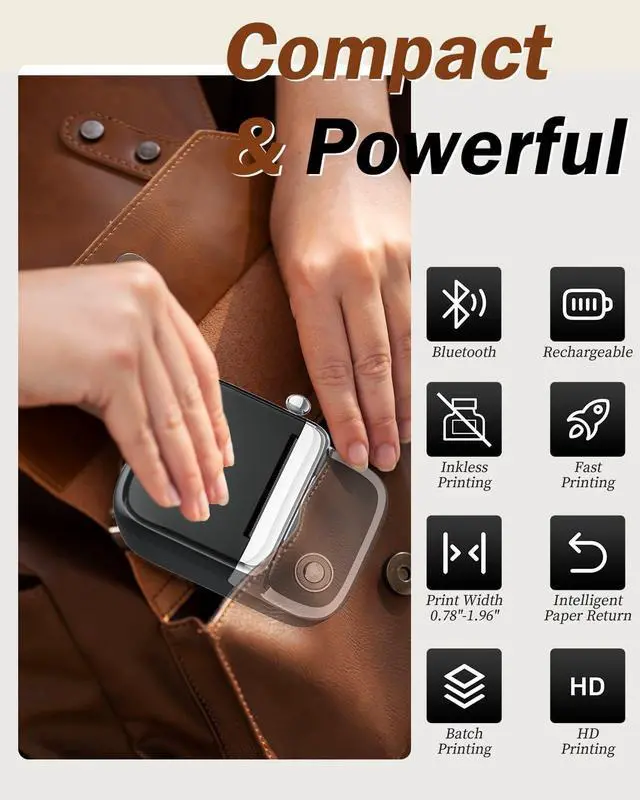
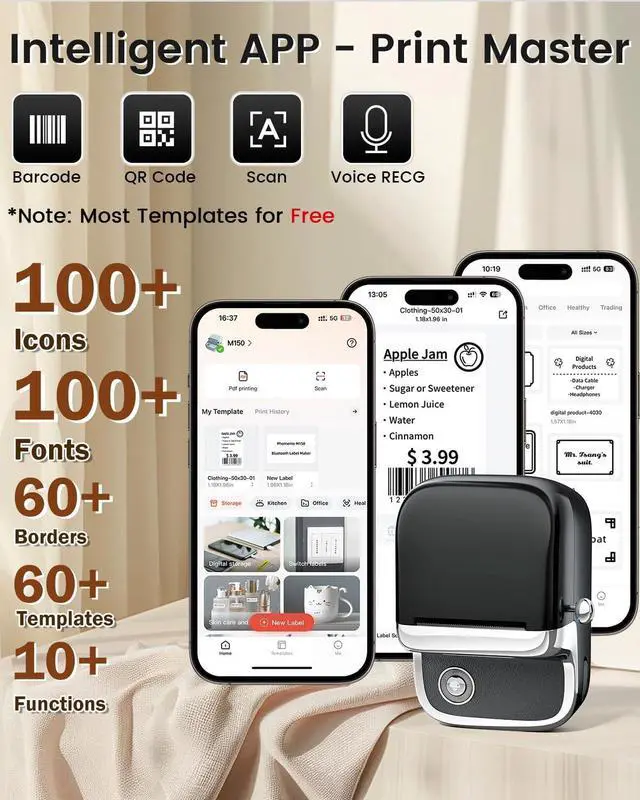
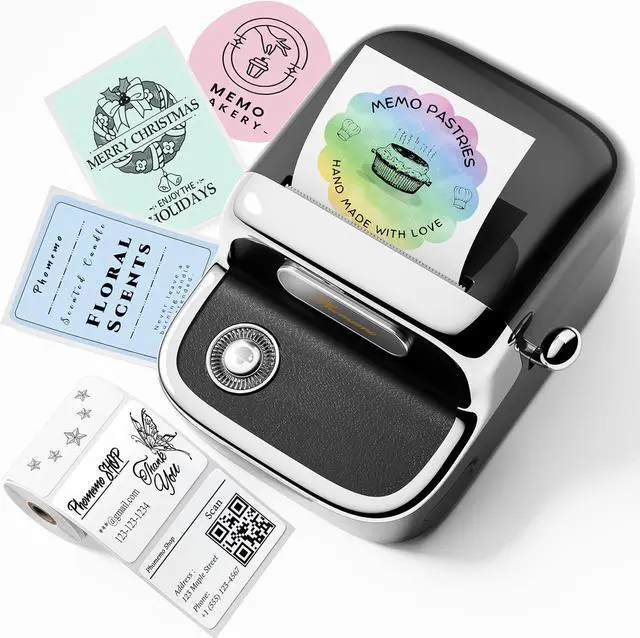


Phomemo M150 Upgrade Label Maker, Mini Bluetooth Thermal Label Printer, 2 Inch Label Maker Machine with Tape for Home, School, Office, with 400+ Fonts, 6000+ Icons, Compatible with Phone, PC
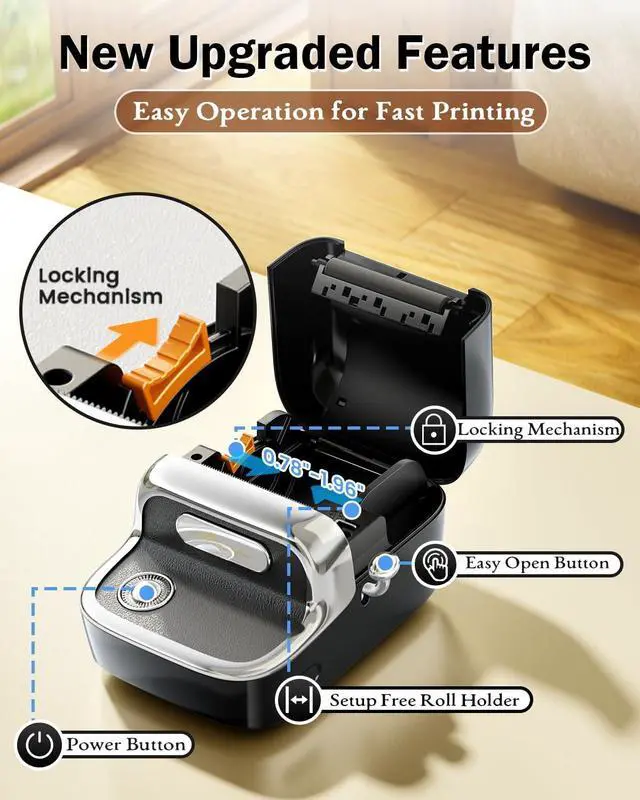
- Phomemo Label Maker Printer: A combination of exquisite aesthetics and high-end quality, crafted with sophisticated techniques such as electroplating and imitation leather texture, creating M150 bluetooth label maker. It features an integrated paper loading structure, eliminating the need for installation, allowing for easy placement of labels
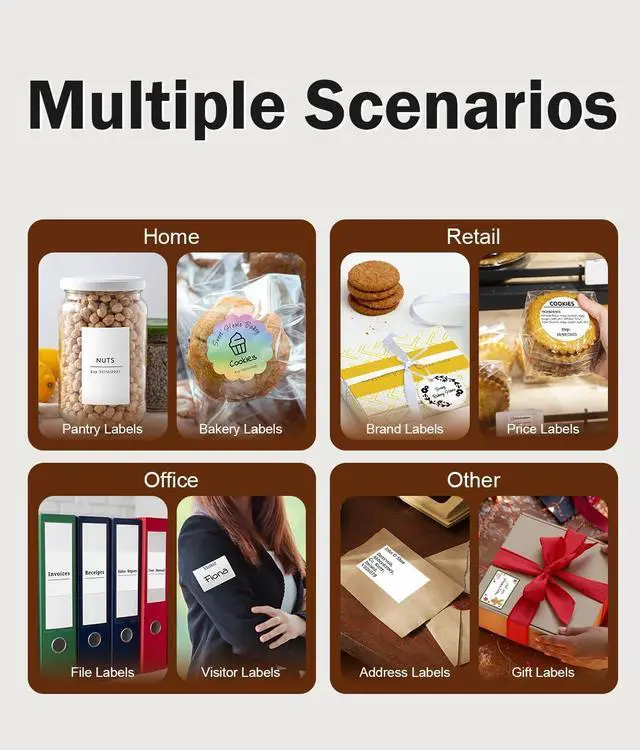
- Widely Used: Phomemo M150 thermal label printer can print thermal labels with a width of 0.78" - 1.96" (20-50mm). Phomemo M150 mini label maker machine is compatible with white, colored, and transparent labels. You can freely create food labels, logo labels, file labels, gift labels. (Note: Color printing needs to use with correspending thermal labels)
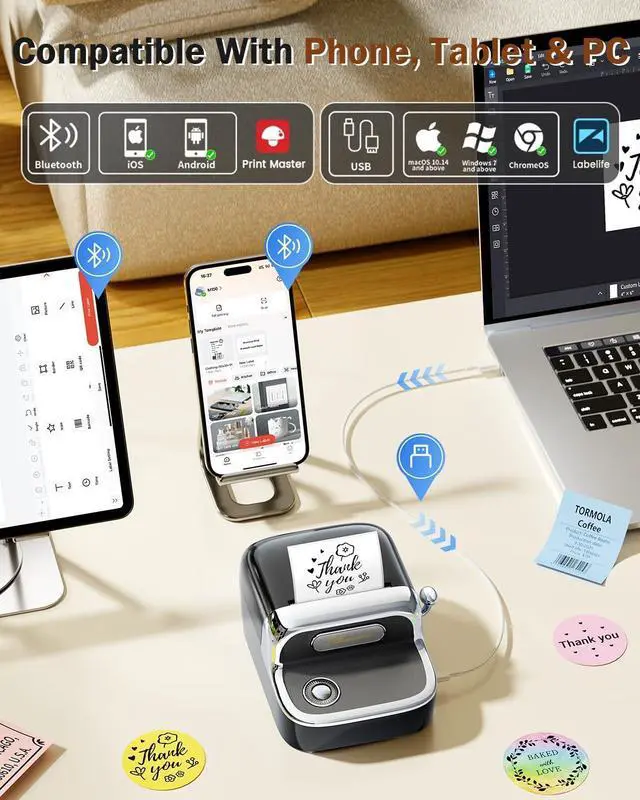
- Easy Connection: Phomemo M150 label maker compatible with all devices from iOS, Android devices (phones, tablets) and Windows, macOS, or Linux devices (PCs, laptops). Just download the "Print Master" app and pair it via Bluetooth. For PC, go to Phomemo official website and download the driver an
+
+
Overview
Specs
Reviews

Any questions? Our AI mode will help you find out quickly.
Try me now
Attention: Phomemo M150 Bluetooth Label Maker CANNOT print 4" x 6" thermal labels.
What size of thermal labels does M150 label maker supports?
Phomemo M150 Bluetooth Label Maker Machine with Tape can print thermal labels with a width of 0.78"-1.96" (20-50mm). Attention: It CANNOT print 4" x 6" thermal labels.
How to Connect M150 label maker on phone via Bluetooth?
1. Turn on the Bluetooth function on your phone;
2. Download and open Print Master App;
3. Click the upper right printer button in APP, then locate M150 Label Printer. (Do not connect in the phone setting.)
Can M150 thermal label printer print color labels?
Yes, but it needs to use with corresponding thermal labels.
What if the M150 sticker maker doesn't print clearly?
1. Boost print density and retry;
2. Clean print head with alcohol swab;
3. Use a new paper roll; current one might be damp;
4. If battery<30%, charge 3 hours and test print;
5. Check the original image quality.
What if the M150 thermal label maker won't charge?
1. Please try charging M150 printer for 1 hour with another charging cable and a 5V, 2A charger before turn it on;
2. While charging, use a thimble to press the reset hole next to the power port. Restart the printer after charging for half an hour.
Phomemo New Release - M150 Small Bluetooth Label Maker What size of thermal labels does M150 label maker supports?
How to Connect M150 label maker on phone via Bluetooth?
Can M150 thermal label printer print color labels?
What if the M150 sticker maker doesn't print clearly?
What if the M150 thermal label maker won't charge?
What size of thermal labels does M150 label maker supports?
Phomemo M150 Bluetooth Label Maker Machine with Tape can print thermal labels with a width of 0.78"-1.96" (20-50mm). Attention: It CANNOT print 4" x 6" thermal labels.
How to Connect M150 label maker on phone via Bluetooth?
1. Turn on the Bluetooth function on your phone;
2. Download and open Print Master App;
3. Click the upper right printer button in APP, then locate M150 Label Printer. (Do not connect in the phone setting.)
Can M150 thermal label printer print color labels?
Yes, but it needs to use with corresponding thermal labels.
What if the M150 sticker maker doesn't print clearly?
1. Boost print density and retry;
2. Clean print head with alcohol swab;
3. Use a new paper roll; current one might be damp;
4. If battery<30%, charge 3 hours and test print;
5. Check the original image quality.
What if the M150 thermal label maker won't charge?
1. Please try charging M150 printer for 1 hour with another charging cable and a 5V, 2A charger before turn it on;
2. While charging, use a thimble to press the reset hole next to the power port. Restart the printer after charging for half an hour.
Phomemo New Release - M150 Small Bluetooth Label Maker What size of thermal labels does M150 label maker supports?
How to Connect M150 label maker on phone via Bluetooth?
Can M150 thermal label printer print color labels?
What if the M150 sticker maker doesn't print clearly?
What if the M150 thermal label maker won't charge?
Warranty & Returns
Warranty, Returns, And Additional Information
Warranty
- Please contact the Seller directly for warranty information. Warranty information may also be found on the Manufacturer's website.
- CONTACT
Return Policies
- Return for refund within: 30 days
- Return for replacement within: 30 days
- This item is covered by Chinathru Trading Co., Limited Return Policy
Manufacturer Contact Info
- For a directory of all our manufacturers, please click below.
- Manufacturers Directory
LOADING...