

Your Browsing History
- Free 30-day Returns
$76.99

Meet Your Seller


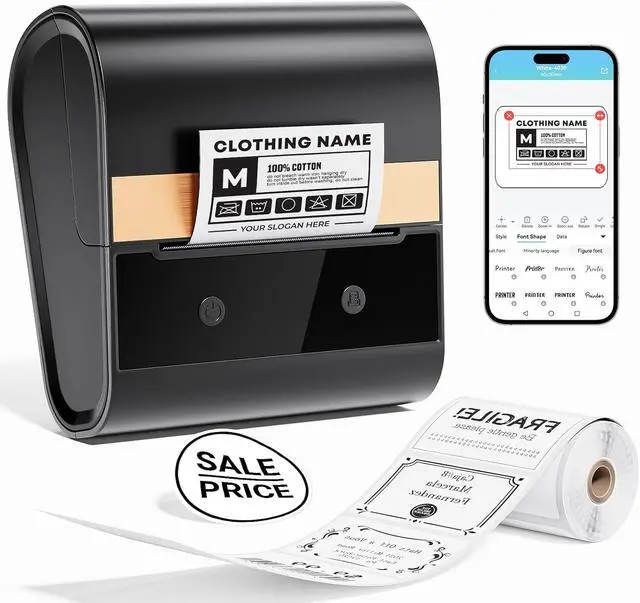



Label Maker Machine with Tpae, M260 Barcode Label Printer for Small Business, Office, Home, Address Label Printer Compatible with Phones & PC, Bluetooth Label Maker with 1 Roll Label, Black
- 2025 Ponek's Flagship: Compared with other label maker, Ponek M260 thermal label maker has improved the issue of print content shifting or being omitted, and has been upgraded to fixed center symmetric paper output, which can secure labels of various sizes. The Ponek M260 label printer comes with 100pcs of 1.57" x 1.18" label paper rolls
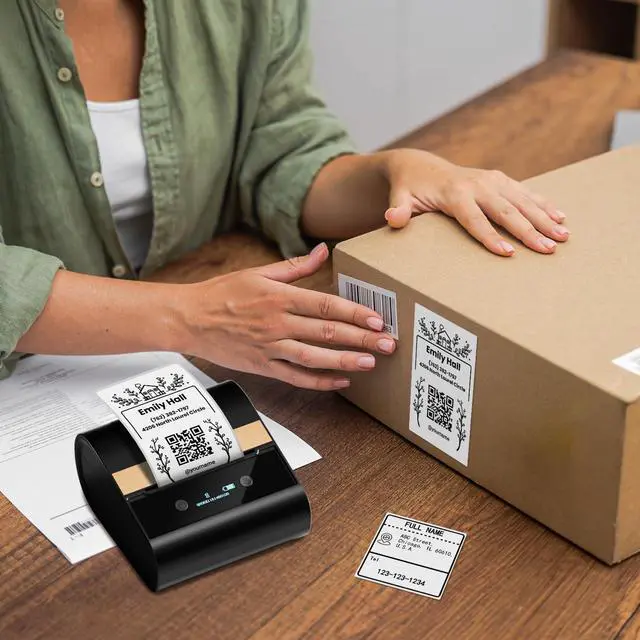
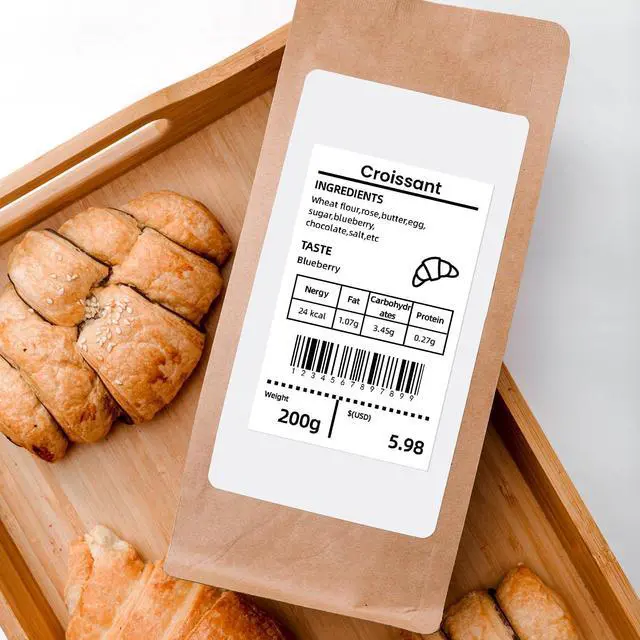
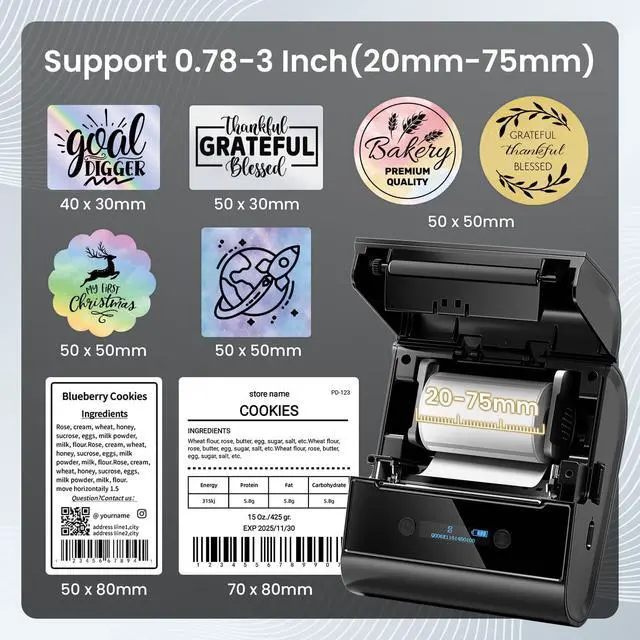
- Various Sizes of Labels: This address label maker supports printing labels with widths from 0.78 inches to 3 inches, making it suitable for small and large labels, barcodes, QR codes, addresses, names, clothing tags, mail, canning labels, food labels, etc. M260 barcode printer is ideal for home, stores, schools, and small businesses. (Note: bluetooth label maker cannot print 4 x 6-inch shipping labels)
- Multifunctional App: This address label printer is compatible with the Print Master App. The app includes a variety of features such as text, images, barcodes, QR codes, OCR, forms, thousands of icons, and numerous pre-made templates for both business
+
+
Overview
Specs
Reviews

Any questions? Our AI mode will help you find out quickly.
Try me now
1Print via Bluetooth2Print via USB3M260 Powerful Functions4How to Use How to set up M260 label maker to connect Bluetooth?
1. Download the "Print Master" app from the Apple Store or Google Play
2. Turn on Bluetooth on your phone, long press to turn on the M260 label maker machine, and open the "Print Master" app to link to Bluetooth
What system does M260 label maker support?
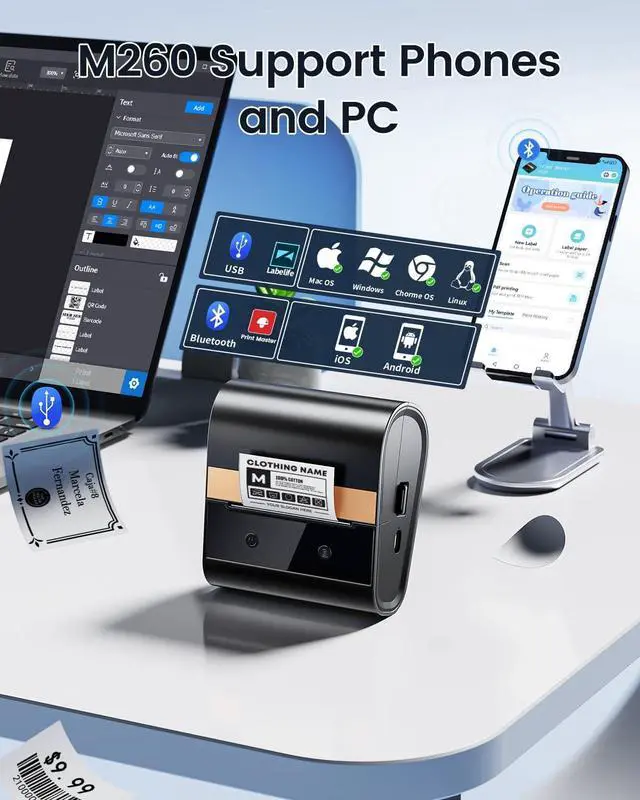
This label maker compatible with both smartphone( Android & iOS) and computer (Windwos,Mac OS, Chrome OS)
How to set up M260 label printer on computer via USB
1. Power on the printer and connect it to the computer via a USB cable
2. Visit "Labelife",Install the Driver and "Labelife" APP
What can you do if the print blank?
1.Confirm that the paper roll is thermal paper and the label is placed correctly
2. Clean the print head with alcohol-based cotton pads , and try printing again after the alcohol has evaporated
Can I print in color?
The Bluetooth label maker can only print in black and white. It does not support color printing
Ponek M260 Bluetooth label maker machine Ponek m260 label maker The Label width for M260 Label Maker is 0.78''-3'' inch (20mm~80mm) M260 Thermal Inkless Printer Meet Your All Needs Widely Use for Various Scenes How to set up M260 label maker to connect Bluetooth?
What system does M260 label maker support?
How to set up M260 label printer on computer via USB
What can you do if the print blank?
Can I print in color?
1. Download the "Print Master" app from the Apple Store or Google Play
2. Turn on Bluetooth on your phone, long press to turn on the M260 label maker machine, and open the "Print Master" app to link to Bluetooth
What system does M260 label maker support?
This label maker compatible with both smartphone( Android & iOS) and computer (Windwos,Mac OS, Chrome OS)
How to set up M260 label printer on computer via USB
1. Power on the printer and connect it to the computer via a USB cable
2. Visit "Labelife",Install the Driver and "Labelife" APP
What can you do if the print blank?
1.Confirm that the paper roll is thermal paper and the label is placed correctly
2. Clean the print head with alcohol-based cotton pads , and try printing again after the alcohol has evaporated
Can I print in color?
The Bluetooth label maker can only print in black and white. It does not support color printing
Ponek M260 Bluetooth label maker machine Ponek m260 label maker The Label width for M260 Label Maker is 0.78''-3'' inch (20mm~80mm) M260 Thermal Inkless Printer Meet Your All Needs Widely Use for Various Scenes How to set up M260 label maker to connect Bluetooth?
What system does M260 label maker support?
How to set up M260 label printer on computer via USB
What can you do if the print blank?
Can I print in color?
Warranty & Returns
Warranty, Returns, And Additional Information
Warranty
- Please contact the Seller directly for warranty information. Warranty information may also be found on the Manufacturer's website.
- CONTACT
Return Policies
- Return for refund within: 30 days
- Return for replacement within: 30 days
- This item is covered by Chinathru Trading Co., Limited Return Policy
Manufacturer Contact Info
- For a directory of all our manufacturers, please click below.
- Manufacturers Directory
LOADING...