

Your Browsing History
- Free 30-day Returns
$81.99

Meet Your Seller


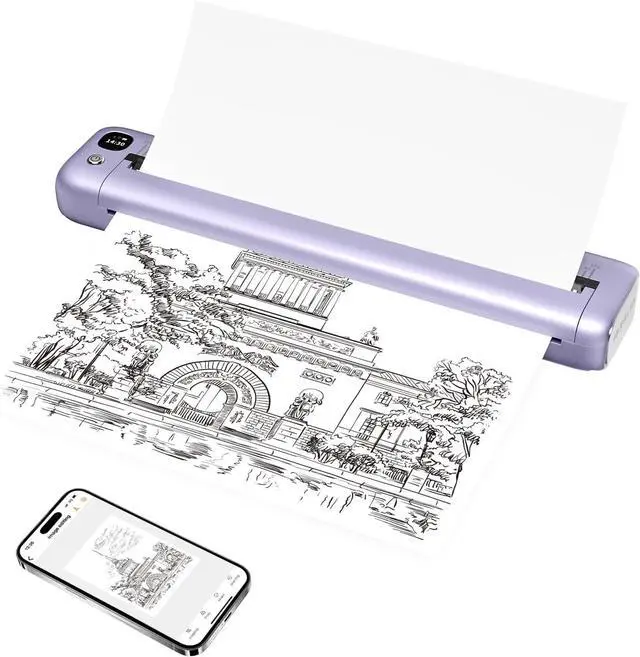



Rongta Portable Printer, Bluetooth Inkless Thermal Printer Wireless for Travel, Compatible with Android iOS Phone & Laptop, Supports 8.5" X 11" US Letter for Office, Home, Car, F81 (Purple)
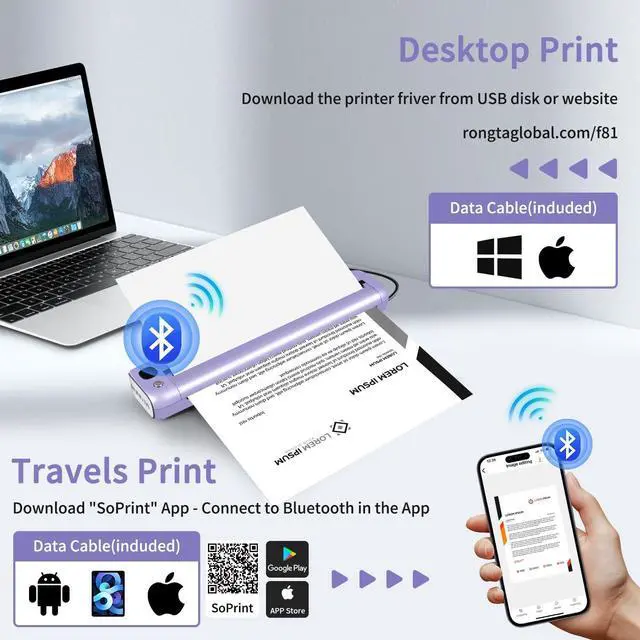
- Phone/Tablet Start Print: Step 1: Download APP "SoPrint"; Step 2: Turn on the F81 and make a Bluetooth connection in the APP; Step 3: Click the "+" sign to complete the device connection, choose F81 for connect and select the file type to start print
- PC Start Print: Step 1:Use the USB cable to connect the Rongta F81 printer to your computer; Step 2: Download the driver from rongtatech; Step 3: find the model "F81" driver, download and install it
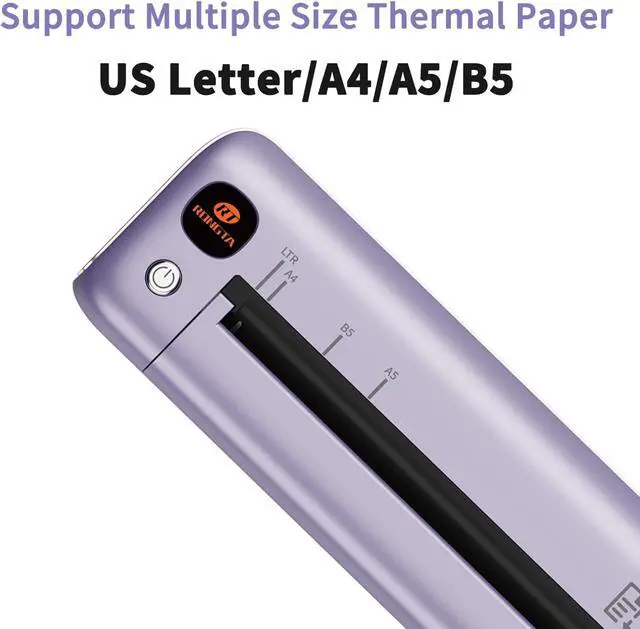
- Easy&Fast Print: F81 inkless wireless thermal printer supports Bluetooth and connects to your phone app in just two seconds for printing. It supports printing formats like Word, PDF, TXT, Excel and images. Print sizes include 8.5", 8", 7", and 5.8" (US Letter, A4, B5, A5). Print speed 15mm/s
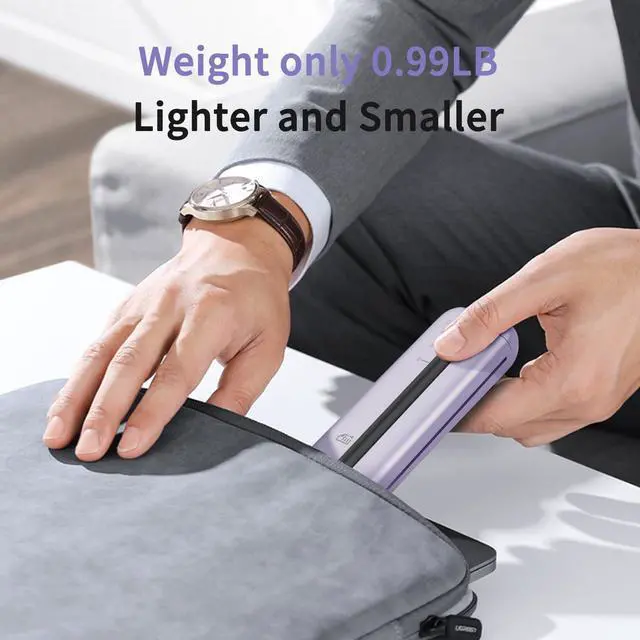
- Ultra-Light Weight: Rongta F81 portable thermal printer is smaller and lighter than other portable paper printers, the weight is only 0.99 pound, size 10.55 x 2.28 x 1.18 inch. You can hold it in one hand and easily put it in your bag, easy for printing
+
+
Overview
Reviews

Any questions? Our AI mode will help you find out quickly.
Try me now
Phone/Tablet Start Print: Step 1: Download APP "SoPrint"; Step 2: Turn on the F81 and make a Bluetooth connection in the APP; Step 3: Click the "+" sign to complete the device connection, choose F81 for connect and select the file type to start print
PC Start Print: Step 1:Use the USB cable to connect the Rongta F81 printer to your computer; Step 2: Download the driver from rongtatech; Step 3: find the model "F81" driver, download and install it
Easy&Fast Print: F81 inkless wireless thermal printer supports Bluetooth and connects to your phone app in just two seconds for printing. It supports printing formats like Word, PDF, TXT, Excel and images. Print sizes include 8.5", 8", 7", and 5.8" (US Letter, A4, B5, A5). Print speed 15mm/s
Ultra-Light Weight: Rongta F81 portable thermal printer is smaller and lighter than other portable paper printers, the weight is only 0.99 pound, size 10.55 x 2.28 x 1.18 inch. You can hold it in one hand and easily put it in your bag, easy for printing anytime, anywhere
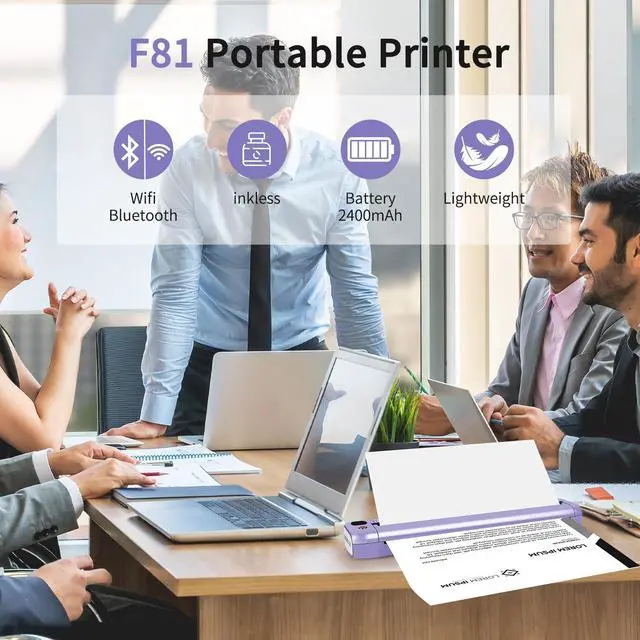
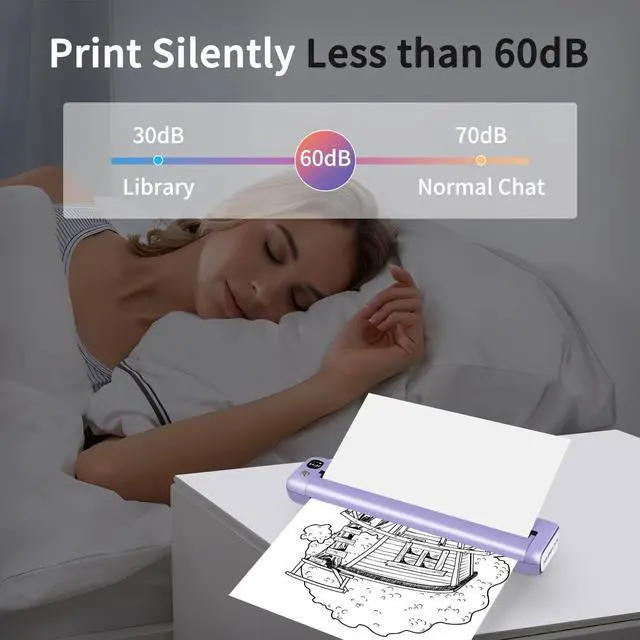
Print Light & Quiet: Rongta F81 printer has a new upgraded motor, print noise level below 60dB, you can print quietly in library, cafes, and meeting rooms without worrying about disturbing others
Support: iPhone, iPad, Android Phone, Android Tablet, Laptop(Mac/Windows). "SoPrint" APP is free and can provide more creative printing experience to you, you can print in travel, vehicles anytime
Do Not Support: Linux, Chrome OS. Due to the different printing surfaces of thermal paper from different brands, if you use others printing blank, please flip the paper and try print again
Note: The portable printer only supports Bluetooth connections with phones and tablets. Laptops cannot connect via Bluetooth (only via USB cable). Please use thermal paper, do not support normal paper
PC Start Print: Step 1:Use the USB cable to connect the Rongta F81 printer to your computer; Step 2: Download the driver from rongtatech; Step 3: find the model "F81" driver, download and install it
Easy&Fast Print: F81 inkless wireless thermal printer supports Bluetooth and connects to your phone app in just two seconds for printing. It supports printing formats like Word, PDF, TXT, Excel and images. Print sizes include 8.5", 8", 7", and 5.8" (US Letter, A4, B5, A5). Print speed 15mm/s
Ultra-Light Weight: Rongta F81 portable thermal printer is smaller and lighter than other portable paper printers, the weight is only 0.99 pound, size 10.55 x 2.28 x 1.18 inch. You can hold it in one hand and easily put it in your bag, easy for printing anytime, anywhere
Print Light & Quiet: Rongta F81 printer has a new upgraded motor, print noise level below 60dB, you can print quietly in library, cafes, and meeting rooms without worrying about disturbing others
Support: iPhone, iPad, Android Phone, Android Tablet, Laptop(Mac/Windows). "SoPrint" APP is free and can provide more creative printing experience to you, you can print in travel, vehicles anytime
Do Not Support: Linux, Chrome OS. Due to the different printing surfaces of thermal paper from different brands, if you use others printing blank, please flip the paper and try print again
Note: The portable printer only supports Bluetooth connections with phones and tablets. Laptops cannot connect via Bluetooth (only via USB cable). Please use thermal paper, do not support normal paper
Warranty & Returns
Warranty, Returns, And Additional Information
Warranty
- Please contact the Seller directly for warranty information. Warranty information may also be found on the Manufacturer's website.
- CONTACT
Return Policies
- Return for refund within: 30 days
- Return for replacement within: 30 days
- This item is covered by Chinathru Trading Co., Limited Return Policy
Manufacturer Contact Info
- For a directory of all our manufacturers, please click below.
- Manufacturers Directory
LOADING...