

Your Browsing History
- Free 30-day Returns
$77.99

Meet Your Seller

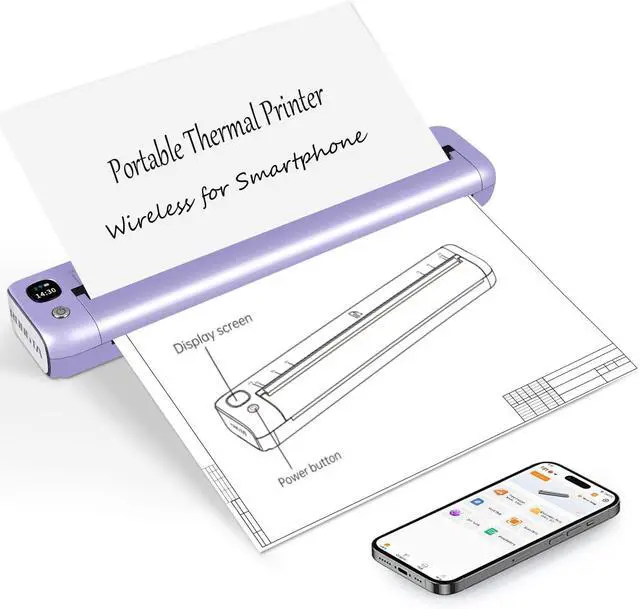


Rongta Portable Printer Wireless for Travel, Bluetooth Inkless Thermal Printers for 8.5" x 11" US Letter, Compatible with Android iOS Phone Mac Windows Computer for Office & Home, Gift Ideas
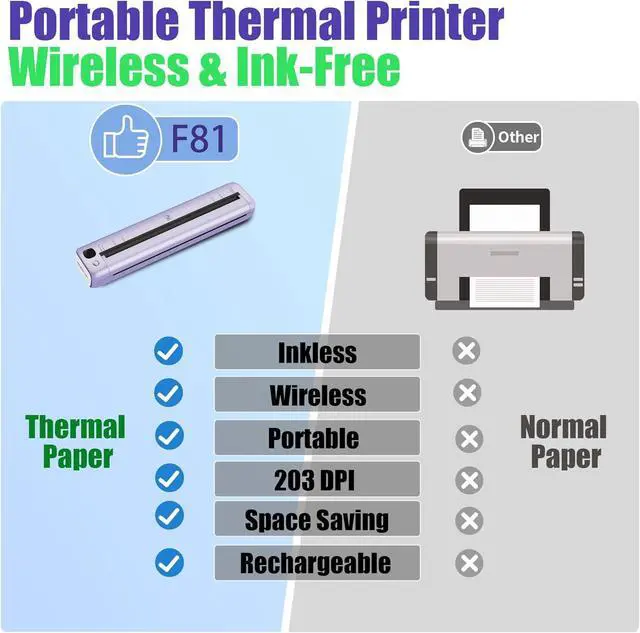
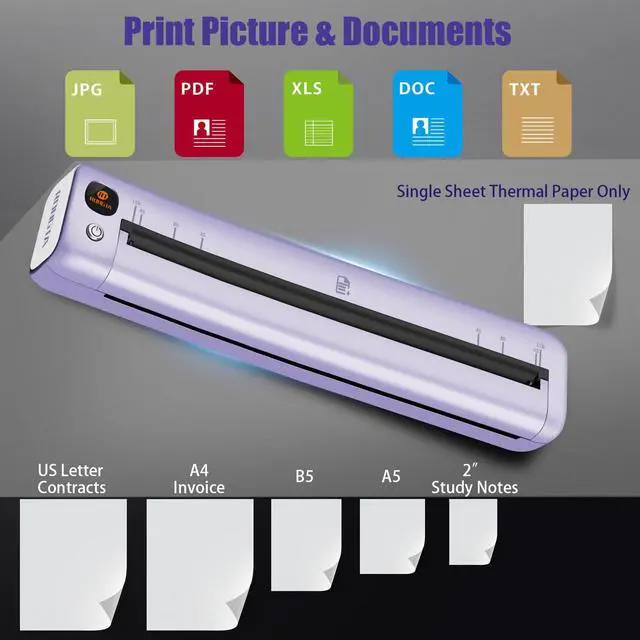
- Advanced Inkless Thermal PrintingThe RONGTA F81 portable thermal printer uses cutting-edge inkless thermal technology, delivering high-speed, crisp, and clear prints in secondsno ink cartridges needed. Perfect for printing on US Letter, A4, A5 and B5 paper sizes, making it the ultimate inkless printer for home, office, or travel.
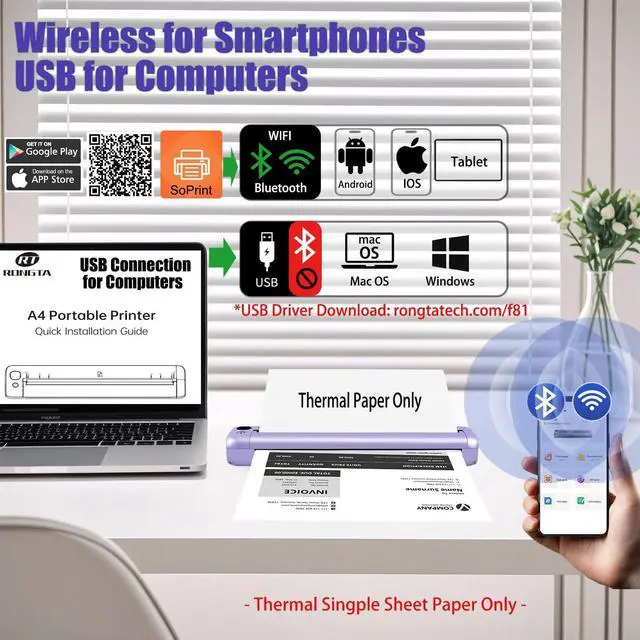
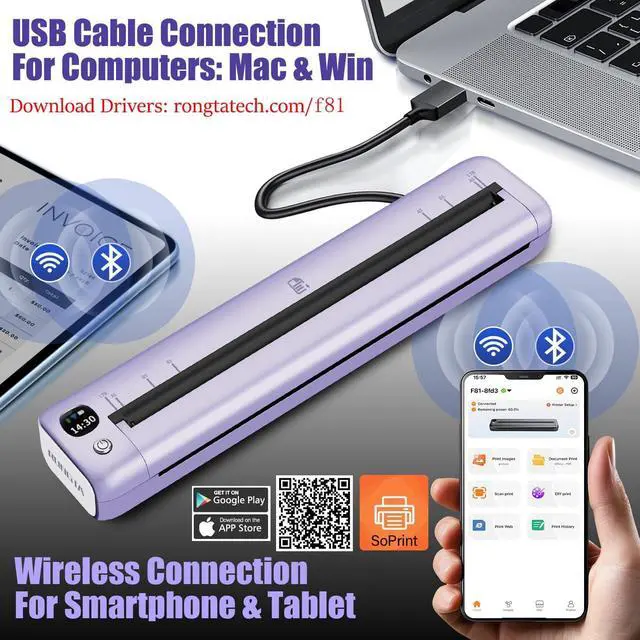
- Fast & Smooth Wireless Printing with Wi-Fi & BluetoothEnjoy faster and smoother wireless printing with the RONGTA F81s Wi-Fi connection, delivering quicker print speeds than Bluetooth. Print seamlessly from Android, iOS smartphones, tablets, and desktops. The RONGTA F81 also supports USB connections, ensuring full compatibility with Windows and Mac computersan ideal solution for portable wireless printers for travel or home use.
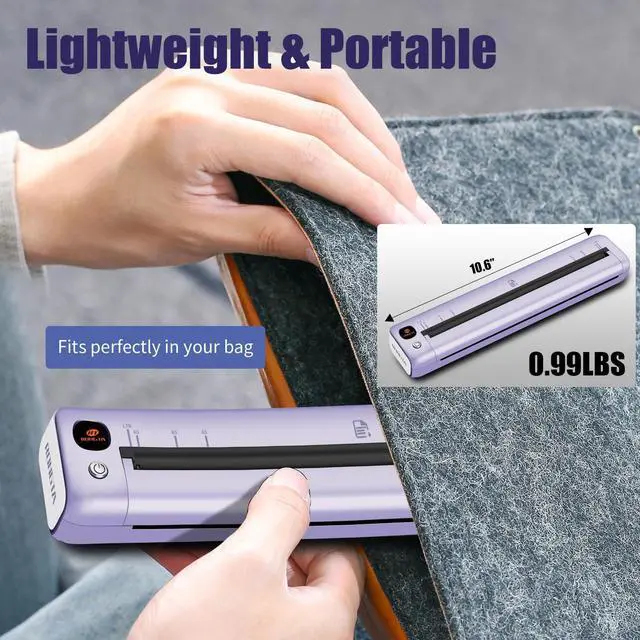
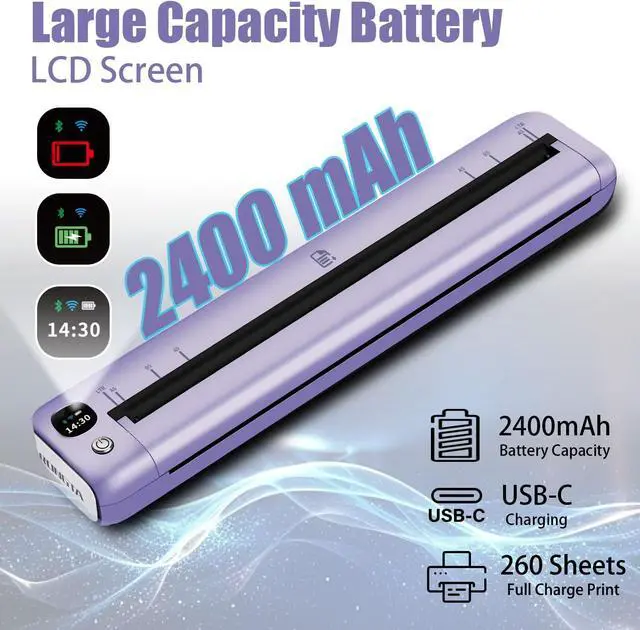
- Ultra-Portable & Quiet PrintingWeighing only 0.992 lbs (450g) and measuring 10.6 x 2.3 x 1.2 inches (268 x 58 x 30mm), the RONGTA F81 is an ultra-compact portable thermal printer designed for ultimate portability. It fits e
+
+
Overview
Reviews

Any questions? Our AI mode will help you find out quickly.
Try me now
How to print from your computer?
Step 1: Download and install the driver from U disk or the rongtatech.com/f82 website
Step 2: Turn on F82, use the USB cable to connect the F82 printer to your computer.
Step 3: Select and open your document, and choose F82 in the printer list.
How to connect your cell phone or Tablet with print?
1.Please download the App soprint ;
2.Turn on your Phone or tablet Bluetooth and the Printer
3. Go on the App and click the printer icon to search and click
The printer cant via Bluetooth on the Phone/tablet directly , have to connect on the App
What should I do if the printing content is not clear?
1. Make sure the printer has power.
2. The print head may be dirty and needs be cleaned.
Do I need to register an account in the app to use it?
No, registration is not required. You can use the app without creating an account.
Download "SoPrint", Easy print pictures, pdf, documents on daily using
The portable printer can be print size of US Letters, A4, B5, A5, 4" 2" thermal paper, only single sheet thermal paper available.
How to connect my laptop/PC to F81 printer--use USB cable From Website ( rongtaglobal.com/f81 ) F81 Printer Driver Installation--Mac Bluetooth & Wifi Wireless Connection, Print Anytime & Anywhere Does the portable printer can work with regular paper?
How to print from your computer?
How to connect your cell phone or Tablet with print?
What should I do if the printing content is not clear?
Do I need to register an account in the app to use it?
Cable for Computers Easy print pictures & documents by thermal portable printer Multi size thermal sheets fitness
Step 1: Download and install the driver from U disk or the rongtatech.com/f82 website
Step 2: Turn on F82, use the USB cable to connect the F82 printer to your computer.
Step 3: Select and open your document, and choose F82 in the printer list.
How to connect your cell phone or Tablet with print?
1.Please download the App soprint ;
2.Turn on your Phone or tablet Bluetooth and the Printer
3. Go on the App and click the printer icon to search and click
The printer cant via Bluetooth on the Phone/tablet directly , have to connect on the App
What should I do if the printing content is not clear?
1. Make sure the printer has power.
2. The print head may be dirty and needs be cleaned.
Do I need to register an account in the app to use it?
No, registration is not required. You can use the app without creating an account.
Download "SoPrint", Easy print pictures, pdf, documents on daily using
The portable printer can be print size of US Letters, A4, B5, A5, 4" 2" thermal paper, only single sheet thermal paper available.
How to connect my laptop/PC to F81 printer--use USB cable From Website ( rongtaglobal.com/f81 ) F81 Printer Driver Installation--Mac Bluetooth & Wifi Wireless Connection, Print Anytime & Anywhere Does the portable printer can work with regular paper?
How to print from your computer?
How to connect your cell phone or Tablet with print?
What should I do if the printing content is not clear?
Do I need to register an account in the app to use it?
Cable for Computers Easy print pictures & documents by thermal portable printer Multi size thermal sheets fitness
Warranty & Returns
Warranty, Returns, And Additional Information
Warranty
- Please contact the Seller directly for warranty information. Warranty information may also be found on the Manufacturer's website.
- CONTACT
Return Policies
- Return for refund within: 30 days
- Return for replacement within: 30 days
- This item is covered by Chinathru Trading Co., Limited Return Policy
Manufacturer Contact Info
- For a directory of all our manufacturers, please click below.
- Manufacturers Directory
LOADING...