

Your Browsing History
- Free 30-day Returns
$72.99

Meet Your Seller


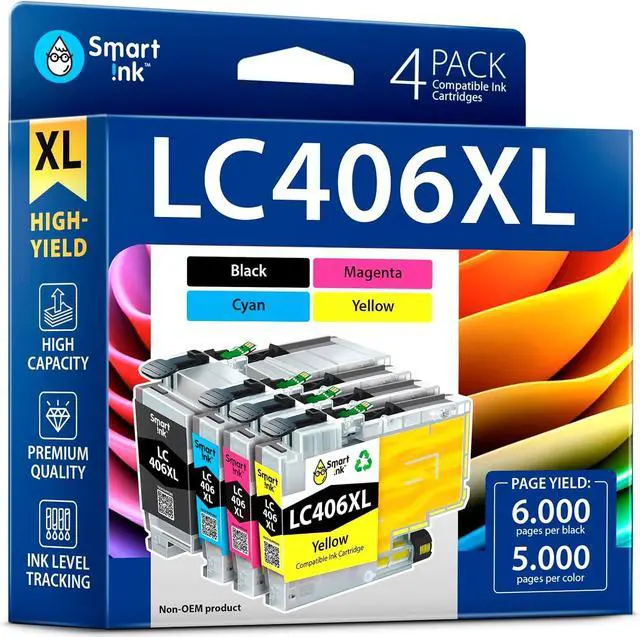
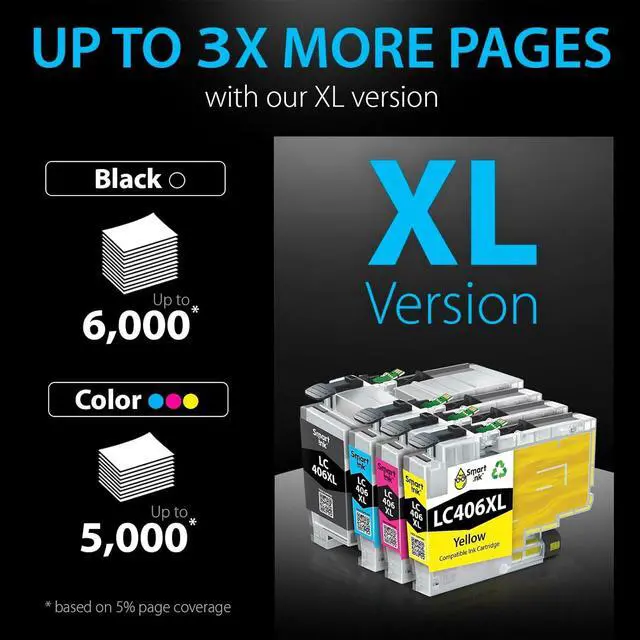




Smart Ink Compatible Ink Cartridges Replacement for Brother LC406 XL LC406XL for Brother Printer MFC-J4335DW MFC-J4535DW MFC-J5855DW MFC-J6555DW MFC-J4345DW XL (4 Pack, Black, Cyan, Magenta, Yellow)
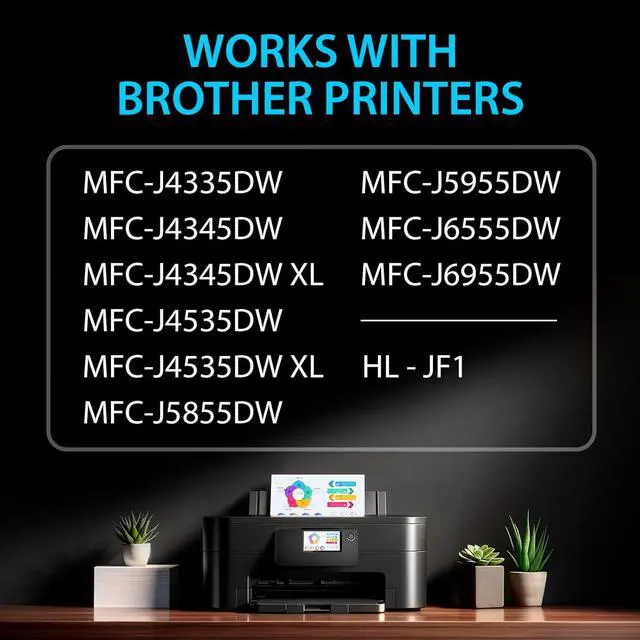
- Compatible with Brother HL - JF1, MFC-J4335DW, MFC-J4345DW, MFC-J4535DW, MFC-J5855DW, MFC-J5955DW, MFC-J6555DW, MFC-J6955DW, MFC-J4345DW XL, and MFC-J4535DW XL printers
- Please check compatibility carefully by finding your printer model on the list above
- Feel Confident in Our Care: We provide exceptional Customer Live Support daily, 24/7 (even on holidays), with a 3-mins. response time. Call or write to us if you need manufacturer assistance
- Exceptional Value: Smart Ink LC406XL cartridge provides top-quality printing without breaking the bank
- Package Contents: 1 x Black LC406XL, 1 x Cyan LC406XL, 1 x Magenta LC406XL, 1 x Yellow LC406XL (4 cartridges in total), user-friendly instructions, and biodegradable gloves for a clean installation
+
+
Overview
Reviews

Any questions? Our AI mode will help you find out quickly.
Try me now
1More Pages2Sustainable Budgeting3Dependable Supplies Which printer models are compatible with Smart Ink LC406XL?
Smart Ink LC406XL compatible with HL - JF1, MFC-J4335DW, MFC-J4345DW, MFC-J4535DW, MFC-J5855DW, MFC-J5955DW, MFC-J6555DW, MFC-J6955DW, MFC-J4345DW XL, MFC-J4535DW XL printers.
Why doesn't Smart Ink recommend updating your printer's firmware?
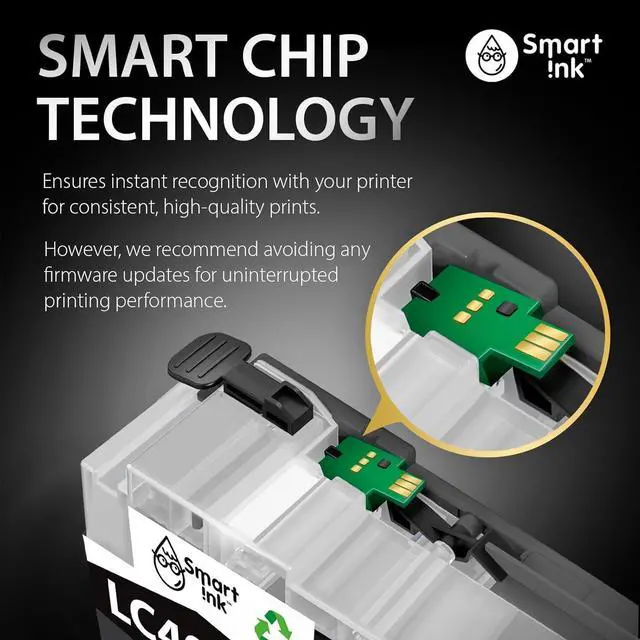
A firmware update is a software upgrade for your printer's system, designed to block non-original ink. We recommend avoiding any firmware updates to ensure uninterrupted printing performance. This is crucial for all compatible brands.
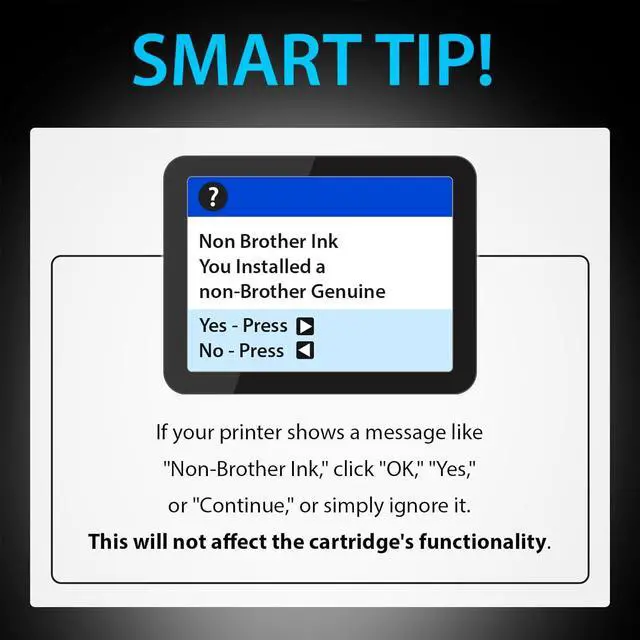
How do I fix errors like "Non-Brother Ink" or "Cannot print"?
Press "Yes," "Continue," or "OK" to resume the printing process. If "Cannot print" appears during the printing, remove and reinstall the cartridge.
How can I contact the Customer Care Team if I need assistance?
After purchase, you can contact Customer Care via buyer-seller messages. We're available 24/7, including holidays, and respond within 3 minutes. Feel free to reach out if you need assistance!
Choose the best print solution for you! STEP 1: STEP 2: STEP 3: ATTENTION: hero-video Why Choose Smart Ink LC406XL?
Which printer models are compatible with Smart Ink LC406XL?
Why doesn't Smart Ink recommend updating your printer's firmware?
How do I fix errors like "Non-Brother Ink" or "Cannot print"?
How can I contact the Customer Care Team if I need assistance?
Smart Ink LC406XL compatible with HL - JF1, MFC-J4335DW, MFC-J4345DW, MFC-J4535DW, MFC-J5855DW, MFC-J5955DW, MFC-J6555DW, MFC-J6955DW, MFC-J4345DW XL, MFC-J4535DW XL printers.
Why doesn't Smart Ink recommend updating your printer's firmware?
A firmware update is a software upgrade for your printer's system, designed to block non-original ink. We recommend avoiding any firmware updates to ensure uninterrupted printing performance. This is crucial for all compatible brands.
How do I fix errors like "Non-Brother Ink" or "Cannot print"?
Press "Yes," "Continue," or "OK" to resume the printing process. If "Cannot print" appears during the printing, remove and reinstall the cartridge.
How can I contact the Customer Care Team if I need assistance?
After purchase, you can contact Customer Care via buyer-seller messages. We're available 24/7, including holidays, and respond within 3 minutes. Feel free to reach out if you need assistance!
Choose the best print solution for you! STEP 1: STEP 2: STEP 3: ATTENTION: hero-video Why Choose Smart Ink LC406XL?
Which printer models are compatible with Smart Ink LC406XL?
Why doesn't Smart Ink recommend updating your printer's firmware?
How do I fix errors like "Non-Brother Ink" or "Cannot print"?
How can I contact the Customer Care Team if I need assistance?
Warranty & Returns
Warranty, Returns, And Additional Information
Warranty
- Please contact the Seller directly for warranty information. Warranty information may also be found on the Manufacturer's website.
- CONTACT
Return Policies
- Return for refund within: 30 days
- Return for replacement within: 30 days
- This item is covered by Chinathru Trading Co., Limited Return Policy
Manufacturer Contact Info
- For a directory of all our manufacturers, please click below.
- Manufacturers Directory
LOADING...