Your Browsing History
Meet Your Seller
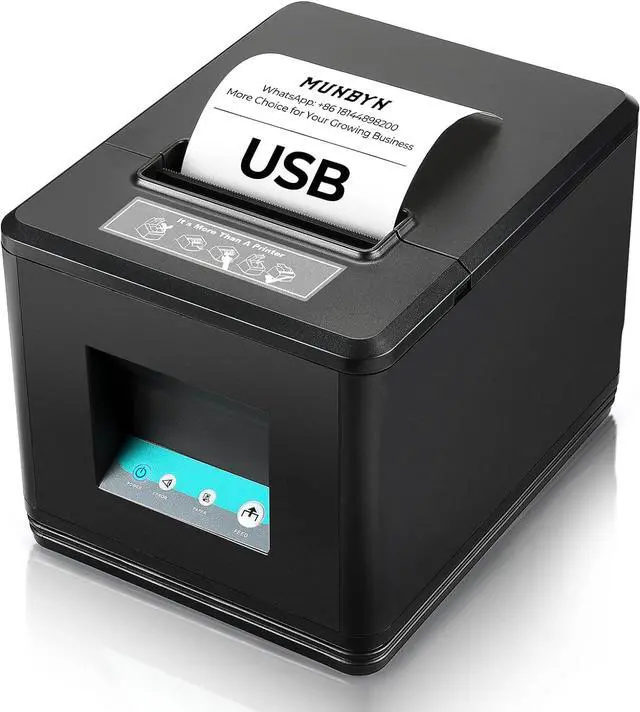
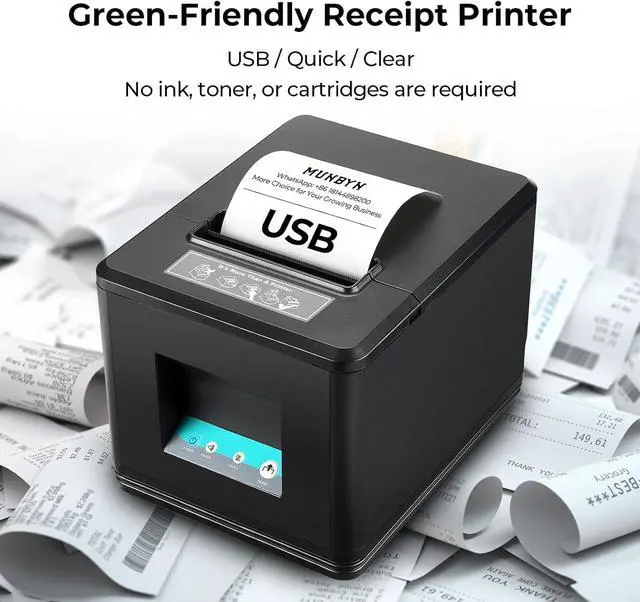
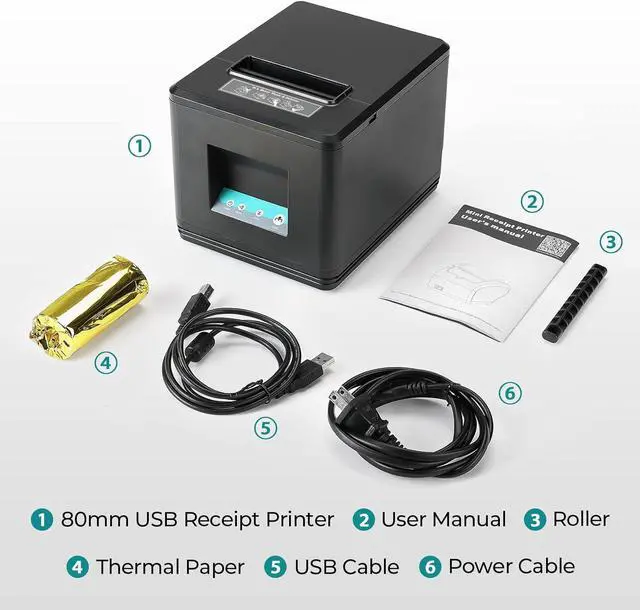
MUNBYN 80mm USB Thermal Receipt Printer P098, POS Printer with Auto Cutter
- ESC POS command support for Windows and Mac with auto cutter, USB interface only and does not support Square
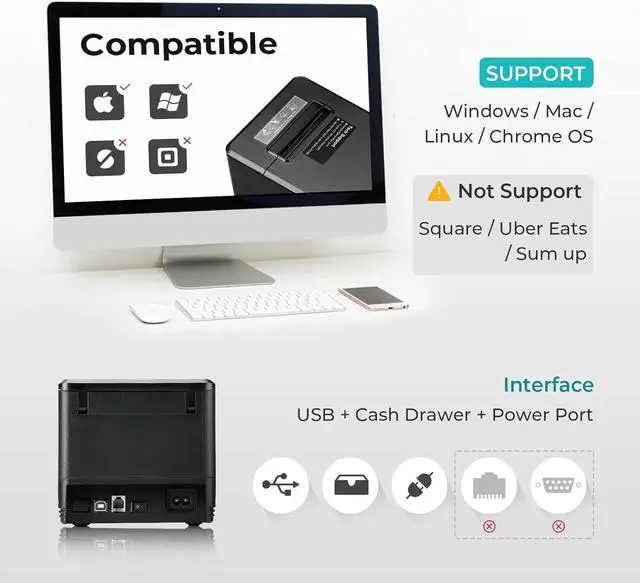
- [USB Interface] Only USB and Cash drawer interfaces, this POS receipt printer widely works in banks, telecommunications, takeaway, shopping malls, hospitals, supermarkets, sports lottery, and other fields. Attention, no LAN, no Wi-Fi, no Bluetooth.
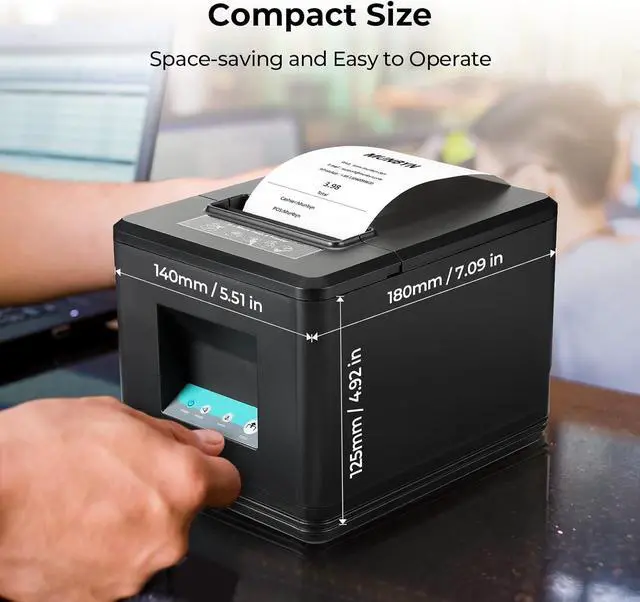
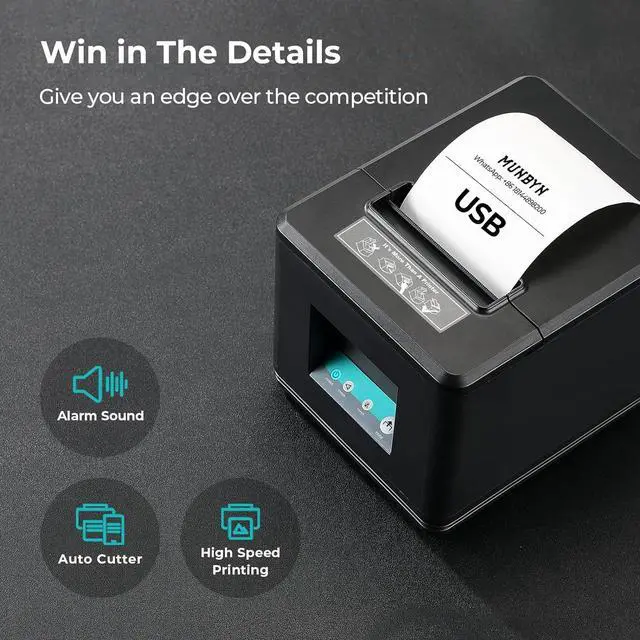
- [Auto Cutter, Fast Printing & Wall Mounted] 80mm thermal printer has an auto-cutter function. High efficiency with auto-cutter and the fastest printing speed--200mm/sec. POS printer has a wall-mounted design. Direct thermal printing: Easy for paper installation, easy maintenance, and excellent structure.
- [No Ink Print] Print width: 79.5±0.5mm; Paper Width: 3 1/8" (80mm). No need for ribbon/ink. Receipt printer head has over-temperature protection to make the print head last longer. Plug and play USB port, easy to use.
- [Main Guidance] User Manual provides a clear driver installation guide for the USB receipt printer. Read the prin
+
+
Overview
Specs
Reviews
Any questions? Our AI mode will help you find out quickly.
Try me now
[USB Interface] Only USB and Cash drawer interfaces, this POS receipt printer widely works in banks, telecommunications, takeaway, shopping malls, hospitals, supermarkets, sports lottery, and other fields. Attention, no LAN, no Wi-Fi, no Bluetooth.
[Auto Cutter, Fast Printing & Wall Mounted] 80mm thermal printer has an auto-cutter function. High efficiency with auto-cutter and the fastest printing speed--200mm/sec. POS printer has a wall-mounted design. Direct thermal printing: Easy for paper installation, easy maintenance, and excellent structure.
[No Ink Print] Print width: 79.5±0.5mm; Paper Width: 3 1/8" (80mm). No need for ribbon/ink. Receipt printer head has over-temperature protection to make the print head last longer. Plug and play USB port, easy to use.
[Main Guidance] User Manual provides a clear driver installation guide for the USB receipt printer. Read the printer user manual before using the POS receipt printer.
[Printer is Compatible with] Based on ESC/POS command, the POS printer is compatible with Windows. It does not support iPad, iPhone, or any iOS devices. It does not work for Square, Doordash, Uber, GrubHub. Please check the systems and APP before using them. If you have questions about whether the product is compatible with your POS system, you can come to us first and ask us about product compatibility. We will answer your questions promptly.

[Auto Cutter, Fast Printing & Wall Mounted] 80mm thermal printer has an auto-cutter function. High efficiency with auto-cutter and the fastest printing speed--200mm/sec. POS printer has a wall-mounted design. Direct thermal printing: Easy for paper installation, easy maintenance, and excellent structure.
[No Ink Print] Print width: 79.5±0.5mm; Paper Width: 3 1/8" (80mm). No need for ribbon/ink. Receipt printer head has over-temperature protection to make the print head last longer. Plug and play USB port, easy to use.
[Main Guidance] User Manual provides a clear driver installation guide for the USB receipt printer. Read the printer user manual before using the POS receipt printer.
[Printer is Compatible with] Based on ESC/POS command, the POS printer is compatible with Windows. It does not support iPad, iPhone, or any iOS devices. It does not work for Square, Doordash, Uber, GrubHub. Please check the systems and APP before using them. If you have questions about whether the product is compatible with your POS system, you can come to us first and ask us about product compatibility. We will answer your questions promptly.
Warranty & Returns
Warranty, Returns, And Additional Information
Warranty
- Please contact the Seller directly for warranty information. Warranty information may also be found on the Manufacturer's website.
- CONTACT
Return Policies
- Return for refund within: 30 days
- Return for replacement within: 30 days
- This item is covered by LionTech Direct Return Policy
Manufacturer Contact Info
- For a directory of all our manufacturers, please click below.
- Manufacturers Directory
LOADING...