

Your Browsing History

Meet Your Seller


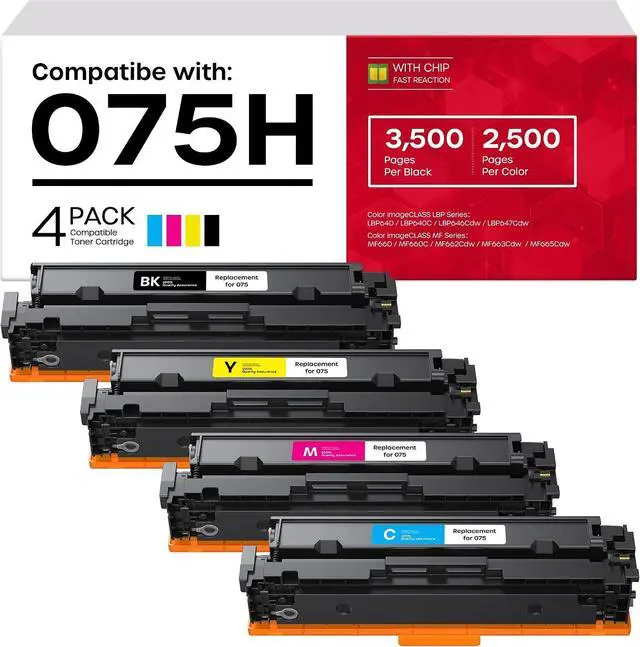



075H Toner Cartridge Compatible with Canon MF662Cdw MF665Cdw LBP646Cdw
- 3500 Pages Black, 2500 Pages Color, 075H 075 Toner Compatible with Canon Color imageCLASS LBP640 LBP640C MF660 MF660C(4 Pack)
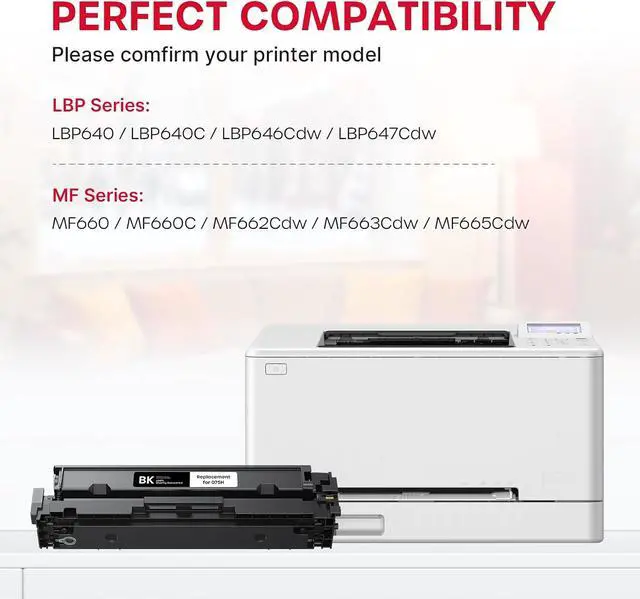
- Confirm Your Model Before OrderingCompatible with Canon Color imageCLASS LBP646Cdw, LBP647Cdw, LBP640, LBP640C, MF662Cdw, MF663Cdw, MF665Cdw, MF660, MF660C. Not compatible with other Canon models or non-Color imageCLASS series. Confirm your printer model before purchase.
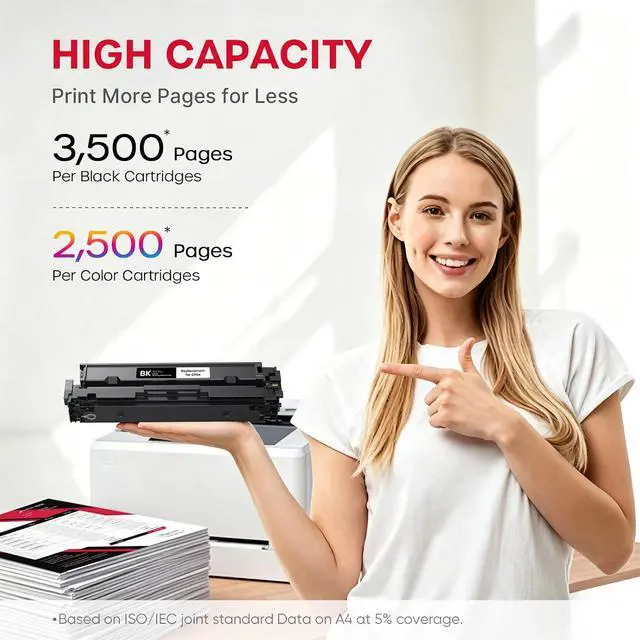
- High Page Yield for Cost-Effective PrintingUp to 3,500 pages per black 075H toner cartridge and 2,500 pages per color cartridge (based on 5% coverage on letter/A4) a full 4-pack keeps your office running longer between replacements, cutting per-page cost for high-volume printing.
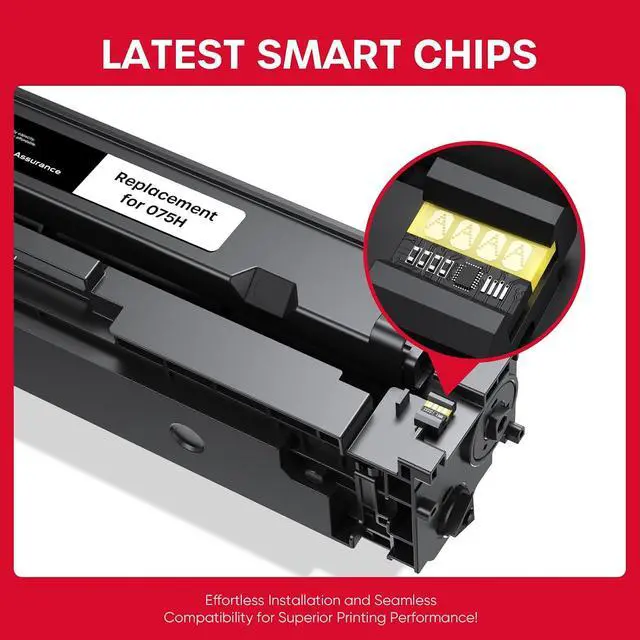
- Chip-Equipped for Reliable RecognitionEach 075H toner cartridge comes with a built-in chip that connection directly with your Canon printer, ensuring instant recognition no error messages or setup hassles, just install and print.
- Vibrant Color and Crisp Text OutputRefined toner powder delivers sharp, smu
+
+
Overview
Reviews

Any questions? Our AI mode will help you find out quickly.
Try me now
Which printer models are compatible with this 075H toner cartridge?
These cartridges are compatible with Canon Color imageCLASS LBP646Cdw, LBP647Cdw, LBP640, MF662Cdw, MF663Cdw, MF665Cdw, and MF660 models. They are not compatible with Canon other series. Always confirm your printer model before ordering.
How many pages can I expect from each cartridge?
The black 075H cartridge yields up to 3,500 pages and each color cartridge up to 2,500 pages, based on 5% coverage on letter/A4 paper. The 4-pack keeps your office running longer and reduces your cost per page.
Will my printer recognize these cartridges without error messages?
Yes. Each cartridge includes a built-in chip that communicates directly with your printer for instant recognition. No error messages, no complicated setup just install and start printing right away.
How do I install the 075H toner cartridge?
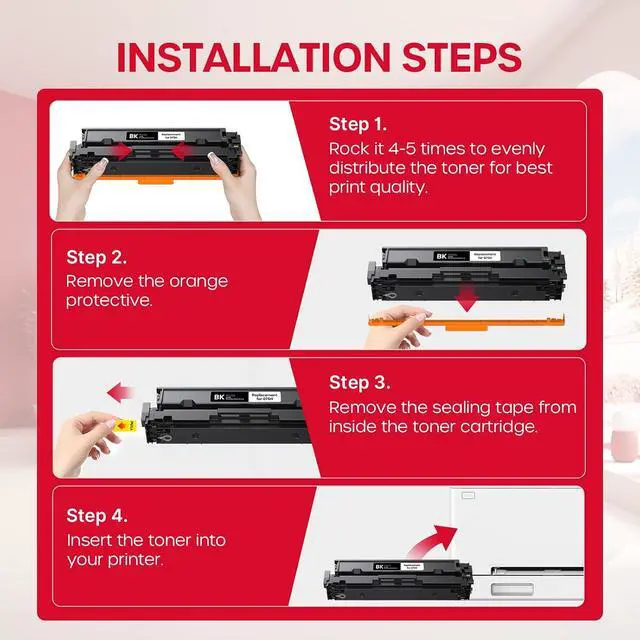
Installation is simple. Shake the cartridge gently, remove the protective seal, and slide it into your printer. A step-by-step guide is included most users are up and printing in under 5 minutes.
Which printer models are compatible with this 075H toner cartridge?
How many pages can I expect from each cartridge?
Will my printer recognize these cartridges without error messages?
How do I install the 075H toner cartridge?
These cartridges are compatible with Canon Color imageCLASS LBP646Cdw, LBP647Cdw, LBP640, MF662Cdw, MF663Cdw, MF665Cdw, and MF660 models. They are not compatible with Canon other series. Always confirm your printer model before ordering.
How many pages can I expect from each cartridge?
The black 075H cartridge yields up to 3,500 pages and each color cartridge up to 2,500 pages, based on 5% coverage on letter/A4 paper. The 4-pack keeps your office running longer and reduces your cost per page.
Will my printer recognize these cartridges without error messages?
Yes. Each cartridge includes a built-in chip that communicates directly with your printer for instant recognition. No error messages, no complicated setup just install and start printing right away.
How do I install the 075H toner cartridge?
Installation is simple. Shake the cartridge gently, remove the protective seal, and slide it into your printer. A step-by-step guide is included most users are up and printing in under 5 minutes.
Which printer models are compatible with this 075H toner cartridge?
How many pages can I expect from each cartridge?
Will my printer recognize these cartridges without error messages?
How do I install the 075H toner cartridge?
Warranty & Returns
Warranty, Returns, And Additional Information
Warranty
- Please contact the Seller directly for warranty information. Warranty information may also be found on the Manufacturer's website.
- CONTACT
Return Policies
- Return for refund within: 30 days
- Return for replacement within: 30 days
- This item is covered by LionTech Direct Return Policy
Manufacturer Contact Info
- For a directory of all our manufacturers, please click below.
- Manufacturers Directory
LOADING...