

Your Browsing History

Meet Your Seller


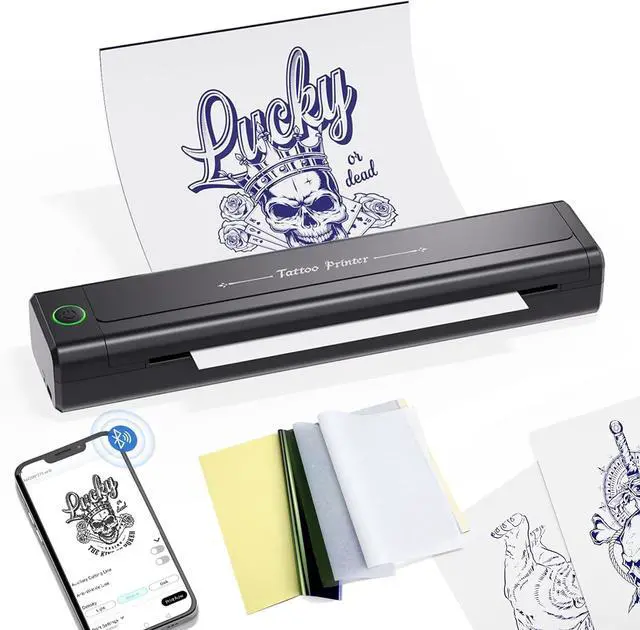
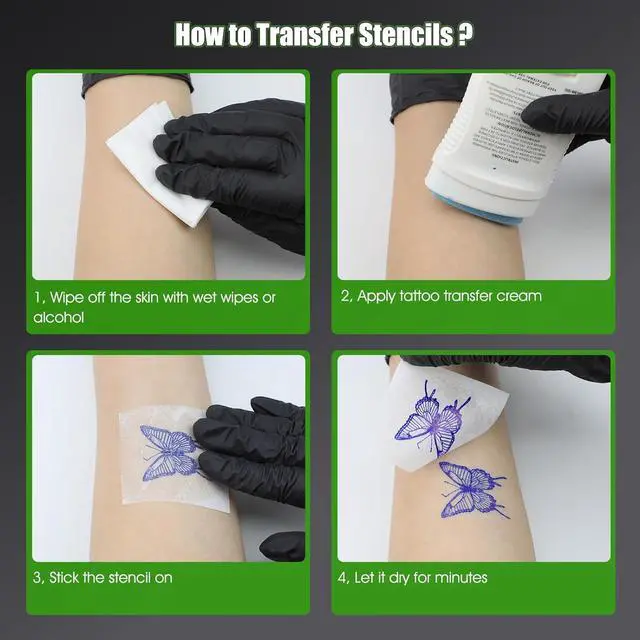


BIOMASER H1 Tattoo Stencil Printer for Tattooing,Wireless Bluetooth Tattoo Printer Machine,Portable Thermal Printer Copier,10 Transfer Papers,Compatible with Smartphone & PC
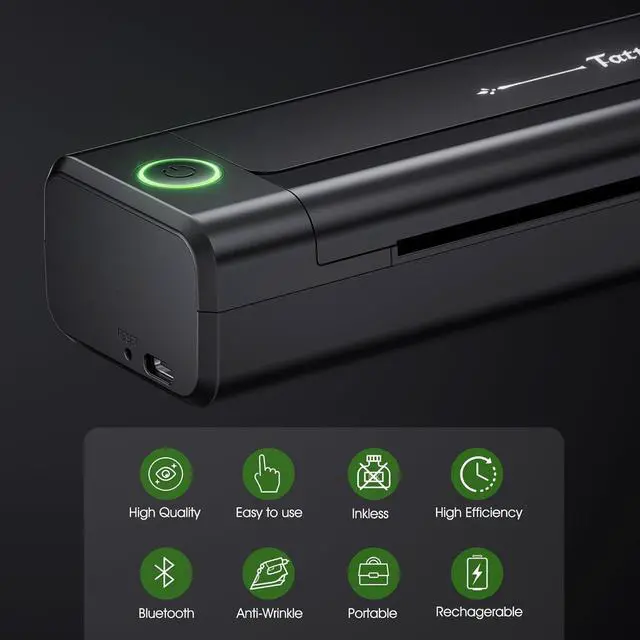
- Wireless, Inkless, Precision-The BIOMASER Bluetooth stencil printer delivers precise tattoo transfers with cutting-edge tech, eliminating messy ink.
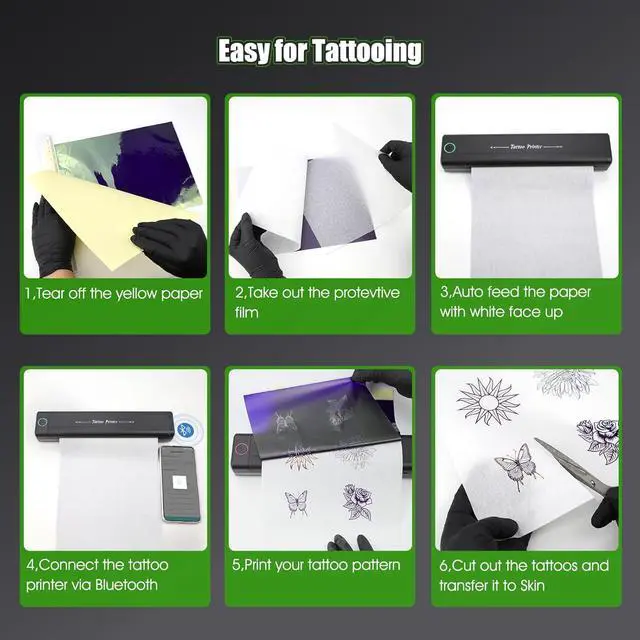
- Ease of use: Simple operation makes stencil creation fast and efficient, perfect for beginners and professional tattoo artists alike. Save hours and cash vs. hand-drawn designs.
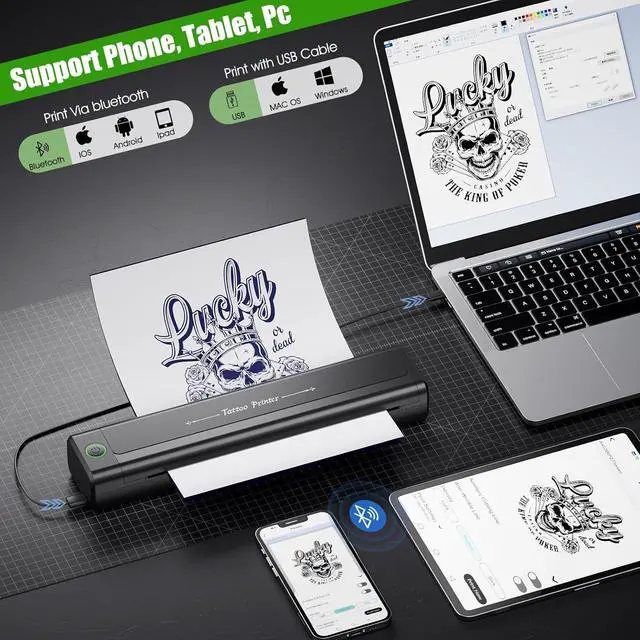
- Universal Compatibility: The BIOMASER H1 thermal tattoo printer works seamlessly across phones, tablets, laptops, and PCs, supporting Android, iOS, Windows, macOS, and Chrome OS. Whether you're a pro artist or just starting out, it streamlines design and printing like never before.
- PORTABLE DESIGN: Lightweight thermal printer construction and a powerful 2000mAh rechargeable battery allows for easy transport between home, office, and tattoo studio locations
- INCLUDED ACCESSORIES: Comes with 10 pieces of transfer paper ,Usb charging cable,featuring anti-wrinkle technology for quality stencil creation
- Multi-function Printer:BIOMASER Portable printer both print yo
+
+
Overview
Reviews

Any questions? Our AI mode will help you find out quickly.
Try me now
BIOMASER Tattoo Stencil Printer offers a versatile, portable solution for creating clean, precise stencils. its wireless connectivity, powerful battery, and user-friendly design, it streamlines the stencil-making process for both beginners and professionals, allowing you to focus on your artistry.
Streamline your tattoo stencil creation process with the BIOMASER H1 Wireless Tattoo Printer. Beginner-friendly and easy to use, this portable printer saves you time by delivering precise, inkless transfers compatible with smartphones, tablets, and PCs. Elevate your artistry effortlessly.
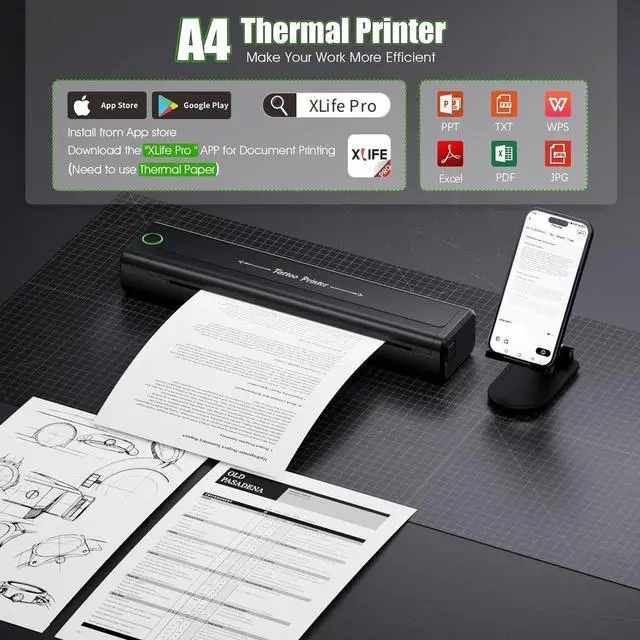
1Compatible device2Mobile device print Driver Installation Steps as follows: 1,Download the driver from the dropbox link. 2,Power on the printer,Then connect the printer and computer via usb cable. 3,Duouble click the " Xlife.driver.2025.03.10.1 (1)" icon directly, it's a .exe file,you don't have to extract it.
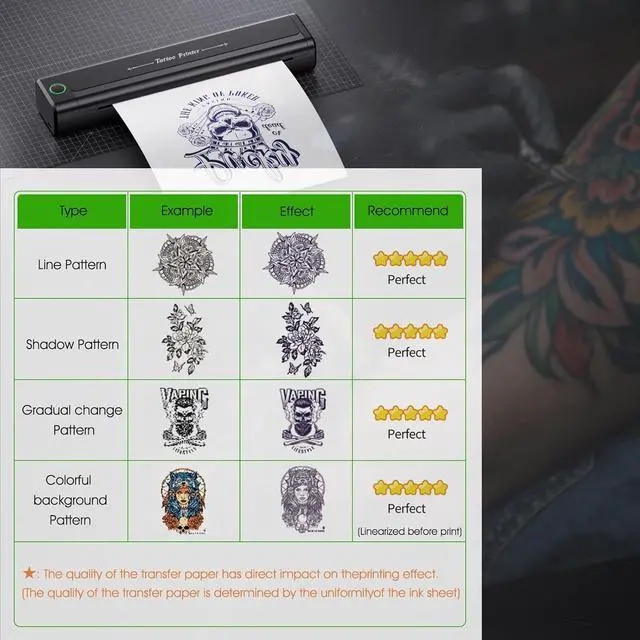
1,Multiple patterns Printing,when you need tattoo small size pattern,this tattoo printer machine can print on max 9 images at the same time 2,Line Art Function,it can make the colored or shade pattern be linearized. 3,Anti-wrinkle Function,turn on the Antil-wrinkle line mode in Print settings.
Unleash Your Artistry with the Inkless BIOMASER H1 Tattoo Stencil Printer Anti-wrinkle Function Portable and Linght weight
Streamline your tattoo stencil creation process with the BIOMASER H1 Wireless Tattoo Printer. Beginner-friendly and easy to use, this portable printer saves you time by delivering precise, inkless transfers compatible with smartphones, tablets, and PCs. Elevate your artistry effortlessly.
1Compatible device2Mobile device print Driver Installation Steps as follows: 1,Download the driver from the dropbox link. 2,Power on the printer,Then connect the printer and computer via usb cable. 3,Duouble click the " Xlife.driver.2025.03.10.1 (1)" icon directly, it's a .exe file,you don't have to extract it.
1,Multiple patterns Printing,when you need tattoo small size pattern,this tattoo printer machine can print on max 9 images at the same time 2,Line Art Function,it can make the colored or shade pattern be linearized. 3,Anti-wrinkle Function,turn on the Antil-wrinkle line mode in Print settings.
Unleash Your Artistry with the Inkless BIOMASER H1 Tattoo Stencil Printer Anti-wrinkle Function Portable and Linght weight
Warranty & Returns
Warranty, Returns, And Additional Information
Warranty
- Please contact the Seller directly for warranty information. Warranty information may also be found on the Manufacturer's website.
- CONTACT
Return Policies
- Return for refund within: 30 days
- Return for replacement within: 30 days
- This item is covered by LionTech Direct Return Policy
Manufacturer Contact Info
- For a directory of all our manufacturers, please click below.
- Manufacturers Directory
LOADING...