

Your Browsing History

Meet Your Seller


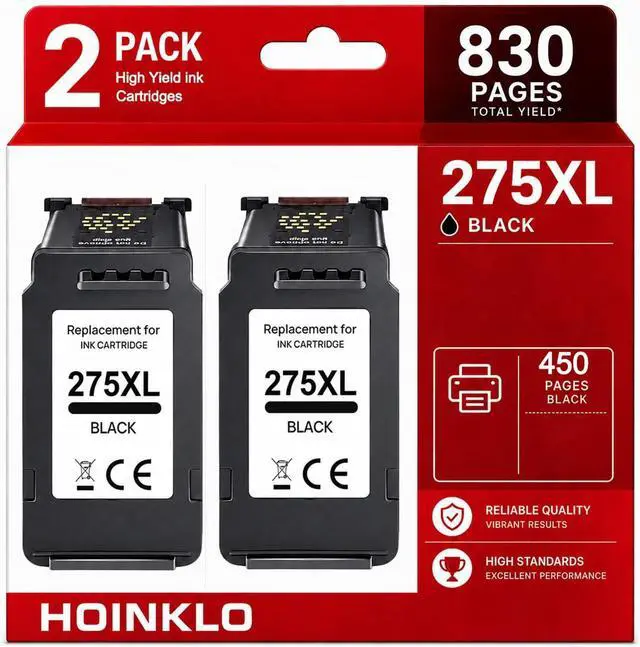


275XL Black Ink Cartridges Replacement for Canon PG-275 Black Ink Cartridge
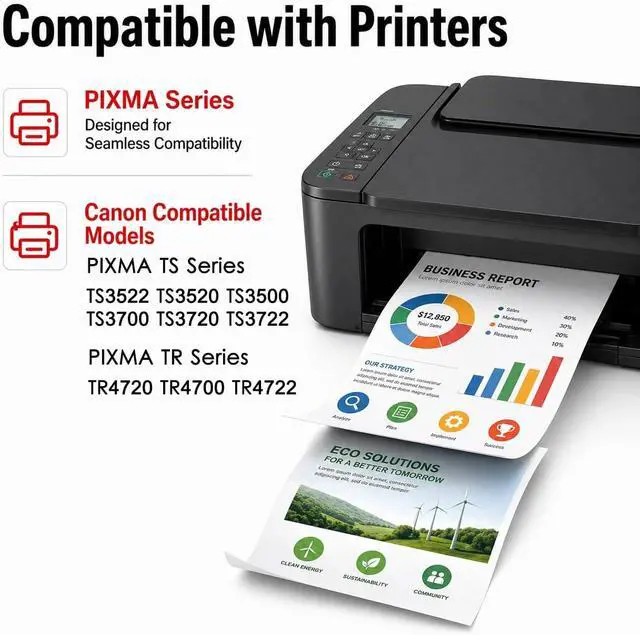
- Compatible for Canon 275 Black Ink with TS3520 TS3522 TR4720/TR4722 TS3720 TS3722 Printer (2 Black)
- 275xl ink cartridges replacement for canon 275 Black ink cartridges, XL capacity version equipped with a smart chip to ensure intelligent identification by your printer
- Printer Compatibility:pixma ts3722 ink tr4720 ink cartridge 275xl 275 ink cartridges for canon printers Pixma TS3500 TS3520 TS3522 TR4700 TR4720 TR4722 TS3720 TS3722
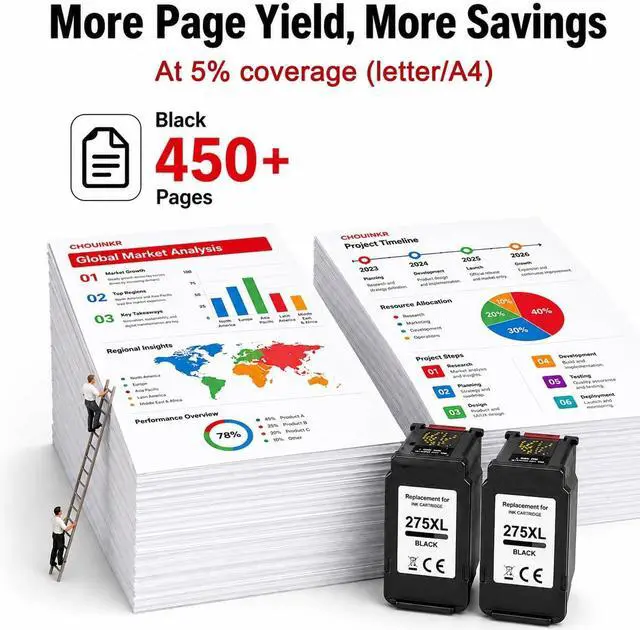
- Higher Page Yield: up to 450 pages per 275xl black ink cartridge based on 5% coverage (letter A4). It is a high capacity version of canon ink 275xl. Print more without frequent replacement
- Upgrade Chips: Our Canon 275 compatible cartridges feature the latest upgraded chips, ensuring seamless compatibilityjust install and start printing. Plus, you can monitor ink levels in real time, eliminating the risk of running out unexpectedly and keeping your printing uninterrupted.
- Our features: Easy to install, Bright Colors, Strong Compatibility, High Quality,
+
+
Overview
Reviews

Any questions? Our AI mode will help you find out quickly.
Try me now
How to clear "Low Ink" error?
The printer may prompt as Low Ink or Empty (or similar message), you can click " OK", "Continue" or "" to bypass what printer indicates and use the cartridge directly.
How to clear "Non Genuine" error?
The printer may prompt as Non-genuine, Previously used or Counterfeit cartridge (or similar message), you can click " OK", "Continue" or "" to bypass what printer indicates and use the cartridge directly.
How to resolve print quality issues?
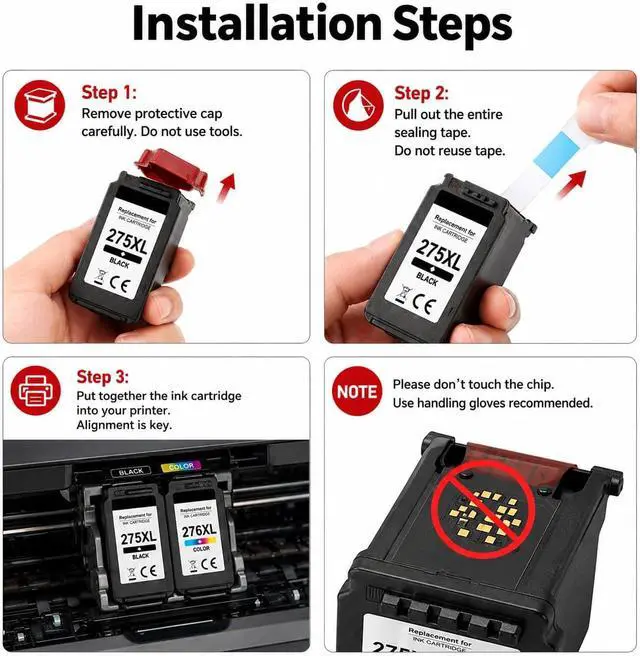
1.Make sure the seal tape is pulled out entirely from the cartridge.
2.Take a damp towel and gently wipe the bottom area of the cartridge slowly a few times.
3.Peform a Printhead cleaning cycle or Clean cartridge function 2 times.
How to resolve "ink has run out" error?
The printer may prompt as "the following ink has run out" (or similar message), you can click the "Stop" button on the printer for more than 5S, and then the printer will to continue printing.
TIPS (IMPORTANT INFORMATION)
Please don't update the printer version frequently to prevent the ink cartridges from not being recognized. If you notice information to update with new firmware on your printer, we advise you not to confirm it.
How to clear "Low Ink" error?
How to clear "Non Genuine" error?
How to resolve print quality issues?
How to resolve "ink has run out" error?
TIPS (IMPORTANT INFORMATION)
The printer may prompt as Low Ink or Empty (or similar message), you can click " OK", "Continue" or "" to bypass what printer indicates and use the cartridge directly.
How to clear "Non Genuine" error?
The printer may prompt as Non-genuine, Previously used or Counterfeit cartridge (or similar message), you can click " OK", "Continue" or "" to bypass what printer indicates and use the cartridge directly.
How to resolve print quality issues?
1.Make sure the seal tape is pulled out entirely from the cartridge.
2.Take a damp towel and gently wipe the bottom area of the cartridge slowly a few times.
3.Peform a Printhead cleaning cycle or Clean cartridge function 2 times.
How to resolve "ink has run out" error?
The printer may prompt as "the following ink has run out" (or similar message), you can click the "Stop" button on the printer for more than 5S, and then the printer will to continue printing.
TIPS (IMPORTANT INFORMATION)
Please don't update the printer version frequently to prevent the ink cartridges from not being recognized. If you notice information to update with new firmware on your printer, we advise you not to confirm it.
How to clear "Low Ink" error?
How to clear "Non Genuine" error?
How to resolve print quality issues?
How to resolve "ink has run out" error?
TIPS (IMPORTANT INFORMATION)
Warranty & Returns
Warranty, Returns, And Additional Information
Warranty
- Please contact the Seller directly for warranty information. Warranty information may also be found on the Manufacturer's website.
- CONTACT
Return Policies
- Return for refund within: 30 days
- Return for replacement within: 30 days
- This item is covered by LionTech Direct Return Policy
Manufacturer Contact Info
- For a directory of all our manufacturers, please click below.
- Manufacturers Directory
LOADING...