

Your Browsing History

Meet Your Seller


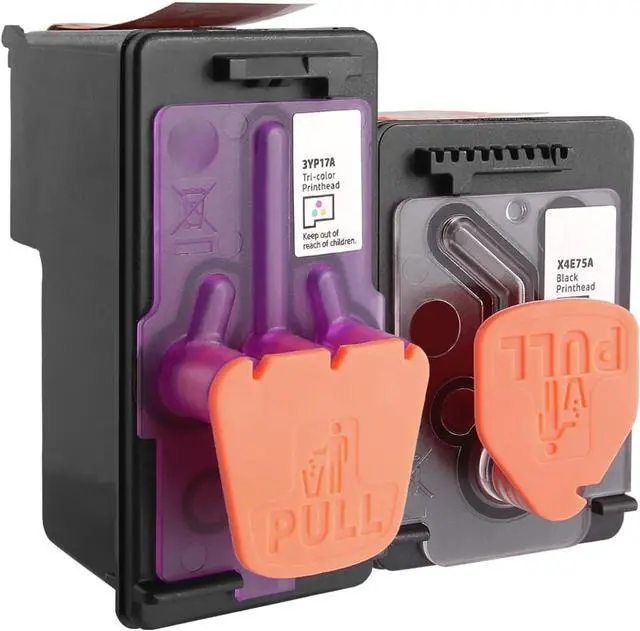
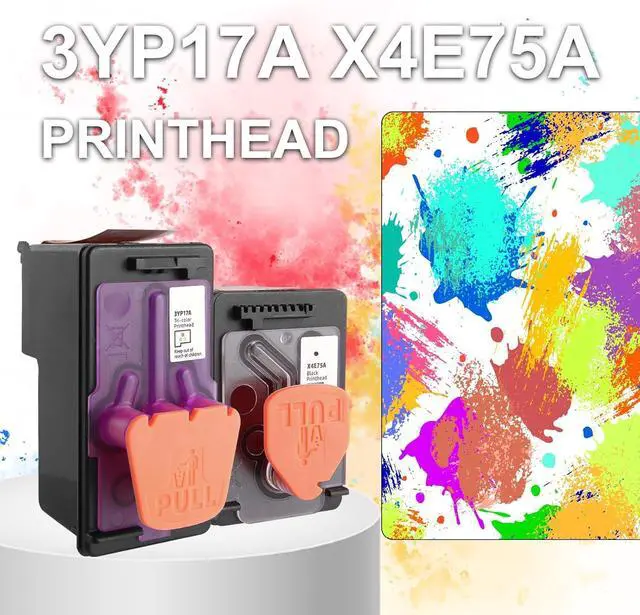



3YP17A X4E75A Ink Cartridge Printhead for 6000 7000 7300 7600 Series Printer
- Complete Printhead Combo: 1 X4E75A Black Print Head + 1 3YP17A Tri-Color Print Head, brand-new full set replacement for HP Smart Tank series printers.
- ONLY Compatible With HP Printer Models: Smart Tank 6000, 6001, 7000, 7001, 7300, 7301, 7600, 7602, 660, 670, 720, 725, 750, 790, 795.
- NOT Compatible with printers using M0H50A printhead: GT5810, GT5820, Smart Tank 310, 410, 508, 518. Please confirm your printer model before purchasing to avoid incompatibility returns.
- High Page Yield: Up to 10,000 pages for both black & tri-color at 5% coverage; upgraded chip supports real-time ink level display. Critical Pre-install Tip: Fully peel off transparent protective film on gold contact points before installation. Unremoved film will trigger "unrecognized printhead / damaged contacts" error on HP 7602 & all supported printers. Install evenly until locked with a click sound.
- Plug-and-play easy installation. If your 7602 printer shows recognition failure after installation: 1. Clean print
+
+
Overview
Reviews

Any questions? Our AI mode will help you find out quickly.
Try me now
Complete Printhead Combo: 1 X4E75A Black Print Head + 1 3YP17A Tri-Color Print Head, brand-new full set replacement for HP Smart Tank series printers.
ONLY Compatible With HP Printer Models: Smart Tank 6000, 6001, 7000, 7001, 7300, 7301, 7600, 7602, 660, 670, 720, 725, 750, 790, 795.
NOT Compatible with printers using M0H50A printhead: GT5810, GT5820, Smart Tank 310, 410, 508, 518. Please confirm your printer model before purchasing to avoid incompatibility returns.
High Page Yield: Up to 10,000 pages for both black & tri-color at 5% coverage; upgraded chip supports real-time ink level display. Critical Pre-install Tip: Fully peel off transparent protective film on gold contact points before installation. Unremoved film will trigger "unrecognized printhead / damaged contacts" error on HP 7602 & all supported printers. Install evenly until locked with a click sound.
Plug-and-play easy installation. If your 7602 printer shows recognition failure after installation: 1. Clean printhead metal contacts with dry cloth; 2. Reinstall printhead tightly; 3. Unplug printer power for 60 seconds to reset. Feel free to contact our support team for solutions before submitting returns.
ONLY Compatible With HP Printer Models: Smart Tank 6000, 6001, 7000, 7001, 7300, 7301, 7600, 7602, 660, 670, 720, 725, 750, 790, 795.
NOT Compatible with printers using M0H50A printhead: GT5810, GT5820, Smart Tank 310, 410, 508, 518. Please confirm your printer model before purchasing to avoid incompatibility returns.
High Page Yield: Up to 10,000 pages for both black & tri-color at 5% coverage; upgraded chip supports real-time ink level display. Critical Pre-install Tip: Fully peel off transparent protective film on gold contact points before installation. Unremoved film will trigger "unrecognized printhead / damaged contacts" error on HP 7602 & all supported printers. Install evenly until locked with a click sound.
Plug-and-play easy installation. If your 7602 printer shows recognition failure after installation: 1. Clean printhead metal contacts with dry cloth; 2. Reinstall printhead tightly; 3. Unplug printer power for 60 seconds to reset. Feel free to contact our support team for solutions before submitting returns.
Warranty & Returns
Warranty, Returns, And Additional Information
Warranty
- Please contact the Seller directly for warranty information. Warranty information may also be found on the Manufacturer's website.
- CONTACT
Return Policies
- Return for refund within: 30 days
- Return for replacement within: 30 days
- This item is covered by LionTech Direct Return Policy
Manufacturer Contact Info
- For a directory of all our manufacturers, please click below.
- Manufacturers Directory
LOADING...