

Your Browsing History

Meet Your Seller


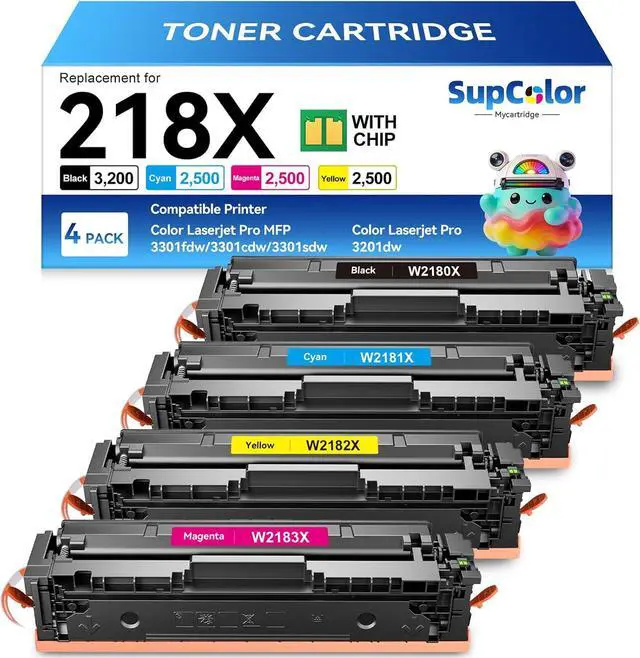
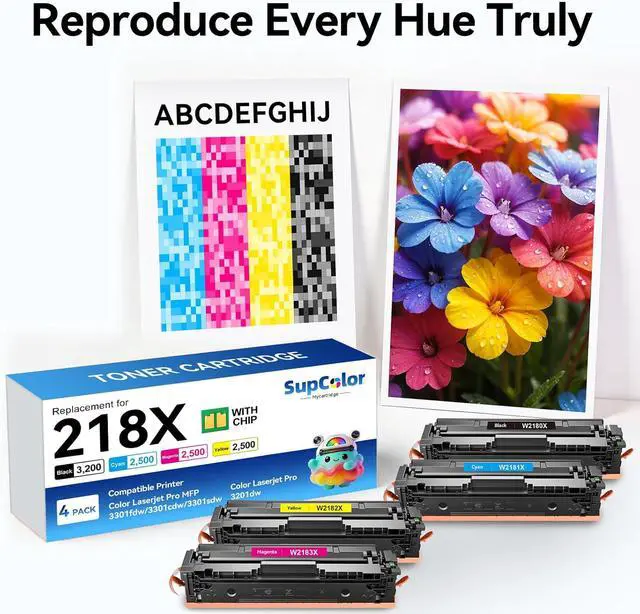



Compatible 218X Toner Cartridge, Color, 4-Pack
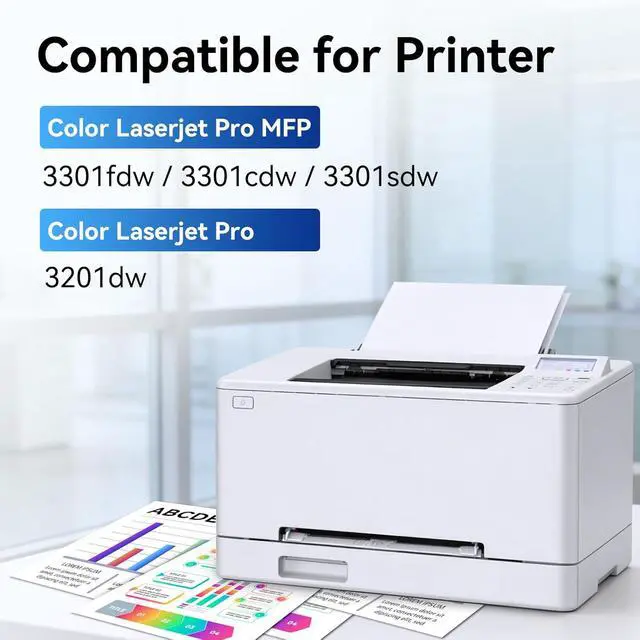
- Compatible for HP Color LaserJet pro MFP 3301sdw 3301fdw 3301cdw 3201dw Printer
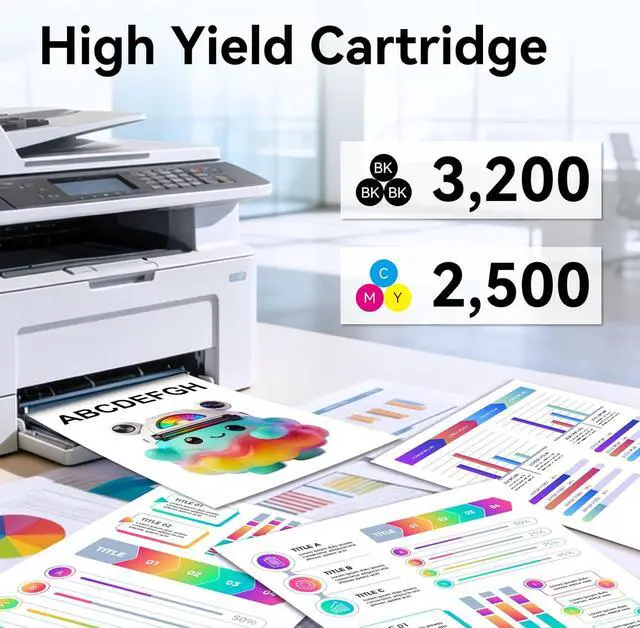
- High Yield 4-Pack Package: Black toner cartridge delivers up to 3,200 pages, while cyan, magenta, and yellow cartridges each provide up to 2,500 pages of printing capacity
- Cost-Effective Alternative: Compatible 218X toner cartridge offers a more economical solution compared to 218A toner cartridge while maintaining professional print quality
- Wide Printer Compatibility: Compatible with HP Color LaserJet Pro MFP 3301sdw, 3301fdw, 3301cdw, and Pro 3201dw printer models
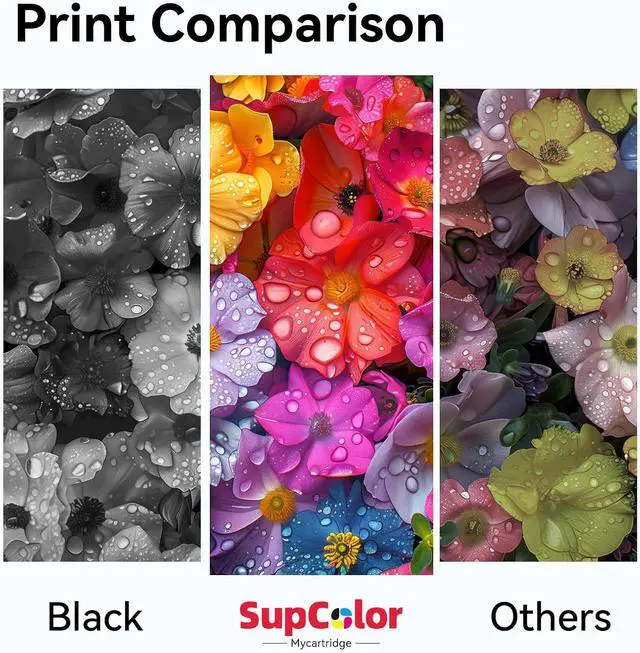
- Premium Quality Standards: Toner cartridges are produced strictly under ISO 9001 and ISO 14001 STMC standards, featuring black uniform density of over 1.40, firm fixation, and clear printouts that are completely comparable to original cartridges
- myCartridge SUPCOLOR Toner cartridge: are produced strictly under ISO 9001 and ISO 14001 STMC standards. They have a black uniform density of over 1.40, firm fixation, and clear printouts. They are
+
+
Overview
Reviews

Any questions? Our AI mode will help you find out quickly.
Try me now
1Installation lnstructions2Installation Warning Will this compatible cartridge cause error messages or recognition problems because of the chip?
If, on rare occasions, your printer shows a "nongenuine cartridge" warning, this will not affect normal printing. Simply select "Yes", "Continue", or close the popup message on your printer's screen the printer will work as usual.
My printer model is HP Color LaserJet Pro MFP 3301fdw. Can you confirm that this cartridge works with it?
Our 218X toner compatible cartridge works with select Compatible for HP Color Laserjet Pro 3301sdw, Compatible for HP Color Laserjet Pro MFP 3201dw 3301fdw 3301cdw
What should I do before installing the cartridge, and how can I get the best print results?
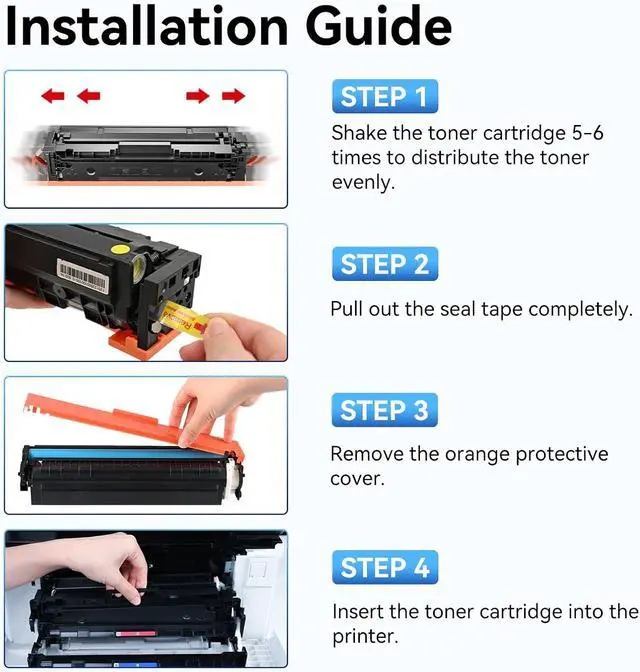
(1) Gently shake the cartridge it gently 56 times to loosen and distribute the toner evenly.
(2) Remove the protective tape pull out the sealing tape from the side.
(3) Handle with care avoid touching the green drum surface at the bottom.
What if the print becomes faint, shows white lines, or leaks toner before the cartridge is empty?
Faint prints / white lines First, remove the cartridge, shake it gently a few times.
Leaking toner / strange noises.please contact our aftersales team immediately.
Does your brand offer after-sales service?
Two-year after-sales support.
A 24-hour online after-sales service team.
Will this compatible cartridge cause error messages or recognition problems because of the chip?
My printer model is HP Color LaserJet Pro MFP 3301fdw. Can you confirm that this cartridge works with it?
What should I do before installing the cartridge, and how can I get the best print results?
What if the print becomes faint, shows white lines, or leaks toner before the cartridge is empty?
Does your brand offer after-sales service?
If, on rare occasions, your printer shows a "nongenuine cartridge" warning, this will not affect normal printing. Simply select "Yes", "Continue", or close the popup message on your printer's screen the printer will work as usual.
My printer model is HP Color LaserJet Pro MFP 3301fdw. Can you confirm that this cartridge works with it?
Our 218X toner compatible cartridge works with select Compatible for HP Color Laserjet Pro 3301sdw, Compatible for HP Color Laserjet Pro MFP 3201dw 3301fdw 3301cdw
What should I do before installing the cartridge, and how can I get the best print results?
(1) Gently shake the cartridge it gently 56 times to loosen and distribute the toner evenly.
(2) Remove the protective tape pull out the sealing tape from the side.
(3) Handle with care avoid touching the green drum surface at the bottom.
What if the print becomes faint, shows white lines, or leaks toner before the cartridge is empty?
Faint prints / white lines First, remove the cartridge, shake it gently a few times.
Leaking toner / strange noises.please contact our aftersales team immediately.
Does your brand offer after-sales service?
Two-year after-sales support.
A 24-hour online after-sales service team.
Will this compatible cartridge cause error messages or recognition problems because of the chip?
My printer model is HP Color LaserJet Pro MFP 3301fdw. Can you confirm that this cartridge works with it?
What should I do before installing the cartridge, and how can I get the best print results?
What if the print becomes faint, shows white lines, or leaks toner before the cartridge is empty?
Does your brand offer after-sales service?
Warranty & Returns
Warranty, Returns, And Additional Information
Warranty
- Please contact the Seller directly for warranty information. Warranty information may also be found on the Manufacturer's website.
- CONTACT
Return Policies
- Return for refund within: 30 days
- Return for replacement within: 30 days
- This item is covered by LionTech Direct Return Policy
Manufacturer Contact Info
- For a directory of all our manufacturers, please click below.
- Manufacturers Directory
LOADING...