

Your Browsing History

Meet Your Seller


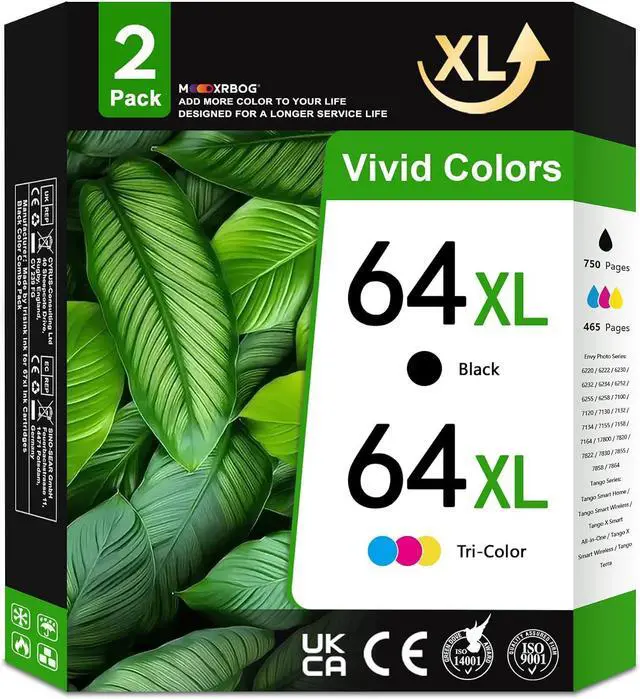




64XL Ink Cartridges 2-Pack Replacement for HP64XL Ink Cartridge Compatible with Envy Photo 7855 7155 7858 6255 6252 7120 7158 7164 7800 7100 Tango Printers 1 Black 1 Tri-Color
- Package Contents2-Pack 64XL Ink Cartridges (1Black/1Tri-Color)
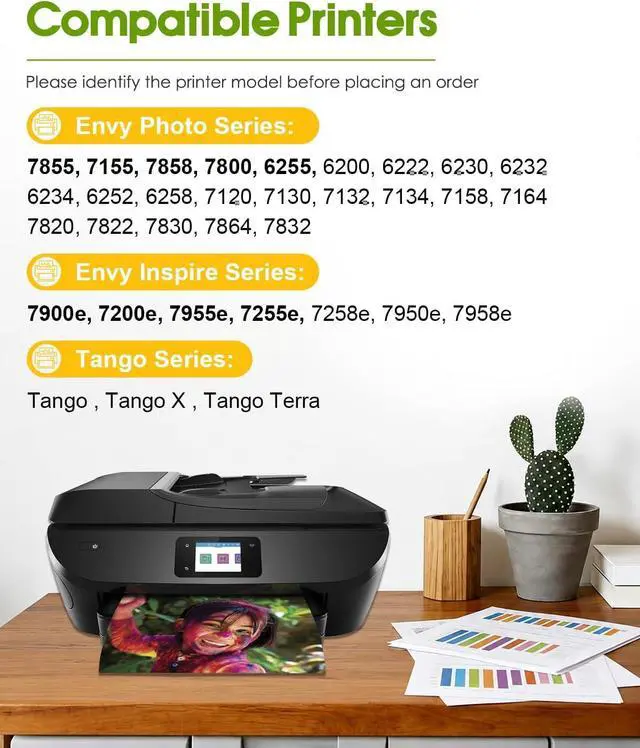
- Compatible Envy Photo Printers: Envy Photo 6220 / 6222 / 6230 / 6232 / 6234 / 6252 / 6255 / 6258 / 7100 / 7120 / 7130 / 7132 / 7134 / 7155 / 7158 / 7164 / 7800 / 7820 / 7822 / 7830 / 7855 / 7858 / 7864 Printers
- Compatible Tango Printers: Tango Smart Home / Tango Smart Wireless / Tango X Smart All-in-One / Tango X Smart Wireless / Tango Terra Printers
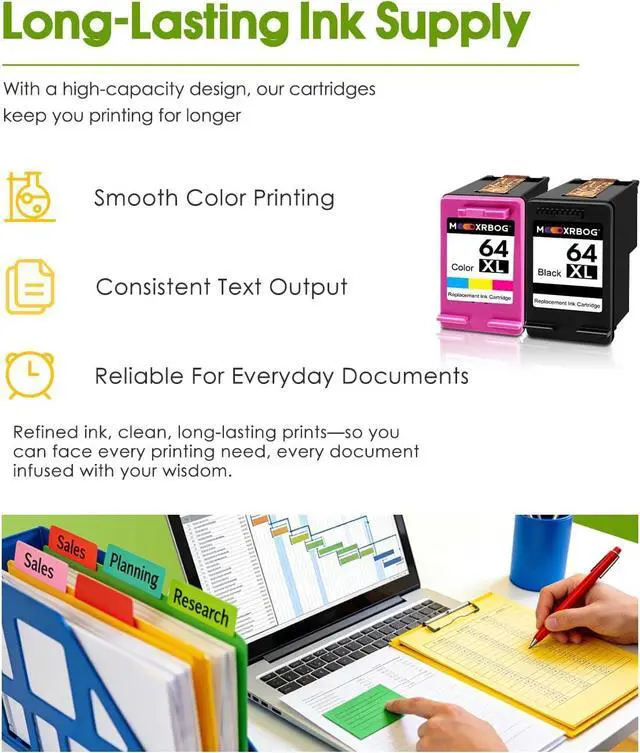
- High Volume PrintingBlack 64XL Ink Cartridge Delivers 750 Pages, Tri-Color 64XL Ink Cartridges Deliver 465 Pages (Based on 5% Coverage)
- Outstanding Performance: The 64XL Ink Uses Premium, Finely Ground Ink to Deliver Sharp, Crisp Text, Vibrant Colors and Rich Blacks, Supporting Professional-Grade Printing Results
+
+
Overview
Reviews

Any questions? Our AI mode will help you find out quickly.
Try me now
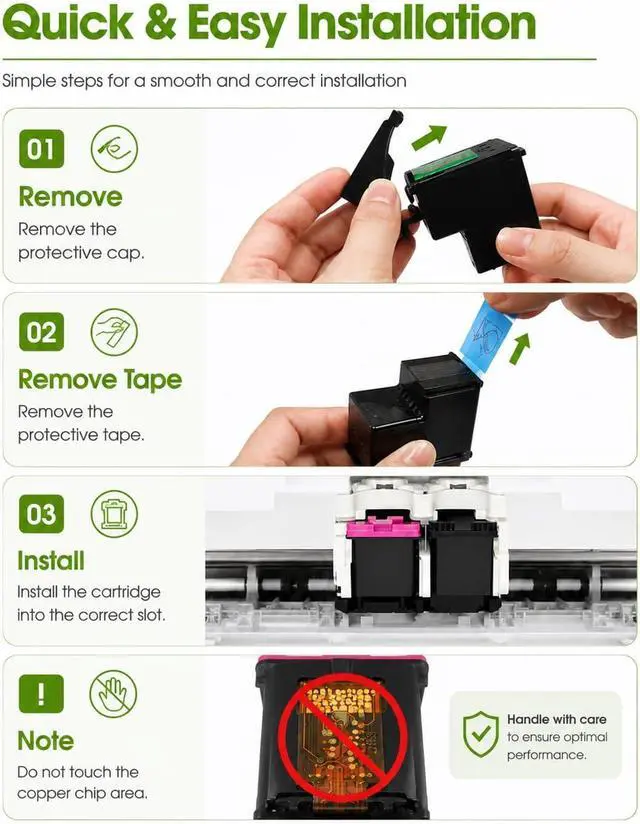
Are There Any Precautions When Installing The 64XL Ink Cartridges?
Do not touch the metal contacts or the nozzle at the bottom of the 64xl ink cartridges. Contact with these parts may cause poor electrical connection or clog the printhead, which can affect print quality.
Should I Shake The 64XL Ink Cartridge Before Installation?
Yes. Shake the 64xl ink cartridge vertically for 1015 seconds before installation to evenly distribute the ink, ensuring consistent and reliable printing.
What Should I Do If The Printer Does Not Recognize The Cartridge?
Remove the cartridge and reinstall it carefully. Ensure the protective tape has been removed and the cartridge is fully seated. If the issue persists, contact our Customer Care Team for assistance.
What should I do if the 30-day return period has passed?
If 30 days have passed, please contact our Custormer Care via buyer-seller messages, and we'll assist you promptly.
How can I contact the Customer Care Team if I need assistance?
After your purchase is complete, you can contact our Customer Care Team through the Buyer-Seller Messaging channel. If you encounter any issues, feel free to reach out for assistance.
Are There Any Precautions When Installing The 64XL Ink Cartridges?
Should I Shake The 64XL Ink Cartridge Before Installation?
What Should I Do If The Printer Does Not Recognize The Cartridge?
What should I do if the 30-day return period has passed?
How can I contact the Customer Care Team if I need assistance?
Do not touch the metal contacts or the nozzle at the bottom of the 64xl ink cartridges. Contact with these parts may cause poor electrical connection or clog the printhead, which can affect print quality.
Should I Shake The 64XL Ink Cartridge Before Installation?
Yes. Shake the 64xl ink cartridge vertically for 1015 seconds before installation to evenly distribute the ink, ensuring consistent and reliable printing.
What Should I Do If The Printer Does Not Recognize The Cartridge?
Remove the cartridge and reinstall it carefully. Ensure the protective tape has been removed and the cartridge is fully seated. If the issue persists, contact our Customer Care Team for assistance.
What should I do if the 30-day return period has passed?
If 30 days have passed, please contact our Custormer Care via buyer-seller messages, and we'll assist you promptly.
How can I contact the Customer Care Team if I need assistance?
After your purchase is complete, you can contact our Customer Care Team through the Buyer-Seller Messaging channel. If you encounter any issues, feel free to reach out for assistance.
Are There Any Precautions When Installing The 64XL Ink Cartridges?
Should I Shake The 64XL Ink Cartridge Before Installation?
What Should I Do If The Printer Does Not Recognize The Cartridge?
What should I do if the 30-day return period has passed?
How can I contact the Customer Care Team if I need assistance?
Warranty & Returns
Warranty, Returns, And Additional Information
Warranty
- Please contact the Seller directly for warranty information. Warranty information may also be found on the Manufacturer's website.
- CONTACT
Return Policies
- Return for refund within: 30 days
- Return for replacement within: 30 days
- This item is covered by LionTech Direct Return Policy
Manufacturer Contact Info
- For a directory of all our manufacturers, please click below.
- Manufacturers Directory
LOADING...