

Your Browsing History

Meet Your Seller


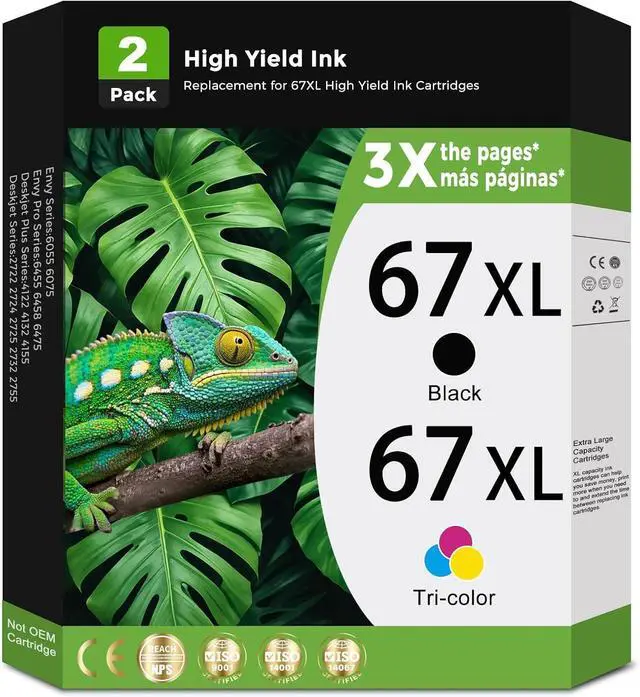




67XL Ink Cartridges Black/Color Combo Pack Replacement for HP Ink 67 HP67 XL HP67XL for DeskJet 2827e 2855e 4155e 2755e 2700e 4255e 2852e 2700 2800 4100 Envy 6000 6055 6055e 6400 6455e Printer 2-Pack
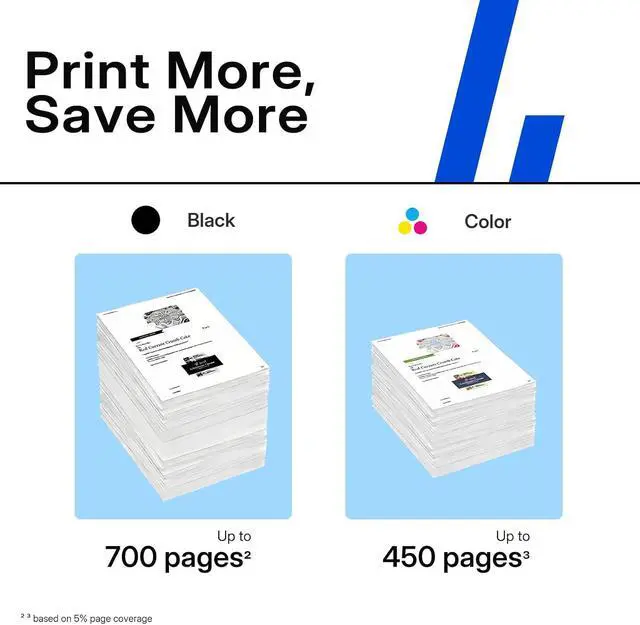
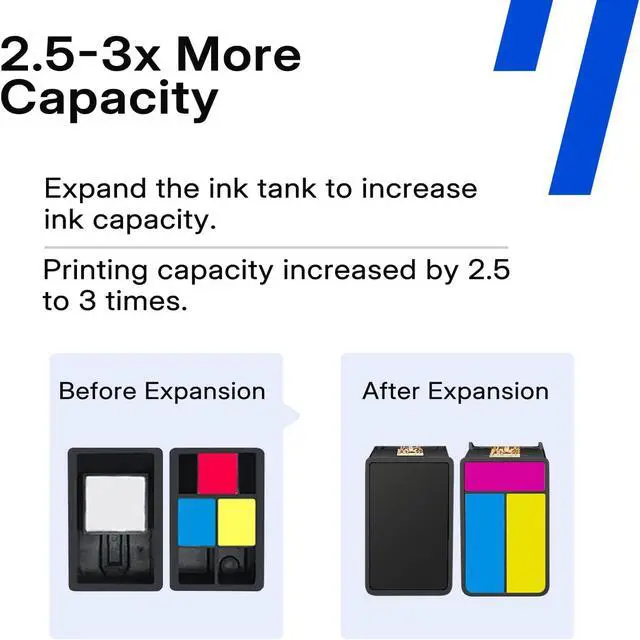
- High Page Yield: ReliInk 67xl ink cartridges deliver long-lasting printing for home, school and office. Each 67 black ink cartridge prints up to 650 pages and each 67 color ink cartridge prints up to 450 pages, reducing the need for frequent replacements. ReliInk 67 ink cartridges are perfect for students, offices, and busy households who need consistent quality. Enjoy dependable printing from the first page to the last with these 67 xl ink cartridges.
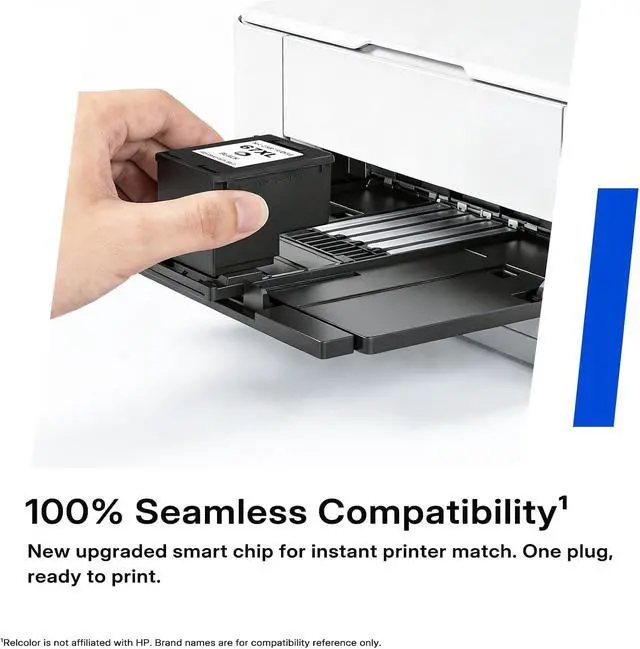
- Smart Chip Technology: ReliInk 67xl ink cartridges black/color combo pack replacement compatible hp ink cartridge 67 with real-time ink level monitoring. Equipped with the latest smart chip, our printer ink 67 compatible cartridges ensure seamless printer recognition and accurate ink tracking. Avoid last-minute print interruptions by knowing exactly when to replace this 67 xl ink cartridge and keep hp printer running smoothly in busy offices, classrooms, or home workspaces.
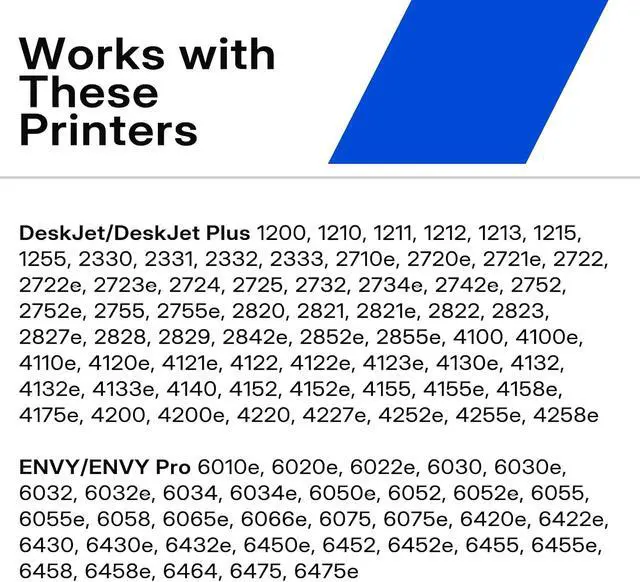
- Wide Printer Compatibility: ReliInk 67xl printer ink is compa
+
+
Overview
Reviews

Any questions? Our AI mode will help you find out quickly.
Try me now
Q1: Why is my printer not recognizing the ink cartridge during installation?
A1: (1) Check if the ink cartridge model is compatible with your printer. (2) Ensure the blue sealing tape on the ink cartridge is removed. (3) Verify the ink cartridge is correctly installed in the slot. (4) Clean the chip surface gently with an eraser or alcohol. (5) Restart your printer. (6) If the issue persists, find us support for a replacement.
Q2: Why does the printer stop recognizing the ink cartridge during printing?
A2: (1) Remove and reinstall the ink cartridge. (2) Restart your printer. (3) If the problem continues, find us support for a replacement.
Q3: What should I do if the ink cartridge leaks during or after installation?
A3: (1) Avoid using the ink cartridge and inspect the printer for damage. (2) Find us support for a replacement.
Q4: Why is the print quality poor?
A4: (1) Check if the blue sealing tape has been removed. (2) Print a self-test page to check the printhead. (3) If the printhead is in poor condition, follow the printer's prompts to perform multiple nozzle cleaning cycles in the printer settings. (4) If the issue persists, find us support for a replacement.
Q5: What should I do if the printer displays an error message about the ink cartridges, such as Empty ink cartridge/Non-original ink cartridge/Used original ink cartridge?
A5: (1) Press the "OK" button to bypass the message and continue printing. (2) If the error persists, find us support for a replacement.
A1: (1) Check if the ink cartridge model is compatible with your printer. (2) Ensure the blue sealing tape on the ink cartridge is removed. (3) Verify the ink cartridge is correctly installed in the slot. (4) Clean the chip surface gently with an eraser or alcohol. (5) Restart your printer. (6) If the issue persists, find us support for a replacement.
Q2: Why does the printer stop recognizing the ink cartridge during printing?
A2: (1) Remove and reinstall the ink cartridge. (2) Restart your printer. (3) If the problem continues, find us support for a replacement.
Q3: What should I do if the ink cartridge leaks during or after installation?
A3: (1) Avoid using the ink cartridge and inspect the printer for damage. (2) Find us support for a replacement.
Q4: Why is the print quality poor?
A4: (1) Check if the blue sealing tape has been removed. (2) Print a self-test page to check the printhead. (3) If the printhead is in poor condition, follow the printer's prompts to perform multiple nozzle cleaning cycles in the printer settings. (4) If the issue persists, find us support for a replacement.
Q5: What should I do if the printer displays an error message about the ink cartridges, such as Empty ink cartridge/Non-original ink cartridge/Used original ink cartridge?
A5: (1) Press the "OK" button to bypass the message and continue printing. (2) If the error persists, find us support for a replacement.
Warranty & Returns
Warranty, Returns, And Additional Information
Warranty
- Please contact the Seller directly for warranty information. Warranty information may also be found on the Manufacturer's website.
- CONTACT
Return Policies
- Return for refund within: 30 days
- Return for replacement within: 30 days
- This item is covered by LionTech Direct Return Policy
Manufacturer Contact Info
- For a directory of all our manufacturers, please click below.
- Manufacturers Directory
LOADING...