

Your Browsing History

Meet Your Seller


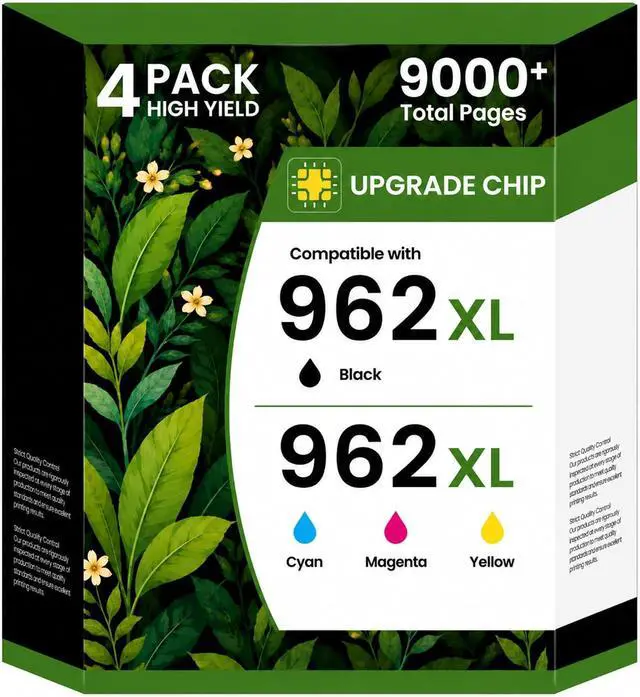



962XL Ink Cartridges for HP 962XL Ink Cartridges Combo Pack Work for HP OfficeJet Pro 9010, 9015, 9018, 9020, 9025 9014 9016 9019 Printer, 4-Pack
- Work for HP OfficeJet Pro 9010, 9015, 9018, 9020, 9025 9014 9016 9019 Printer, 4-Pack
- 962XL Packge Includes: Acaves for HP 962xl ink cartridges combo pack package contains 1 * 962XL Black, 1 * 962XL Cyan, 1 * 962XL Magenta, 1 * 962XL Yellow (4 Pack)
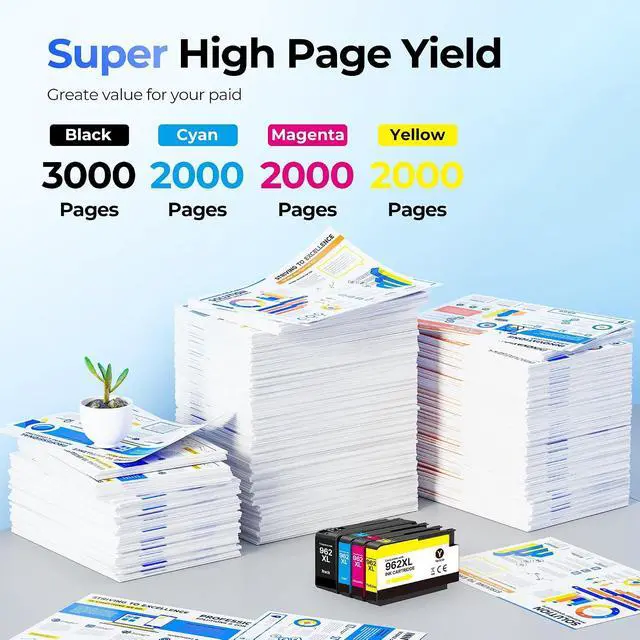
- Higher page yield than regular cartridges: , , , (% ). This 962XL Ink Cartridges Combo Pack delivers a total of up to 9,000 pages
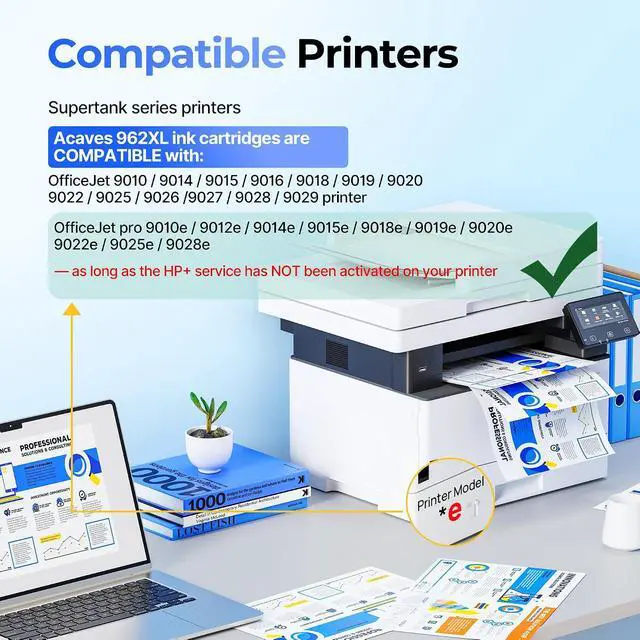
- 962 Ink Printer Compatible Models: 962XL ink cartridges combo pack for HP OfficeJet Pro 9010 9012 9015 9018 9020 9025 9014 9016 9019 9022 9026 9027 9028 9029 Printer
- Compatible printer: Work with all printer model mentioned above OfficeJet Pro 9010e 9012e 9014e 9015e 9018e 9019e 9020e 9022e 9025e 9028e as long as the HP+ service has NOT been activated on your printer. No HP+ account? Simply install and print. Previously enrolled in HP+? Let us know! Our US-based support team is available 7 days a week to walk you through it
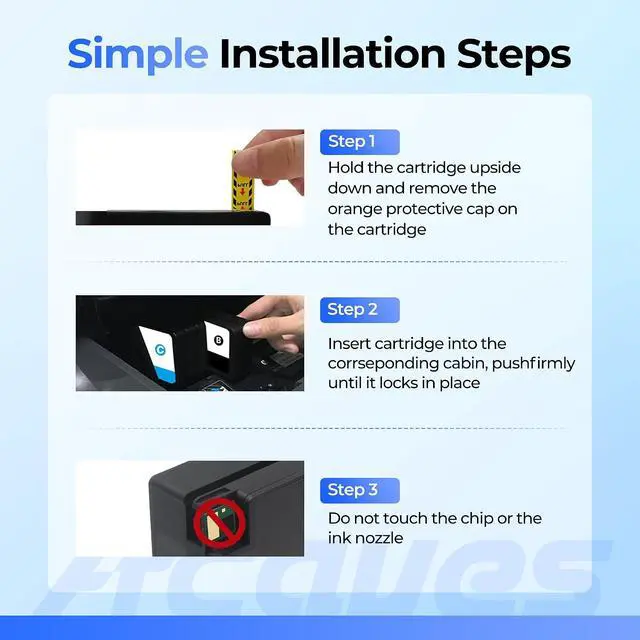
- User-Friendly & Quick to Insta
+
+
Overview
Reviews

Any questions? Our AI mode will help you find out quickly.
Try me now
1Simple Installation2Excellent Printeout
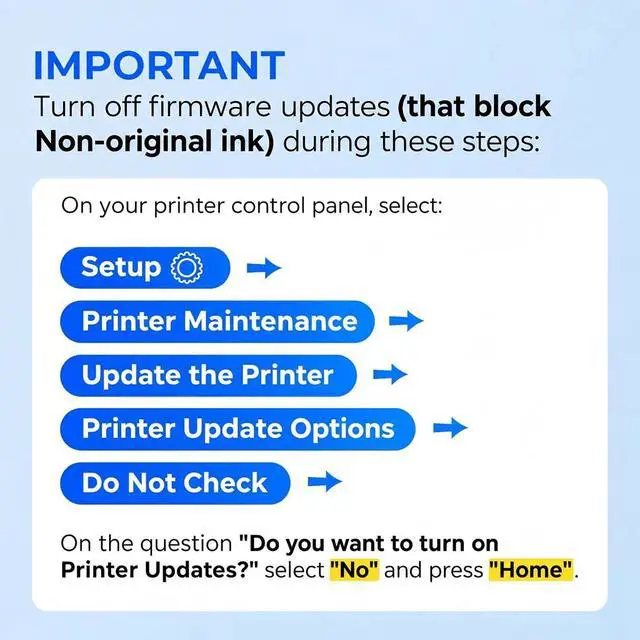
How to turn off printer auto firmware update?
Go to Setup > Printer Maintenance > Update the Printer > Printer Update Options > Do Not Check. Select No for update prompt, then press Home. Prevents firmware blocking compatible 962 ink.
How many pages can Acaves 962xl ink cartridges print?
962xl ink provide up to 2,000 pages black, 1600 pages cyan, 1600 pages magenta, 1600 pages yellow (at 5% coverage for A4 paper). It can efficiently provide vivid colors and clear text for professional documents and graphics.
Why should you avoid updating the printer?
The upgrade of the printer system is aimed at preventing the use of non-original ink. We recommend against any update operation to ensure the continuous stability of the printing performance.
How can I contact the customer team if I need assistance?
After the purchase is completed, you can contact the customer team through the messaging channel between the buyer and the seller. We offer 24/7 service. Our team is always ready to assist you!
What should I do if my printer show "non-original" or "Altered or Cloned" ?
Acaves 962XL ink works as original 962 ink. Your printer may display "Detected non-original ink cartridge" or "Modified/Cloned version" - this is a normal phenomenon and will not affect the use. Just click "OK" / "Continue" to print normally.
Application-Office Application-Hospital Application-School How to turn off printer auto firmware update?
How many pages can Acaves 962xl ink cartridges print?
Why should you avoid updating the printer?
How can I contact the customer team if I need assistance?
What should I do if my printer show "non-original" or "Altered or Cloned" ?
How to turn off printer auto firmware update?
Go to Setup > Printer Maintenance > Update the Printer > Printer Update Options > Do Not Check. Select No for update prompt, then press Home. Prevents firmware blocking compatible 962 ink.
How many pages can Acaves 962xl ink cartridges print?
962xl ink provide up to 2,000 pages black, 1600 pages cyan, 1600 pages magenta, 1600 pages yellow (at 5% coverage for A4 paper). It can efficiently provide vivid colors and clear text for professional documents and graphics.
Why should you avoid updating the printer?
The upgrade of the printer system is aimed at preventing the use of non-original ink. We recommend against any update operation to ensure the continuous stability of the printing performance.
How can I contact the customer team if I need assistance?
After the purchase is completed, you can contact the customer team through the messaging channel between the buyer and the seller. We offer 24/7 service. Our team is always ready to assist you!
What should I do if my printer show "non-original" or "Altered or Cloned" ?
Acaves 962XL ink works as original 962 ink. Your printer may display "Detected non-original ink cartridge" or "Modified/Cloned version" - this is a normal phenomenon and will not affect the use. Just click "OK" / "Continue" to print normally.
Application-Office Application-Hospital Application-School How to turn off printer auto firmware update?
How many pages can Acaves 962xl ink cartridges print?
Why should you avoid updating the printer?
How can I contact the customer team if I need assistance?
What should I do if my printer show "non-original" or "Altered or Cloned" ?
Warranty & Returns
Warranty, Returns, And Additional Information
Warranty
- Please contact the Seller directly for warranty information. Warranty information may also be found on the Manufacturer's website.
- CONTACT
Return Policies
- Return for refund within: 30 days
- Return for replacement within: 30 days
- This item is covered by LionTech Direct Return Policy
Manufacturer Contact Info
- For a directory of all our manufacturers, please click below.
- Manufacturers Directory
LOADING...