

Your Browsing History

Meet Your Seller


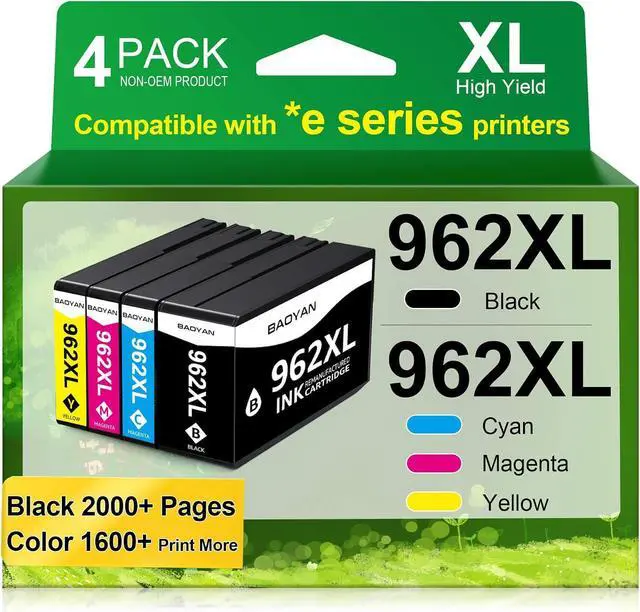


962XL Ink Cartridges Replacement for HP 962XL Ink Cartridges Combo Pack Work for Officejet Pro 9015e 9010 9015 9025e 9018 9020 9025 9018e 9012e 9016 Printer Black Color (4 Pack)
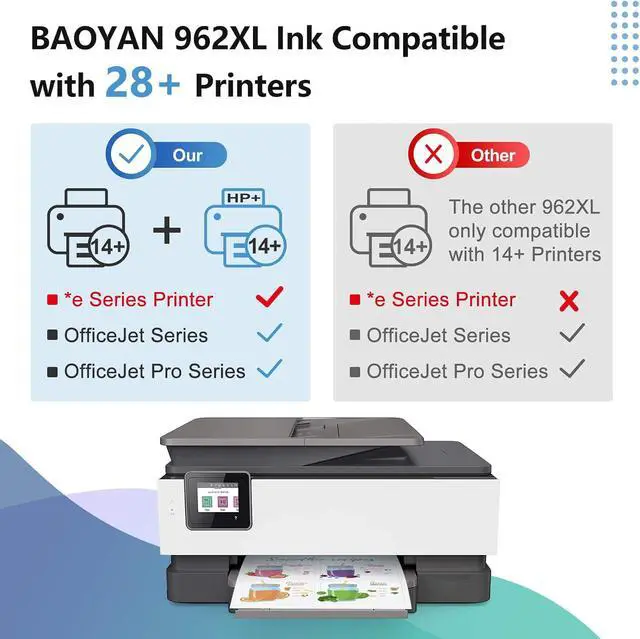
- Attention: BAOYAN 962xl compatible for hp 962xl ink cartridges combo pack adopt upgraded smart chip technology, perfectly compatible with HP+ printers and all HP OfficeJet Pro E-series models: 9010e, 9012e, 9014e, 9015e, 9018e, 9019e, 9020e, 9022e, 9025e, 9028e.
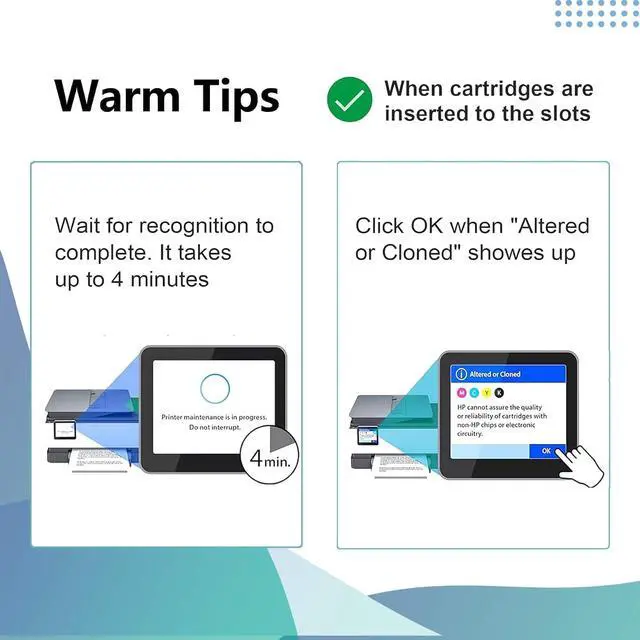
- Tips: This is a high-quality third-party compatible cartridge, not an original HP product. Its normal if the printer pops up a "Non-original cartridge detected" reminder after installation. Just select Continue, and you can print normally with no functional issues.
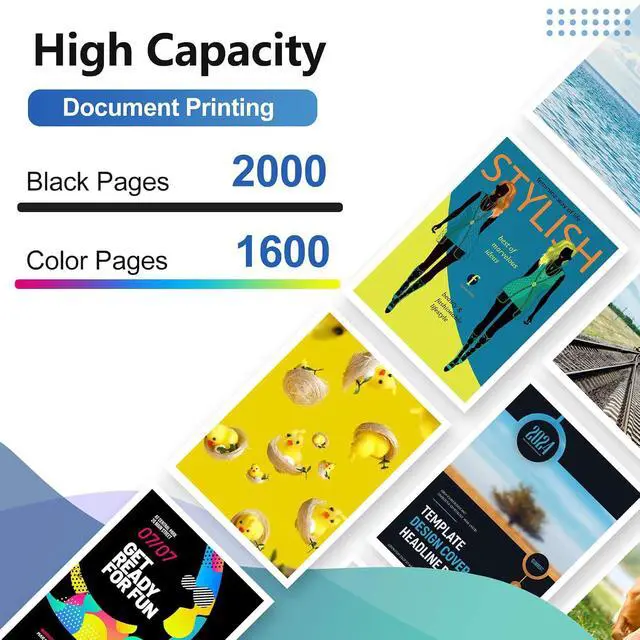
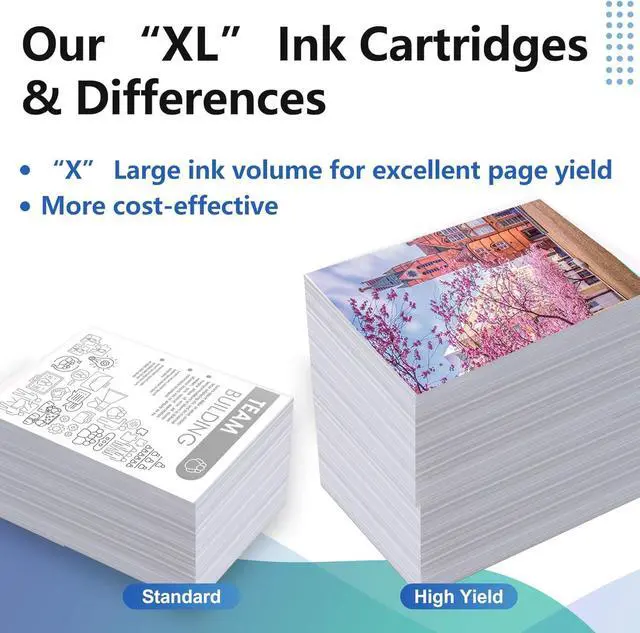
- Page Yield: Delivers up to 2,000 pages with Black 962XL cartridges and 1,600 pages with Color 962XL cartridges, tested under ISO/IEC standards at 5% page coverage (Letter/A4 format).
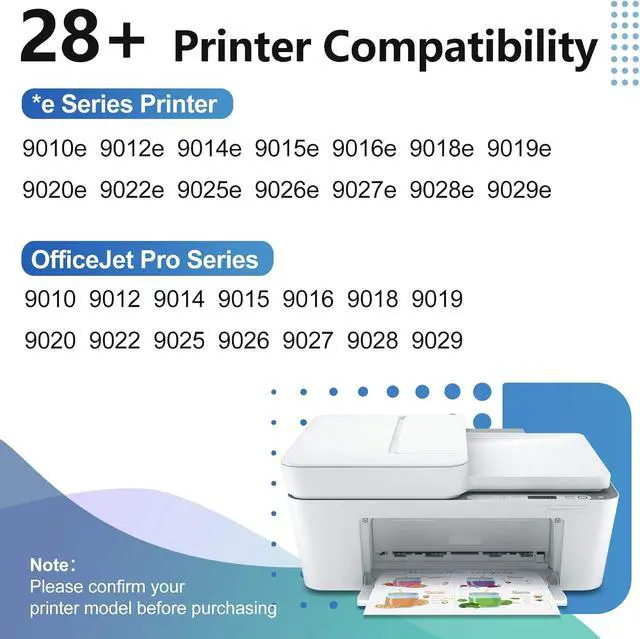
- Compatible with *e Series Printers: BAOYAN 962XL Compatible with HP OfficeJet 9010e / 9012e / 9014e / 9015e / 9016e / 9018e / 9019e / 9020e / 9022e / 9025e / 9026e / 9027e / 9028e / 9029e Printers.
- Compatible with Printers: BAOYAN 962XL Compatible with HP OfficeJet Pro 9010 Serie
+
+
Overview
Reviews

Any questions? Our AI mode will help you find out quickly.
Try me now
Attention: BAOYAN 962xl compatible for hp 962xl ink cartridges combo pack adopt upgraded smart chip technology, perfectly compatible with HP+ printers and all HP OfficeJet Pro E-series models: 9010e, 9012e, 9014e, 9015e, 9018e, 9019e, 9020e, 9022e, 9025e, 9028e.
Tips: This is a high-quality third-party compatible cartridge, not an original HP product. Its normal if the printer pops up a "Non-original cartridge detected" reminder after installation. Just select Continue, and you can print normally with no functional issues.
Page Yield: Delivers up to 2,000 pages with Black 962XL cartridges and 1,600 pages with Color 962XL cartridges, tested under ISO/IEC standards at 5% page coverage (Letter/A4 format).
Compatible with *e Series Printers: BAOYAN 962XL Compatible with HP OfficeJet 9010e / 9012e / 9014e / 9015e / 9016e / 9018e / 9019e / 9020e / 9022e / 9025e / 9026e / 9027e / 9028e / 9029e Printers.
Compatible with Printers: BAOYAN 962XL Compatible with HP OfficeJet Pro 9010 Series:9010 / 9014 / 9015 / 9012 / 9016 / 9019 / 9018; Compatible with HP OfficeJet Pro 9020 Series:9020 / 9022 / 9026 / 9025 / 9027 / 9028 / 9029 Printers.
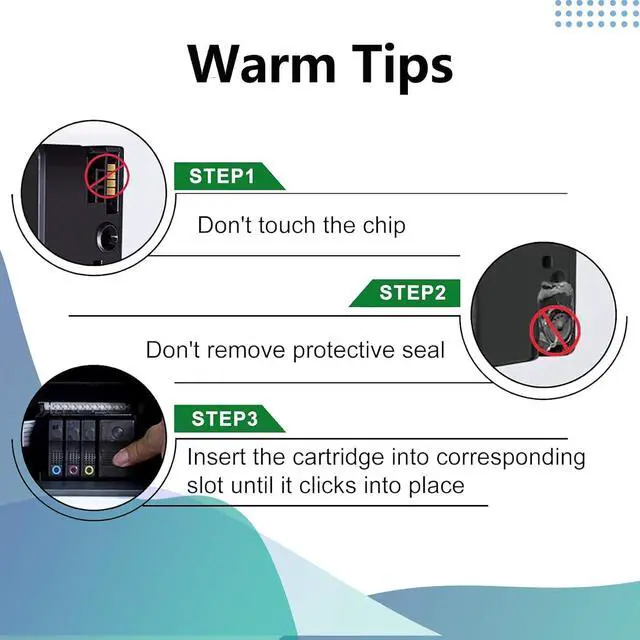
Troubleshooting Steps: 1.Wipe the chip contacts on both the ink cartridge and printer slot with a soft lint-free cloth or cotton swab to clear dust and stains. 2.Take out the cartridge and reinstall it firmly, make sure it is fully seated in the printer compartment. 3.Power off your printer, disconnect the power cord, wait for 30 seconds, then reconnect and restart the device to verify if the error disappears.
Tips: This is a high-quality third-party compatible cartridge, not an original HP product. Its normal if the printer pops up a "Non-original cartridge detected" reminder after installation. Just select Continue, and you can print normally with no functional issues.
Page Yield: Delivers up to 2,000 pages with Black 962XL cartridges and 1,600 pages with Color 962XL cartridges, tested under ISO/IEC standards at 5% page coverage (Letter/A4 format).
Compatible with *e Series Printers: BAOYAN 962XL Compatible with HP OfficeJet 9010e / 9012e / 9014e / 9015e / 9016e / 9018e / 9019e / 9020e / 9022e / 9025e / 9026e / 9027e / 9028e / 9029e Printers.
Compatible with Printers: BAOYAN 962XL Compatible with HP OfficeJet Pro 9010 Series:9010 / 9014 / 9015 / 9012 / 9016 / 9019 / 9018; Compatible with HP OfficeJet Pro 9020 Series:9020 / 9022 / 9026 / 9025 / 9027 / 9028 / 9029 Printers.
Troubleshooting Steps: 1.Wipe the chip contacts on both the ink cartridge and printer slot with a soft lint-free cloth or cotton swab to clear dust and stains. 2.Take out the cartridge and reinstall it firmly, make sure it is fully seated in the printer compartment. 3.Power off your printer, disconnect the power cord, wait for 30 seconds, then reconnect and restart the device to verify if the error disappears.
Warranty & Returns
Warranty, Returns, And Additional Information
Warranty
- Please contact the Seller directly for warranty information. Warranty information may also be found on the Manufacturer's website.
- CONTACT
Return Policies
- Return for refund within: 30 days
- Return for replacement within: 30 days
- This item is covered by LionTech Direct Return Policy
Manufacturer Contact Info
- For a directory of all our manufacturers, please click below.
- Manufacturers Directory
LOADING...