

Your Browsing History

Meet Your Seller


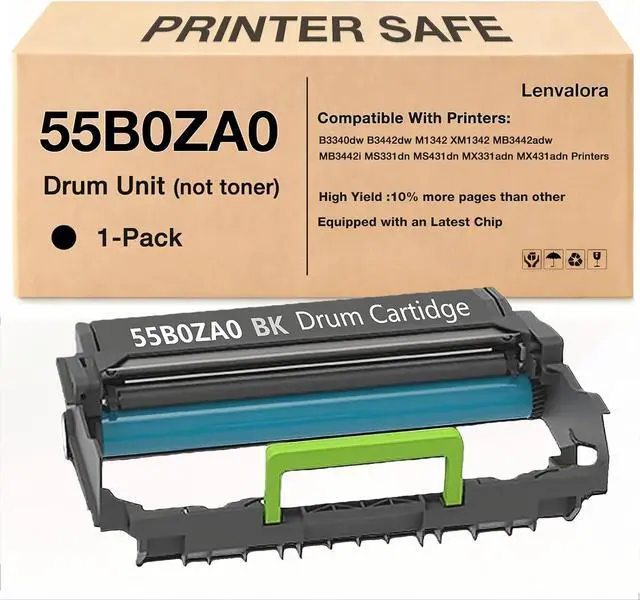
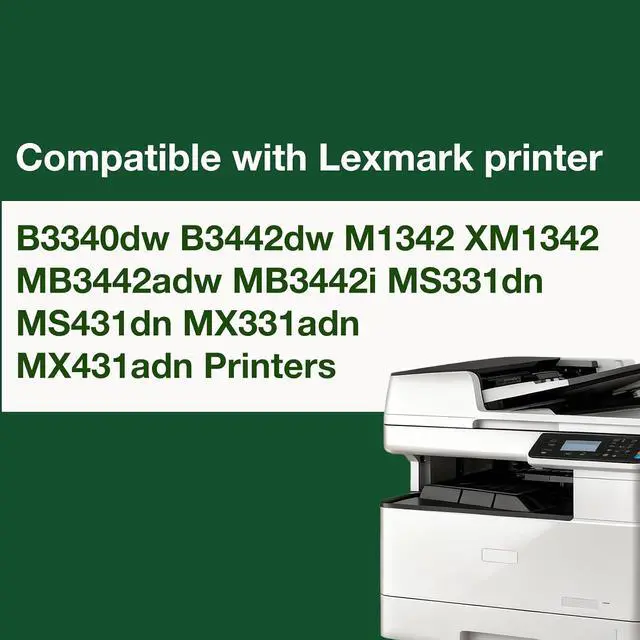






55B0ZA0 Imaging Unit 1-Pack Compatible 55B0ZA0 Imaging Unit Replacement for Lexmark MS331 MS331dn MS431dn MX331adn MX431adn B3340dw B3442dw MB3442adw XM1342 M1342 MB3442i Printer
- What's In The Box:1Pack 55B0ZA0 Black Imaging Unit ( Not toner Cartridges)
- Compatible Printers:MS331 MS331dn MS431dn MX331adn MX431adn B3340dw B3442dw MB3442adw XM1342 M1342 MB3442i Printer
- 10% More Pages:Factory-direct Value,Yields 10% More Pages.40,500 pages per Black Imaging Unit at 5% coverage of A4 Letter.
- Latest Smart Chip Technology : Lenvalora 55B0ZA0 Black Imaging Unit equipped with our upgraded chip thats designed to communicate seamlessly with your printers firmware, including the latest versions. This proactive design helps prevent error messages and ensures reliable, uninterrupted printing
- Post-Purchase Support Founded by an engineer with over 10 years of experience, we have full confidence in our product quality. If you have any questions, please email us.
+
+
Overview
Reviews

Any questions? Our AI mode will help you find out quickly.
Try me now
Is this a toner cartridge or a drum unit?
This is a drum unit, not a toner cartridge. A drum unit works with the toner cartridge to help transfer the printed image onto paper. Please check the product title, images, and replacement part number before ordering.
How do I confirm compatibility?
Please check both your printer model and the drum unit part number before purchase. Printer models within the same series may use different replacement parts, so matching the exact model and part number helps avoid ordering the wrong item.
When should I replace the drum unit?
You may need to replace the drum unit when your printer displays a Replace Drum or Replace Imaging Unit message, or when printed pages show streaks, spots, ghosting, repeated marks, or faded output after replacing the toner cartridge.
Do I need to reset the drum counter?
Some printer models may require a drum counter reset after installing a new drum unit. Please follow your printers user manual. If the warning message remains after installation, check whether the drum unit is installed correctly
Is this a toner cartridge or a drum unit?
How do I confirm compatibility?
When should I replace the drum unit?
Do I need to reset the drum counter?
This is a drum unit, not a toner cartridge. A drum unit works with the toner cartridge to help transfer the printed image onto paper. Please check the product title, images, and replacement part number before ordering.
How do I confirm compatibility?
Please check both your printer model and the drum unit part number before purchase. Printer models within the same series may use different replacement parts, so matching the exact model and part number helps avoid ordering the wrong item.
When should I replace the drum unit?
You may need to replace the drum unit when your printer displays a Replace Drum or Replace Imaging Unit message, or when printed pages show streaks, spots, ghosting, repeated marks, or faded output after replacing the toner cartridge.
Do I need to reset the drum counter?
Some printer models may require a drum counter reset after installing a new drum unit. Please follow your printers user manual. If the warning message remains after installation, check whether the drum unit is installed correctly
Is this a toner cartridge or a drum unit?
How do I confirm compatibility?
When should I replace the drum unit?
Do I need to reset the drum counter?
Warranty & Returns
Warranty, Returns, And Additional Information
Warranty
- Please contact the Seller directly for warranty information. Warranty information may also be found on the Manufacturer's website.
- CONTACT
Return Policies
- Return for refund within: 30 days
- Return for replacement within: 30 days
- This item is covered by LionTech Direct Return Policy
Manufacturer Contact Info
- For a directory of all our manufacturers, please click below.
- Manufacturers Directory
LOADING...