

Your Browsing History

Meet Your Seller


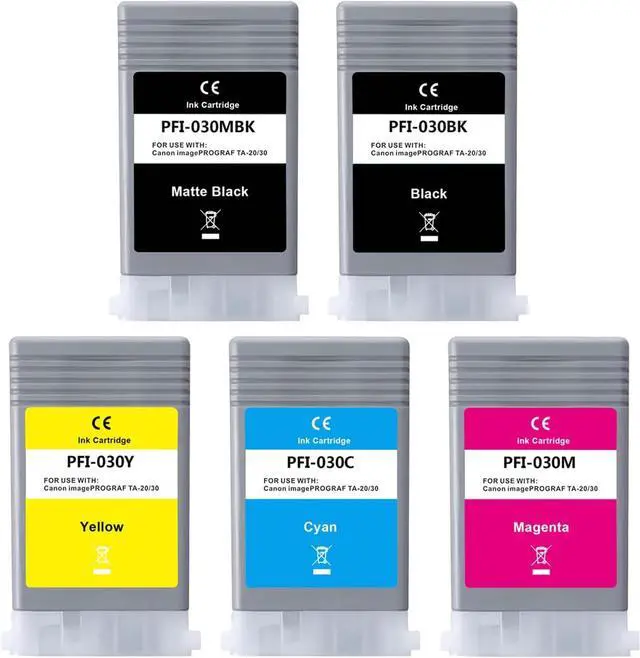
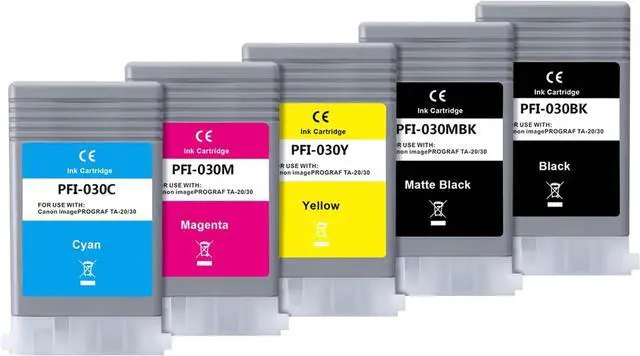
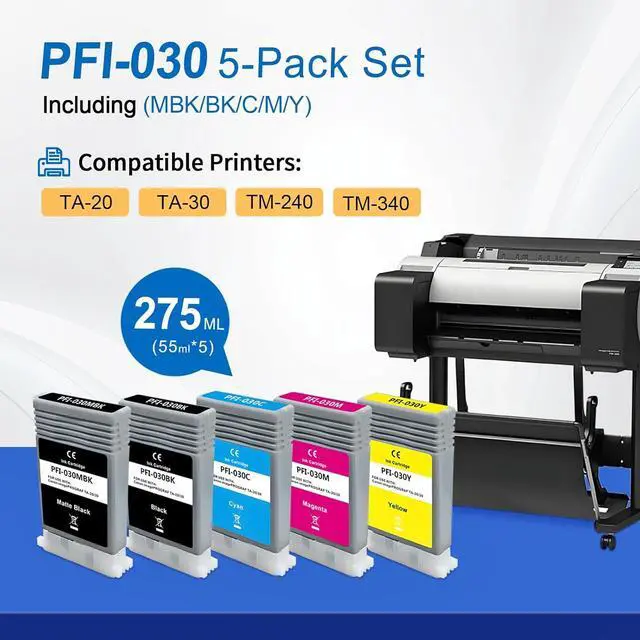




YOUEXPERT PFI 030 Ink Cartridges 5Pack PFI-030 PFI-030MBK PFI-030BK PFI-030C PFI-030M PFI-030Y Compatible for Canon imagePROGRAF TA-20 TA-30 TM-240 TM-340 Printers 55ML (1MBK, 1B 1C, 1M, 1Y)
- Package Content: 5Pack PFI-030 Ink Tank Set (1Matte Black, 1Black, 1Cyan, 1Magenta, 1Yellow), Capacity: 55ML each, total 275ML
- Compatible Printers: Replacement for Canon imagePROGRAF TA-20 TA-30 TM-240 TM-340 Printers
- High Quality: Produces vivid true-to-life prints. Match or Exceed Original Specification on color, PH, surface tension and viscosity. The color is much more accurate and brighter
- Smooth Print: The pigment ink designed to prevent corrosions and clogging of print head and offer the best print reliability. With high-purity ink, it would not block the print head. Easy to operate
- After-Sale Service: Our compatible cartridges from ISO 9001/14001 approved. If you have any after-sale problem please contact us within 12 months after you received it. Note: To protect your printer and prevent print block, please do printer cleaning process and clean your printer head with cleaning solution before install our cartridge into your printer
+
+
Overview
Reviews

Any questions? Our AI mode will help you find out quickly.
Try me now
We are an integrated factory specializing in the production and sales of printing consumables with 6 years of experience. We attach great importance to the quality of our products, and always take customer experience as the first standard. Please feel free to share your experience with us.
What is included in the packaging
Total 5 Pack Pigment Ink Cartridges (1MBK, 1BK, 1C, 1M, 1Y); The Capacity is 55ML per Pigment Ink Cartridge
Compatible Printers:
Replacement for Canon imagePROGRAF TA-20, TA-30, 240, 340 Printers
Installation Instructions:
For the better printing performance, please clean the print head for 1 time after installing the new ink cartridges.
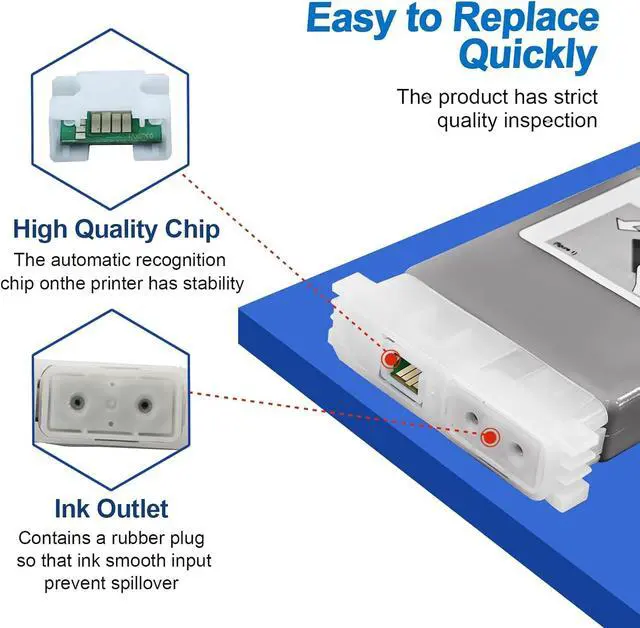
If the ink cartridges would not be recognized by your printer at the first time,please try to turn off the printer 30 second and then turn it on and re-install the cartridges again.
Please do not get out the old cartridge before replacing the new one to prevent the print head from drying and clogging.
Strict Quality:
Certificate: ISO-9001 and MSDS certificate approved. Strict testing before delivery from the factory, to ensure the quality of printing
Service
If you received the item with problems, we have professional technical team and online service. Helping you solve problem
YOUEXPERT - Be Your Ink Expert PFI-030 5Pack Pigment Ink Cartridges
What is included in the packaging
Total 5 Pack Pigment Ink Cartridges (1MBK, 1BK, 1C, 1M, 1Y); The Capacity is 55ML per Pigment Ink Cartridge
Compatible Printers:
Replacement for Canon imagePROGRAF TA-20, TA-30, 240, 340 Printers
Installation Instructions:
For the better printing performance, please clean the print head for 1 time after installing the new ink cartridges.
If the ink cartridges would not be recognized by your printer at the first time,please try to turn off the printer 30 second and then turn it on and re-install the cartridges again.
Please do not get out the old cartridge before replacing the new one to prevent the print head from drying and clogging.
Strict Quality:
Certificate: ISO-9001 and MSDS certificate approved. Strict testing before delivery from the factory, to ensure the quality of printing
Service
If you received the item with problems, we have professional technical team and online service. Helping you solve problem
YOUEXPERT - Be Your Ink Expert PFI-030 5Pack Pigment Ink Cartridges
Warranty & Returns
Warranty, Returns, And Additional Information
Warranty
- Please contact the Seller directly for warranty information. Warranty information may also be found on the Manufacturer's website.
- CONTACT
Return Policies
- Return for refund within: 30 days
- Return for replacement within: 30 days
- This item is covered by LionTech Direct Return Policy
Manufacturer Contact Info
- For a directory of all our manufacturers, please click below.
- Manufacturers Directory
LOADING...