

Your Browsing History

Meet Your Seller






Compatible HP923 Replacement for HP 923 Ink Cartridges
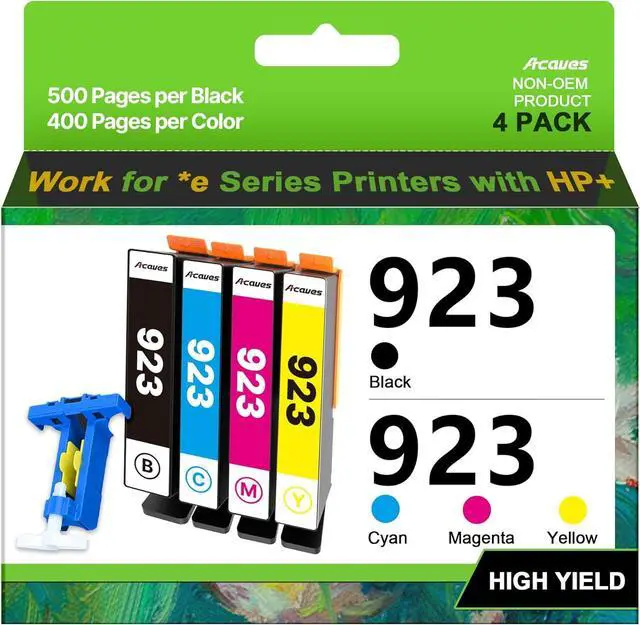
- (Black Cyan Magenta Yellow, 4-Pack, Without Chip) work with HP Officejet Pro 8130e 8120e 8135e 8139e 8120e 8125e Printers
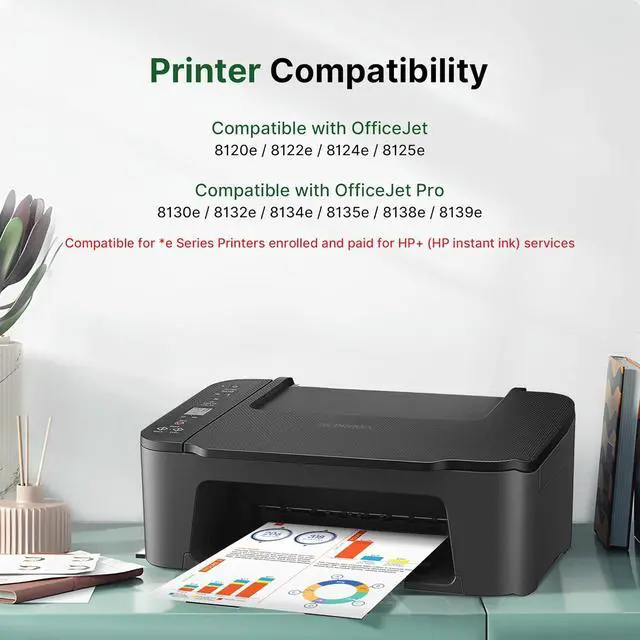
- Compatible with e-series printers enrolled in HP+ Service: Acaves for HP 923 ink cartridges work with HP OfficeJet Pro 8130e, 8135e, 8138e, 8139e, 8122e, 8124e, 8125e, 8132e, 8134e series printers
- Compatible Models: Compatible for HP 923 ink cartridges use with HP OfficeJet Pro 8122, 8124, 8125, 8130, 8132, 8134, 8135, 8138, 8139 series printers
- Package Contents: HP923 ink cartridges 4 pack include 1 black, 1 cyan, 1 magenta, 1 yellow cartridge, 1 chip tool, and 1 user guide. No chips, non-OEM product
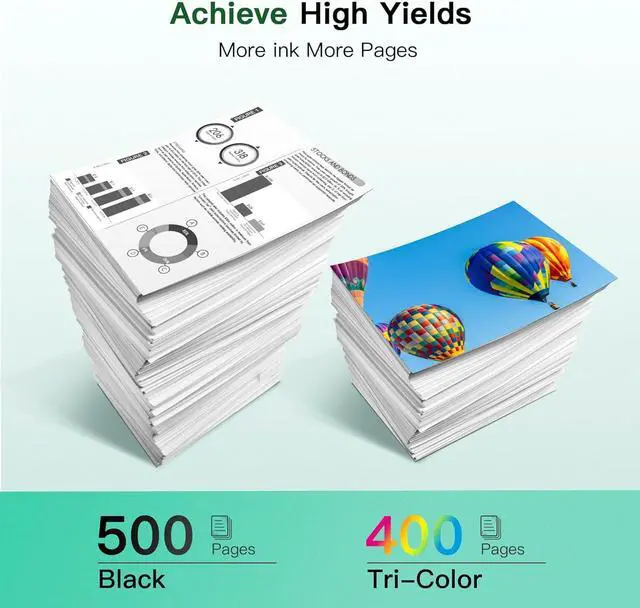
- For HP 923 Ink High Printing Capacity: Up to 500 pages per 923 black cartridge and 400 pages per color cartridges at 5% coverage on A4 paper
- For HP ink 923 Note: No chips included. Chips are required. These 923 ink cartridges do not come with chips; you need to install your existing or replacement chips to use
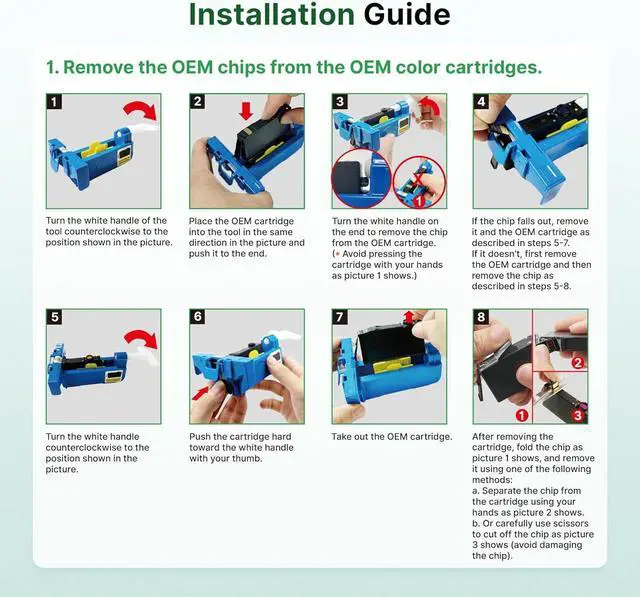
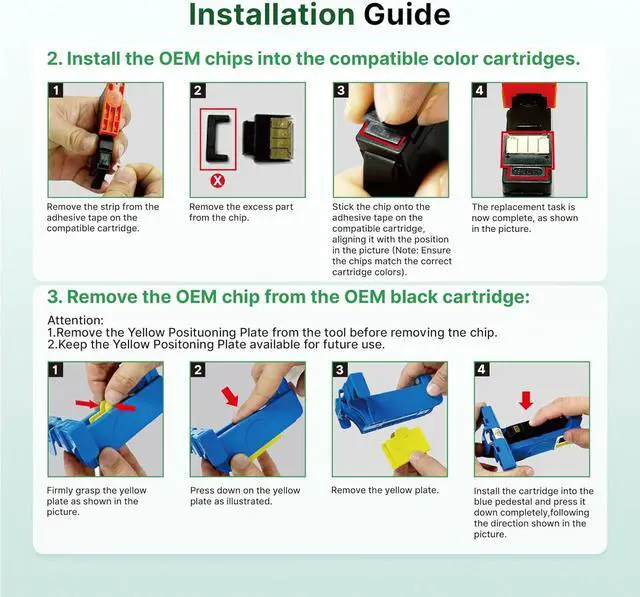
- Chip Replacement Guide: 1. Remove the original chips
+
+
Overview
Reviews

Any questions? Our AI mode will help you find out quickly.
Try me now
Compatible with e-series printers enrolled in HP+ Service: Acaves for HP 923 ink cartridges work with HP OfficeJet Pro 8130e, 8135e, 8138e, 8139e, 8122e, 8124e, 8125e, 8132e, 8134e series printers
Compatible Models: Compatible for HP 923 ink cartridges use with HP OfficeJet Pro 8122, 8124, 8125, 8130, 8132, 8134, 8135, 8138, 8139 series printers
Package Contents: HP923 ink cartridges 4 pack include 1 black, 1 cyan, 1 magenta, 1 yellow cartridge, 1 chip tool, and 1 user guide. No chips, non-OEM product
For HP 923 Ink High Printing Capacity: Up to 500 pages per 923 black cartridge and 400 pages per color cartridges at 5% coverage on A4 paper
For HP ink 923 Note: No chips included. Chips are required. These 923 ink cartridges do not come with chips; you need to install your existing or replacement chips to use
Chip Replacement Guide: 1. Remove the original chips from your OEM HP923 ink cartridges using the included tool. 2. Peel off the tape on the new compatible cartridge and attach the OEM chips to the tape. 3. Install the compatible 923 ink (with the attached OEM chips) into your printer
Compatible Models: Compatible for HP 923 ink cartridges use with HP OfficeJet Pro 8122, 8124, 8125, 8130, 8132, 8134, 8135, 8138, 8139 series printers
Package Contents: HP923 ink cartridges 4 pack include 1 black, 1 cyan, 1 magenta, 1 yellow cartridge, 1 chip tool, and 1 user guide. No chips, non-OEM product
For HP 923 Ink High Printing Capacity: Up to 500 pages per 923 black cartridge and 400 pages per color cartridges at 5% coverage on A4 paper
For HP ink 923 Note: No chips included. Chips are required. These 923 ink cartridges do not come with chips; you need to install your existing or replacement chips to use
Chip Replacement Guide: 1. Remove the original chips from your OEM HP923 ink cartridges using the included tool. 2. Peel off the tape on the new compatible cartridge and attach the OEM chips to the tape. 3. Install the compatible 923 ink (with the attached OEM chips) into your printer
Warranty & Returns
Warranty, Returns, And Additional Information
Warranty
- Please contact the Seller directly for warranty information. Warranty information may also be found on the Manufacturer's website.
- CONTACT
Return Policies
- Return for refund within: 30 days
- Return for replacement within: 30 days
- This item is covered by LionTech Direct Return Policy
Manufacturer Contact Info
- For a directory of all our manufacturers, please click below.
- Manufacturers Directory
LOADING...