

Your Browsing History

Meet Your Seller


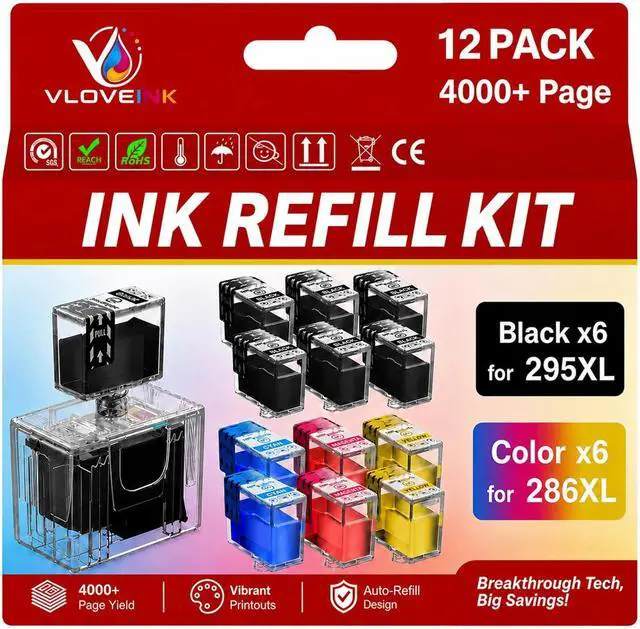



PG-295XL CL-286XL Ink Refill Kit for Canon PG-295 CL-286, 12 Pack
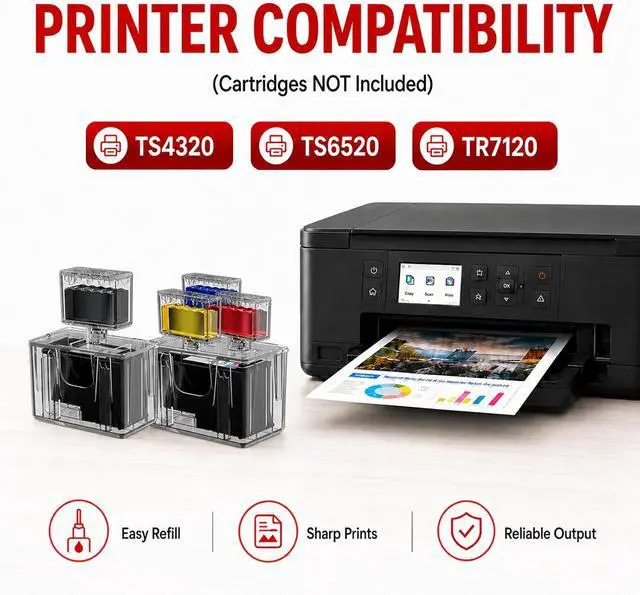
- Compatible for Canon PG-295XL CL-286XL 295XL 286XL Ink Cartridges Compatible with TS4320 TS6520 TR7120 Printer, High Yield
- Premium Ink: This ink refill kit for PG-295XL CL-286XL features a premium ink formulation strictly tested for printing performance. Engineered with a leak-proof and clog-free design to ensure clean, reliable printing. Delivers vibrant colors, high-definition photos and crisp text.(Cartridges NOT included)
- Compatible Printers: PG-295XL CL-286XL Ink Refill Kit compatible with Canon Pixma TS4320 TS6520 TR7120 ink cartridges. Compatible with Pixma TS4320 TS6520 TR7120 printers
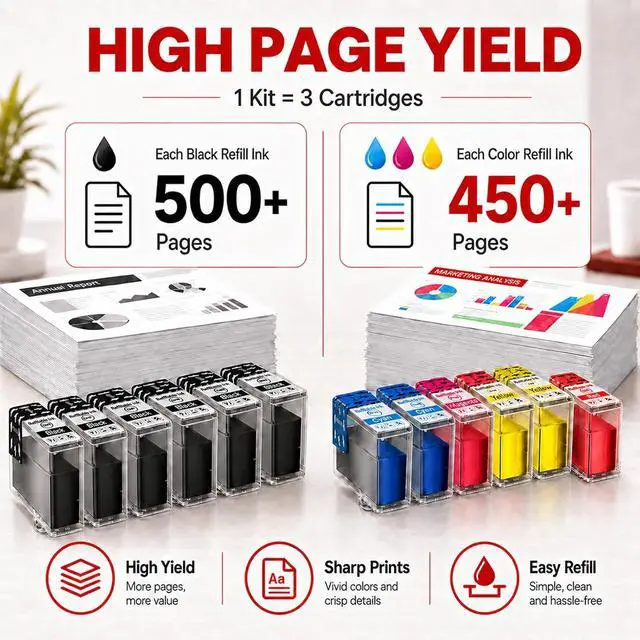
- High Yield Printing: Print up to 500 Pages per 295XL black ink refill, 450 pages per 286XL color ink refill. This 12-pack Ink Refill Kit delivers up to 4000+ pages in total (Letter/A4, at 5% coverage)
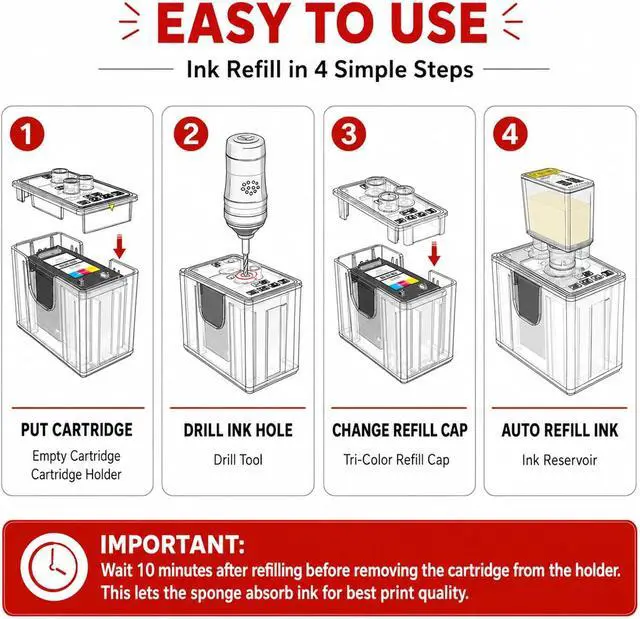
- Package Contents: Ink Refill Kit for Canon 295 286 XL ink cartridges includes 6 Black, 2 Cyan, 2 Magenta, and 2 Yellow refill inks (Cartridges NOT included). Pro-tool set features: 1x Cartridge
+
+
Overview
Reviews

Any questions? Our AI mode will help you find out quickly.
Try me now
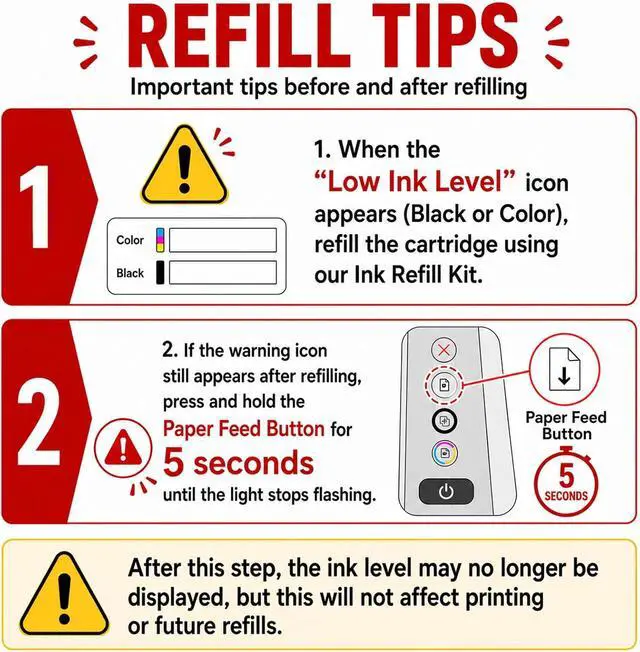
After refilling the ink, the computer/printer still shows no ink?
1.Refill when Low Ink Level appears. Ink level wont display after refill, but printing is not affected.
2.Hold the "Paper Feed" button for 5 seconds until printer reset.
Why is there no ink after refilling?
Please wait 10 min after refilling before removing the cartridge from the holder. This allows the ink to saturate the sponge and ensures optimal print quality.
How do I know when to refill the ink?
1.When your printer or computer shows a low ink warning, it's a good time to refill.
2.If your prints start looking faint or streaky and the cartridge is still functioning, it's likely time to add more ink.
When refilling the ink cartridge according to the instructions, the ink isn't flowing down. What's the reason?
1.Make sure the air vent tape is removed and the vent is clear.
2.The cartridge may still have ink and not need refilling yet.
3.If ink doesnt flow, pull the needle cap out 12 cm, wait for ink to flow, then reinsert.
Does it come with a syringe? Does it need a syringe?
No syringe needed! Our auto-refill kit makes ink refilling fast, clean, and hassle-freeno mess, no squeezing. Just simple, smooth refills. Watch our step-by-step video to see how easy it is.
After refilling the ink, the computer/printer still shows no ink?
Why is there no ink after refilling?
How do I know when to refill the ink?
When refilling the ink cartridge according to the instructions, the ink isn't flowing down. What's the reason?
Does it come with a syringe? Does it need a syringe?
1.Refill when Low Ink Level appears. Ink level wont display after refill, but printing is not affected.
2.Hold the "Paper Feed" button for 5 seconds until printer reset.
Why is there no ink after refilling?
Please wait 10 min after refilling before removing the cartridge from the holder. This allows the ink to saturate the sponge and ensures optimal print quality.
How do I know when to refill the ink?
1.When your printer or computer shows a low ink warning, it's a good time to refill.
2.If your prints start looking faint or streaky and the cartridge is still functioning, it's likely time to add more ink.
When refilling the ink cartridge according to the instructions, the ink isn't flowing down. What's the reason?
1.Make sure the air vent tape is removed and the vent is clear.
2.The cartridge may still have ink and not need refilling yet.
3.If ink doesnt flow, pull the needle cap out 12 cm, wait for ink to flow, then reinsert.
Does it come with a syringe? Does it need a syringe?
No syringe needed! Our auto-refill kit makes ink refilling fast, clean, and hassle-freeno mess, no squeezing. Just simple, smooth refills. Watch our step-by-step video to see how easy it is.
After refilling the ink, the computer/printer still shows no ink?
Why is there no ink after refilling?
How do I know when to refill the ink?
When refilling the ink cartridge according to the instructions, the ink isn't flowing down. What's the reason?
Does it come with a syringe? Does it need a syringe?
Warranty & Returns
Warranty, Returns, And Additional Information
Warranty
- Please contact the Seller directly for warranty information. Warranty information may also be found on the Manufacturer's website.
- CONTACT
Return Policies
- Return for refund within: 30 days
- Return for replacement within: 30 days
- This item is covered by LionTech Direct Return Policy
Manufacturer Contact Info
- For a directory of all our manufacturers, please click below.
- Manufacturers Directory
LOADING...