

Your Browsing History

Meet Your Seller


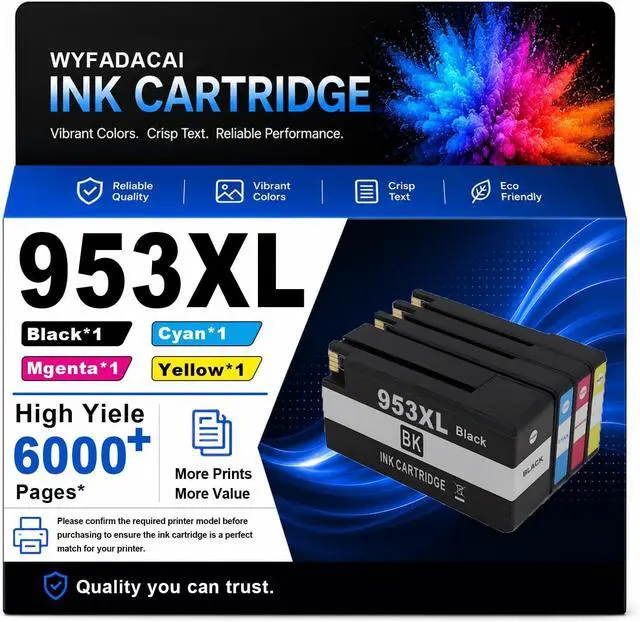





953XL High Yield Ink Cartridges Replacement for HP
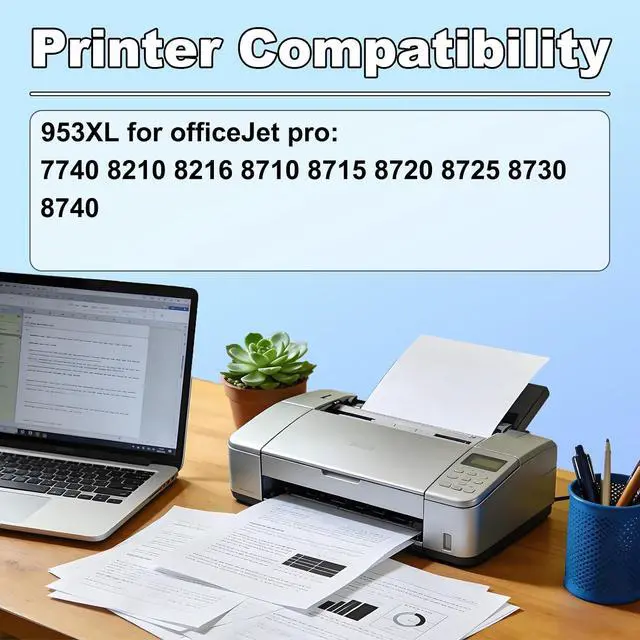
- Ink Cartridges for HP 953XL Ink OfficeJet Pro 7740 8210 8216 8710 8715 8720 8725 8730 8740 Printers
- Compatible Printers: 953XL for HP Ink Cartridge compatible repalcement for OfficeJet Pro 7740 8210 8216 8710 8715 8720 8725 8730 8740 Printer
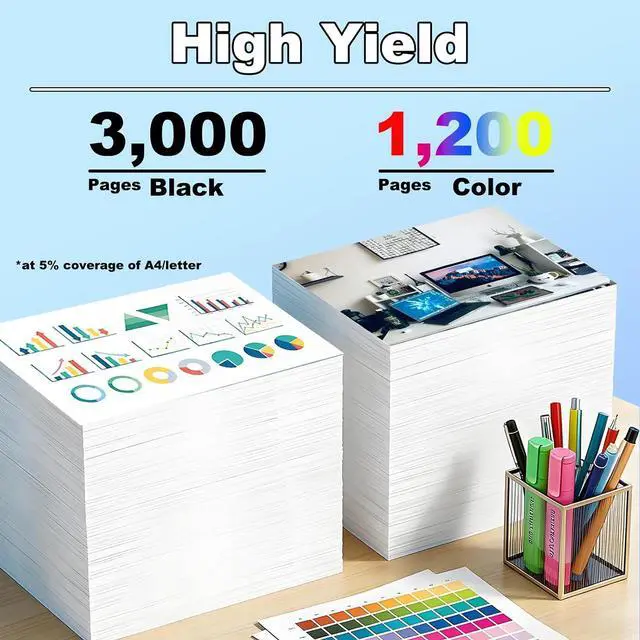
- High-Yield-Page for HP Ink Cartridges: 953XL black cartridge produces up to 3000 pages pages, and each 953XL color cartridge (cyan, magenta, yellow) yields up to 1200 pages, using A4 paper at 5% coverage
- Smart Chip: Equipped with smart chip,Strong recognition,Long-lasting and and durable Effectively improve the durability and stability of the ink cartridge!
- After sales: 953XL Ink Cartridge for HP provides you with exceptional prints, tested and stable to ensure crisp text and bright, vivid colors, and if you have questions, our team will get back to you within 24 hours Provide you with satisfactory solutions
- Before Purchasing: Please pay attention to the requiredprintermodelwhen submitting the order, or contactcustomerservice for confirmation
+
+
Overview
Reviews

Any questions? Our AI mode will help you find out quickly.
Try me now
Product Description
Be applicable:for HP 953XL OfficeJet Pro 7740 8210 8216 8710 8715 8720 8725 8730 8740 Ink Cartridges.
Package Contents:
953XL ink cartridges 1 Black 1 Cyan 1 Magenta 1 Yellow.
Why Choose Us:
1.Uses high-quality ink and a stable chip,ensuring immediate recognition upon installation and smooth ink flow without printhead clogging.
2.Produces clear,sharp text and natural color reproduction.
3.The high-capacity design increases page count and reduces replacement frequencyCompatible with many mainstream printers,it is a cost-effective choice for everyday document,assignment,and image printing.
Installation steps:
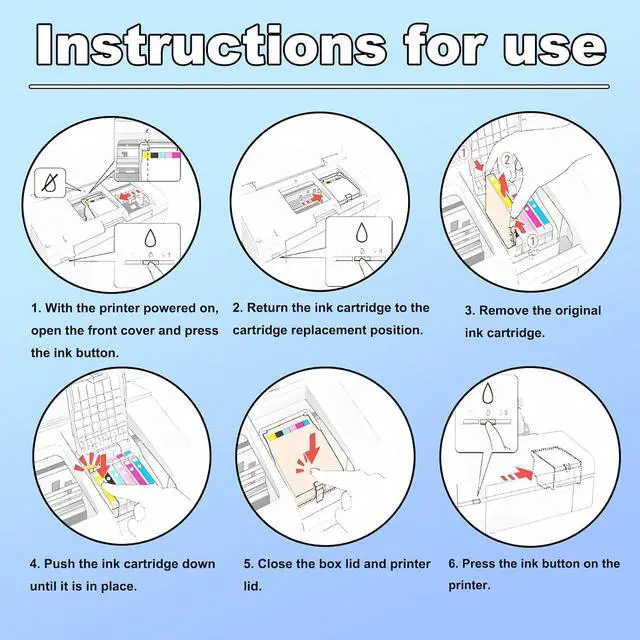
1.With the printer powered on,open the front cover and press the ink button.
2.Return the ink cartridge to the cartridge replacement position.
3.Remove the original ink cartridge.
4.Push the ink cartridge down until it is in place.
5.Close the box lid and printer lid.
6.Press the ink button on theprinter.
7.After the above operations are completed,press the ink button on the printer to complete all the ink cartridge replacement processes.
Notice:Please check to confirm the ink printer model and ink cartridge model before purchasing.
Warm Tips:
1.Make sure not to touch the chip on the ink cartridge for best performance.
2.Please note that if a non-original message prompt appears,just click "OK" or "Continue" to continue and start using the cartridge.
3.Printer auto-updates may interrupt your printing with compatible cartridges when most needed;we recommend turning off the auto-updates to avoid an unprintable situation.
Be applicable:for HP 953XL OfficeJet Pro 7740 8210 8216 8710 8715 8720 8725 8730 8740 Ink Cartridges.
Package Contents:
953XL ink cartridges 1 Black 1 Cyan 1 Magenta 1 Yellow.
Why Choose Us:
1.Uses high-quality ink and a stable chip,ensuring immediate recognition upon installation and smooth ink flow without printhead clogging.
2.Produces clear,sharp text and natural color reproduction.
3.The high-capacity design increases page count and reduces replacement frequencyCompatible with many mainstream printers,it is a cost-effective choice for everyday document,assignment,and image printing.
Installation steps:
1.With the printer powered on,open the front cover and press the ink button.
2.Return the ink cartridge to the cartridge replacement position.
3.Remove the original ink cartridge.
4.Push the ink cartridge down until it is in place.
5.Close the box lid and printer lid.
6.Press the ink button on theprinter.
7.After the above operations are completed,press the ink button on the printer to complete all the ink cartridge replacement processes.
Notice:Please check to confirm the ink printer model and ink cartridge model before purchasing.
Warm Tips:
1.Make sure not to touch the chip on the ink cartridge for best performance.
2.Please note that if a non-original message prompt appears,just click "OK" or "Continue" to continue and start using the cartridge.
3.Printer auto-updates may interrupt your printing with compatible cartridges when most needed;we recommend turning off the auto-updates to avoid an unprintable situation.
Warranty & Returns
Warranty, Returns, And Additional Information
Warranty
- Please contact the Seller directly for warranty information. Warranty information may also be found on the Manufacturer's website.
- CONTACT
Return Policies
- Return for refund within: 30 days
- Return for replacement within: 30 days
- This item is covered by LionTech Direct Return Policy
Manufacturer Contact Info
- For a directory of all our manufacturers, please click below.
- Manufacturers Directory
LOADING...