

Your Browsing History

Meet Your Seller


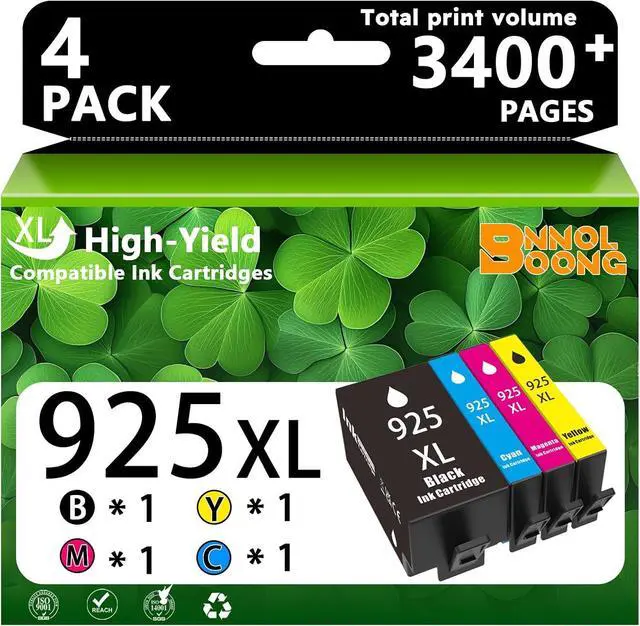







925 925XL Ink Cartridges Replacement Combo Pack
- Compatible for HP 8120 8123 8130 8133 printers
- Package contents: 925 XL Black ink cartridge;925 XL Cyan ink cartridge;925 XL Magenta ink cartridge;925 XL Yellow ink cartridge (black and color combination pack)
- What we provide: High Page Yield,Up to 1000 pages per black and 800 pages per color (A4 printing paper,5% coverage)
- Compatibility:The 925 XL compatible ink cartridge,which is compatible for HP 925 ink cartridge,compatible for HP Officejet pro 8120 8123 8130 8133 printers
- Note: If your printer model has an "e" suffix and you have already registered for HP+ service, this ink cartridge is not compatible
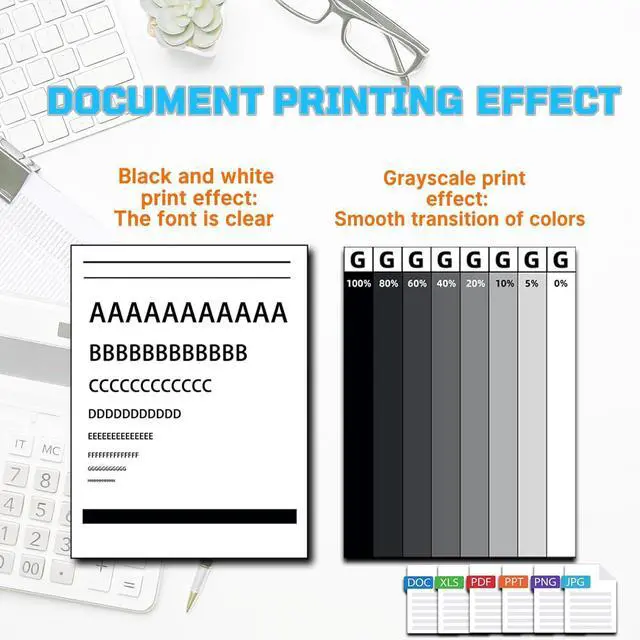
- Print Quality: This product has undergone rigorous testing and produces crisp text and vibrant colors,providing clear text and vivid colors for home office documents,school projects,reports,and everyday printing
- Purchase Notes: Please carefully verify your printer model when placing your order to ensure that the ink cartridges and printer are fully compatible
+
+
Overview
Specs
Reviews

Any questions? Our AI mode will help you find out quickly.
Try me now
About the Product:
Compatible Ink Cartridges: 925 925 XL
Compatible Printer Series: Compatible for HP Officejet pro 8120 8123 8130 8133 Printers
Installation Guide:
1. Open the ink cartridge compartment door,ensure the cartridge carriage moves to the middle position,and install the ink cartridges into the corresponding slots.
2. Insert the color ink cartridge into the printer's color ink cartridge compartment,and the black ink cartridge into the black ink cartridge compartment.
3. Push the ink cartridge into the cartridge carriage until you hear a "click," indicating the cartridge is properly installed. Then close the ink cartridge compartment door.
Important Notes:
1. Before ordering ink cartridges,please confirm your printer model.
2. Do not touch the chip or ink interface to avoid electrostatic damage to the chip.
3. If a "non-genuine ink cartridge" message appears,simply click "OK" or "Continue" to start using the ink cartridge.
4. Keep out of reach of children.
5. Do not expose the product to direct sunlight.
Sincere Service
If you encounter any problems,please contact us directly. We will reply to your message and provide a solution within 24 hours. We wish you a pleasant day!
Compatible Ink Cartridges: 925 925 XL
Compatible Printer Series: Compatible for HP Officejet pro 8120 8123 8130 8133 Printers
Installation Guide:
1. Open the ink cartridge compartment door,ensure the cartridge carriage moves to the middle position,and install the ink cartridges into the corresponding slots.
2. Insert the color ink cartridge into the printer's color ink cartridge compartment,and the black ink cartridge into the black ink cartridge compartment.
3. Push the ink cartridge into the cartridge carriage until you hear a "click," indicating the cartridge is properly installed. Then close the ink cartridge compartment door.
Important Notes:
1. Before ordering ink cartridges,please confirm your printer model.
2. Do not touch the chip or ink interface to avoid electrostatic damage to the chip.
3. If a "non-genuine ink cartridge" message appears,simply click "OK" or "Continue" to start using the ink cartridge.
4. Keep out of reach of children.
5. Do not expose the product to direct sunlight.
Sincere Service
If you encounter any problems,please contact us directly. We will reply to your message and provide a solution within 24 hours. We wish you a pleasant day!
Warranty & Returns
Warranty, Returns, And Additional Information
Warranty
- Please contact the Seller directly for warranty information. Warranty information may also be found on the Manufacturer's website.
- CONTACT
Return Policies
- Return for refund within: 30 days
- Return for replacement within: 30 days
- This item is covered by LionTech Direct Return Policy
Manufacturer Contact Info
- For a directory of all our manufacturers, please click below.
- Manufacturers Directory
LOADING...