

Your Browsing History

Meet Your Seller


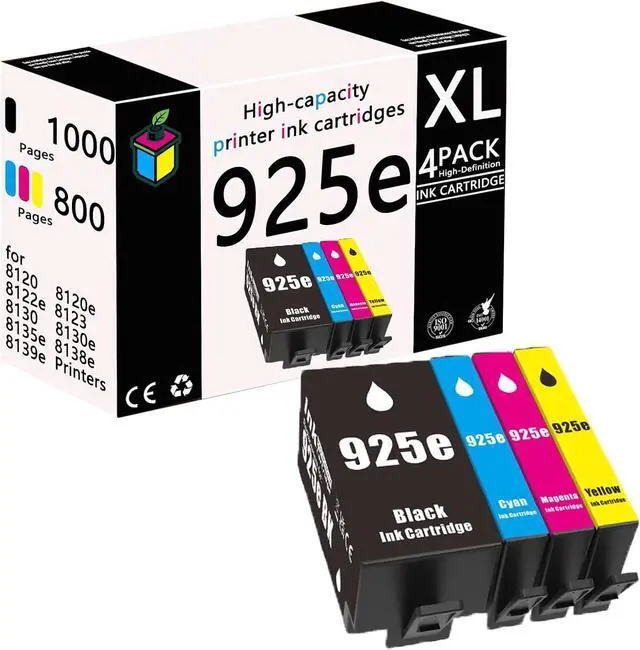






925e Ink Cartridge Replacement 925e for HP OfficeJet Pro 8120 Ink
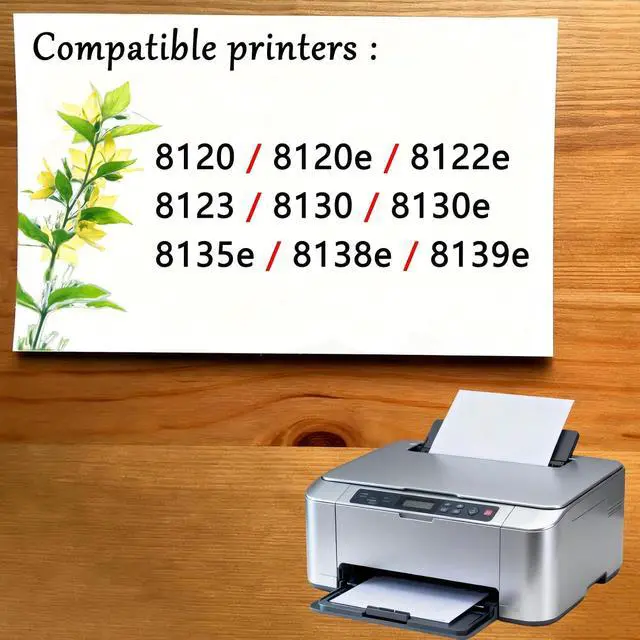
- 8120e 8122e 8123 8130 8130e 8135e 8138e 8139e Compatible Cartridges Printer,925e Set
- PRODUCT MODEL:for HP 8120 8120e 8122e 8123 8130 8130e 8135e 8138e 8139e Ink Cartridges printer.
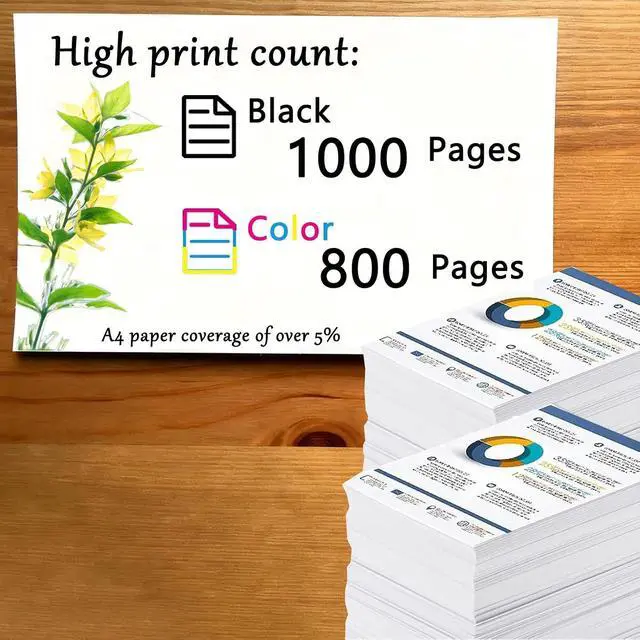
- REAL HIGH YIELD: 1000 pages per for HP 925e Great black ink cartridge, 800 pages for HP 925e color,ink cartridge at 5 percentage coverage on A4 paper.
- PACKAGE CONTENTS: (1 x Black 925e for HP ink cartridges, 1 x Cyan 925e for HP ink cartridges, 1 x Magenta ink cartridges1 x Yellow ink cartridges, Total 4 Pack)ink cartridges to meet your printing needs.
- AFTER SALES:925e for HP Ink Cartridge provides you with exceptional prints, tested and stable to ensure crisp text and bright, vivid colors, and if you have questions, our team will get back to you within 24 hours Provide you with satisfactory solutions.
- ENVIRONMENTALLY FRIENDLY AND SUSTAINABLE: for HP 925e Ink Cartridges The ink cartridge uses environmentally friendly materials and recyclable packaging to reduce the impact on the environment At the sam
+
+
Overview
Specs
Reviews

Any questions? Our AI mode will help you find out quickly.
Try me now
Product Description
Why choose us?
925e Ink Cartridges Our ink cartridges useLatest upgraded chips the equipped chips and advanced anti-clogging nozzles to prevent clogging.The ink cartridge provides high-quality printing results, clear text and bright colors. Compatible with a variety of printers, simple installation and easy replacement. High cost performance, an ideal choice for home and office printing!
Be applicable:925e for HP OfficeJet Pro 8120 8120e 8122e 8123 8130 8130e 8135e 8138e 8139e Ink Cartridges printer.
Installation steps:
1. After the printer is turned on, open the front cover of the printer and press the ink button.
2. Put the ink cartridge back to the replacement cartridge position.
3. Open the ink cartridge cover
4. Take out the original ink cartridge
5. Push the ink cartridge down into place
6. Close the box cover and the printer cover
7. After the above operations are completed, press the ink button on the printer to complete all the ink cartridge replacement processes.
Why choose us?
925e Ink Cartridges Our ink cartridges useLatest upgraded chips the equipped chips and advanced anti-clogging nozzles to prevent clogging.The ink cartridge provides high-quality printing results, clear text and bright colors. Compatible with a variety of printers, simple installation and easy replacement. High cost performance, an ideal choice for home and office printing!
Be applicable:925e for HP OfficeJet Pro 8120 8120e 8122e 8123 8130 8130e 8135e 8138e 8139e Ink Cartridges printer.
Installation steps:
1. After the printer is turned on, open the front cover of the printer and press the ink button.
2. Put the ink cartridge back to the replacement cartridge position.
3. Open the ink cartridge cover
4. Take out the original ink cartridge
5. Push the ink cartridge down into place
6. Close the box cover and the printer cover
7. After the above operations are completed, press the ink button on the printer to complete all the ink cartridge replacement processes.
Warranty & Returns
Warranty, Returns, And Additional Information
Warranty
- Please contact the Seller directly for warranty information. Warranty information may also be found on the Manufacturer's website.
- CONTACT
Return Policies
- Return for refund within: 30 days
- Return for replacement within: 30 days
- This item is covered by LionTech Direct Return Policy
Manufacturer Contact Info
- For a directory of all our manufacturers, please click below.
- Manufacturers Directory
LOADING...