

Your Browsing History

Meet Your Seller


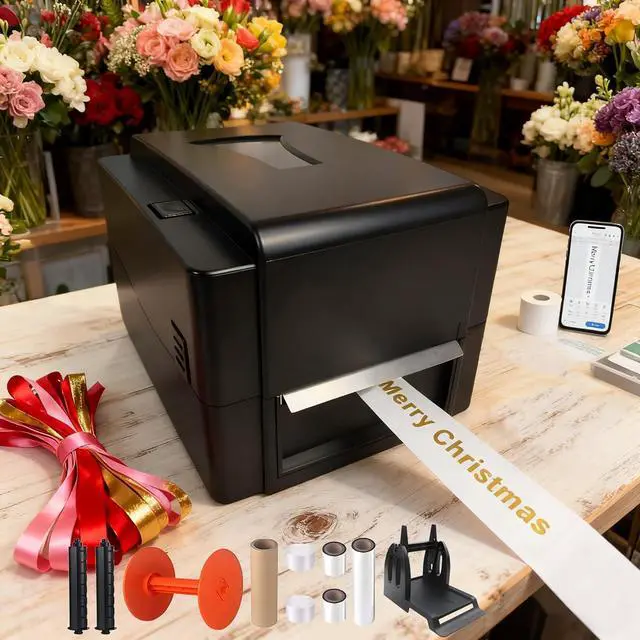
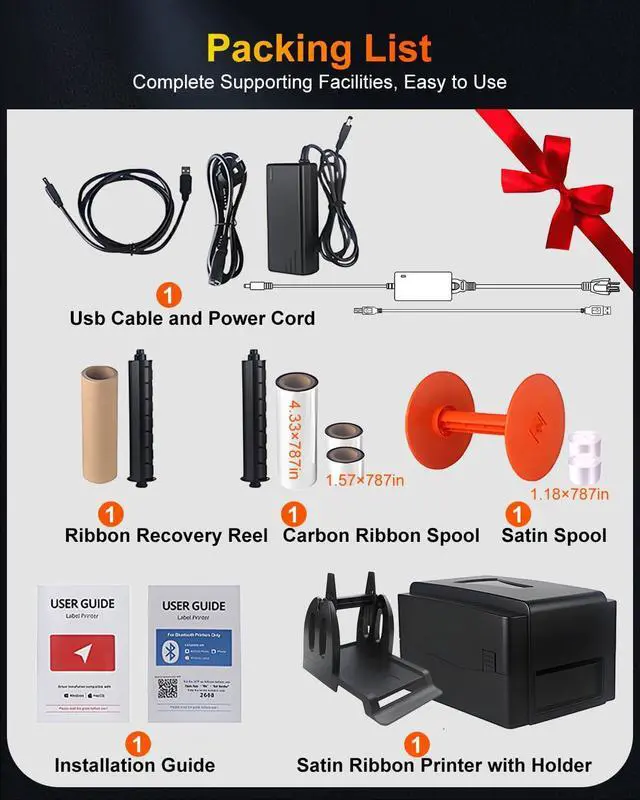
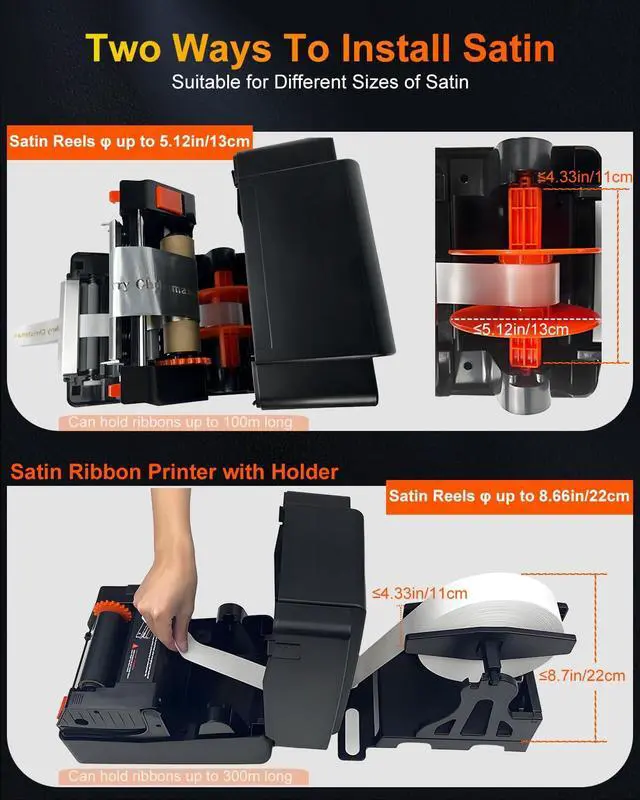


Satin Ribbon Printing Machine with Holder+USB &APP+Bluetooth,Upgrade 300 Dpi Digital Ribbon Printer Thermal Label Printer Foil Stamping Printing Machine, Support Multiple Languages
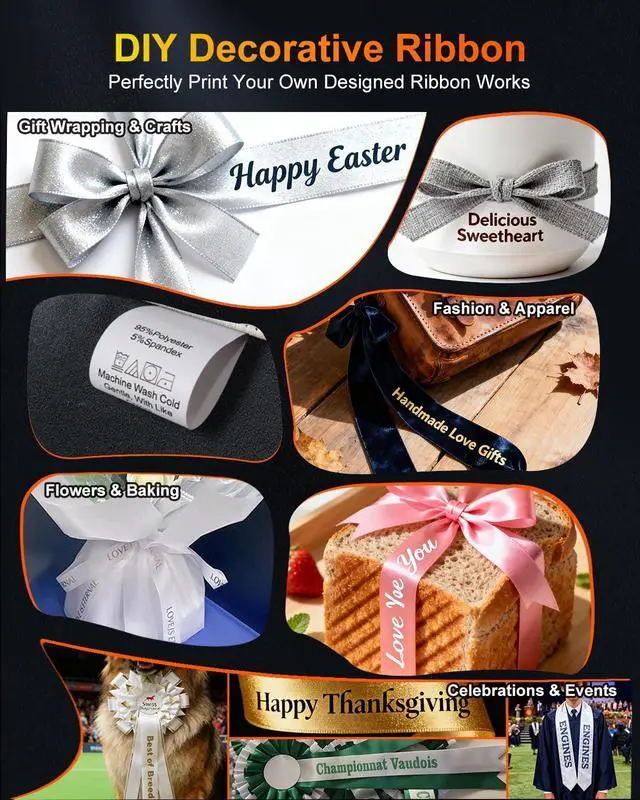
- Personalize Satin Ribbons with Meaningful Messages- Transform plain ribbons into heartfelt keepsakes by printing custom phrases like "Happy Birthday," "Season's Greetings," or "Just Married." Perfect for adding a personal touch to gift wrapping, holiday decorations, or special event favors turning everyday moments into memorable experiences.
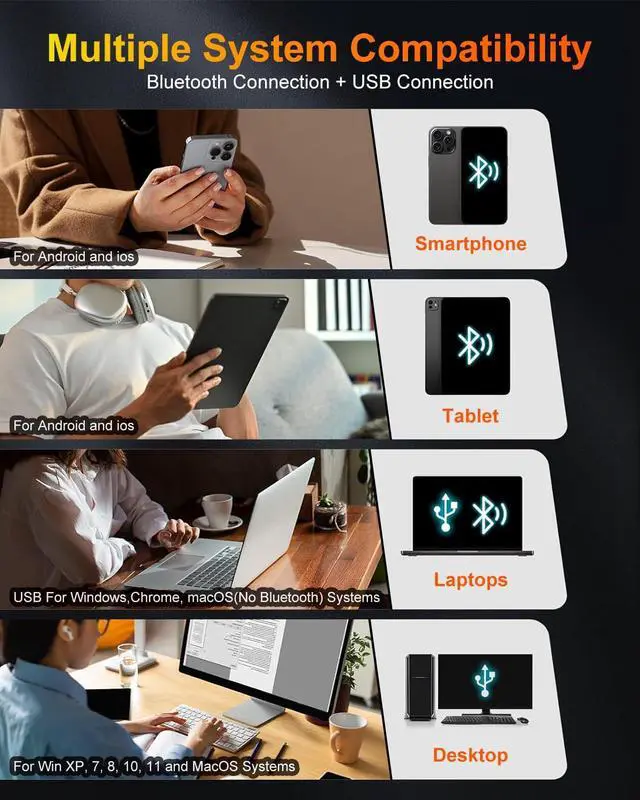
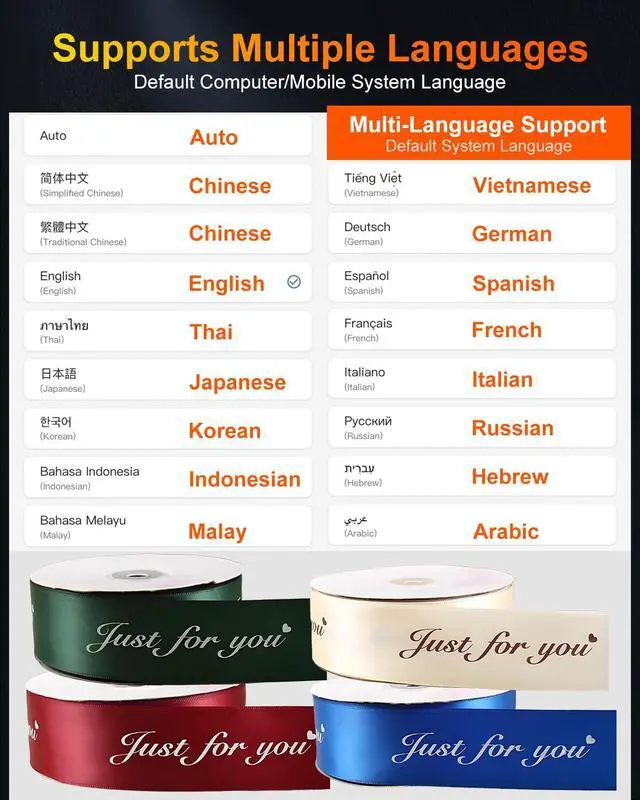
- Enhanced 300 DPI Clarity & Bluetooth Convenience- Enjoy crisp, professional-quality prints with 300 DPI resolution and seamless Bluetooth connectivity. Works with our user-friendly app and supports both Windows and mac0S systems. The interface automatically adjusts to your system language (15 options available), and includes an English manual and step-by-step video guide for quick setup.
- Flexible Connectivity & Multi-OS Support- Connect via USB or Bluetooth to compatible devices including Windows PCs (XP to 11), mac0S computers, and Android/i0S smartphones. Note: The printer's Bluetooth function no compatible with mac0S laptops. Designed
+
+
Overview
Specs
Reviews

Any questions? Our AI mode will help you find out quickly.
Try me now
1Gift Decorations2Baking Decorations3Party Decorations4Fashion Decorations5Celebrations Decorations What width of satin can the satin ribbon printer print?
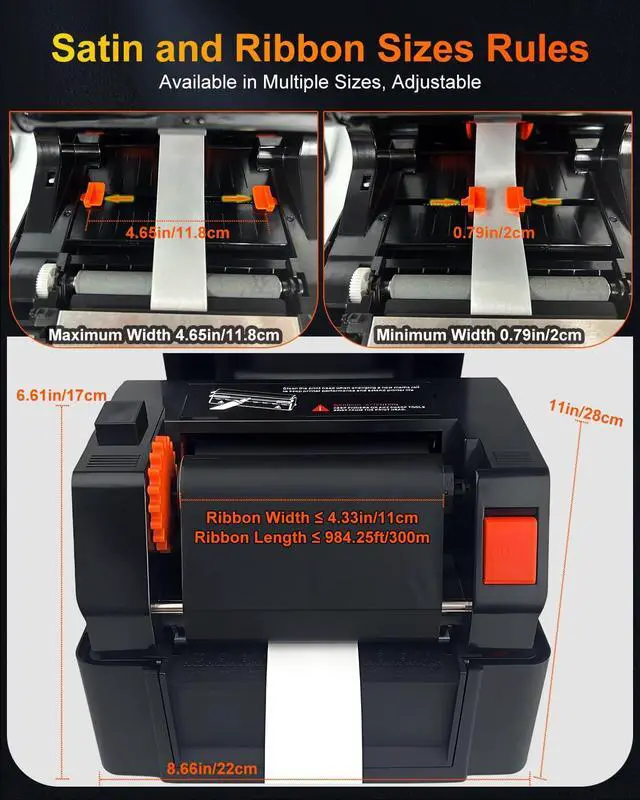
The satin ribbon printer supports satin widths from 0.79in/2cm to 4.65in/11.8cm.
How do I download the driver?
Please open (printer2688) in a web browser. Download is entirely in English.
Why can't I connect to my phone via Bluetooth?
First, turn on your phone's Bluetooth. Then, in the app, select (Me)-(My Devices) and find the printer (Label Printer3).
Why did the editing software download fail?
Note: Be sure to turn off your antivirus software before downloading the editing software.
Does the ribbon printer support multi-row printing?
Yes. Take out the included Satin Dividers and attach them to the ribbon clips. Secure multiple rows of ribbon in sequence.
Why doesn't the satin print continuously during printing?
Open the editing software, select Settings and Properties in Print, choose Continuous in Label Type, and select the number of copies to print.
Why is my satin printing unclear?
To print satins, you need to set the speed and density to determine the print quality. In the editing software, select print, then settings, then properties, and click to slow down the speed and increase the density.
What kind of thermal transfer ribbon should I buy for this ribbon printer?
The thermal transfer ribbons we purchase must be resin-based, wax-based, or a hybrid type to achieve good printing results. If you have any questions, please feel free to find us in the buyer messages. We are always ready to help you!
Satin Ribbon Printing Machine How to print via Bluetooth? Label Printer Driver Quick Installation Packaging Decorations Food Packaging Party Decorations Handicrafts Graduation Ceremony What width of satin can the satin ribbon printer print?
How do I download the driver?
Why can't I connect to my phone via Bluetooth?
Why did the editing software download fail?
Does the ribbon printer support multi-row printing?
Why doesn't the satin print continuously during printing?
Why is my satin printing unclear?
What kind of thermal transfer ribbon should I buy for this ribbon printer?
The satin ribbon printer supports satin widths from 0.79in/2cm to 4.65in/11.8cm.
How do I download the driver?
Please open (printer2688) in a web browser. Download is entirely in English.
Why can't I connect to my phone via Bluetooth?
First, turn on your phone's Bluetooth. Then, in the app, select (Me)-(My Devices) and find the printer (Label Printer3).
Why did the editing software download fail?
Note: Be sure to turn off your antivirus software before downloading the editing software.
Does the ribbon printer support multi-row printing?
Yes. Take out the included Satin Dividers and attach them to the ribbon clips. Secure multiple rows of ribbon in sequence.
Why doesn't the satin print continuously during printing?
Open the editing software, select Settings and Properties in Print, choose Continuous in Label Type, and select the number of copies to print.
Why is my satin printing unclear?
To print satins, you need to set the speed and density to determine the print quality. In the editing software, select print, then settings, then properties, and click to slow down the speed and increase the density.
What kind of thermal transfer ribbon should I buy for this ribbon printer?
The thermal transfer ribbons we purchase must be resin-based, wax-based, or a hybrid type to achieve good printing results. If you have any questions, please feel free to find us in the buyer messages. We are always ready to help you!
Satin Ribbon Printing Machine How to print via Bluetooth? Label Printer Driver Quick Installation Packaging Decorations Food Packaging Party Decorations Handicrafts Graduation Ceremony What width of satin can the satin ribbon printer print?
How do I download the driver?
Why can't I connect to my phone via Bluetooth?
Why did the editing software download fail?
Does the ribbon printer support multi-row printing?
Why doesn't the satin print continuously during printing?
Why is my satin printing unclear?
What kind of thermal transfer ribbon should I buy for this ribbon printer?
Warranty & Returns
Warranty, Returns, And Additional Information
Warranty
- Please contact the Seller directly for warranty information. Warranty information may also be found on the Manufacturer's website.
- CONTACT
Return Policies
- Return for refund within: 30 days
- Return for replacement within: 30 days
- This item is covered by LionTech Direct Return Policy
Manufacturer Contact Info
- For a directory of all our manufacturers, please click below.
- Manufacturers Directory
LOADING...