

Your Browsing History

Meet Your Seller


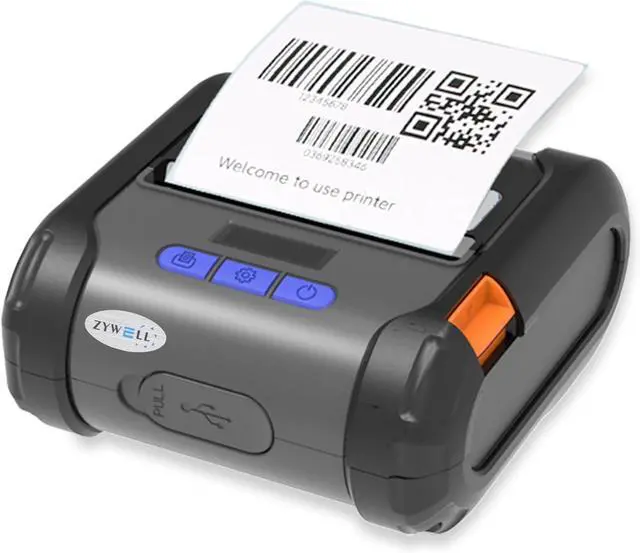
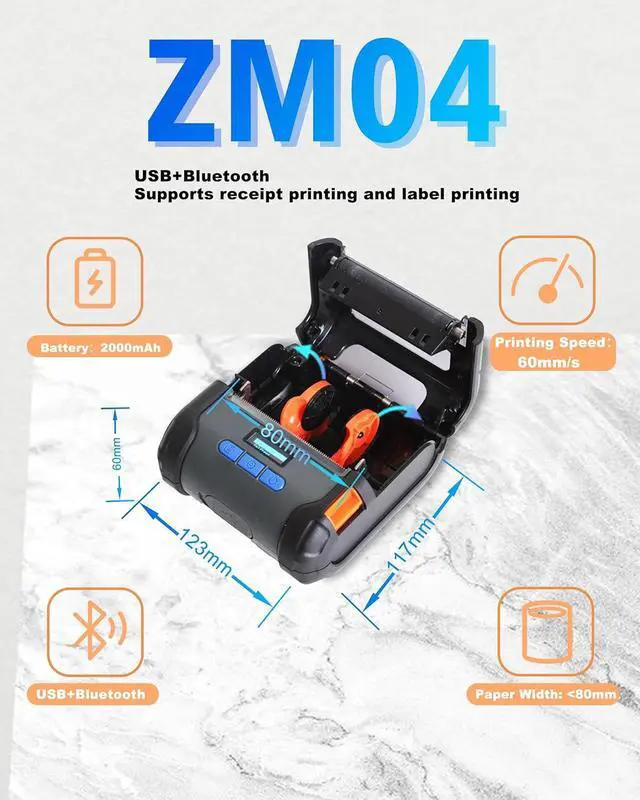


ZYWELL ZM04 2.0 Bluetooth Thermal Receipt Print & Label Print Two-in-One,Works with Android Square Supprot 58mm/80mm, Bluetooth Support iOS, NO WiFi
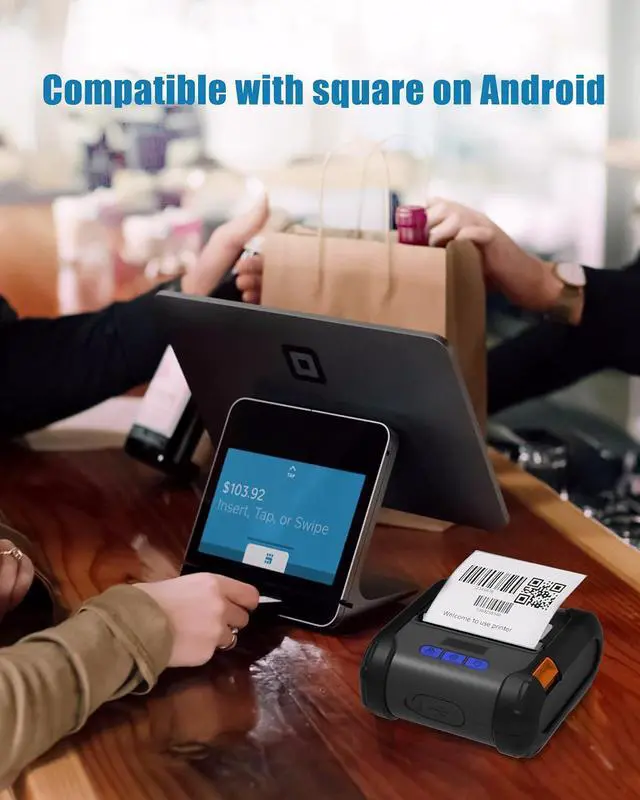
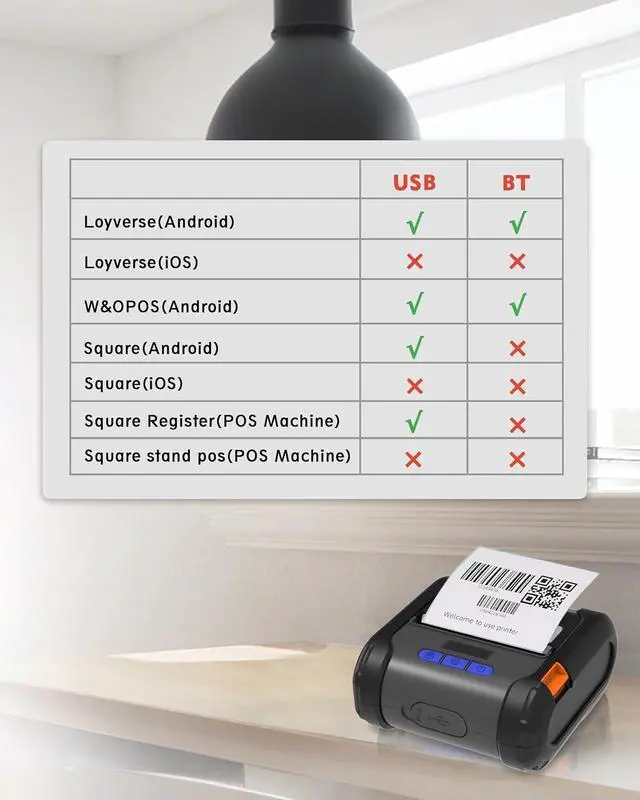
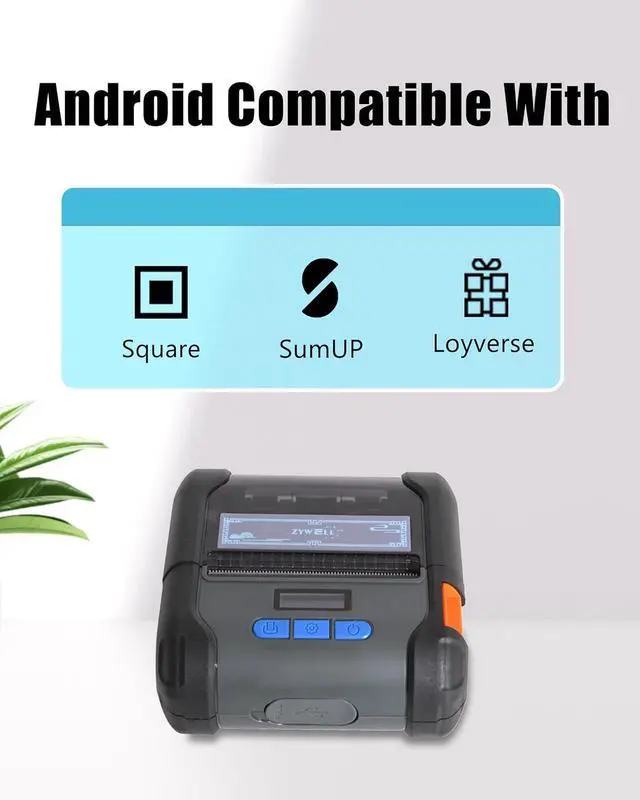
- RECEIPT MODEL COMPATIBILITY: ZM04 not suppprt connect square via bluetooth. Support Loyverse(Android), W&O POS, and Square(Android). Note that Square system's printer connection only supports Android devices via USB, and does not support ipad/iphone devices via USB or Bluetooth.
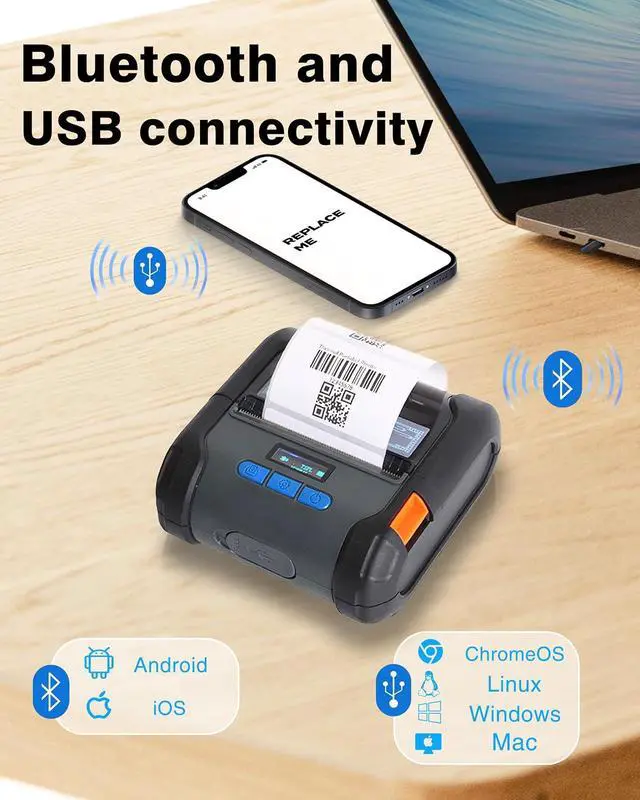
- iOS CONNECTIVITY NOTEImportant for iOS:ZM04 printer does not work with other iOS applications, it is fully compatible with our dedicated "EMLabel" app. Simply download "EMLabel" from the Apple Store to connect via BluetoothNO USB and print your labels or receipts.
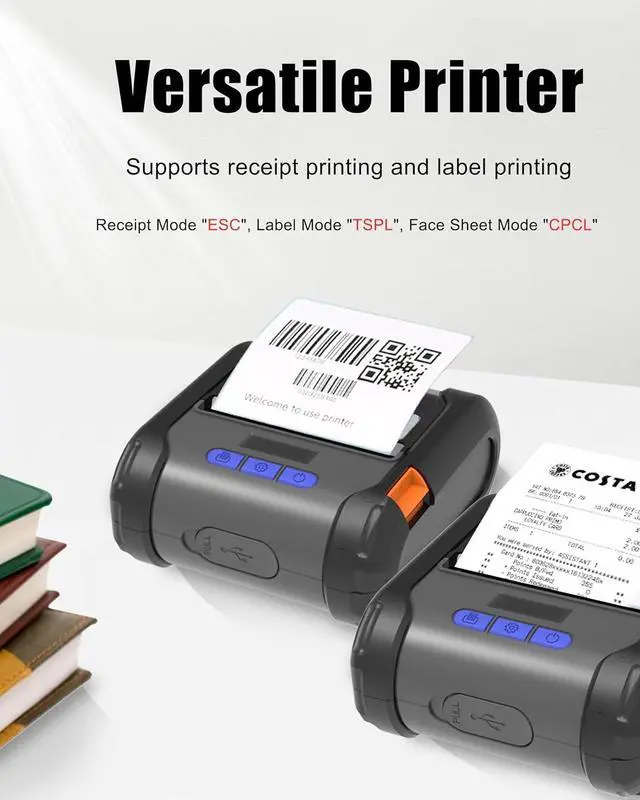
- VERSATILE PRINTERThe receipt and label all-in-one printer supports the ESC/POS system and can accommodate printing paper widths from 58mm to 80mm. It is used for small retail businesses, coffee shops, and warehouses
- THERMAL INKLESSZM04 Label Printer uses thermal inkless technology, eliminating the need to replace ink and toner, reducing costs and speeding up printing. The technology is clean and efficient with consistent print quality
- POWERF
+
+
Overview
Specs
Reviews

Any questions? Our AI mode will help you find out quickly.
Try me now
Why does the ZM04 printer bluetooth not connect to square?
Unfortunately, square does not support Bluetooth connectivity.
Why can't I connect to a square printer?
Please check if your device is Android or iOS first, as the ZM04 only supports connecting to Square via USB on Android,NOT support iOS or Bluetooth.
Why can't I connect Bluetooth for printing?
iOS does not support connecting to other apps via Bluetooth, except for "EMLabel"
How to use the ZM04 as an all-in-one printer for notes and labels?
ZM04 is a dual-purpose printer for receipt and label, you need to switch the print mode when printing, otherwise you can't print (Receipt Mode "ESC", Label Mode "TSPL", Face Sheet Mode" CPCL" )
How do I change the label or receipt mode?
Start the printer - Press setup key enter the setup page - Press the setup key select Command Mode - Press the print paper key enter the detail page - Press the Setup key select the desired mode, Label Mode TSPL, Receipt Mode ESC -Over
1Mini Portable2Quick Print3High Definition4Wide Application5Bluetooth Connection Step Why does the ZM04 printer bluetooth not connect to square?
Why can't I connect to a square printer?
Why can't I connect Bluetooth for printing?
How to use the ZM04 as an all-in-one printer for notes and labels?
How do I change the label or receipt mode?
Unfortunately, square does not support Bluetooth connectivity.
Why can't I connect to a square printer?
Please check if your device is Android or iOS first, as the ZM04 only supports connecting to Square via USB on Android,NOT support iOS or Bluetooth.
Why can't I connect Bluetooth for printing?
iOS does not support connecting to other apps via Bluetooth, except for "EMLabel"
How to use the ZM04 as an all-in-one printer for notes and labels?
ZM04 is a dual-purpose printer for receipt and label, you need to switch the print mode when printing, otherwise you can't print (Receipt Mode "ESC", Label Mode "TSPL", Face Sheet Mode" CPCL" )
How do I change the label or receipt mode?
Start the printer - Press setup key enter the setup page - Press the setup key select Command Mode - Press the print paper key enter the detail page - Press the Setup key select the desired mode, Label Mode TSPL, Receipt Mode ESC -Over
1Mini Portable2Quick Print3High Definition4Wide Application5Bluetooth Connection Step Why does the ZM04 printer bluetooth not connect to square?
Why can't I connect to a square printer?
Why can't I connect Bluetooth for printing?
How to use the ZM04 as an all-in-one printer for notes and labels?
How do I change the label or receipt mode?
Warranty & Returns
Warranty, Returns, And Additional Information
Warranty
- Please contact the Seller directly for warranty information. Warranty information may also be found on the Manufacturer's website.
- CONTACT
Return Policies
- Return for refund within: 30 days
- Return for replacement within: 30 days
- This item is covered by LionTech Direct Return Policy
Manufacturer Contact Info
- For a directory of all our manufacturers, please click below.
- Manufacturers Directory
LOADING...