

Your Browsing History

Meet Your Seller


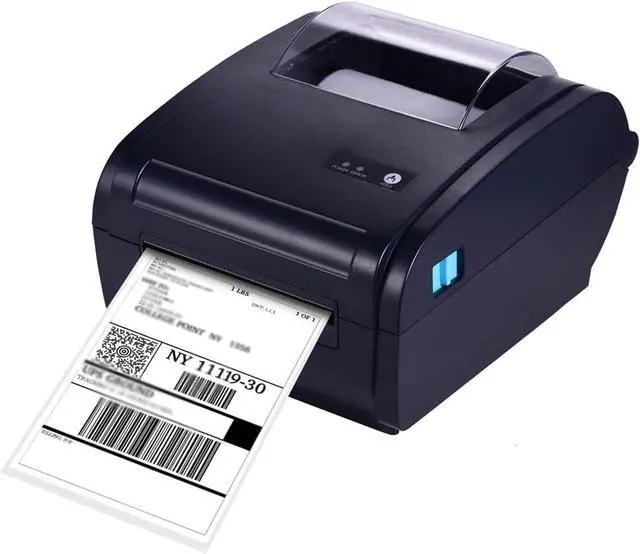
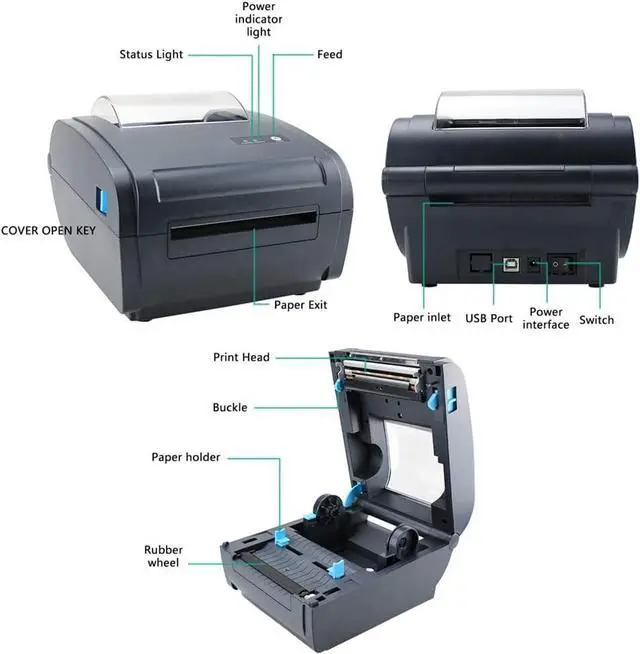


FMURY Thermal Label Printer for 4x6 Shipping Package Label 160mm/s &BT Connection Printer Label Maker Sticker Max.110mm Paper Width
- High-speed printing at 160mm/s, which is the fastest among all the closest competitors which will save your 2-3 Hours time/per day. Print label Width: 1.6" to 4.3" (40mm-110mm) Such as 4''x6''/4''x4''/4''x2''/4''x1''/3''x2''/2.25''x1.25''/2'x1'. You can print from main applications such as Areobat PDF, which can use color thermal label paper to print black content.
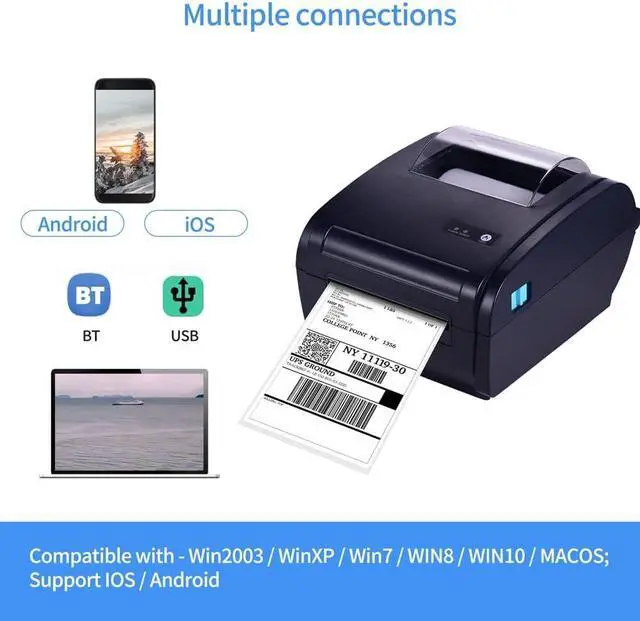
- Easy work with Win2003 / WinXP / Win7 / WIN8 / WIN10 / MACOS and support IOS / Android. You can create customized labels directly from your computer.
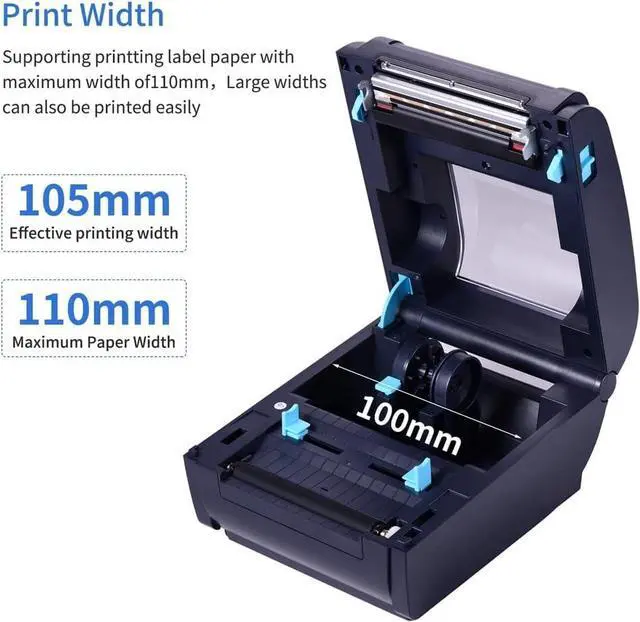
- print , 203dpi resolution, clear printing quality and reliable performance, and low noise. 50km of print life, serve you a long time to use. The max. width of the printing paper is 110mm, and the effective printing width is 105mm.
- The label printer is connected via and BT connection & 2 options for you to choose. You can print Shipping label, food nutrition label, clothing label, etc. The version with BT function, the printer can be connected to the phone and edit in the A
+
+
Overview
Specs
Reviews

Any questions? Our AI mode will help you find out quickly.
Try me now
Color: Black
Print Method: Direct Line Thermal
Print Parameters: Support to Download the Logo
Print Speed: 160mm/sec(Max)
Resolution: 203DPI (8dot/mm)
Interfaces: +BT, (Optional)
Adapter Voltage: 24V/2.5A
Compatible System: Win2003 / WinXP / Win7 / WIN8 / WIN10 / MACOS; Support IOS / Android
Print Command: TSPL Command / CPCL Command(ESC/POS Command)
Size of Printing Paper: 110±0.5mm
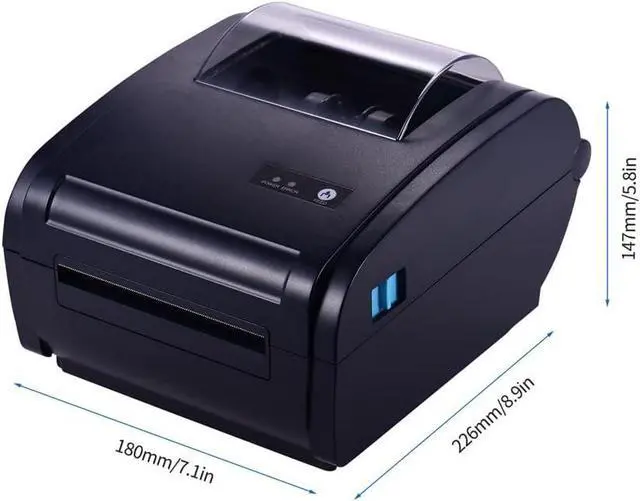
Printer Size: 226*180*147mm / 8.9*7.1*5.8in
Parts List:
1 * Printer
1 * Cable
1 * Adapter
1 * Flash Driver
1 * Power Cable
1 * Manual
Notes:
1. Please download the App through QR code at the manual or search "PRINT LABEL" APP in your Play or APP store. If it is an Android system, you need to enter a password to use it after installation (password: 1234).
2. Flash Driver with built-in driver, connected to the computer can be directly installed and used.
Thermal printing, no carbon tape or paper loading can be printed, easy and convenient.
Print Method: Direct Line Thermal
Print Parameters: Support to Download the Logo
Print Speed: 160mm/sec(Max)
Resolution: 203DPI (8dot/mm)
Interfaces: +BT, (Optional)
Adapter Voltage: 24V/2.5A
Compatible System: Win2003 / WinXP / Win7 / WIN8 / WIN10 / MACOS; Support IOS / Android
Print Command: TSPL Command / CPCL Command(ESC/POS Command)
Size of Printing Paper: 110±0.5mm
Printer Size: 226*180*147mm / 8.9*7.1*5.8in
Parts List:
1 * Printer
1 * Cable
1 * Adapter
1 * Flash Driver
1 * Power Cable
1 * Manual
Notes:
1. Please download the App through QR code at the manual or search "PRINT LABEL" APP in your Play or APP store. If it is an Android system, you need to enter a password to use it after installation (password: 1234).
2. Flash Driver with built-in driver, connected to the computer can be directly installed and used.
Thermal printing, no carbon tape or paper loading can be printed, easy and convenient.
Warranty & Returns
Warranty, Returns, And Additional Information
Warranty
- Please contact the Seller directly for warranty information. Warranty information may also be found on the Manufacturer's website.
- CONTACT
Return Policies
- Return for refund within: 30 days
- Return for replacement within: 30 days
- This item is covered by LionTech Direct Return Policy
Manufacturer Contact Info
- For a directory of all our manufacturers, please click below.
- Manufacturers Directory
LOADING...