

Your Browsing History

Meet Your Seller


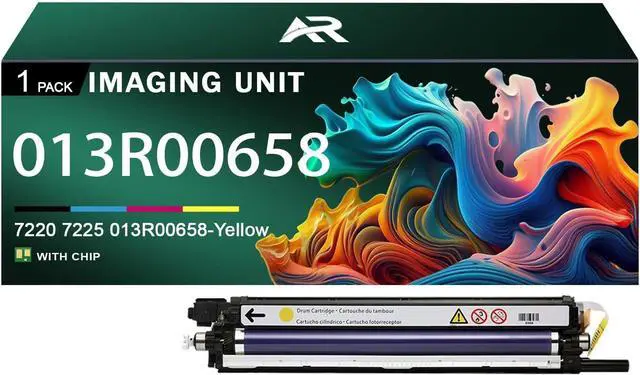







7220 7225 Imaging Unit for Xerox 7220 7225 013R00658 Yellow Drum Units Work for Xerox WorkCentre 7220 7225 7120 7125 Printer
- Compatible Printer: For Xerox WorkCentre 7220 7225 7120 7125 Printers
- Package Contents1 pack compatible for Xerox 7220 7225 013R00658 yellow Drum Unit
- Paper Yield7220 7225 black can print up to 60000 pages, 7220 7225 colors each can each print up to 60000 pages, these page yields are based on 5% coverage with A4 letterivity
- Excellent Quality7220 7225 Drum Unit is easy to install , no color fading, no ink leakage, no clogging. Our Imaging Drum provide you with a smooth printing experience and help improve office efficiency
- Sales ServicePlease rest assured to use this product.If you have any problems, you can contact us at any time. We will provide you with solutions as soon as possible
+
+
Overview
Specs
Reviews

Any questions? Our AI mode will help you find out quickly.
Try me now
About Products
Compatible for Xerox 7220 7225 013R00657 013R00660 013R00659 013R00658 Imaging Unit.
Compatible printer: Compatible for Xerox WorkCentre 7220 7225 7120 7125 printers.
Number of pages: Up to 60000 pages 7220 7225 Black Imaging Unit 60000 pages 7220 7225 per color Imaging Unit with a coverage rate of 5% of A4 page
Advantage
Excellent quality, HD printing.
Large printing volume, affordable and durable.
Good compatibility, easy to install and use
Imaging Unit makes printing smoother and work more efficient
Suitable for various places, such as companies, schools, families, etc.
Installation method
Shake it left and right several times to distribute the toner evenly
Remove the sealing strip in the direction of the arrow to avoid damage.
Load the printer and place the Imaging Unit correctly into the printer.
Ability:
Since models vary in different regions, please send us your old Imaging Unit model and printer model.
Make sure not to touch the Imaging Unit chip for optimal performance.
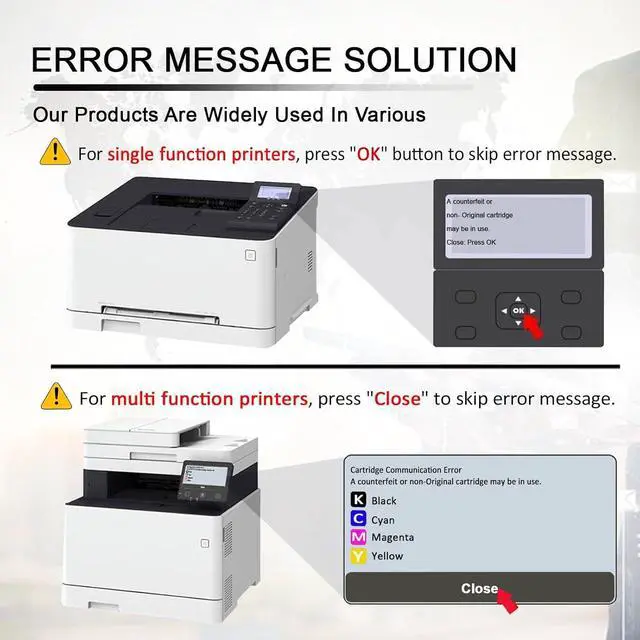
Please note that if the non-genuine message appears, just click "OK" or "Continue" to continue and start using the cartridge.
Warranty & Returns
Warranty, Returns, And Additional Information
Warranty
- Please contact the Seller directly for warranty information. Warranty information may also be found on the Manufacturer's website.
- CONTACT
Return Policies
- Return for refund within: 30 days
- Return for replacement within: 30 days
- This item is covered by LionTech Direct Return Policy
Manufacturer Contact Info
- For a directory of all our manufacturers, please click below.
- Manufacturers Directory
LOADING...