Your Browsing History
- Free 30-day Returns
$75.99
Meet Your Seller
Cruxer Extra-Strength Adhesive Label Tape Compatible for Brother TZe S621 9mm 3/8" Black Text on Yellow Tape for P-Touch Cube PTE550 PTP750 PTD210 PTD450 PTH110 PTD400AD PT710BT Label Maker, 10-Pack
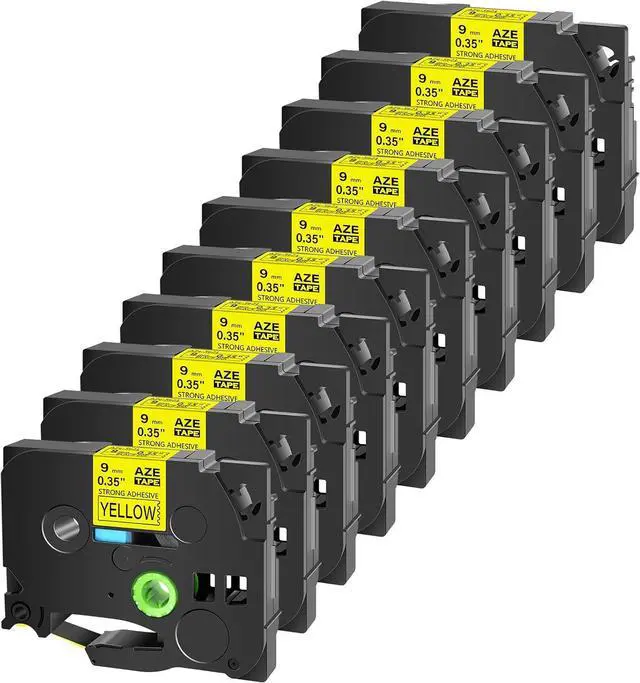
- What will you get: Cruxer 10 Pack Compatible TZe-S621 TZ-S621 AZE S621 Extra Strong Adhesive Laminated Label Tape with high quality performance and 100% compatibility for your Brother P-touch label maker.Not Original
- Size & Color & Features: Width of Tapes: 9mm (0.35 Inch); Length of Tapes: 8m (26.2'); Color of Tapes: Black writing on yellow tape. Feature of Tapes: Laminated, Extra Strength Adhensive, Chemical and Water Resistant, Abrasion Resistant, Temperature Resistant, Fade Resistant.
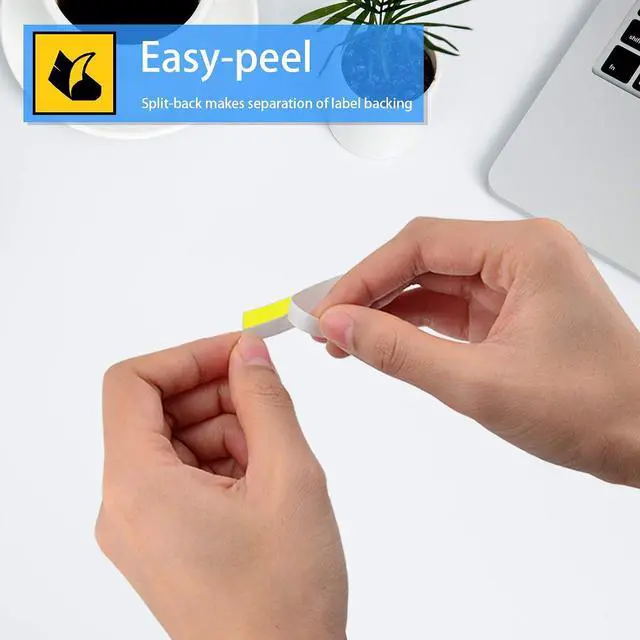
- The extraordinary adhesive properties and split back of the P touch tape is easy to peel and apply to the toughest labeling tasks including uneven surfaces, surfaces exposed to harsh environments, slippery painted metal and plastic surfaces, wood and steel surfaces and even when exposed to hot and cold temperatures including microwaves, dishwashers and freezers. No sticky residue remains when the labels are removed.
- Will stay on for years without the text fading, peeling or cracking under normal
+
+
Overview
Specs
Reviews
Any questions? Our AI mode will help you find out quickly.
Try me now
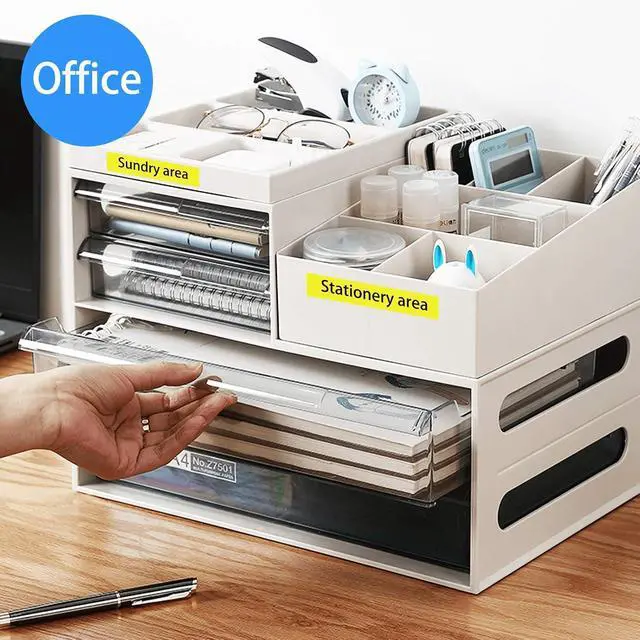
Cruxer Compatible Brother P-touch 9mm .35 laminated yellow tz tze tapes are widely used in our daily life.
No matter for home or business, black print on yellow color is always suitable and attractive.
Maybe you are curious about why tze-S621 compatible brother label maker tape is durable as it is very thin. Here is the answer for you.
There are 6 layers of every tze-S621 p-touch label tape which protects 12mm compatible brother tz tape from temperature,chemical,water and fading
How to AVOID wasting your label tape?
1. Be sure your machine is available with this "Label Setting" function.
2. Set the space you prefer on your label maker first Before printing,then you will get a better print.
Tips:
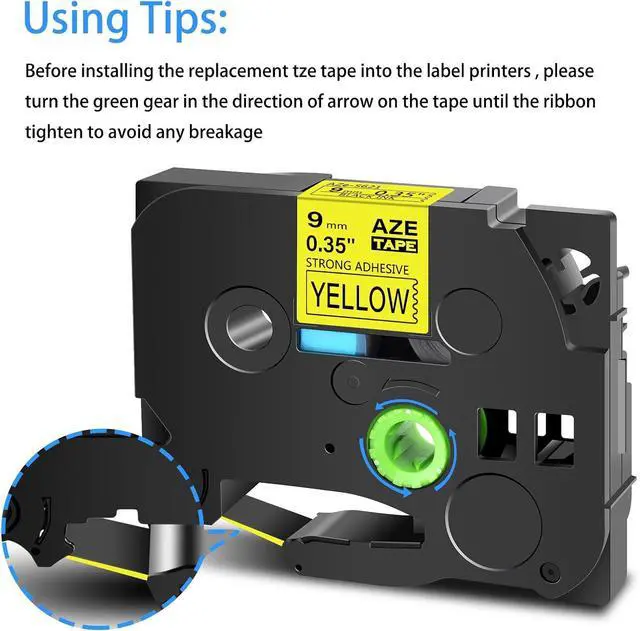
Before installing, Turn the ribbon spool counter clockwise once or twice to tighten the ribbon to avoid any breakage or stuck of the tape.
Used for Below Brother Ptouch Printers: PTD200DA,D200MA,D200SA,D210BK,D200BT,D215E,PTE100,E105,E300,E300VP,E500,E500VP,E550W,E550WVP,PTP300BT,P710BT,P750WVP,P900W,P950NW,PTH100P,H100R,H105,H110BK,PT200,GL100,PT1000,PT1000BM,PT1010,PT1010B,PT1010NB,PT1010R,PT1010S,PT1090,PT1280SR,PT1290,PT1880,PT2030AD,PT-2300,PT2730,PT2730VP,PT9600,PT9700PC,P-touch CUBE P-touch Embellish GLH100,PT1010RDT,PT1090BK,PT1100,PT1100QL,PT1100SB,PT1100SBVP,PT1100 ST,PT1120,PT1130,PT1160,PT1170,PT1170S,PT1180,PT1180SP,PT11Q,PT1200,PT1280BT,PT1280SP,PT1280TG,PT1280VP,PT128AF,PT1290BT,PT1290BT2,PT1290RS,PT1290SBVP,PT1300,PT1400,PT1500,PT1500PC,PT1600,PT1700,PT1750,PT1750SC,PT1810,PT1830C,PT1830SC,PT1830VP,PT18R,PT18RKT,PT1900,PT1900C,PT1910,PT1960,PT2030,PT2030VP,PT2100,PT2110,PT2200,PT2210,PT2300,PT2310,PT2400,PT2410,PT2470,PT2500PC,PT2600,PT2610,PT2700,PT2710,PT300,PT300B,PT310,PT310B,PT320,PT330,PT340,PT350,PT3600,PT4000,PT520,PT530,PT540,PT550,PT580C,PT7100,PT7500,PT7600,PT9200DX,PT9200PC,PT9400,PT9500PC,PT9800PCN,ST-1150,ST-1150DX,ST-5,PT1280,PT1800,PT1830,PT1880CT,PT1950

No matter for home or business, black print on yellow color is always suitable and attractive.
Maybe you are curious about why tze-S621 compatible brother label maker tape is durable as it is very thin. Here is the answer for you.
There are 6 layers of every tze-S621 p-touch label tape which protects 12mm compatible brother tz tape from temperature,chemical,water and fading
How to AVOID wasting your label tape?
1. Be sure your machine is available with this "Label Setting" function.
2. Set the space you prefer on your label maker first Before printing,then you will get a better print.
Tips:
Before installing, Turn the ribbon spool counter clockwise once or twice to tighten the ribbon to avoid any breakage or stuck of the tape.
Used for Below Brother Ptouch Printers: PTD200DA,D200MA,D200SA,D210BK,D200BT,D215E,PTE100,E105,E300,E300VP,E500,E500VP,E550W,E550WVP,PTP300BT,P710BT,P750WVP,P900W,P950NW,PTH100P,H100R,H105,H110BK,PT200,GL100,PT1000,PT1000BM,PT1010,PT1010B,PT1010NB,PT1010R,PT1010S,PT1090,PT1280SR,PT1290,PT1880,PT2030AD,PT-2300,PT2730,PT2730VP,PT9600,PT9700PC,P-touch CUBE P-touch Embellish GLH100,PT1010RDT,PT1090BK,PT1100,PT1100QL,PT1100SB,PT1100SBVP,PT1100 ST,PT1120,PT1130,PT1160,PT1170,PT1170S,PT1180,PT1180SP,PT11Q,PT1200,PT1280BT,PT1280SP,PT1280TG,PT1280VP,PT128AF,PT1290BT,PT1290BT2,PT1290RS,PT1290SBVP,PT1300,PT1400,PT1500,PT1500PC,PT1600,PT1700,PT1750,PT1750SC,PT1810,PT1830C,PT1830SC,PT1830VP,PT18R,PT18RKT,PT1900,PT1900C,PT1910,PT1960,PT2030,PT2030VP,PT2100,PT2110,PT2200,PT2210,PT2300,PT2310,PT2400,PT2410,PT2470,PT2500PC,PT2600,PT2610,PT2700,PT2710,PT300,PT300B,PT310,PT310B,PT320,PT330,PT340,PT350,PT3600,PT4000,PT520,PT530,PT540,PT550,PT580C,PT7100,PT7500,PT7600,PT9200DX,PT9200PC,PT9400,PT9500PC,PT9800PCN,ST-1150,ST-1150DX,ST-5,PT1280,PT1800,PT1830,PT1880CT,PT1950
Warranty & Returns
Warranty, Returns, And Additional Information
Warranty
- Please contact the Seller directly for warranty information. Warranty information may also be found on the Manufacturer's website.
- CONTACT
Return Policies
- Return for refund within: 30 days
- Return for replacement within: 30 days
- This item is covered by Zhanfu Technology Co., Limited Return Policy
Manufacturer Contact Info
- For a directory of all our manufacturers, please click below.
- Manufacturers Directory
LOADING...