Your Browsing History
- Free 30-day Returns
$152.99
Meet Your Seller
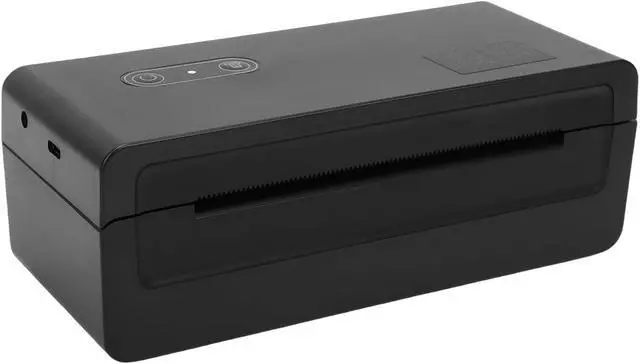
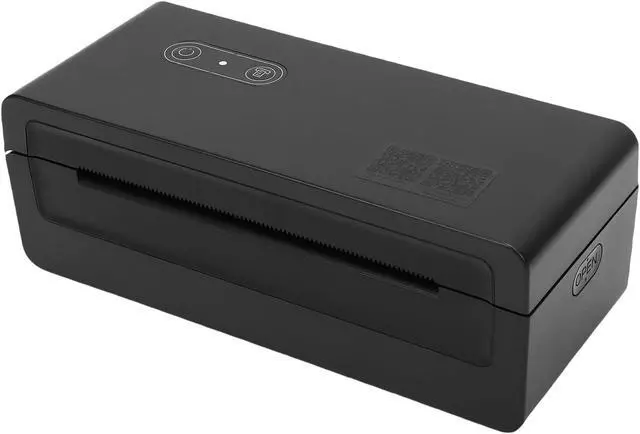
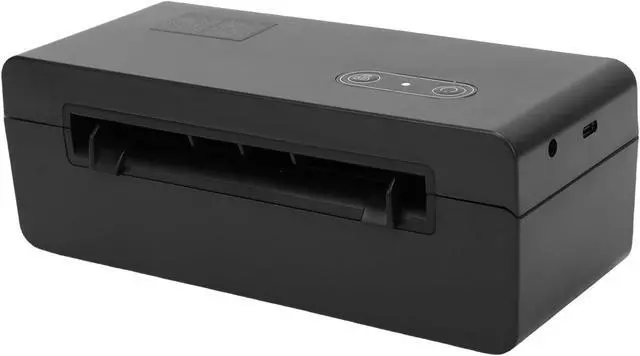
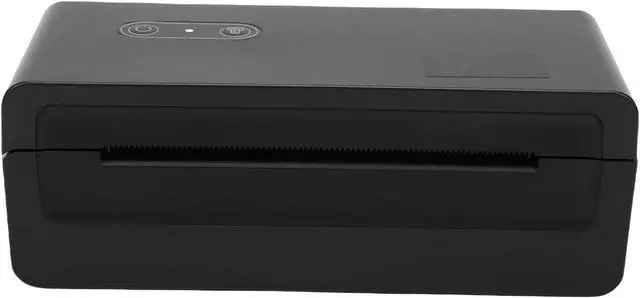
Ymiko High Speed Thermal Label Printer Portable Bluetooth USB 4 Inch Per Second 203 Dpi Barcode Shipping Label Maker for Office Warehouse Small Business (US Plug 100240V)
- [Wide Media Compatibility] Supports an extensive range of label sizes from 40mm to 110mm wide, including die-cut labels, black mark paper, and folded paper. handles large rolls up to 127mm diameter and folded paper lengths from 100mm to 300mm, perfect for all your domestic and international shipping label needs.
- [High Speed Printing] Equipped with a blazing fast 4-inch per second (100mm/sec) thermal print engine and crisp 203dpi resolution, this label printer delivers professional quality barcodes and text. perfect for high volume printing needs during busy seasons like holidays and sales events, ensuring your shipping workflow never slows down.
- [Compact & Portable] Weighing with ultra-compact (180x79x65mm), this space-saving printer fits anywhere. the lightweight design makes it perfect for small businesses, pop-up shops, or anyone needing a mobile labeling solution without sacrificing performance.
- [Dual Connectivity] Enjoy flexibility with both bluetooth wireless and usb cable co
+
+
Overview
Specs
Reviews
Any questions? Our AI mode will help you find out quickly.
Try me now
Spec:
Item Type: Portable Thermal Printer
Print Method: Thermal sensitive module
Resolution: 203 dpi (8 dots/mm)
rk> Print Speed: 4 ips (100 mm/sec)
Supported Media: Die-Cut Labels, Black Mark Paper, Folded Paper
Media Width: 1.57" (40mm) to 4.33" (110mm)
Roll Outer Diameter: 5" (approx. 127mm) (If the side diameter of the roll paper exceeds or the roll paper is very heavy. It will damage the main board and motor of the machine.)
Folded Paper Support: Width: 4" (100mm), Length: 4" (100mm) to 12" (300mm)
Connectivity: BT, USB
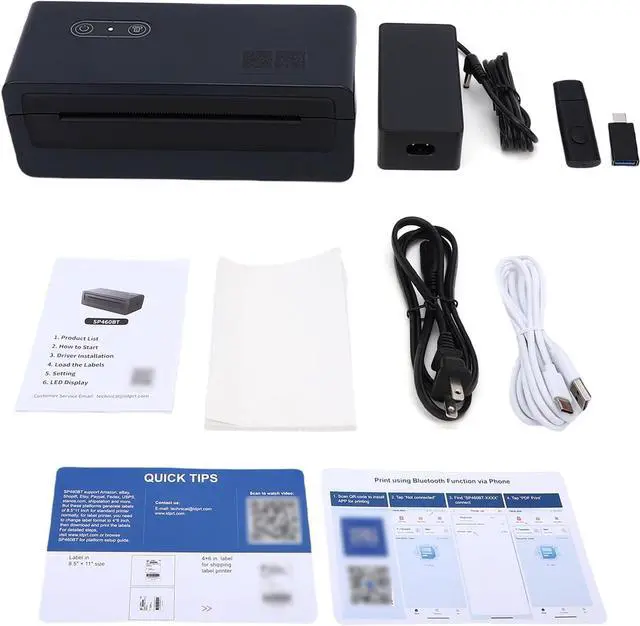
Package List:
1 × Thermal Label Printer
1 × Power Cord
1 × Power Adapter
1 × USB Cable
1 × User Manual
2 × Quick Guide Cards
1 × Instruction USB Drive
1 × Type-C Adapter
1 × Pack of Thermal Shipping Labels
How To Use:
Power On/Off:
1. Ensure the printer is powered off.
2. Connect the power adapter to the printer and the power cord.
3. Plug the power cord into a nearby outlet.
4. Power On: Press and hold the "Power Button" for 1 second.
Power Off: Press and hold the "Power Button" for 3 seconds.
Loading Paper and Troubleshooting:
1. Load Labels: Turn on the printer. Adjust the paper width guides. Insert the paper into the feed opening. The paper will be automatically drawn in.
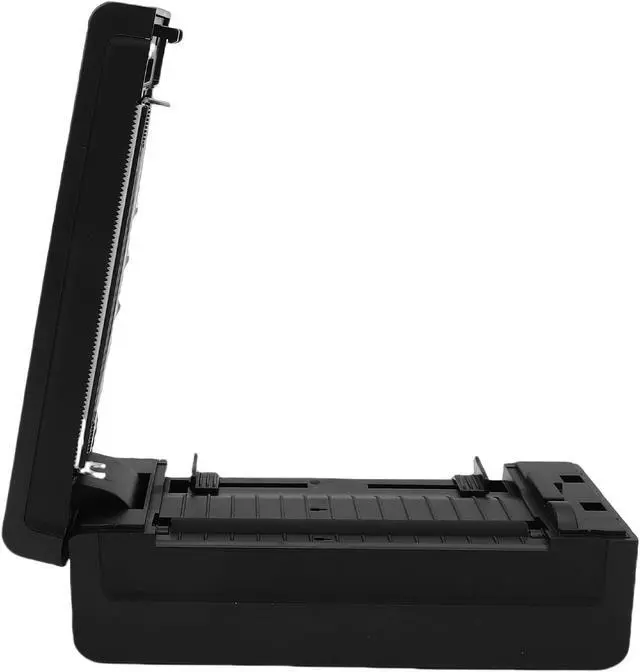
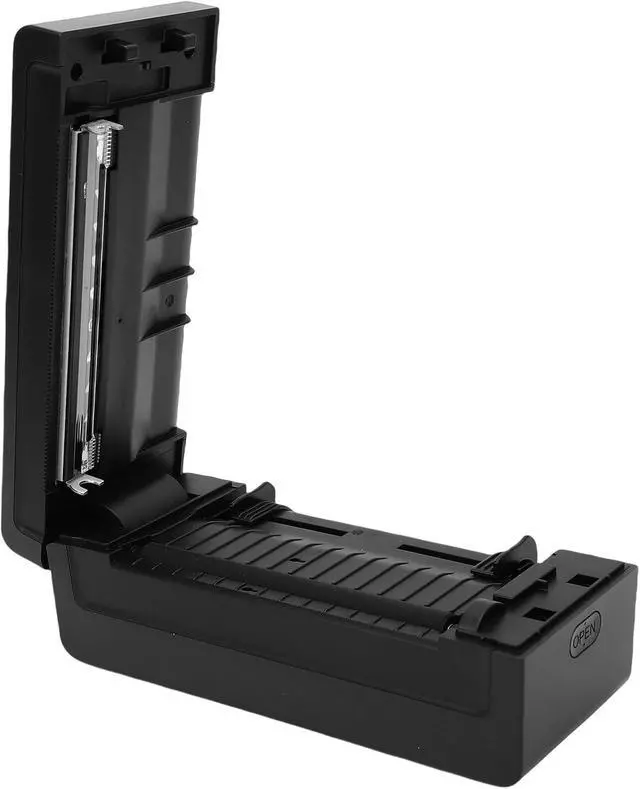
2. Clear a Jam: Facing the front of the machine, use your right hand to press the top cover release button. Lift the cover. Remove the jammed paper, reload media (discard crumpled paper), close the cover, and resume printing.
Note: Ensure you use thermal labels and that they are loaded with the printable side facing up.

Item Type: Portable Thermal Printer
Print Method: Thermal sensitive module
Resolution: 203 dpi (8 dots/mm)
rk> Print Speed: 4 ips (100 mm/sec)
Supported Media: Die-Cut Labels, Black Mark Paper, Folded Paper
Media Width: 1.57" (40mm) to 4.33" (110mm)
Roll Outer Diameter: 5" (approx. 127mm) (If the side diameter of the roll paper exceeds or the roll paper is very heavy. It will damage the main board and motor of the machine.)
Folded Paper Support: Width: 4" (100mm), Length: 4" (100mm) to 12" (300mm)
Connectivity: BT, USB
Package List:
1 × Thermal Label Printer
1 × Power Cord
1 × Power Adapter
1 × USB Cable
1 × User Manual
2 × Quick Guide Cards
1 × Instruction USB Drive
1 × Type-C Adapter
1 × Pack of Thermal Shipping Labels
How To Use:
Power On/Off:
1. Ensure the printer is powered off.
2. Connect the power adapter to the printer and the power cord.
3. Plug the power cord into a nearby outlet.
4. Power On: Press and hold the "Power Button" for 1 second.
Power Off: Press and hold the "Power Button" for 3 seconds.
Loading Paper and Troubleshooting:
1. Load Labels: Turn on the printer. Adjust the paper width guides. Insert the paper into the feed opening. The paper will be automatically drawn in.
2. Clear a Jam: Facing the front of the machine, use your right hand to press the top cover release button. Lift the cover. Remove the jammed paper, reload media (discard crumpled paper), close the cover, and resume printing.
Note: Ensure you use thermal labels and that they are loaded with the printable side facing up.
Warranty & Returns
Warranty, Returns, And Additional Information
Warranty
- Please contact the Seller directly for warranty information. Warranty information may also be found on the Manufacturer's website.
- CONTACT
Return Policies
- Return for refund within: 30 days
- Return for replacement within: 30 days
- This item is covered by Zhanfu Technology Co., Limited Return Policy
Manufacturer Contact Info
- For a directory of all our manufacturers, please click below.
- Manufacturers Directory
LOADING...