Your Browsing History
- Free 30-day Returns
$1,078.99
Meet Your Seller
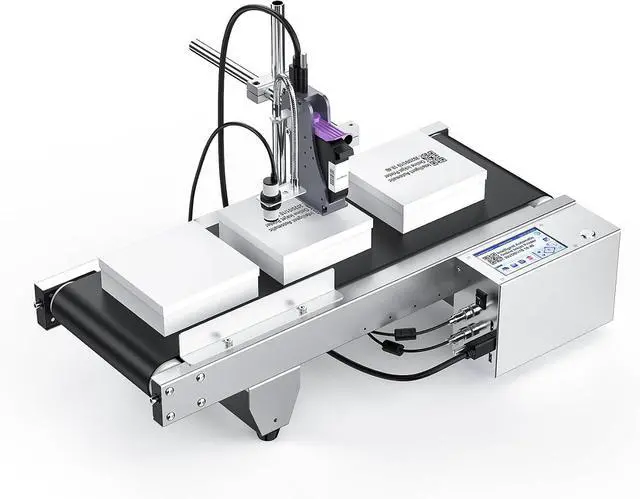
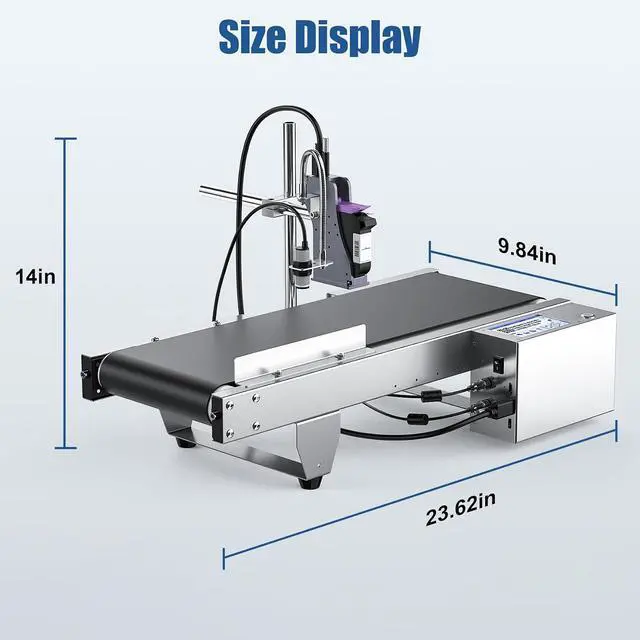
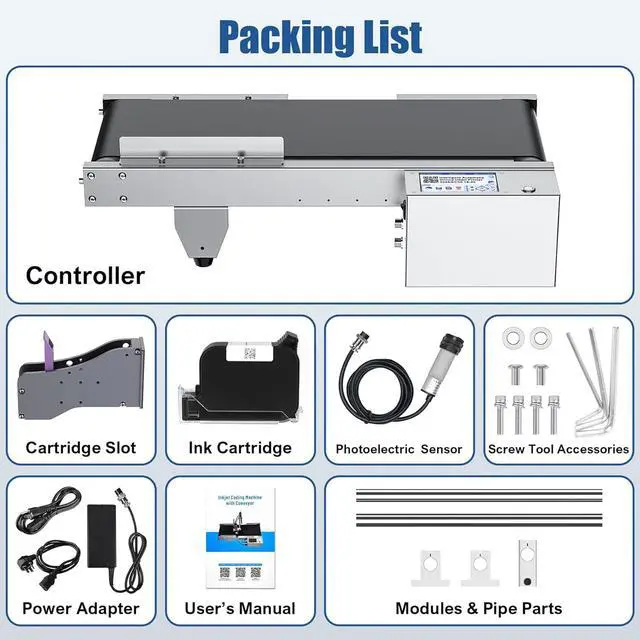
JS350 Automatic Inkjet Coding Machine with Mini Conveyor Belt
- Latest Continuous Inkjet Coding Machine: The WELCZEK JS350 is the latest continuous inkjet printer with mini assembly line, which is more conducive to continuous inkjet printing of various contents. The most difficult point of using this machine is how to master the printing position and printing integrity. The key point is to control the conveyor belt speed and adjust the Light Delay value
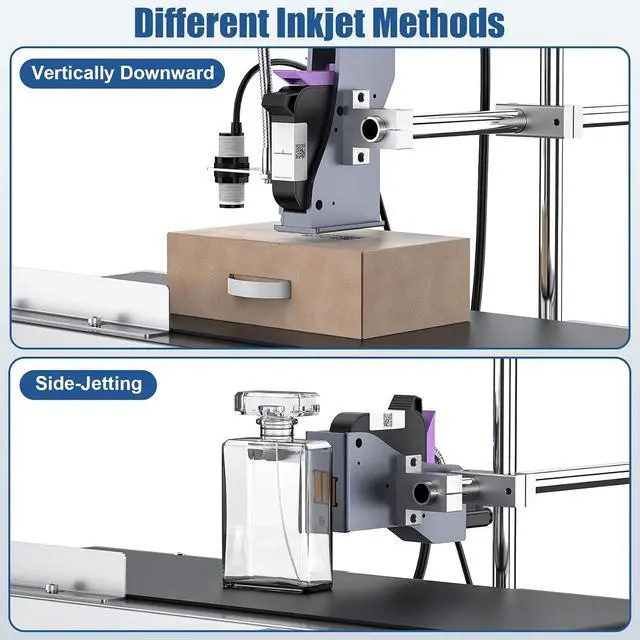
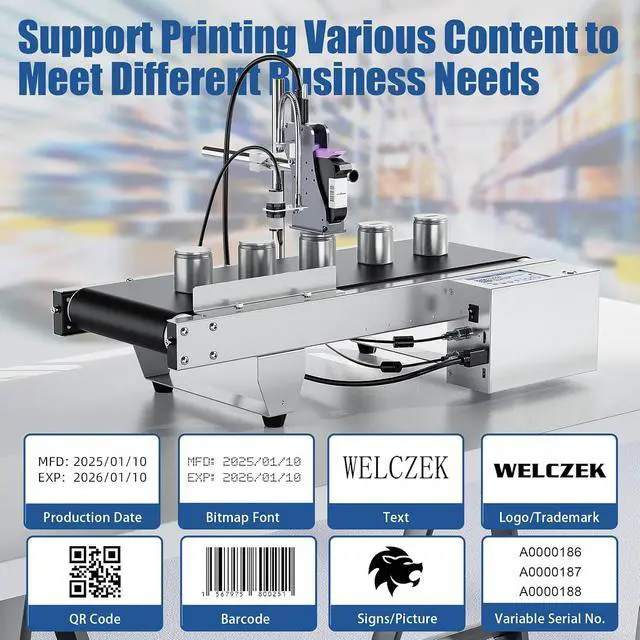
- Upgraded Mini Automatic Inkjet Coding Machine Combination: The WELCZEK JS350 automatic inkjet printer is equipped with a small mini assembly line by default, which is more conducive to continuous inkjet printing and better improves work efficiency. 1-5 lines of content can be printed at a time, but the size and position of each line of content need to be adjusted. The printing height is 2-12.7mm, and the distance between the nozzle and the printed object is 2-5mm for the best effect
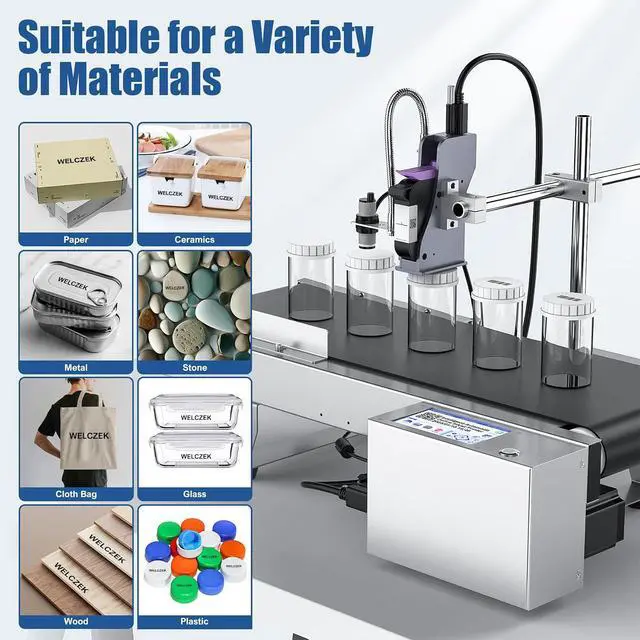
- Batch Coding Machine for a Wide Range of Materials: This WELCZEK JS350 batch number printer can print on wood, cart
+
+
Overview
Specs
Reviews
Any questions? Our AI mode will help you find out quickly.
Try me now
Situation Analysis: Only the first half of the content is printed, and the second half cannot be printed.
Reason: The print delay value is set too small
Solution: Make sure the conveyor speed remains unchanged, increase the delay value of printing, and then test the integrity. If it still shows incompleteness, increase the delay value until it is adjusted to a suitable value.
Situation Analysis: Only the second half of the content is printed, and the first half cannot be printed.
Reason: The print delay value is set too large
Solution: Make sure the conveyor belt speed remains unchanged, reduce the delay value of printing, and then test the integrity. If it still shows incomplete, reduce the delay value until it is adjusted to a suitable value.
How to make the printed content in the required position, the general process is as follows:
1. First determine the speed of the conveyor belt
2. Test the effect of the printed content, if it is not ideal, adjust the delay value of the print
3. Both the conveyor belt speed value and the print delay value can be adjusted, but it is recommended not to adjust them at the same time. When one value is determined, adjust the other value, so that the adjustment efficiency will be faster.
Incomplete Printing Situation 1: Only the first half of the content is printed Incomplete Printing Situation 2: Only the second half of the content is printed The Printed Content is Complete

Reason: The print delay value is set too small
Solution: Make sure the conveyor speed remains unchanged, increase the delay value of printing, and then test the integrity. If it still shows incompleteness, increase the delay value until it is adjusted to a suitable value.
Situation Analysis: Only the second half of the content is printed, and the first half cannot be printed.
Reason: The print delay value is set too large
Solution: Make sure the conveyor belt speed remains unchanged, reduce the delay value of printing, and then test the integrity. If it still shows incomplete, reduce the delay value until it is adjusted to a suitable value.
How to make the printed content in the required position, the general process is as follows:
1. First determine the speed of the conveyor belt
2. Test the effect of the printed content, if it is not ideal, adjust the delay value of the print
3. Both the conveyor belt speed value and the print delay value can be adjusted, but it is recommended not to adjust them at the same time. When one value is determined, adjust the other value, so that the adjustment efficiency will be faster.
Incomplete Printing Situation 1: Only the first half of the content is printed Incomplete Printing Situation 2: Only the second half of the content is printed The Printed Content is Complete
Warranty & Returns
Warranty, Returns, And Additional Information
Warranty
- Please contact the Seller directly for warranty information. Warranty information may also be found on the Manufacturer's website.
- CONTACT
Return Policies
- Return for refund within: 30 days
- Return for replacement within: 30 days
- This item is covered by Zhanfu Technology Co., Limited Return Policy
Manufacturer Contact Info
- For a directory of all our manufacturers, please click below.
- Manufacturers Directory
LOADING...