• $85.99
  • Free 30-day Returns
  • Price alert
    Shop it at NeweggBusiness.

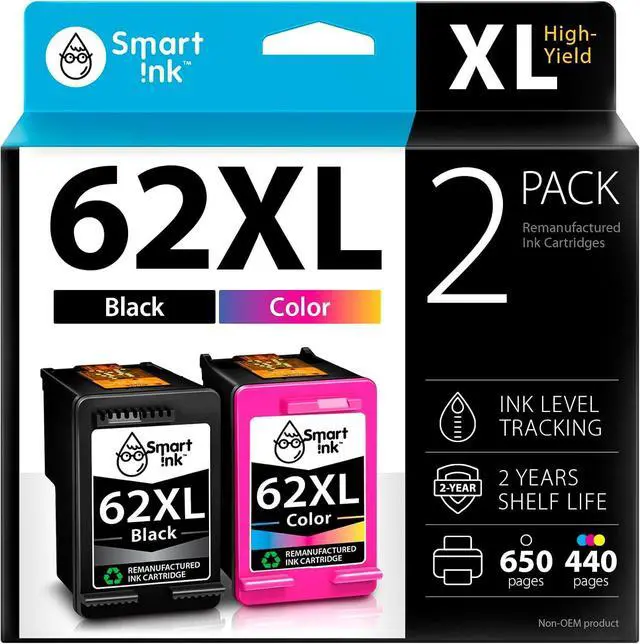
    Smart Ink Remanufactured Ink Cartridge Replacement for HP 62 XL 62XL Black & Tricolor (2 Combo Pack) for HP Printer Envy 7640 5660 7645 5540 5643 5661 5664 5663 5640 5642 OfficeJet 5740 5746 5745 8040

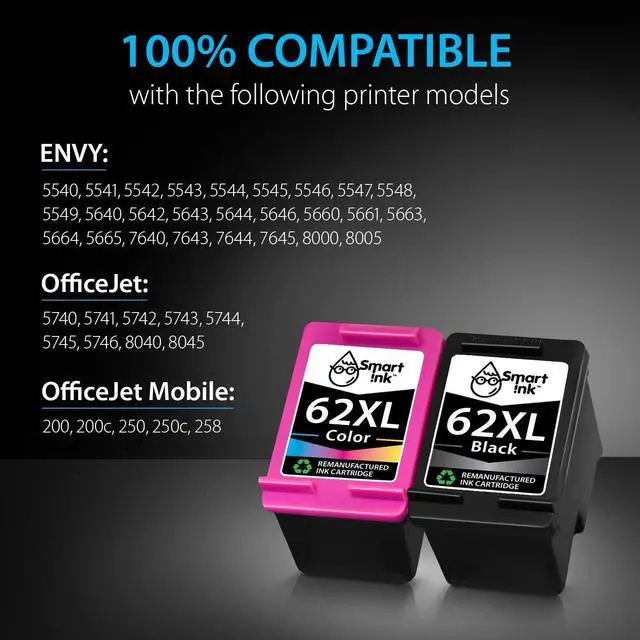
    • Compatible with HP OfficeJet Mobile 200 200c 250 250c 258 OfficeJet 5740 5741 5742 5743 5744 5745 5746 8040 8045 ENVY 5540 5541 5542 5543 5544 5545 5546 5547 5548 5549 5640 5642 5643 5644 5646 5660 5661 5663 5664 5665 7640 7643 7644 7645 8000 8005
    • Package Contents: 1 x Black 62 XL, 1 x Tricolor 62 XL (2 cartridges in total)
    • Print More with XL: Up to 650 pages per XL Black, 440 pages per XL tri-color (page yield at 5% page coverage)
    • Excellent Print Quality: Smart Ink 62XL ink cartridges are remanufactured from OEM products, professionally cleaned, refilled, and tested to provide you with the same print quality as the original ink cartridges
    • Cover All Your Needs: You can use 62XL ink cartridges for HP printers for business, school, or around the house
    +
    +
    Overview
    Specs
    Reviews
    avatar

    Any questions? Our AI mode will help you find out quickly.

    At Smart Ink, we strictly control the printer's firmware updates to provide you the most up-to-date version of the chip. That's why your printer will always work with our cartridges, no matter what firmware version you have.
    1 x Black 62XL
    1 x Tri-Color 62XL
    1 x Easy-to-understand instruction
    2 x Gloves

    Black: up to 650* pages
    Tri-Color: up to 440* pages
    Type of ink: Dye-based ink
    * at 5% coverage

    ENVY 5540 5541 5542 5543 5544 5545 5546 5547 5548 5549 5640 5642 5643 5644 5646 5660 5661 5663 5664 5665 7640 7643 7644 7645 8000 8005
    OfficeJet 5740 5741 5742 5743 5744 5745 5746 8040 8045
    OfficeJet Mobile 200 200c 250 250c 258
    Remove plastic protective cap from cartridge
    Pull pink tab to remove protective tape
    Place cartridge into the corresponding slot and push firmly until it locks in place
    Do not touch the chip or the ink nozzles


    STEP 1: STEP 2: STEP 3: ATTENTION:

    Warranty & Returns

    Warranty, Returns, And Additional Information

    Warranty

    • Please contact the Seller directly for warranty information. Warranty information may also be found on the Manufacturer's website.
    • CONTACT

    Return Policies

    Manufacturer Contact Info

    LOADING...