Your Browsing History
- Free 30-day Returns
$90.99
Meet Your Seller
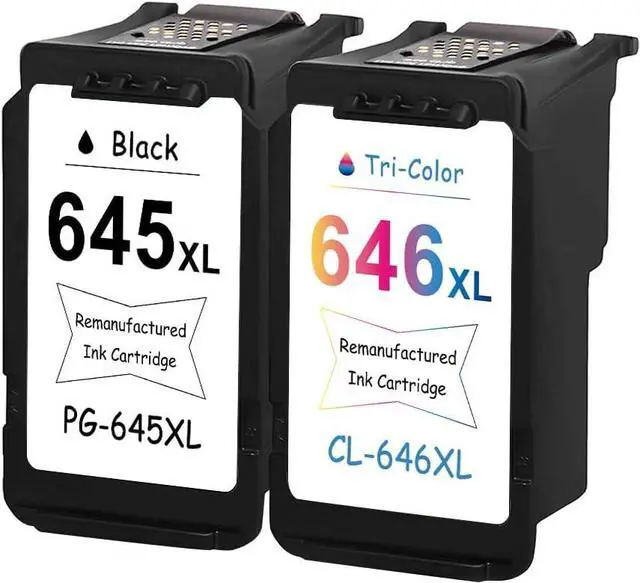
Compatible for Canon PG-645XL CL-646XL Ink Cartridges MG2460 MG2560S MG2960 MG3060 MX496 TS3160 TS3360 TS3460 TR4560 TR4665 Printer Combo Pack 1 Black 1 Tri-Color
- Compatible for Canon PG-645XL CL-646XL Ink Cartridges High Yield 1 Black 1 Tri-Color in Retail Packaging
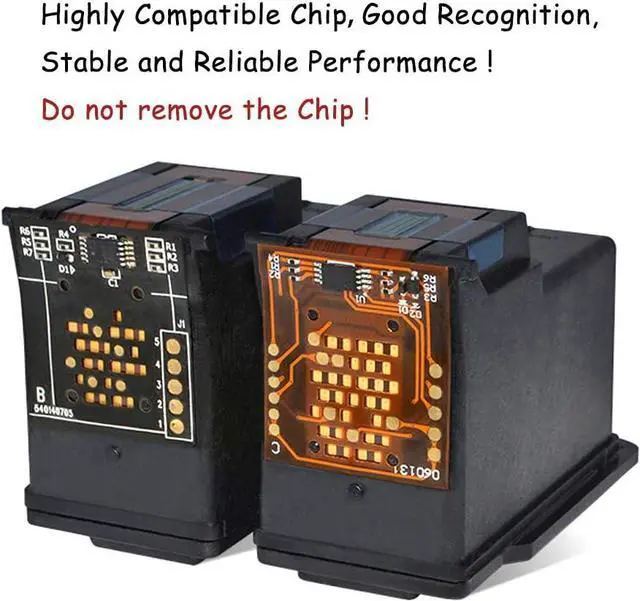
- High CompatibilityThe intelligent chip undergoes rigorous quality testing procedures to ensure compatibility with your printer
- Quality ControlReliable quality ink to deliver clear and crisp printing, satisfy your all needs
- Meet Printing NeedsWe treasure you and pay more attention to your printing needs. With our professional assistance, you can expect the best value
- Professional PackagingFully stress tested packaging design with multilayer shockproof standards to ensure the security of your cartridges during transit
+
+
Overview
Specs
Reviews
Any questions? Our AI mode will help you find out quickly.
Try me now
Compatible for PG-645XL CL-646XL Ink Cartridges 1 Black 1 Tri-Color
Compatible for Canon Pixma MG2460 MG2560 MG2560S MG2960 MG2965 MG3060
Compatible for Canon Pixma TS3160 TS3165 TS3166 TS3360 TS3365 TS3460 TS3465
Compatible for Canon Pixma TR4560 TR4665
Compatible for Canon Pixma MX496
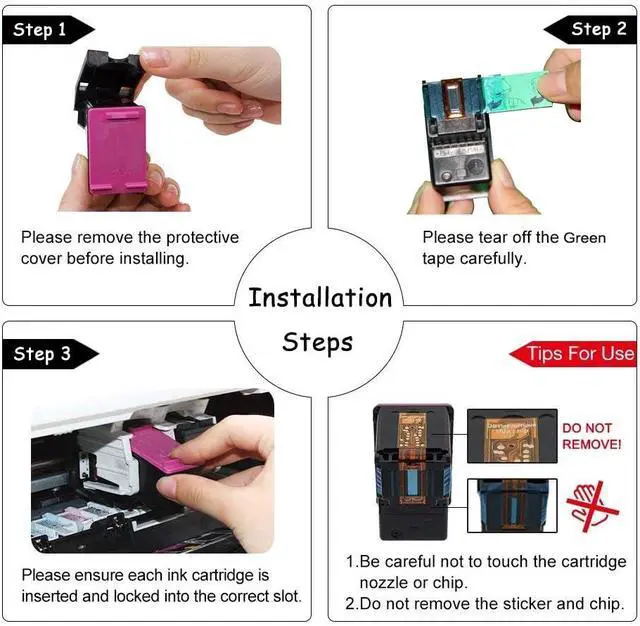
Installation Notes
1. Please remove the protective cover and tear off the plastic tape before installing.
2. Do not touch the chip and the nozzle.
If you accidentally touch it, wipe it with an eraser or dry lint-free cloth.
Tips
1. You can wear gloves to prevent from getting ink on your hand accidentally.
2. Do not get liquid on the chip.
Troubleshooting steps for common issues
If you encounter Unrecognized issue, please reinstall the cartridge twice into the printer,
turning off the printer with the cartridges installed; Turn on printer and attempt to print again.

Compatible for Canon Pixma MG2460 MG2560 MG2560S MG2960 MG2965 MG3060
Compatible for Canon Pixma TS3160 TS3165 TS3166 TS3360 TS3365 TS3460 TS3465
Compatible for Canon Pixma TR4560 TR4665
Compatible for Canon Pixma MX496
Installation Notes
1. Please remove the protective cover and tear off the plastic tape before installing.
2. Do not touch the chip and the nozzle.
If you accidentally touch it, wipe it with an eraser or dry lint-free cloth.
Tips
1. You can wear gloves to prevent from getting ink on your hand accidentally.
2. Do not get liquid on the chip.
Troubleshooting steps for common issues
If you encounter Unrecognized issue, please reinstall the cartridge twice into the printer,
turning off the printer with the cartridges installed; Turn on printer and attempt to print again.
Warranty & Returns
Warranty, Returns, And Additional Information
Warranty
- Please contact the Seller directly for warranty information. Warranty information may also be found on the Manufacturer's website.
- CONTACT
Return Policies
- Return for refund within: 30 days
- Return for replacement within: 30 days
- This item is covered by Zhanfu Technology Co., Limited Return Policy
Manufacturer Contact Info
- For a directory of all our manufacturers, please click below.
- Manufacturers Directory
LOADING...