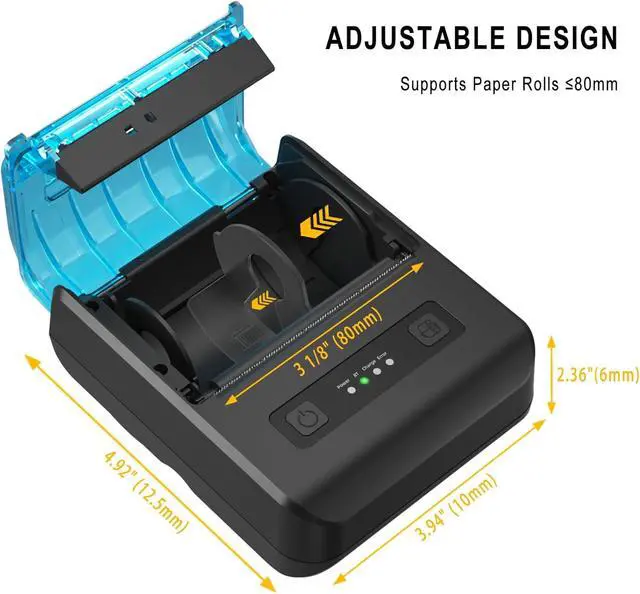
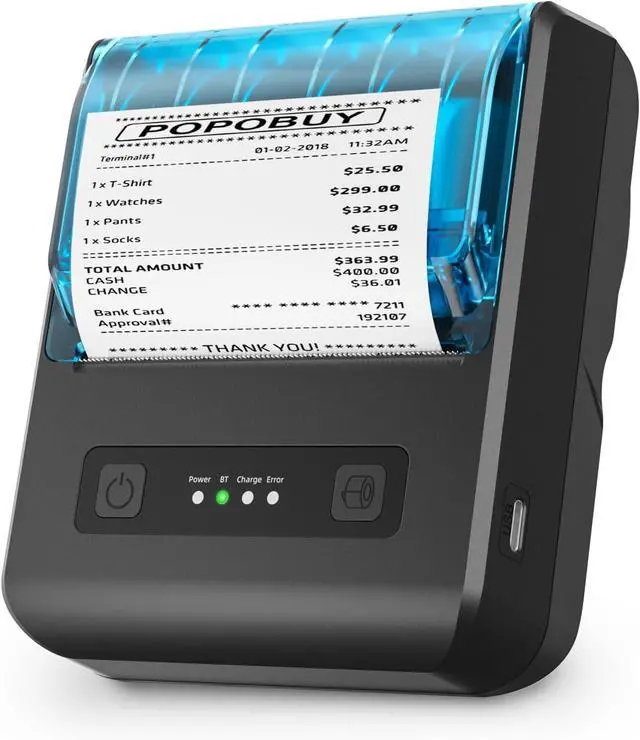
BatteryDC7.4V PL 484954 2s battery x 1 2650mAh (shipped with built in battery)Printing MethodThermal dot line printingInterfaceBluetooth and USBPaper Width3 1/8" (80 mm) maxValid Printing Width0.787" - 2.835" (20-72 mm)Roller Diameter2 inch (50 mm)Printing Speed70mm/s (0.23 ft/s)Resolution203DPI (8 points /mm)Points Per Row384 points per rowBarcode TypesUPC-A, UPC-E, EAN8, EAN13, CODE39, ITF, CODEBAR, CODE128, CODE93QRCodeQRCODEPrint InstructionsESC, POS compatible instruction setPlatform SupportFor Win, for Android, for iOS, for LinuxWorking Condition-10°C ~ 50°C, 20% ~ 85% R.H, no-condensationInternal CharactersFor ASCII CH (9 x 17, 12 x 24); Multiple code pages supportDimension4.89*4.05*2.44 inch (W*D*H) Before use, please remove the transparent insulating film from the contact points of the built-in battery.
Place the 80mm thermal paper directly into the paper compartment. For 58mm thermal paper, use the sliding latch (located on the right side inside the printer's paper compartment, movable left and right) to secure it in place.
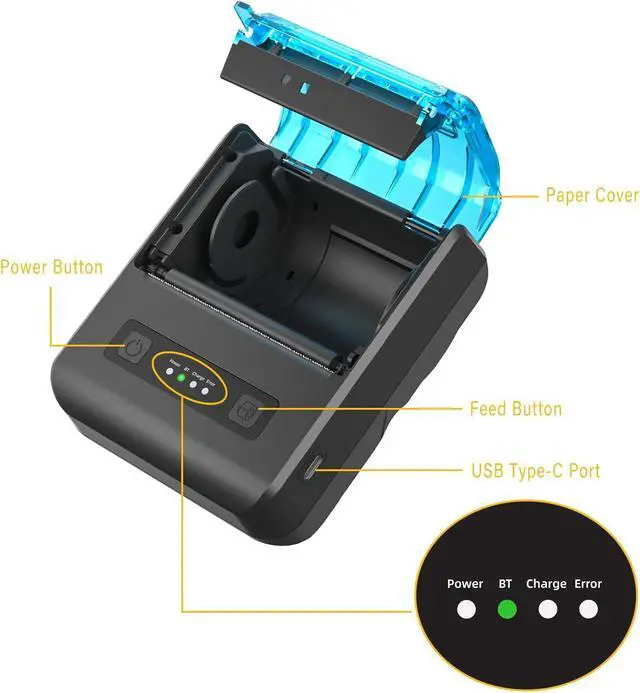
Press and hold the power button to turn on.
Default ESC/POS printing settings. Print a self-test page to confirm the printer is running normally.
Android users connect the printer via Bluetooth.
iOS users need to download the compatible APP, click and enter into the APP and use the BT function to connect to the printer. (The printer cannot be discovered directly by iOS devices' built-in Bluetooth function).
Print orders or receipts.
Supported applicaton:
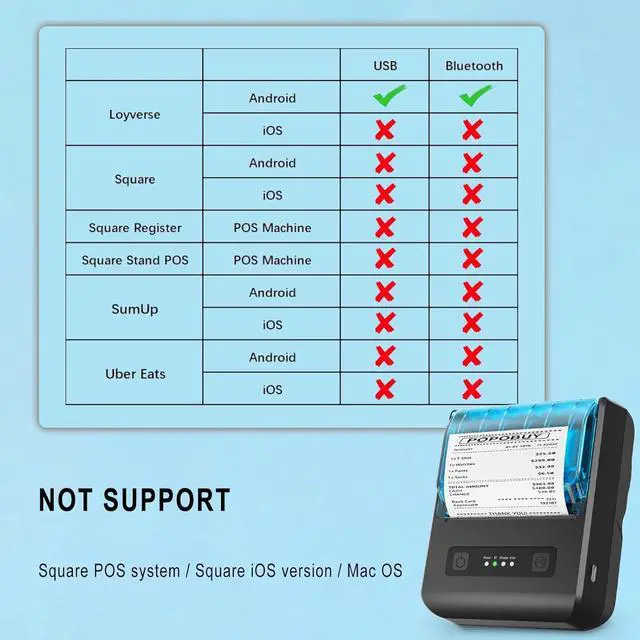
Loyverse (Android version) / iReap / Pozool / Kyte / CasierStock / PAYPAL(Android version) / Vyapar (Android version) / Fair crat / Kasse Speedy / Tab Shop Lite / Orderlyze / Breakforyou
DO NOT SUPPORT:
Square / Mac / iZettle / uber eats / Grubhub / Gloriafood / Doordash / Clover / Open Table / MobiPOS Lite / Intuit Gopayment / Shopify / FileMake Go / Sum up / Credit Card Reader / Linga POS / Raspberry Pi / Dymo / Cassa Digtale / Billy cassa digitale / Ehopper Epos / Hello Cash / Invoice2go / FileMake Go / Restaurant Order Taking / Cash Register
Please confirm with us if it supports your application before the order. Or check with your POS provider before purchase.
The printer supports thermal paper with a width between 40mm and 80mm (1 5/8" - 3 1/8").
With the power off, press and hold the paper output button, then press and hold the power button to print the self-test page.
If the battery cannot charge or turn on, it may be because the transparent insulating film has not been removed. Please remove it and try again.
The printer is NOT compatible with the Square POS system.
Suitable for smartphone APP- Loyverse Android (Retail /Clothing), iREAP (Retail /Inventory), CasierStock (Shopping /Inventory Management), Kyte (Mobile Sales), etc..
Why does the printer not turn on?
Make sure the battery transparent insulating film has been removed before turning on the device. If the printer still does not turn on, charge it for 1 hour and then restart it.
The printer cannot connect via Bluetooth / cannot work with iPhone via Bluetooth.
Make sure Bluetooth is turned on. In addition, the printer cannot connect directly to the device via built-in Bluetooth; it must be paired through an app/software as an intermediary.
Does it work with MAC or Chromebook?
No, this printer only works with Windows/Linux via USB connection.
Is it compatible with Square Register?
No, it is not compatible with Square.
Why does the printer print blank?
Make sure the correct thermal paper for receipts is being used. Thermal printers only work with thermal paper. If the paper is correct, ensure it is loaded properly and that the printing side is not reversed.
Specification How to Use Notes Why does the printer not turn on?
The printer cannot connect via Bluetooth / cannot work with iPhone via Bluetooth.
Does it work with MAC or Chr





 here!
here!