Your Browsing History
- Free 30-day Returns
$178.99
Meet Your Seller
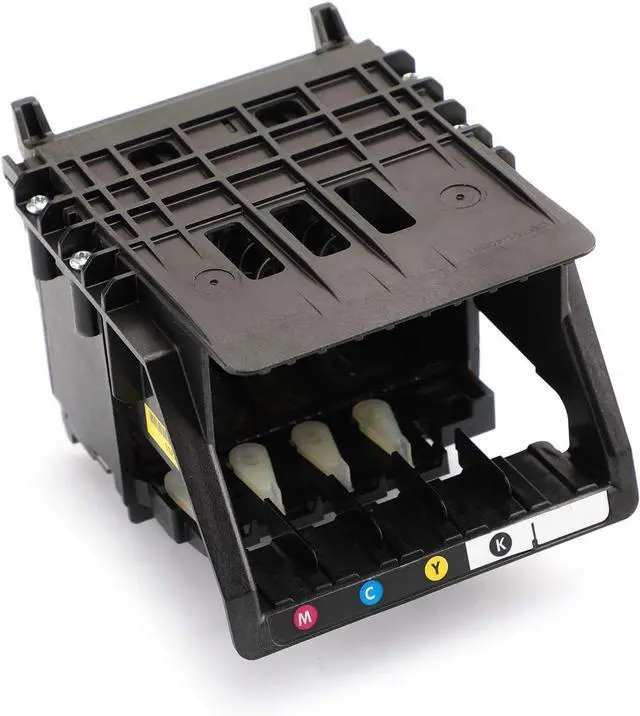
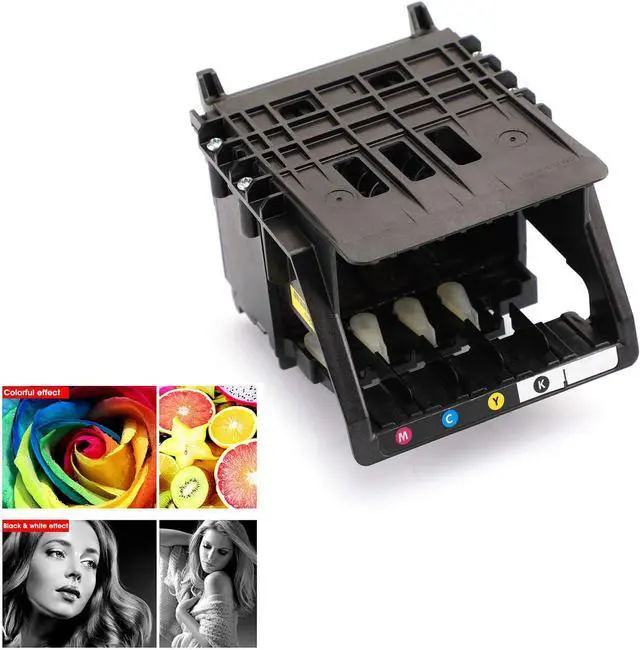
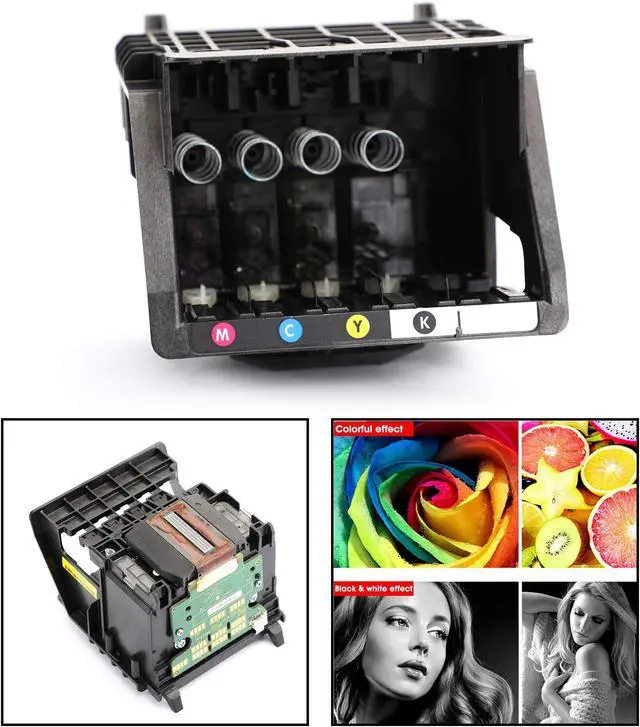
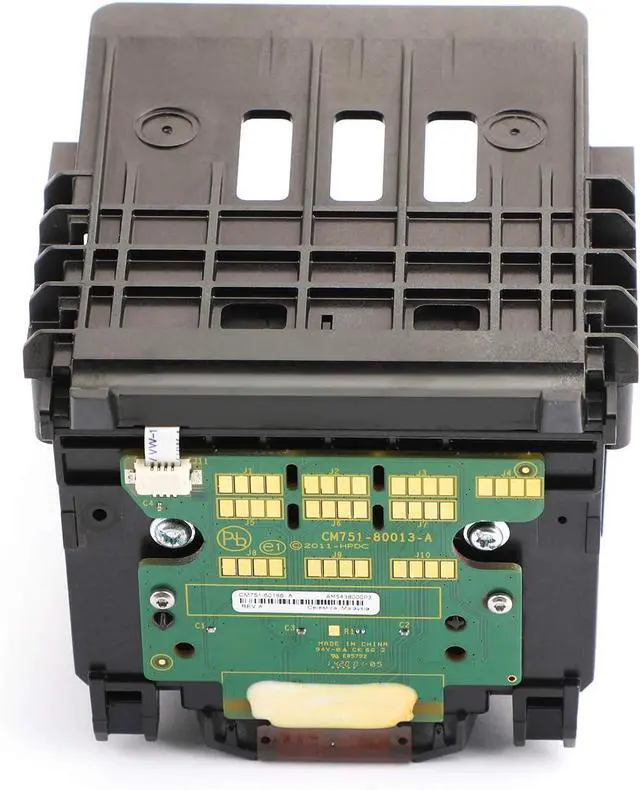
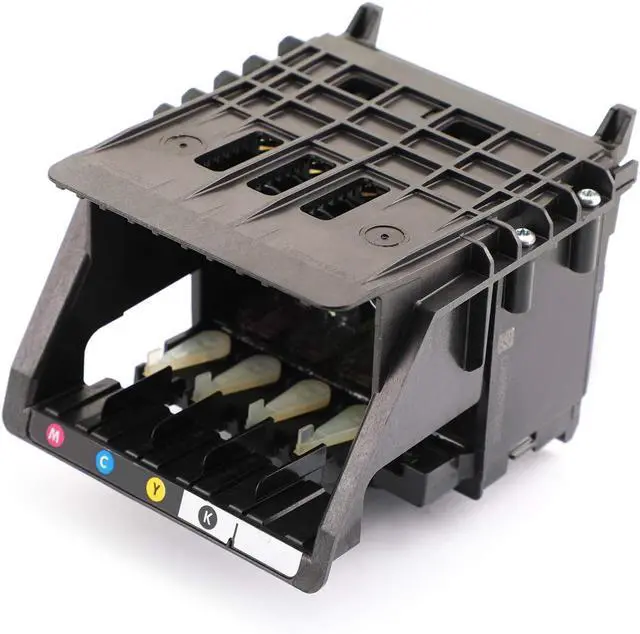
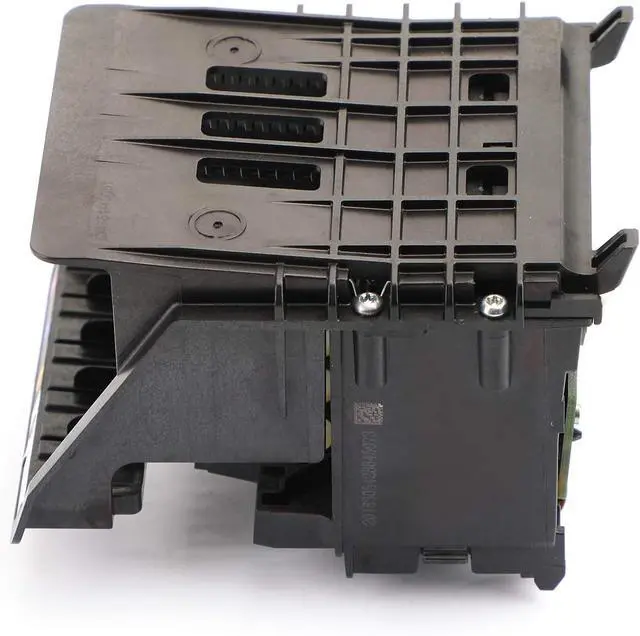
Bruce & Shark 950 951 Printhead Replacement Fit for HP Officejet Pro 8100 8600 8610 8620 8630 8640 251DW 276DW Color Print Head
- Aftermarket product with premium quality.
- 950 951 Printhead Replacement Fit for HP Officejet Pro 8100 8600 8610 8620 8630 8640 251DW 276DW Color Print head
- If the original print head was broken and especially leaked ink, the mainboard has burned possibly, so please troubleshoot the problem of the mainboard before replacing the print head.
- In addition, the F1,F2 fuze wire of mainboard can only be replaced by the original fuze that has same current value and same model.
- If replacing fuze that is biger current value and different model, Both printhead and mainboard are possible to be broken.
+
+
Overview
Reviews
Any questions? Our AI mode will help you find out quickly.
Try me now
Compatible Models:
950 951 Printhead
For Hp officejet pro 8100
For Hp officejet pro 8600
For Hp officejet pro CM751
For Hp officejet pro CM752
For Hp officejet pro N811A
For Hp officejet pro 251dw
For Hp officejet pro 276dw
For Hp officejet pro 8610
For Hp officejet pro 8620
For Hp officejet pro 8630
For Hp officejet pro 8640
Feature:
Excellent performance and high quality.
Made of high-quality material, durable, firm and stable for us to use.
This is a cleaned, thoroughly tested and sealed Printhead.
Good stability, long lifespan.
Full color function.
This is Aftermarket Replacement Item.
Size:104x90MM
Packing includes:
1 x print head
Before you buy this product, you need to pay attention to:
NOTE: The printer must be disconnected from the power source before the print head is installed, otherwise it has the risk of causing the print head circuit board to burn out.
1. When the print head is shipped, a protective liquid will be applied to the print head. Before using it for the first time, wipe the print head before installing it.Just wipe the copper sheet gently, wipe it clean with soft paper, don't wipe it with cleaning fluid or eraser.
2. During the regeneration process of the print head, the ink will be cleaned and the protection liquid will be injected. If there is no protective liquid, the print head cannot print because the pipeline channel is dry.If the print head can be detected, but the colors are uneven or blurred, you can continue printing with ink. Print a few more sheets of paper and wait for the excess protection fluid to run out, then you can print normally
3. If the printing effect is not clear, press the machine cleaning button to clean (the print head must be cleaned only when the ink cartridge is sufficient, or it will burn out easily).
4. You don't need to clean the print head with cleaning fluid, you can clean the print head directly on the machine. If you clean the print head with the cleaning fluid(or water) and do not drop the protective fluid, the print head will be completely blocked, and it will be useless.
Before you install this product, you need to pay attention to:
1.After receiving the print head, if you use a needle tube to inject water to check the nozzle or see if it is blocked, this is a very redundant and dangerous behavior.If the printing effect is not clear, press the machine cleaning button (the pFirst of all, once the print head enters the water, if the water is not dry, it is powered on. The main board will be burned out, and the print head will be burnt out. Secondly, the print heads sold in our shop have been strictly tested and filled with protective liquid.If you use a needle to inject water into the print head, it will not only wash away the protective liquid in the head, but also easily cause air blockage in the print head, resulting in no ink.
2.Be careful when installing the print head, be sure to cut off the power first, and install it in place.
3.When connecting the plug cable, do not have ink on it, and make sure that it is in good contact with the socket.
4.The steel shaft should also be clean and smooth. You can use a paper towel to stick some lubricating oil to wipe it. Do not directly add oil to the shaft. The excess oil will flow to the print head and cause damage.
5.After the machinery and circuit are all correct, check the water circuit. Firstly, check whether the ink volume in the ink cartridge is sufficient; secondly, check whether the small cleaning blade and the ink suction pump are dirty.
6.There will be air in the newly installed print head, so it will not print normally immediately. The printer can only produce perfect results after the air in the head is completely discharged.You can use the machine's own cleaning function for intermittent cleaning(Cle

950 951 Printhead
For Hp officejet pro 8100
For Hp officejet pro 8600
For Hp officejet pro CM751
For Hp officejet pro CM752
For Hp officejet pro N811A
For Hp officejet pro 251dw
For Hp officejet pro 276dw
For Hp officejet pro 8610
For Hp officejet pro 8620
For Hp officejet pro 8630
For Hp officejet pro 8640
Feature:
Excellent performance and high quality.
Made of high-quality material, durable, firm and stable for us to use.
This is a cleaned, thoroughly tested and sealed Printhead.
Good stability, long lifespan.
Full color function.
This is Aftermarket Replacement Item.
Size:104x90MM
Packing includes:
1 x print head
Before you buy this product, you need to pay attention to:
NOTE: The printer must be disconnected from the power source before the print head is installed, otherwise it has the risk of causing the print head circuit board to burn out.
1. When the print head is shipped, a protective liquid will be applied to the print head. Before using it for the first time, wipe the print head before installing it.Just wipe the copper sheet gently, wipe it clean with soft paper, don't wipe it with cleaning fluid or eraser.
2. During the regeneration process of the print head, the ink will be cleaned and the protection liquid will be injected. If there is no protective liquid, the print head cannot print because the pipeline channel is dry.If the print head can be detected, but the colors are uneven or blurred, you can continue printing with ink. Print a few more sheets of paper and wait for the excess protection fluid to run out, then you can print normally
3. If the printing effect is not clear, press the machine cleaning button to clean (the print head must be cleaned only when the ink cartridge is sufficient, or it will burn out easily).
4. You don't need to clean the print head with cleaning fluid, you can clean the print head directly on the machine. If you clean the print head with the cleaning fluid(or water) and do not drop the protective fluid, the print head will be completely blocked, and it will be useless.
Before you install this product, you need to pay attention to:
1.After receiving the print head, if you use a needle tube to inject water to check the nozzle or see if it is blocked, this is a very redundant and dangerous behavior.If the printing effect is not clear, press the machine cleaning button (the pFirst of all, once the print head enters the water, if the water is not dry, it is powered on. The main board will be burned out, and the print head will be burnt out. Secondly, the print heads sold in our shop have been strictly tested and filled with protective liquid.If you use a needle to inject water into the print head, it will not only wash away the protective liquid in the head, but also easily cause air blockage in the print head, resulting in no ink.
2.Be careful when installing the print head, be sure to cut off the power first, and install it in place.
3.When connecting the plug cable, do not have ink on it, and make sure that it is in good contact with the socket.
4.The steel shaft should also be clean and smooth. You can use a paper towel to stick some lubricating oil to wipe it. Do not directly add oil to the shaft. The excess oil will flow to the print head and cause damage.
5.After the machinery and circuit are all correct, check the water circuit. Firstly, check whether the ink volume in the ink cartridge is sufficient; secondly, check whether the small cleaning blade and the ink suction pump are dirty.
6.There will be air in the newly installed print head, so it will not print normally immediately. The printer can only produce perfect results after the air in the head is completely discharged.You can use the machine's own cleaning function for intermittent cleaning(Cle
Warranty & Returns
Warranty, Returns, And Additional Information
Warranty
- Please contact the Seller directly for warranty information. Warranty information may also be found on the Manufacturer's website.
- CONTACT
Return Policies
- Return for refund within: 30 days
- Return for replacement within: 30 days
- This item is covered by Zhanfu Technology Co., Limited Return Policy
Manufacturer Contact Info
- For a directory of all our manufacturers, please click below.
- Manufacturers Directory
LOADING...