Your Browsing History
- Free 30-day Returns
$72.99
Meet Your Seller
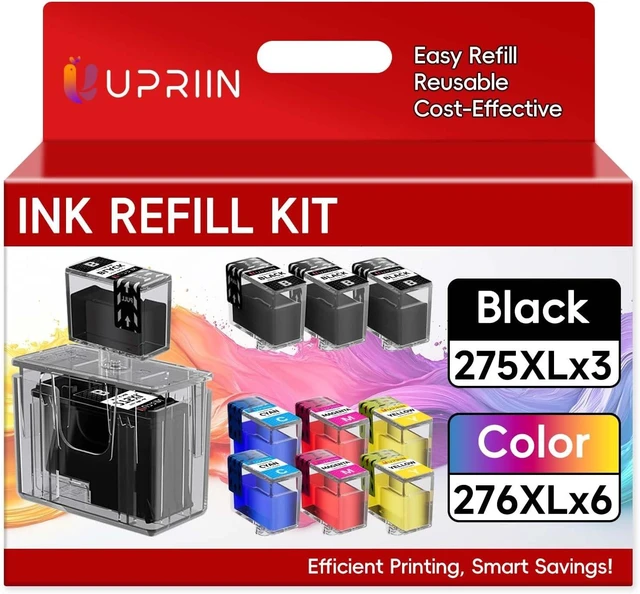
275XL 276XL Ink Refill Kit for Canon 275 276 Combo Pack PG275 CL276
- PG-275 CL-276 Compatible for Pixma TR4722 TS3722 TS3522 TR4720 TS3500 TS3520 TR4700 TS3720 Printer 9-Pack
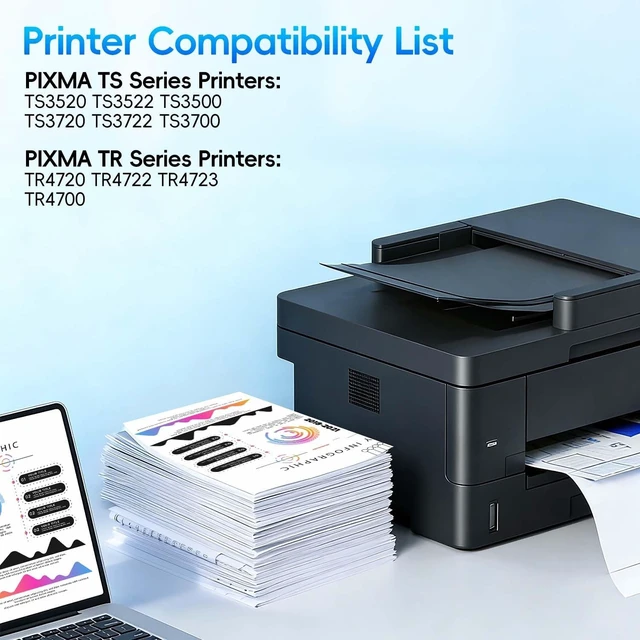
- Wide Printer Compatibility: These 275 XL and 276 XL ink cartridges are compatible for Canon printer models, including TR Series: TR4700, TR4720, TR4722, TR4723 and TS Series: TS3500, TS3520, TS3522, TS3700, TS3720, TS3722
- Perfect Compatibility: Ink Refill Kit Compatible with Canon TR Series: TR4700, TR4720, TR4722, TR4723 and TS Series: TS3500, TS3520, TS3522, TS3700, TS3720, TS3722 Printer
- Package Contents: Ink Refill Kit Includes 3 x 275XL Black Ink, 2 x 276XL Cyan Ink, 2 x 276XL Magenta Ink, 2 x 276XL Yellow Ink. 1 USB drill bit, 1 275XL and 276XL cartridge holder, 1 275XL black drilling cap, 1 colored drilling cap, 1 black refill cap, 1 colored refill cap, 1 disposable glove and instruction manual
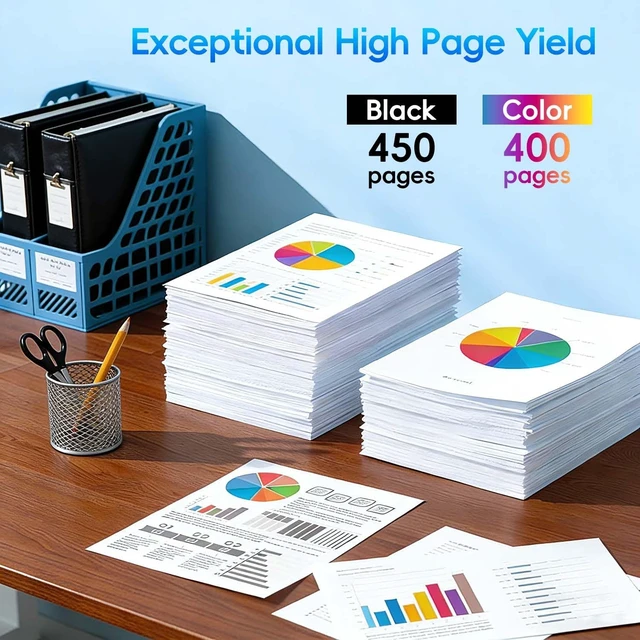
- High Page Yield for Value: With a generous page yield of 450 pages per black 275 cartridge and 400 pages per color 276 cartridge, this combo pack offers long-lasting performance
+
+
Overview
Specs
Reviews
Any questions? Ask CelesteSM will help you find out quickly.
Try me now
Printer still shows no ink after refill why?
Once the printer stops tracking ink level, you can refill and keep printing. The chip won't reset, but the cartridge still holds ink. Just ignore the warning and continueit will work for multiple cycles without computer monitoring
Printer won't work after refill what to do?
Check the screen or computer for error messages, and review your manual. If still stuck, the chip may be damaged or dirty. Try gently rubbing the chip contacts with a pencil eraser. If that fails, you'll likely need a new cartridge
Refilled at low ink, worked a few pages, then stopped why?
The chip was still fine when you refilled, but its page counter hit its limit after a few prints. That triggered the stop. Check our product or video guideyou can reset the chip to resume normal printing without replacing the cart
First 2 refills worked great, 3rd one prints poorly why?
Your printhead has reached its lifespan. Print quality naturally declines with more refill cycles. This is normal. For better print quality, you'll need to replace the cartridge with a new one
How many refill cycles can a cartridge handle?
It depends on printhead material and design. Typical estimates: Original (never refilled): 69 cycles. Refurbished original: 35. New compatible: 34. These are averagesactual results vary by usage and printer model
Printer still shows no ink after refill why?
Printer won't work after refill what to do?
Refilled at low ink, worked a few pages, then stopped why?
First 2 refills worked great, 3rd one prints poorly why?
How many refill cycles can a cartridge handle?
Once the printer stops tracking ink level, you can refill and keep printing. The chip won't reset, but the cartridge still holds ink. Just ignore the warning and continueit will work for multiple cycles without computer monitoring
Printer won't work after refill what to do?
Check the screen or computer for error messages, and review your manual. If still stuck, the chip may be damaged or dirty. Try gently rubbing the chip contacts with a pencil eraser. If that fails, you'll likely need a new cartridge
Refilled at low ink, worked a few pages, then stopped why?
The chip was still fine when you refilled, but its page counter hit its limit after a few prints. That triggered the stop. Check our product or video guideyou can reset the chip to resume normal printing without replacing the cart
First 2 refills worked great, 3rd one prints poorly why?
Your printhead has reached its lifespan. Print quality naturally declines with more refill cycles. This is normal. For better print quality, you'll need to replace the cartridge with a new one
How many refill cycles can a cartridge handle?
It depends on printhead material and design. Typical estimates: Original (never refilled): 69 cycles. Refurbished original: 35. New compatible: 34. These are averagesactual results vary by usage and printer model
Printer still shows no ink after refill why?
Printer won't work after refill what to do?
Refilled at low ink, worked a few pages, then stopped why?
First 2 refills worked great, 3rd one prints poorly why?
How many refill cycles can a cartridge handle?
Warranty & Returns
Warranty, Returns, And Additional Information
Warranty
- Please contact the Seller directly for warranty information. Warranty information may also be found on the Manufacturer's website.
- CONTACT
Return Policies
- Return for refund within: 30 days
- Return for replacement within: 45 days
- This item is covered by Ali Wangwang E-commerce Limited Return Policy
Manufacturer Contact Info
- For a directory of all our manufacturers, please click below.
- Manufacturers Directory
LOADING...