Your Browsing History
- Free 30-day Returns
$108.99
Meet Your Seller
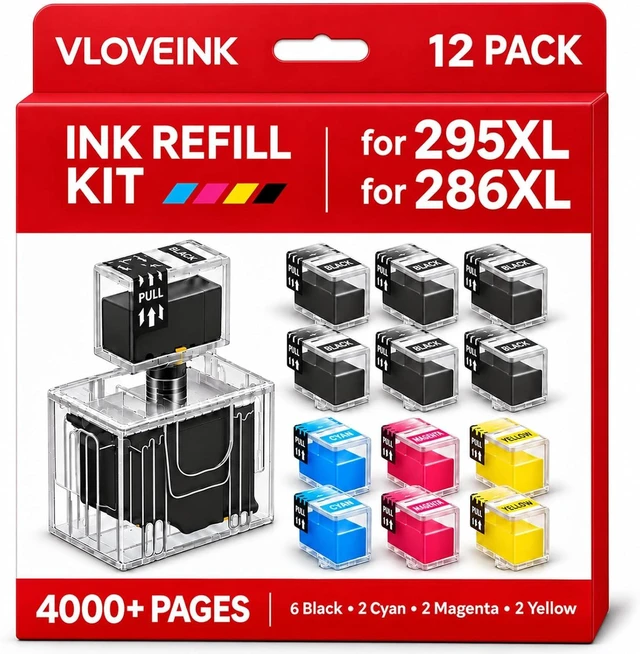
PG-295 XL CL-286 XL Ink Refill Kit Compatible for 295XL 286XL Ink Cartridges Works with TS4320 TS6520 TR7120 Printers (High Yield)
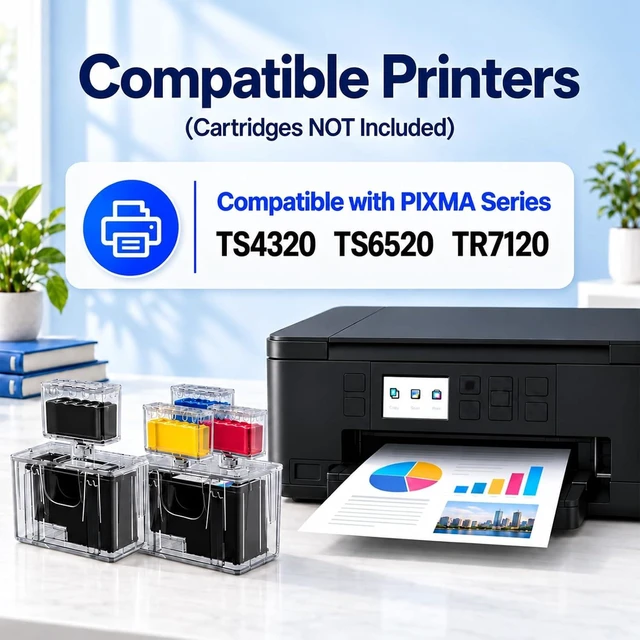
- Compatible Printers: Compatible with Pixma TS4320 TS6520 TR7120 printer. Compatible for Pixma TS4320 TS6520 TR7120 printer ink cartridges
- Premium Ink: This ink refill kit compatible for Canon PG-295 CL-286 PG-295XL CL-286XL ink cartridges features a premium ink formulation strictly tested for printing performance. Engineered with a leak-proof and clog-free design to ensure clean, reliable printing. Delivers vibrant colors, high-definition photos and crisp text. (Cartridges NOT included)
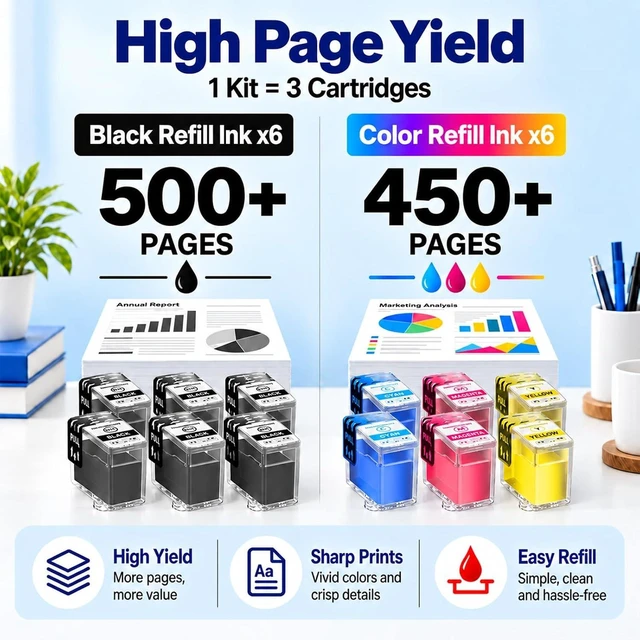
- High Yield Printing: Print up to 500 Pages per PG295XL black ink refill, 450 pages per CL286XL color ink refill. 12-pack Ink Refill Kit delivers up to 4000+ pages in total (at 5% coverage).
- Package Contents: Ink Refill Kit includes: 6x Black, 2x Cyan, 2x Magenta, 2x Yellow refill ink. Refill tools include: 1x Cartridge Holder, customized 295XL/286XL Drill & Refill Caps, 1x USB Drill, 1x Pair of Disposable Gloves, and 1x detailed User Guide
+
+
Overview
Specs
Reviews
Any questions? Ask CelesteSM will help you find out quickly.
Try me now
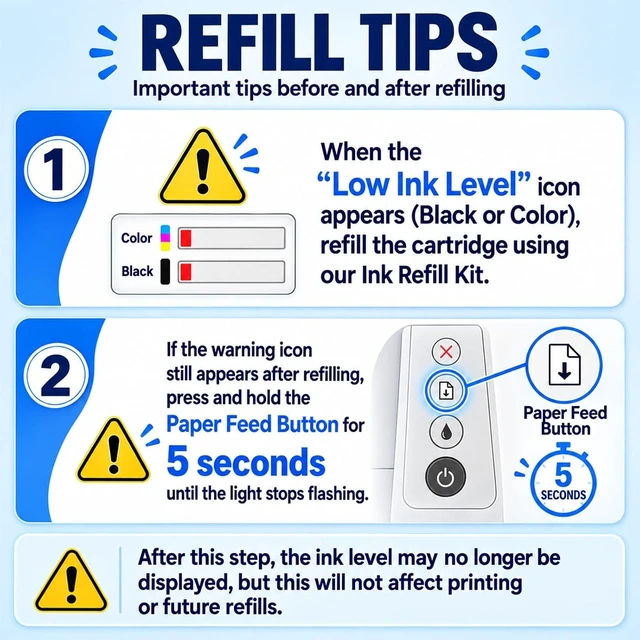
After refilling the ink, the computer/printer still shows no ink?
1.Refill when Low Ink Level appears. Ink level wont display after refill, but printing is not affected.
2.Hold the "Paper Feed" button for 5 seconds until printer reset.
Why is there no ink after refilling?
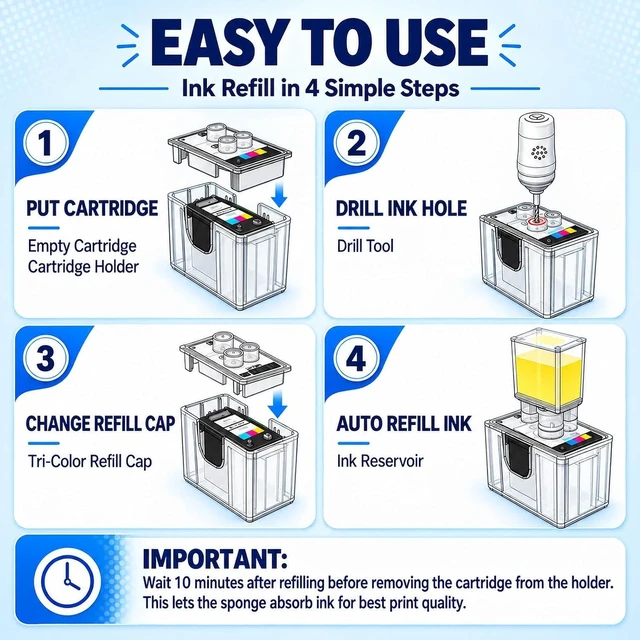
Please wait 10 min after refilling before removing the cartridge from the holder. This allows the ink to saturate the sponge and ensures optimal print quality.
When refilling the ink cartridge according to the instructions, the ink isn't flowing down. What's the reason?
1.Make sure the air vent tape is removed and the vent is clear.
2.The cartridge may still have ink and not need refilling yet.
3.If ink doesnt flow, pull the needle cap out 12 cm, wait for ink to flow, then reinsert.
After refilling the ink, the computer/printer still shows no ink?
Why is there no ink after refilling?
When refilling the ink cartridge according to the instructions, the ink isn't flowing down. What's the reason?

Warranty & Returns
Warranty, Returns, And Additional Information
Warranty
- Please contact the Seller directly for warranty information. Warranty information may also be found on the Manufacturer's website.
- CONTACT
Return Policies
- Return for refund within: 30 days
- Return for replacement within: 45 days
- This item is covered by Ali Wangwang E-commerce Limited Return Policy
Manufacturer Contact Info
- For a directory of all our manufacturers, please click below.
- Manufacturers Directory
LOADING...