Your Browsing History
- Free 30-day Returns
$101.99
Meet Your Seller
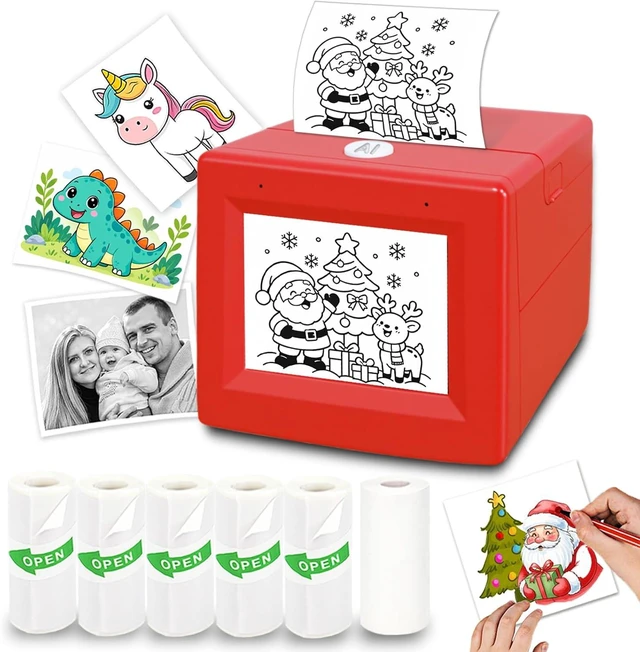
AI Voice Sticker Printer for Kids, Inkless Sticker Maker Machine
- Mini Portable Sticker Printer Machine with 6 Paper Rolls, AI Voice Printing for Kids DIY Crafts, AI Chat, Kid-Safe, Ages 3+
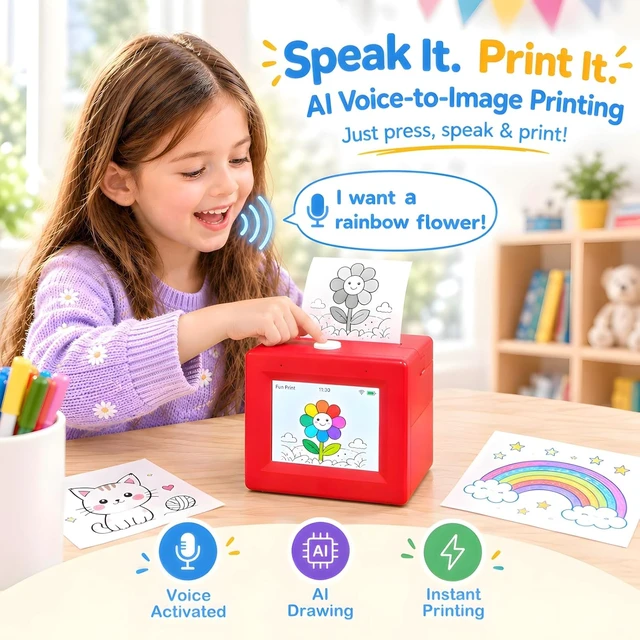
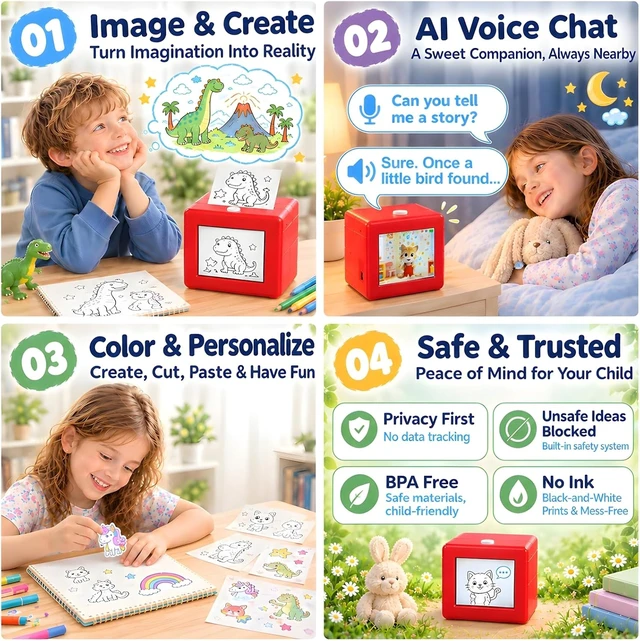
- [AI Voice-to-Image]: Simply describe your ideas, and the AI voice sticker printer for kids will turn your words into sticker designs and print them instantly. Color them however you like, then peel and stick them for fun DIY crafts.
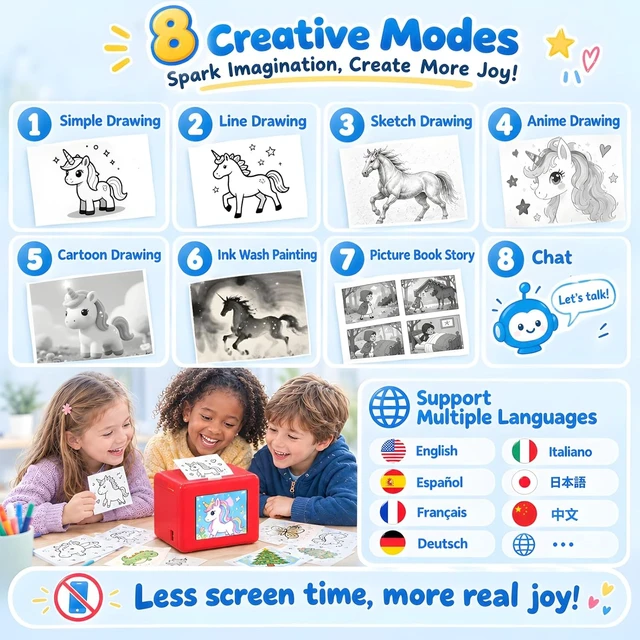
- [8 AI Modes for Creative Play]: Explore multiple AI drawing stylesSimple Drawing, Line Drawing, Sketch, Anime, Cartoon and Ink Washplus Picture Book Story and AI Voice Chat. This AI sticker maker for kids also supports English, Spanish, French, German, Chinese and more.
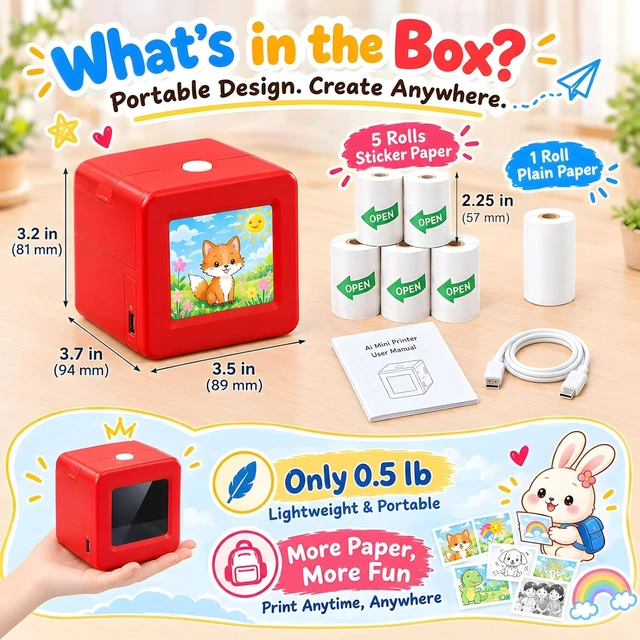
- [Paper Included, No Ink Needed]: The sticker maker machine uses inkless thermal printing to create black-and-white prints for paper crafts. The sticker printer box includes 5 rolls of adhesive sticker paper and 1 roll of plain paper. Say goodbye to messy cartridges and expensive refills.
- [Kid-Friendly & Safety System]: The AI printer for kids is compact and easy
+
+
Overview
Specs
Reviews
Any questions? Ask CelesteSM will help you find out quickly.
Try me now
1AI Printing & AI Chat28 AI Modes3App Printing1Device Setup2Operation Tips3Package Includes Whats the difference between AI Voice Printing and App Printing?
Both methods are supported. For AI Voice Printing, press the AI button and describe an idea to generate and print a design. For App Printing, use the free Fun Print app to customize and print photos, to-do lists, labels, study materials and more.
Can I use it without a smartphone or tablet?
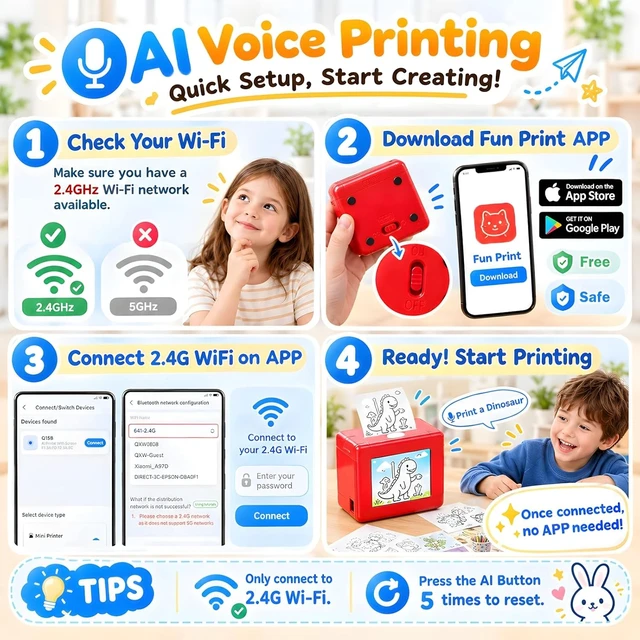
A smartphone or tablet with the free Fun Print app is needed to set up a 2.4GHz Wi-Fi connection. After setup, kids can use AI Voice Printing and AI Voice Chat without using a phone or tablet. The mini printer must remain connected to Wi-Fi.
Does it print in color or black and white? Does it need ink?
It prints in black and white using inkless thermal technologyno ink or toner needed. Printed designs can be colored by hand.
How do I cancel a design I dont like?
If you dont like an AI-generated design, press the AI button on top of the sticker printer once during printing to stop the print and help reduce paper waste.
How do I reset the device?
Quickly press the AI button on top of the printer five times to reset it. You can also select Initialize The Device on the home screen of the Fun Print app.
Mini Printer
Mini Printer
Mini Printer
Mini Printer Paper
Both methods are supported. For AI Voice Printing, press the AI button and describe an idea to generate and print a design. For App Printing, use the free Fun Print app to customize and print photos, to-do lists, labels, study materials and more.
Can I use it without a smartphone or tablet?
A smartphone or tablet with the free Fun Print app is needed to set up a 2.4GHz Wi-Fi connection. After setup, kids can use AI Voice Printing and AI Voice Chat without using a phone or tablet. The mini printer must remain connected to Wi-Fi.
Does it print in color or black and white? Does it need ink?
It prints in black and white using inkless thermal technologyno ink or toner needed. Printed designs can be colored by hand.
How do I cancel a design I dont like?
If you dont like an AI-generated design, press the AI button on top of the sticker printer once during printing to stop the print and help reduce paper waste.
How do I reset the device?
Quickly press the AI button on top of the printer five times to reset it. You can also select Initialize The Device on the home screen of the Fun Print app.
Mini Printer
Mini Printer
Mini Printer
Mini Printer Paper
Warranty & Returns
Warranty, Returns, And Additional Information
Warranty
- Please contact the Seller directly for warranty information. Warranty information may also be found on the Manufacturer's website.
- CONTACT
Return Policies
- Return for refund within: 30 days
- Return for replacement within: 45 days
- This item is covered by Ali Wangwang E-commerce Limited Return Policy
Manufacturer Contact Info
- For a directory of all our manufacturers, please click below.
- Manufacturers Directory
LOADING...