• $72.99
  • Free 30-day Returns
  • Price alert
    Shop it at NeweggBusiness.

    LC3013 Ink Cartridges BK/C/M/Y Replacement for Brother LC3013 Ink Cartridge

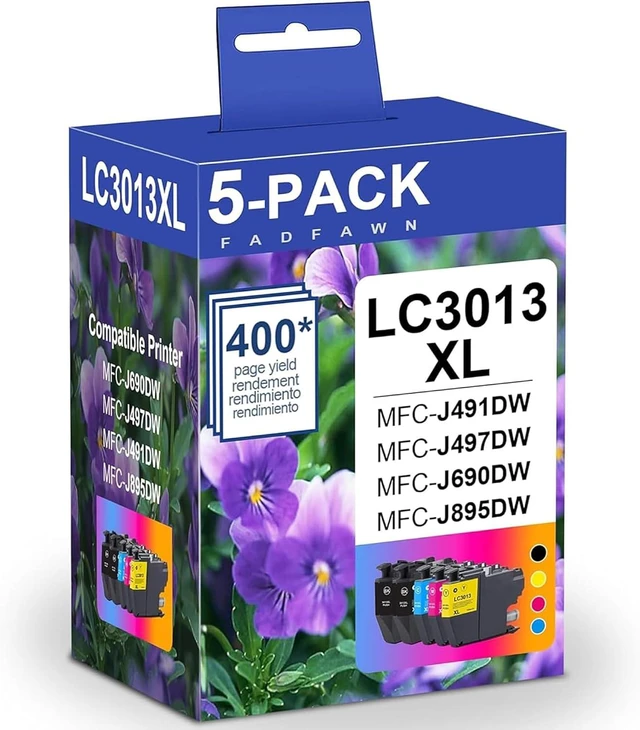
    • 5 Pack, High Yield, for MFC-J491DW MFC-J497DW MFC-J895DW MFC-J690DW Printer LC3013XL
    • Sealed Package: LC3013 XL Ink Cartridges, 2 LC3013XL Black, 1 LC3013XL Cyan, 1 LC3013XL Magenta, 1 LC3013XL Yellow (Note: Not OEM)
    • High Page Yield: up to 400 pages per LC3013 XL black cartridges, up to 400 pages per LC3013XL color cartridges (at 5% coverage)
    • 100% Compatible Printer: with intelligent chips, recognition for Brother LC3013 Ink Cartridge MFC-J690DW, MFC-J497DW, MFC-J491DW, MFC-J895DW Printer
    • Upgrade of smart chips:The upgraded LC3013 XL ink cartridges perfectly achieved 100% compatibility, performance, print quality and higher page yield
    • Performance:LC3013 XL ink cartridges Print crisp and vibrant colors and rich black, bring you comfortable printing life
    • Tips: 1. Remove the yellow "PULL" label before installing the cartridge. 2. When you install the new cartridges, the ink volume will displays "?" "non-original" "no ink" mark. Please rest assured to use, it is normal for the compat
    +
    +
    Overview
    Specs
    Reviews

    Any questions? Ask CelesteSM will help you find out quickly.

    5 Pack, High Yield, for MFC-J491DW MFC-J497DW MFC-J895DW MFC-J690DW Printer LC3013XL
    Sealed Package: LC3013 XL Ink Cartridges, 2 LC3013XL Black, 1 LC3013XL Cyan, 1 LC3013XL Magenta, 1 LC3013XL Yellow (Note: Not OEM)
    High Page Yield: up to 400 pages per LC3013 XL black cartridges, up to 400 pages per LC3013XL color cartridges (at 5% coverage)
    100% Compatible Printer: with intelligent chips, recognition for Brother LC3013 Ink Cartridge MFC-J690DW, MFC-J497DW, MFC-J491DW, MFC-J895DW Printer
    Upgrade of smart chips:The upgraded LC3013 XL ink cartridges perfectly achieved 100% compatibility, performance, print quality and higher page yield
    Performance:LC3013 XL ink cartridges Print crisp and vibrant colors and rich black, bring you comfortable printing life
    Tips: 1. Remove the yellow "PULL" label before installing the cartridge. 2. When you install the new cartridges, the ink volume will displays "?" "non-original" "no ink" mark. Please rest assured to use, it is normal for the compatible ink cartridge. It will not affect use.(Restart the printer and then install)

    Warranty & Returns

    Warranty, Returns, And Additional Information

    Warranty

    • Please contact the Seller directly for warranty information. Warranty information may also be found on the Manufacturer's website.
    • CONTACT

    Return Policies

    Manufacturer Contact Info

    LOADING...