Your Browsing History
- Free 30-day Returns
$486.99
Meet Your Seller
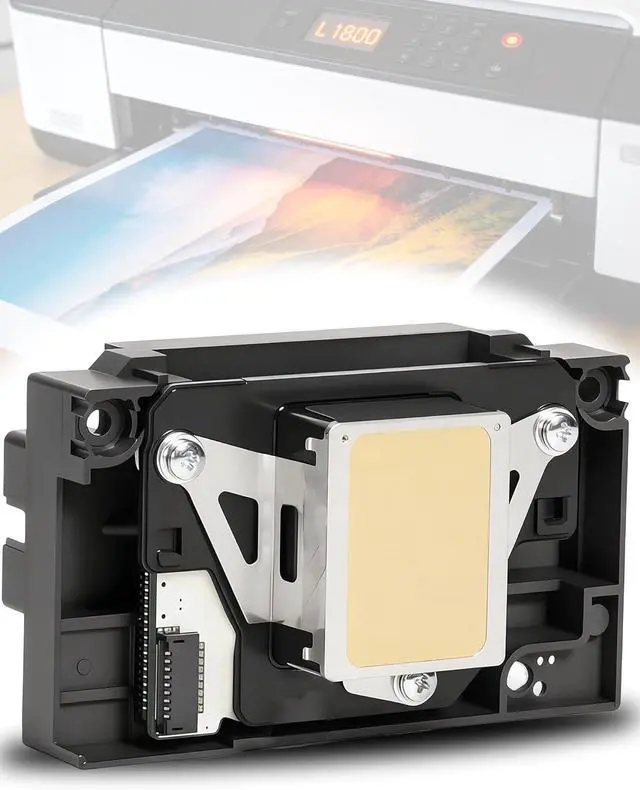
Upgrade L1800 DTF Printhead Replacement for L1800 DTF Printer
- L1800D R1390 R1400 R1430 R1500W R260 R270 R330 DTF Printer, Easy Installation, Smooth Ink Flow
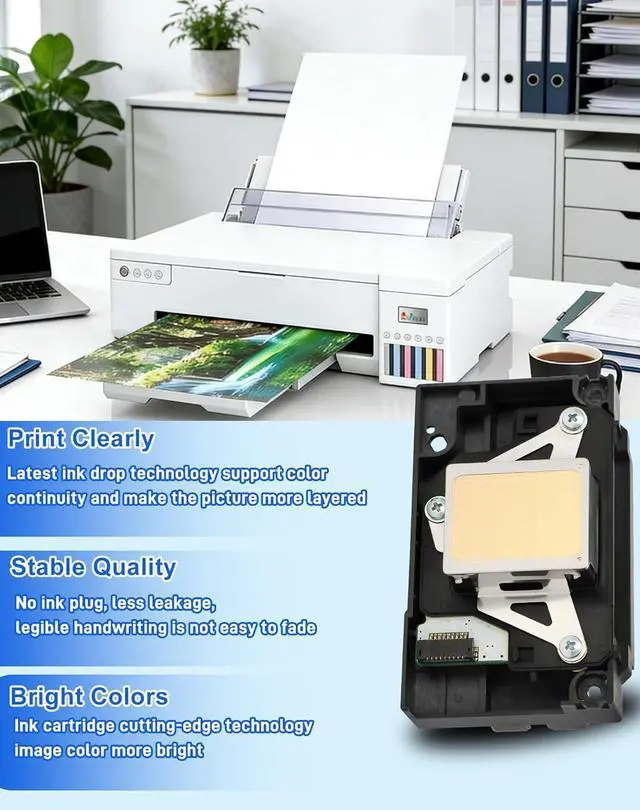
- Exceptional Print Quality:Featuring cutting-edge inkjet technology with a resolution of up to 1440×720 dpi, our printhead delivers vibrant, rich colors and sharp, detailed printsensuring professional-grade results every time.
- 100% Compatibility:Precisely designed for L1800 and L1800D DTF printers, this printhead seamlessly replaces your original head, restoring your printer to factory-level performance for reliable.
- High Reliability & Long Lifespan:Made from premium materials and rigorously tested for consistent performance, our printhead L1800 Printhead offers superior durability, reducing maintenance costs and extending the life of your printer.
- Quick & Easy Installation:Designed for hassle-free installation, the printhead is a perfect fit with your printers original setup. Simply replace the old head, run the auto-clean cycle, and youre ready to print again in under 3 minutesno co
+
+
Overview
Specs
Reviews
Any questions? Ask CelesteSM will help you find out quickly.
Try me now
Up to 1440×720 dpi inkjet technology delivers vibrant colors and sharp detail. Compatible with L1800 and L1800D DTF printers to restore factory-level performance. Installs in under 3 minutes.
Open the carriage and lift out the old printhead. No tools neededremoval is clean and straightforward.
Lower the new head into the slot. It aligns precisely with your printer's original setupno adjustments needed.
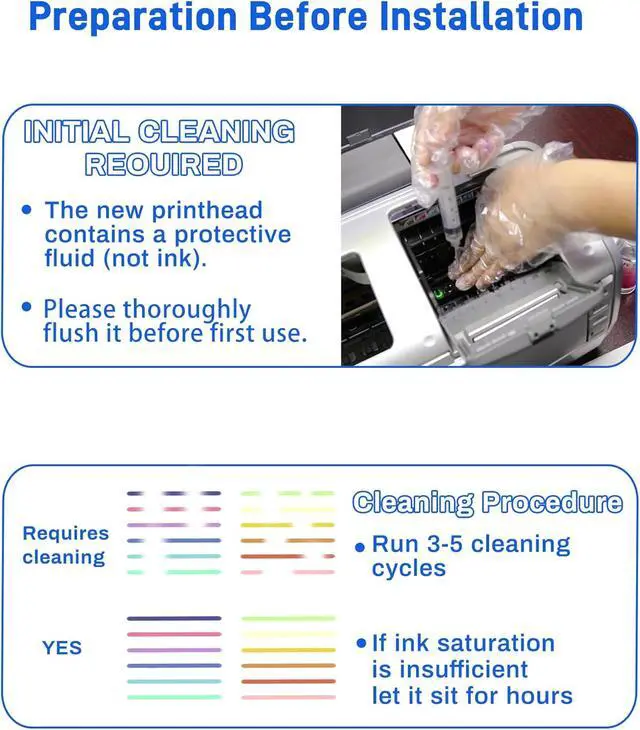
Run 35 auto-clean cycles to flush the protective fluid and prime the printhead for ink flow.
Your printer is ready. Expect sharp, vibrant output at up to 1440×720 dpifactory-level performance restored.
Is the liquid inside the new printhead ink?
No. The new printhead contains a protective fluid, not ink. Flush it thoroughly before first use, then run 35 cleaning cycles until ink is fully saturated.
How many cleaning cycles do I need to run before printing?
Run 35 cleaning cycles before your first print. If ink saturation is incomplete after cycling, let the printhead sit for several hours before printing.
How long does it take to install the printhead?
Replace the old printhead, run the auto-clean cycle, and you can be ready to print in under 3 minutes. No complex setup is required.
Will this printhead work with my L1800 or compatible DTF printer?
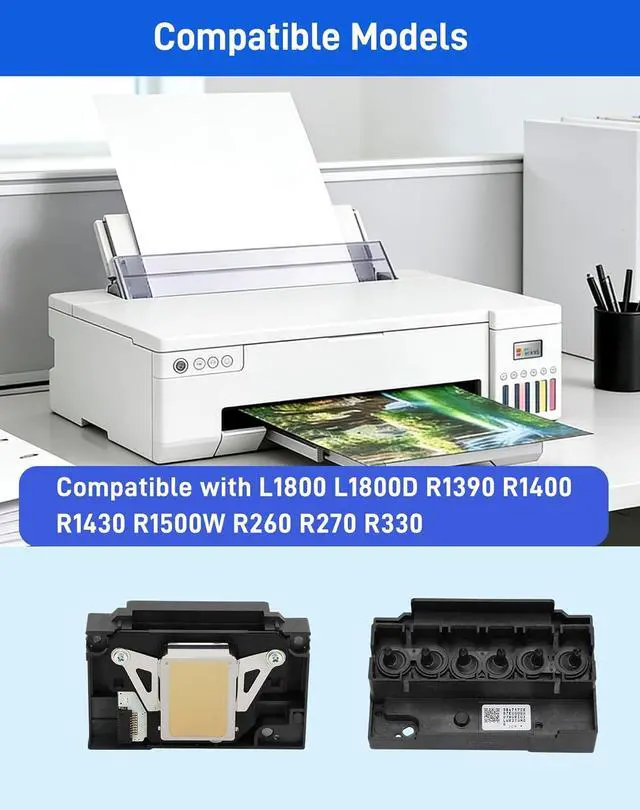
This printhead is designed for L1800 and L1800D DTF printers, and also fits R1390, R1400, R1430, R1500W, R260, R270, and R330 DTF printers.
Print Resolution Up to 1440×720 dpi Dimensions 3.8"D x 2.8"W x 2.2"H Weight 2.88 ounces Special Features Fade resistant, quick dry, smudge resistant, high yield, decal printing Compatible Models L1800, L1800D, R1390, R1400, R1430, R1500W, R260, R270, R330 DTF printers Installation Time Under 3 minutes Pre-Use Cleaning Cycles Run 35 cleaning cycles before first use to flush protective fluid 1440×720 dpi Vibrant Color, Sharp Detail Install a New Printhead in Under 3 Minutes Step 1: Remove Old Head Step 2: Insert New Head Step 3: Run Auto-Clean Step 4: Start Printing Is the liquid inside the new printhead ink?
How many cleaning cycles do I need to run before printing?
How long does it take to install the printhead?
Will this printhead work with my L1800 or compatible DTF printer?
Product Specifications & Performance
Warranty & Returns
Warranty, Returns, And Additional Information
Warranty
- Please contact the Seller directly for warranty information. Warranty information may also be found on the Manufacturer's website.
- CONTACT
Return Policies
- Return for refund within: 30 days
- Return for replacement within: 45 days
- This item is covered by Ali Wangwang E-commerce Limited Return Policy
Manufacturer Contact Info
- For a directory of all our manufacturers, please click below.
- Manufacturers Directory
LOADING...