

Your Browsing History
- Free 30-day Returns
$247.99

Meet Your Seller


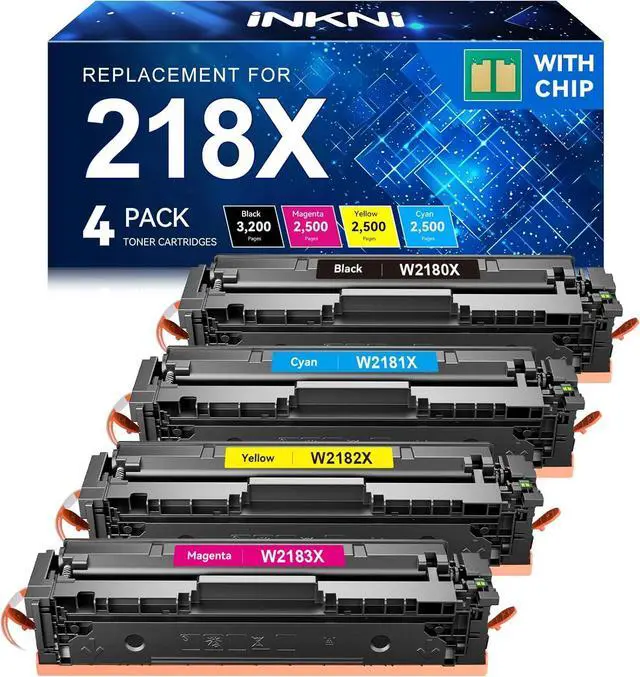


218X Toner Cartridges 4 Pack (with Chip) 3301fdw Replacement for HP 218X 218A Work for HP Color LaserJet Pro MFP 3301fdw 3201dw 3301sdw 3301cdw Printer High Yield Ink W2180X W2180A (4 Pack, B/C/Y/M)
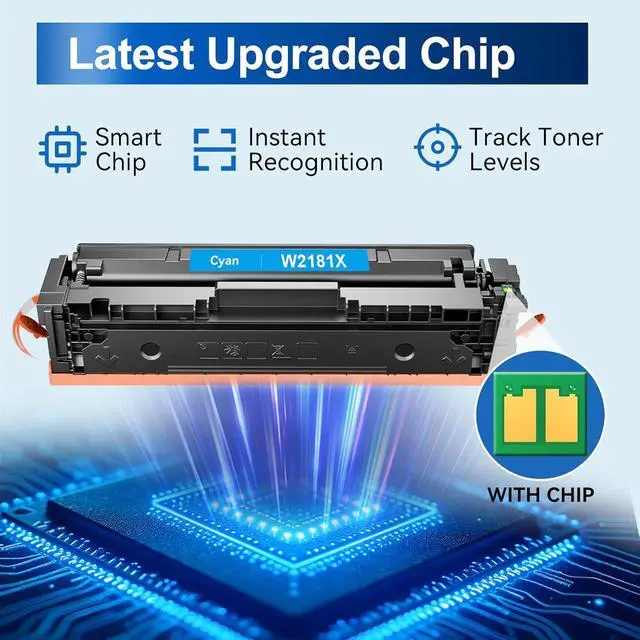
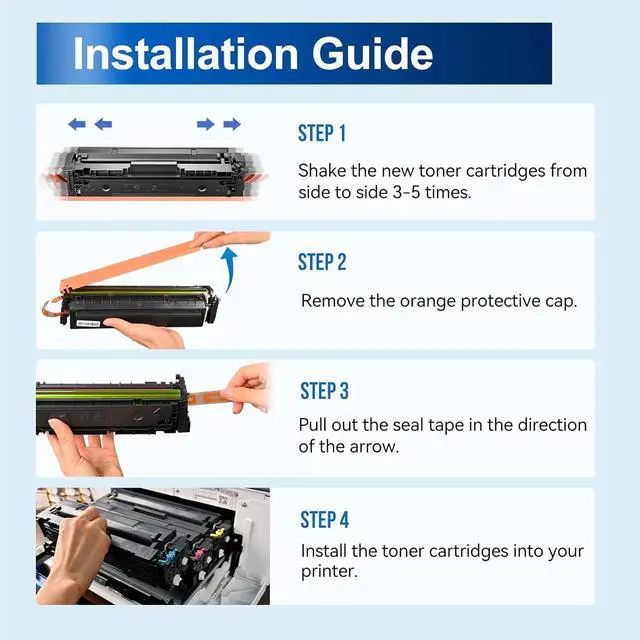
- With CHIP: Our 218X toner cartridges 4 pack are already installed with a smart chip, no need to transfer the chip from the original hp218 high yield toner cartridge to the cartridge
- Product Name: INKNI 218X W2180X toner compatible for hp 218x toner cartridges 4 pack with chip high yield for hp color laserjet pro 3201dw toner cartridges (WITH CHIP)
- Package Contents: 1 x 218X W2180X Black toner, 1 x 218X W2181X Cyan toner, 1 x 218X W2182X Magenta toner, 1 x 218X W2183X Yellow toner , 1 x User Guide (Total 4 Pack-With Chip)
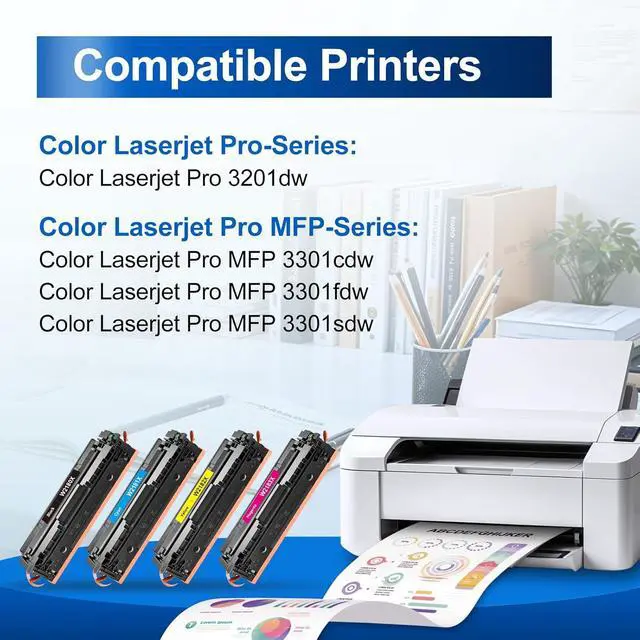
- Compatible Printers: INKNI toner 218x with chip compatible with HP Color Laser Pro 3201dw, Color Laser Pro MFP 3301fdw, Color Laser Pro MFP 3301cdw, Color Laser Pro MFP 3301sdw, Pro 3201, MFP 3301 Series Printers
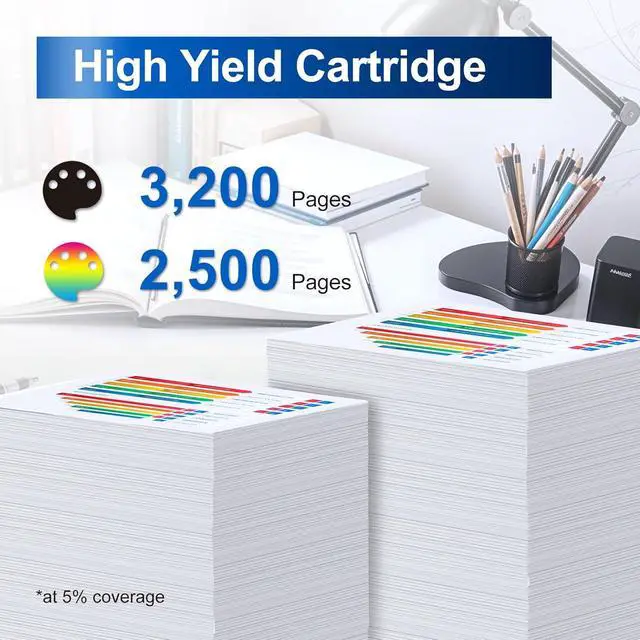
- Page Yield: 3,200 pages for 218X black toner and 2,500 pages for each 218X color toner for hp color laserjet pro mfp 3301fdw toner Cartridges (at 5 Percent Coverage of A4 Paper)
- High printing performance: InkNI 218x toner cartridges 4 pack with chip high
+
+
Overview
Specs
Reviews

Any questions? Our AI mode will help you find out quickly.
Try me now
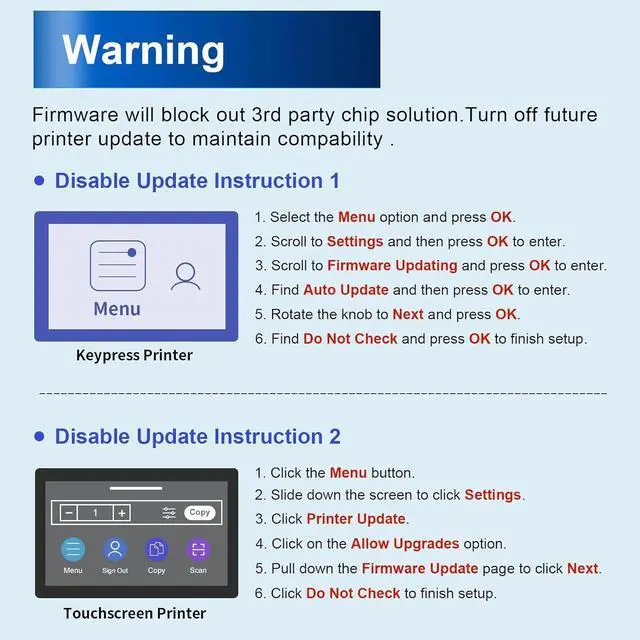
Why do I need to disable future updates to my printer?
Our 218X toner cartridges use a third-party chip and will need to be disabled for future printer updates to maintain compatibility. For setup assistance, please refer to our illustrated guide or reach out to us for further assistance.
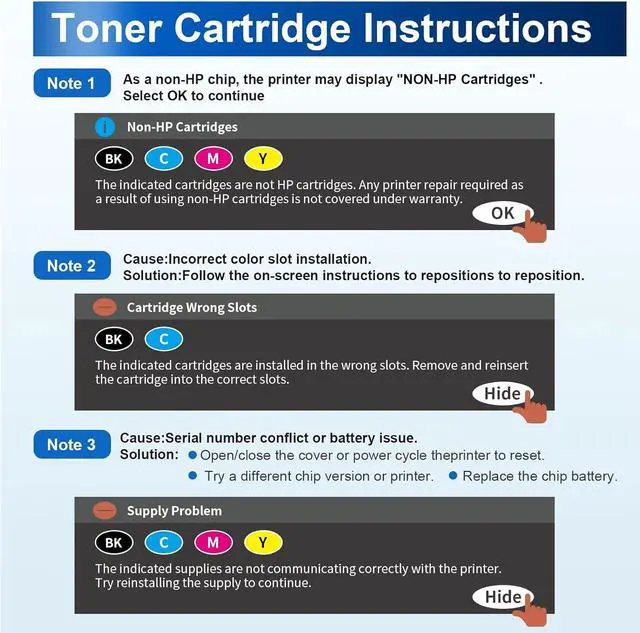
What should I do when the printer displays "NON-HP Cartridges"?
Just click "OK" to continue. Our chips are the latest and will not affect printing.
The printer displays a "Cartridges in Wrong Slots" error. What should I do?
Please follow the on-screen instructions to reinstall the cartridges: Remove and reinsert the cartridges into the slots for the correct colors, then firmly close the cover.
The printer displays "SupplyProblem". How do I resolve it?
Please open and then close the printer cover or power cycle the printer to reset it. If the issue persists, try a different chip version or test with another printer. Or as a last resort, replace the chip battery.
Do these 218X toner cartridges included chips?
Why do I need to disable future updates to my printer?
What should I do when the printer displays "NON-HP Cartridges"?
The printer displays a "Cartridges in Wrong Slots" error. What should I do?
The printer displays "SupplyProblem". How do I resolve it?
Our 218X toner cartridges use a third-party chip and will need to be disabled for future printer updates to maintain compatibility. For setup assistance, please refer to our illustrated guide or reach out to us for further assistance.
What should I do when the printer displays "NON-HP Cartridges"?
Just click "OK" to continue. Our chips are the latest and will not affect printing.
The printer displays a "Cartridges in Wrong Slots" error. What should I do?
Please follow the on-screen instructions to reinstall the cartridges: Remove and reinsert the cartridges into the slots for the correct colors, then firmly close the cover.
The printer displays "SupplyProblem". How do I resolve it?
Please open and then close the printer cover or power cycle the printer to reset it. If the issue persists, try a different chip version or test with another printer. Or as a last resort, replace the chip battery.
Do these 218X toner cartridges included chips?
Why do I need to disable future updates to my printer?
What should I do when the printer displays "NON-HP Cartridges"?
The printer displays a "Cartridges in Wrong Slots" error. What should I do?
The printer displays "SupplyProblem". How do I resolve it?
Warranty & Returns
Warranty, Returns, And Additional Information
Warranty
- Please contact the Seller directly for warranty information. Warranty information may also be found on the Manufacturer's website.
- CONTACT
Return Policies
- Return for refund within: 30 days
- Return for replacement within: 45 days
- This item is covered by Ali Wangwang E-commerce Limited Return Policy
Manufacturer Contact Info
- For a directory of all our manufacturers, please click below.
- Manufacturers Directory
LOADING...